1. Ifihan
The Altice Amplify is an intelligent, high-fidelity smart speaker designed to enhance your home entertainment experience. Powered by Devialet technologies, it delivers exceptional sound quality with rich detail. Integrated with Alexa Voice Control, it allows for hands-free operation, music playback, smart home control, and seamless connection to various streaming services.

Awọn ẹya pataki pẹlu:
- Devialet sound processing technologies for extraordinary audio quality through 5 speakers.
- Far-field AI voice assistant powered by Alexa for convenient hands-free control.
- Multiple connectivity options: Wi-Fi, Bluetooth, and Optical audio input for TV playback.
- Native streaming music support for popular services like Spotify, Pandora, Amazon Music, Apple Music, Audible, TuneIn, Tidal, and iHeartRadio.
- Control of smart home accessories leveraging Alexa skills.
Ìfihàn fídíò ìjọbaasing the features and design of the Altice Amplify Smart Speaker.
2. Ọja Ipariview
2.1. Ohun ti o wa ninu Apoti
- Altice Amplify Smart Speaker
- Okun opitika
- Ipese agbara kuro
2.2. Agbọrọsọ irinše


3. Eto
3.1. Ifiweranṣẹ
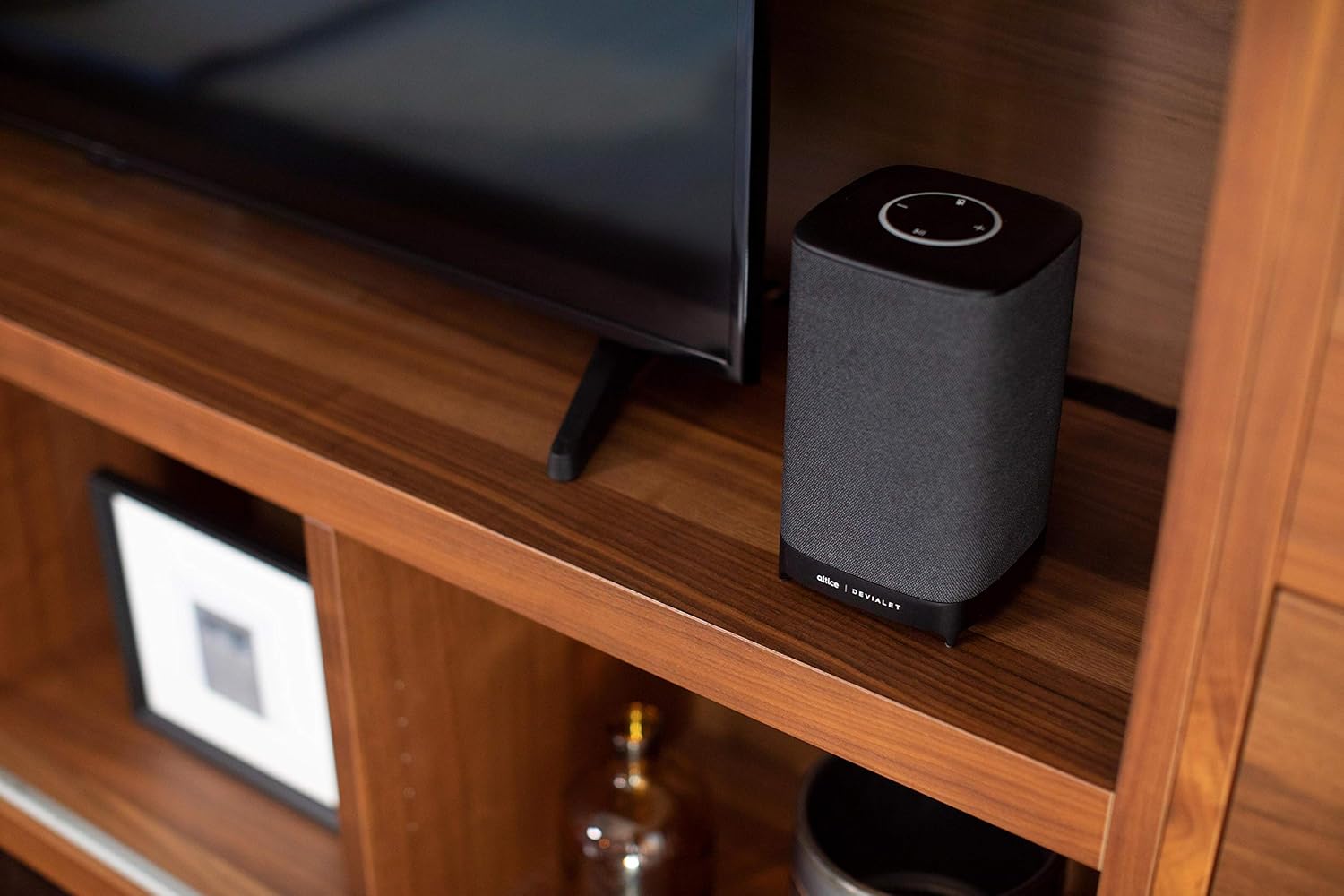
Place your Altice Amplify speaker indoors on a stable, flat surface such as a tabletop or floor. Ensure it is positioned to provide optimal sound distribution in your desired listening area.
3.2. Asopọ agbara
Connect the provided power supply unit to the speaker's power input port and then plug it into a wall outlet. The speaker will power on automatically.
3.3. Nsopọ si TV
For TV audio, use the included optical cable to connect the speaker's optical input to your TV's optical audio output. To switch to the optical input, press and hold the play/pause button on the speaker's top panel until the input changes.
3.4. Network and App Setup
To utilize smart features and streaming services, connect the speaker to your Wi-Fi network. Download the Altice Amplify companion app on your smartphone or tablet. Follow the in-app instructions for initial setup, including Wi-Fi configuration and linking your Alexa account. The app facilitates the setup process and allows for management of speaker settings.
4. Ṣiṣẹ Agbọrọsọ rẹ
4.1. Iṣakoso ohun pẹlu Alexa
With Alexa built-in, you can control your speaker and smart home devices using voice commands. Simply say "Alexa" followed by your request. For example, "Alexa, play music," "Alexa, what's the weather?" or "Alexa, turn off the lights."
4.2. Audio Sisanwọle
The Altice Amplify supports premier audio streaming from various services. Once connected to Wi-Fi, you can stream directly from Spotify, Amazon Music, Apple Music, Pandora, Audible, TuneIn, Tidal, and iHeartRadio. You can also stream audio via Bluetooth from any compatible device.
4.3. Adjusting Volume and Sources
Volume can be adjusted using the touch controls on the top of the speaker (plus and minus symbols) or via voice commands through Alexa. To switch between audio sources (Optical, Bluetooth, Wi-Fi), press and hold the play/pause button on the top panel. Note that the volume control may not be highly incremental, so adjust carefully.
5. Itọju
To maintain the performance and appearance of your Altice Amplify speaker, follow these guidelines:
- Ninu: Use a soft, dry cloth to wipe the exterior surfaces. Avoid using liquid cleaners, aerosols, or abrasive materials.
- Ibi: Keep the speaker away from direct sunlight, heat sources, and areas with high humidity or dust.
- Afẹfẹ: Ensure proper airflow around the speaker to prevent overheating. Do not block any ventilation openings.
- Agbara: Disconnect the power supply during electrical storms or when unused for long periods.
6. Laasigbotitusita
If you encounter issues with your Altice Amplify speaker, refer to the following common problems and solutions:
- Ko si Agbara: Ensure the power supply unit is securely connected to both the speaker and a working electrical outlet.
- Ko si Ijade Olohun:
- Verify the correct audio source is selected (Optical, Bluetooth, Wi-Fi) by pressing and holding the play/pause button to cycle through inputs.
- Ṣayẹwo ipele iwọn didun lori mejeeji agbọrọsọ ati ẹrọ ti a ti sopọ.
- If using optical, ensure the optical cable is securely connected and your TV's audio output is set to PCM/Stereo (not Bitstream or Dolby Digital).
- Awọn ọran Asopọmọra Wi-Fi:
- Rí i dájú pé agbọ́hùnsọ̀ náà wà láàrín ibi tí ẹ̀rọ ìbánisọ̀rọ̀ Wi-Fi rẹ wà.
- Restart your Wi-Fi router and the speaker.
- If the speaker loses contact with the Wi-Fi network and cannot reconnect, try resetting the speaker (refer to the app or online resources for specific reset instructions).
- Some users have reported difficulties with the Android app for setup; ensure your app is updated to the latest version.
- Awọn iṣoro Sisopọ Bluetooth:
- Rii daju pe agbọrọsọ wa ni ipo sisọpọ Bluetooth.
- Rí i dájú pé Bluetooth ti ṣiṣẹ́ lórí ẹ̀rọ rẹ àti pé ó ṣeé rí.
- Delete previous pairings on your device and try pairing again.
- Alexa Ko Dahun:
- Check if the microphone is muted on the speaker (indicated by a specific light pattern or button).
- Ensure the speaker has a stable internet connection.
- Verify your Alexa account is properly linked in the companion app.
For persistent issues, consult the Altice support webojula tabi kan si wọn onibara iṣẹ.
7. Awọn pato
| Ẹya ara ẹrọ | Sipesifikesonu |
|---|---|
| Orukọ awoṣe | Altice Ampgbega |
| Agbọrọsọ Iru | Smart Agbọrọsọ, 3D/Afẹfẹ, Soundbar, Subwoofer |
| Pataki Ẹya | Devialet Sound Processing Technology |
| Niyanju Lilo Fun Ọja | Music, home entertainment, parties, or background music |
| Awọn ẹrọ ibaramu | Foonuiyara, Tabulẹti, Kọǹpútà alágbèéká |
| Adarí Iru | vera, Amazon Alexa |
| Kakiri Ohun ikanni iṣeto ni | 2.1 |
| Àwọ̀ | Dudu |
| Awọn irinše to wa | Optical cable, Power supply unit |
| Iwọn Nkan | 5.73 iwon |
| Se mabomire | ERO |
| Atilẹyin ọja Iru | Atilẹyin ọja to lopin |
| Nọmba ti Awọn nkan | 1 |
| Ọna Iṣakoso | Ohùn |
| Imọ-ẹrọ Ibaraẹnisọrọ Alailowaya | Bluetooth, WiFi |
| Orisun agbara | Okun Itanna |
| Ifihan Ibuwọlu-si-Noise | 5 dB |
| Onibara Package Iru | Iṣakojọpọ Standard |
| Audio Driver Type | Yiyi Awakọ |
| Bluetooth Ibiti | 10 Mita |
| Subwoofer Asopọmọra Technology | Ailokun |
| Ilana Asopọmọra | Bluetooth, WiFi |
| Pẹlu MP3 ẹrọ orin bi? | Rara |
| UPC | 810038290003 |
| inu ile / ita gbangba Lilo | Ninu ile |
| Nọmba Idanimọ Iṣowo Agbaye | 00810038290003 |
| Olupese | Altice, Devialet |
| Package Mefa | 12.2 x 8.6 x 7 inches |
| Nọmba awoṣe ohun kan | SBDV01 |
| Ọjọ Akọkọ Wa | Oṣu kọkanla ọjọ 4, ọdun 2019 |
| Agbọrọsọ Agbara Ijade ti o pọju | 5 Wattis |
| Ipo Ijade Ohun | Sitẹrio |
| Iṣagbesori Iru | Iduro Ilẹ, Ibi ti a gbe sori tabili |
8. Atilẹyin ọja ati Support
The Altice Amplify Smart Speaker comes with a Limited Warranty. For detailed information regarding warranty coverage, terms, and conditions, please refer to the documentation included with your product or visit the official Altice support webojula.
For technical support, troubleshooting assistance beyond this manual, or to inquire about service, please contact Altice customer support through their official channels. Keep your product model number (SBDV01) and proof of purchase ready when contacting support.


