1. Ifihan ati Loriview
The Nitecore P20iX is a high-performance tactical flashlight designed for various applications including law enforcement, military use, outdoor activities, and emergency situations. This powerful device boasts a 4000-lumen output and a throw distance of up to 241 yards, making it an ideal tool for illumination in demanding environments.
Key features include a dual switch tail cap for single-hand operation and quick access to brightness adjustments and strobe function, USB-C recharging capability, and a durable anodized aluminum construction. The P20iX is part of a power bundle that includes two NL2150HPi batteries (one preinstalled, one backup), an NTH20 holster, a USB-C charging cable, a lanyard, a clip, and a LumenTac organizer.
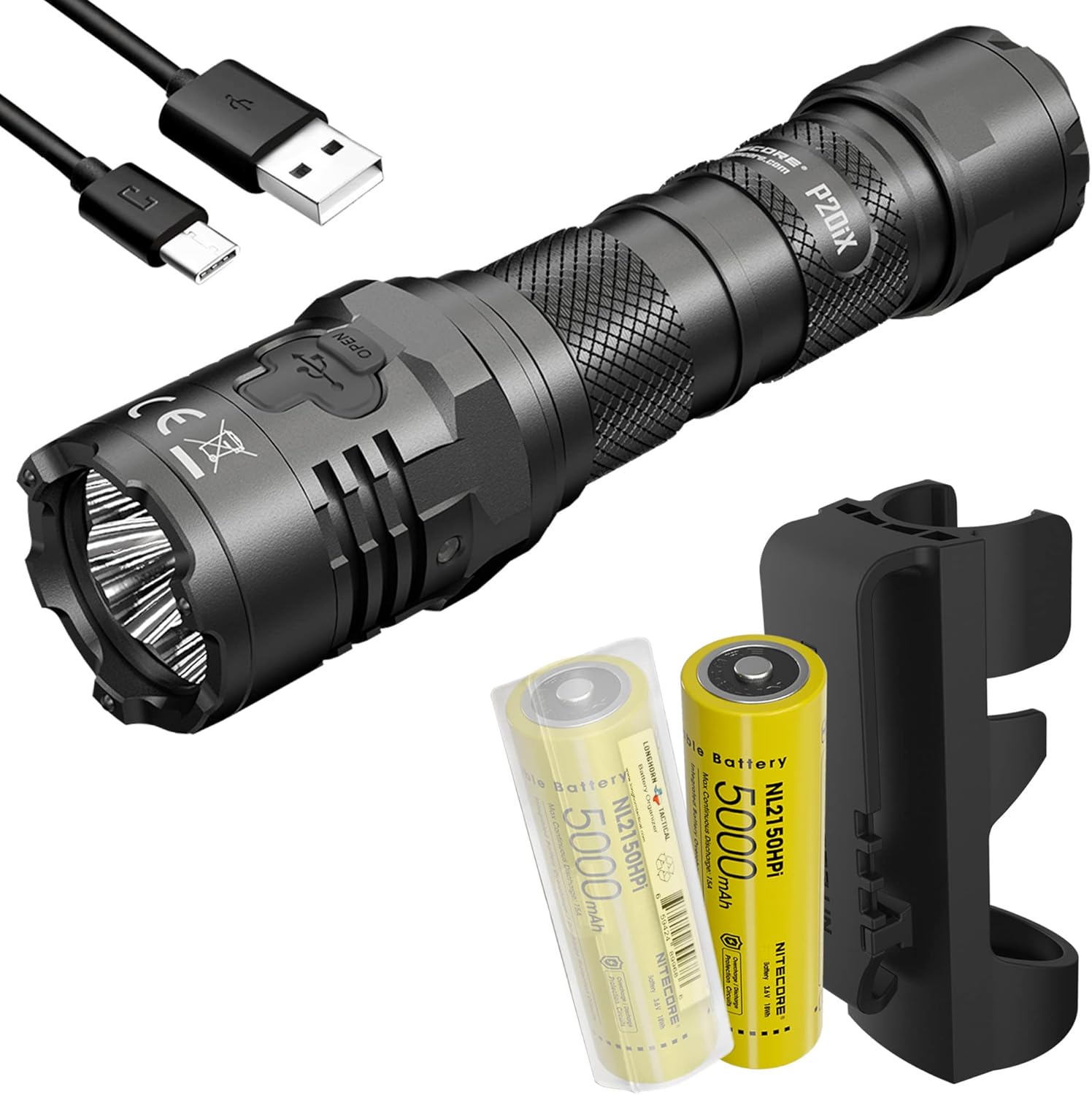
Figure 1: Nitecore P20iX Power Bundle, including the flashlight, two NL2150HPi batteries, USB-C cable, and holster.
2. Eto
2.1 Package Awọn akoonu
Daju pe gbogbo awọn nkan wa ninu apo rẹ:
- Nitecore P20iX Tactical Flashlight
- Two NL2150HPi 5000mAh Batteries (one preinstalled, one backup)
- NTH20 Holster
- USB-C Ngba agbara Cable
- Lanyard
- Agekuru
- LumenTac Organizer

Figure 2: Included accessories: NL2150HPi batteries and LumenTac Organizer.
2.2 Fifi sori batiri
The P20iX uses NL2150HPi 21700 Lithium-Ion batteries. Ensure correct polarity when inserting batteries. The flashlight comes with one battery preinstalled and one as a backup.
- Yọ fila iru ti filaṣi.
- Insert the NL2150HPi battery with the positive (+) end facing towards the head of the flashlight.
- Yi ideri iru pada pada ni aabo.
2.3 Ngba agbara si Batiri naa
The P20iX features a USB-C charging port for convenient and fast recharging. Do not attempt to use the P20iX to charge CR123/ICR123 batteries.
- Locate the USB-C charging port cover on the flashlight body.
- Open the cover to expose the USB-C port.
- Connect the included USB-C charging cable to the flashlight and a power source (e.g., USB wall adapter, computer USB port).
- The charging indicator will show the charging status. Once fully charged, disconnect the cable and close the port cover to ensure water and dust resistance.

Figure 3: Close-up of the USB-C charging port on the Nitecore P20iX.
Fidio 1: Ipariview of the Nitecore P20iX Flashlight, demonstrating its features including charging and operation.
3. Awọn ilana Iṣiṣẹ
3.1 Dual Tail Switch Operation
The P20iX features a dual tail switch design for intuitive single-hand control:
- Yipada Iru Ila: Provides momentary-on and constant-on functions.
- Bọtini MODE: Used for output adjustment and instant access to STROBE/TURBO modes.

Figure 4: Illustration of the dual tail switch design on the Nitecore P20iX, highlighting the Tactical Tail Switch and MODE Button.
3.2 Brightness Modes and Strobe
The P20iX offers multiple brightness levels and a specialized strobe function:
- Àwọn Ìgbékalẹ̀ Ìmọ́lẹ̀ Mẹ́ta: Ranging from Ultralow (2 lumens) to Turbo (4000 lumens).
- Ipo Strobe: Instantly accessible by pressing and holding the MODE button. The non-linear strobe patterns are designed for disorienting effects.

Figure 5: Diagram illustrating the two user modes: Daily Mode (Ultralow, Low, Mid, High, Higher, Turbo, Strobe) and Tactical Mode (Turbo, High, Mid, Low, Strobe).
3.3 Iṣẹ iranti
The flashlight features a memory function that recalls the last used brightness level or mode when reactivated, allowing quick access to your preferred setting.

Figure 6: The memory function allows the flashlight to recall the last used brightness level or mode.
3.4 NTH20 Holster
The included NTH20 holster is a hard, durable accessory compatible with tactical belts and MOLLE systems, providing secure and convenient carrying for your P20iX flashlight.

Figure 7: The NTH20 holster designed for the Nitecore P20iX, shown attached to a tactical belt.
4. Itọju
Proper maintenance ensures the longevity and optimal performance of your Nitecore P20iX flashlight.
- Ninu: Regularly clean the threads and O-rings with a clean cloth. Apply a thin layer of silicone grease to the O-rings periodically to maintain water resistance.
- Itọju Batiri: Store batteries in a cool, dry place. If the flashlight will not be used for an extended period, remove the batteries to prevent leakage.
- Ibudo gbigba agbara: Keep the USB-C charging port cover securely closed when not charging to prevent dust and water ingress.
5. Laasigbotitusita
If you encounter issues with your Nitecore P20iX, try the following troubleshooting steps:
- Ina filaṣi ko tan:
- Ensure the battery is inserted with correct polarity.
- Ṣayẹwo boya batiri ti gba agbara ni kikun.
- Tighten the tail cap securely. A loose tail cap can prevent electrical contact.
- Din tabi ina didan:
- Batiri naa le kere si. Tun batiri naa gba agbara.
- Clean the battery contacts and the flashlight's internal contacts with a cotton swab dipped in rubbing alcohol.
- Awọn iṣoro gbigba agbara:
- Rí i dájú pé okùn USB-C so mọ́ iná mànàmáná àti orísun agbára dáadáa.
- Gbiyanju okun USB-C ti o yatọ tabi ohun ti nmu badọgba agbara.
- Daju pe orisun agbara n ṣiṣẹ.
If problems persist after attempting these steps, please contact Nitecore customer support or the retailer for further assistance.
6. Awọn pato

Figure 8: Technical data table for Nitecore P20iX, showing performance with 5000mAh Li-ion battery and 2 x CR123 batteries.
| Ẹya ara ẹrọ | Ẹ̀kúnrẹ́rẹ́ |
|---|---|
| Brand | Nitecore |
| Nọmba awoṣe | P20iX |
| Imọlẹ Orisun Orisun | LED (4 x CREE XP-L2 V6 LEDs) |
| Imọlẹ ti o pọju | 4000 Lumens |
| Ijinna Jiju ti o pọju | 241 Yards (221 meters) |
| Orisun agbara | Battery Powered (NL2150HPi Lithium Ion) |
| Batiri Iru | 21700 Lithium Ion (NL2150HPi) |
| Max asiko isise | 350 hours (on Ultralow mode) |
| Ohun elo | Aluminiomu anodized |
| Omi Resistance Ipele | IP68 (mita 2 ti o wa ni inu omi) |
| Atako Ipa | 2 mita |
| Ọja Mefa | 6.26"D x 1.28"W x 1.1"H (159mm x 32.6mm x 28.5mm) |
| Iwọn Nkan | 4.76 iwon (135g) |
| Pataki Awọn ẹya ara ẹrọ | Rechargeable (USB-C), Dual Tail Switch, Strobe Ready, Memory Function, Stainless Steel Impact Bezel |
7. Atilẹyin ọja ati Support
Nitecore products are typically covered by a warranty against defects in materials and workmanship. For detailed warranty information, including duration and terms, please refer to the official Nitecore webojula tabi kan si wọn onibara iṣẹ taara.
For technical support, product inquiries, or warranty claims, please visit the official Nitecore website or contact the authorized dealer from whom you purchased the product. Keep your purchase receipt as proof of purchase for warranty purposes.
Awọn orisun Ayelujara:
- Visit the Nitecore Store on Amazon
- Refer to the official Nitecore webAaye fun alaye ti o ni imudojuiwọn julọ ati atilẹyin.


