1. Ifihan
Thank you for choosing VirtuFit Exercise Bike Pedals. These pedals are designed to provide a secure and comfortable experience for your indoor cycling workouts. This manual provides essential information for the proper installation, use, and maintenance of your new pedals.
Please read this manual carefully before installation and use. Keep it for future reference.
2. Ọja Ipariview
The VirtuFit Exercise Bike Pedals are specifically designed for indoor fitness equipment with a 14mm connector. They feature an extra-large, anti-slip surface and adjustable foot straps to ensure enhanced support and stability during your workouts.
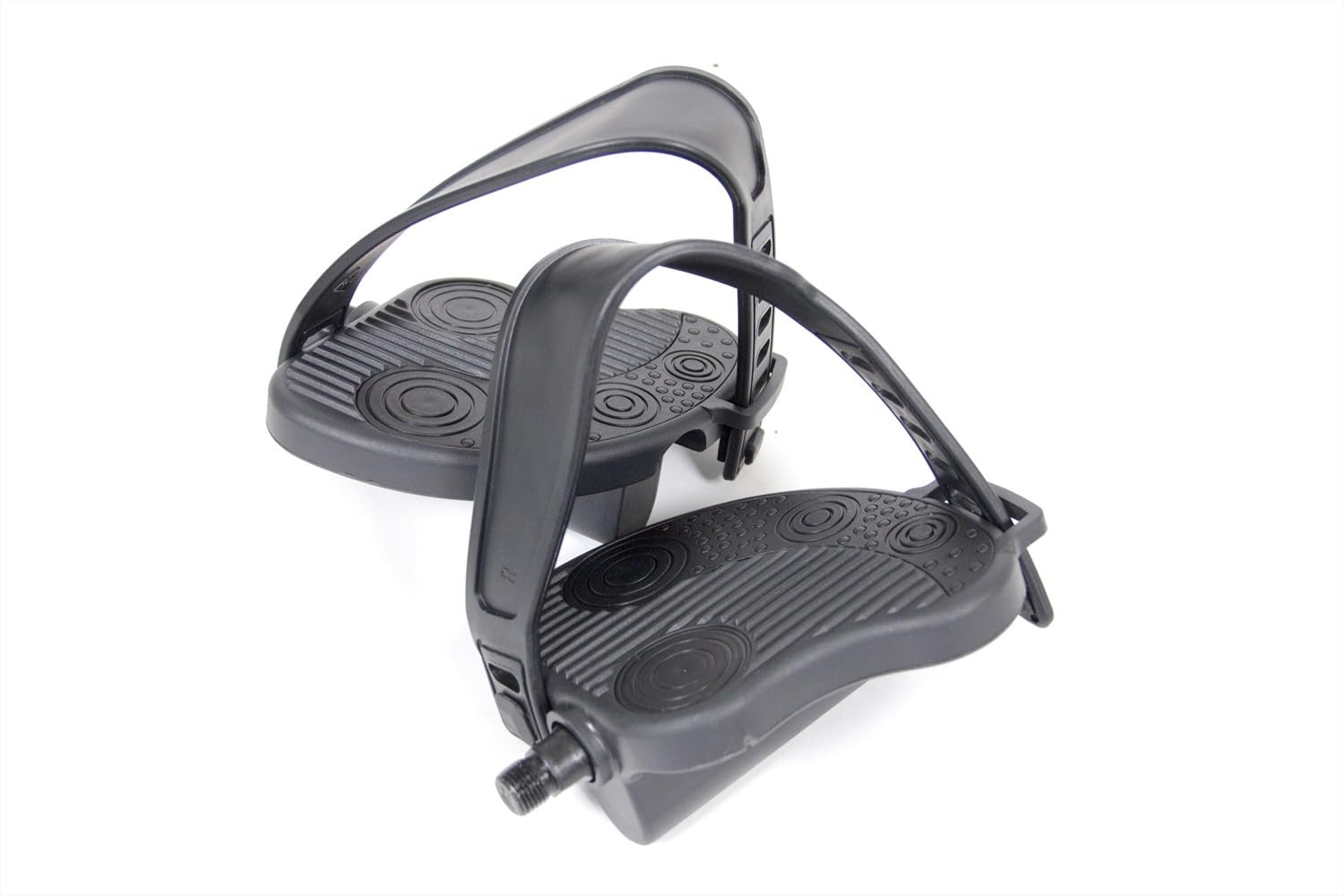
Figure 1: A single VirtuFit exercise bike pedal, black in color, featuring an anti-slip surface and an adjustable foot strap for secure foot placement during exercise.
3. Eto ati fifi sori
These pedals are designed for easy replacement of existing pedals on exercise bikes with a 14mm pedal thread. Ensure your exercise bike has a 14mm pedal connector before proceeding.
3.1 Awọn irinṣẹ ti a beere
- Adjustable wrench or pedal wrench (typically 15mm)
3.2 Removing Old Pedals
- Identify the left (L) and right (R) pedals. Pedal threads are typically marked. The left pedal usually has a left-hand (reverse) thread, and the right pedal has a right-hand (standard) thread.
- Lati yọ awọn efatelese ọtun, turn the wrench counter-clockwise.
- Lati yọ awọn osi efatelese, turn the wrench aago (reverse thread).
- Carefully unscrew both pedals from the crank arms.
3.3 Installing New VirtuFit Pedals
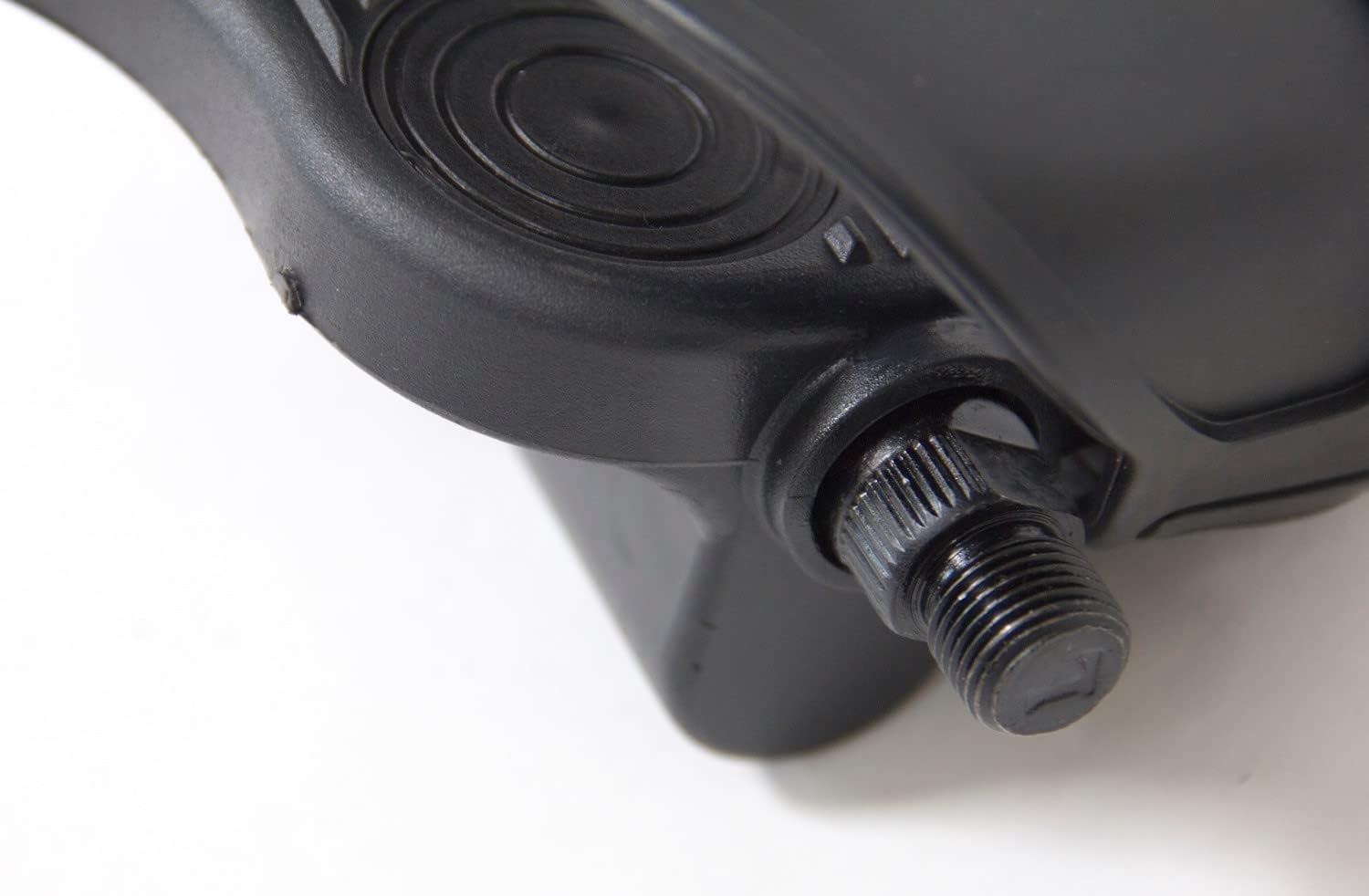
olusin 2: A alaye view of the 14mm screw thread located at the base of the VirtuFit exercise bike pedal, essential for attachment to the bike crank arm.
- Identify the new VirtuFit left (L) and right (R) pedals. They are typically marked on the spindle.
- Apply a small amount of grease to the pedal threads to prevent seizing and make future removal easier.
- Fun awọn efatelese ọtun, carefully screw it into the right crank arm by turning aago. Start by hand to ensure the threads are properly aligned.
- Fun awọn osi efatelese, carefully screw it into the left crank arm by turning counter-clockwise (reverse thread). Start by hand to ensure the threads are properly aligned.
- Once hand-tight, use your wrench to firmly tighten both pedals. Do not overtighten, but ensure they are secure to prevent loosening during use.
4. Ṣiṣẹ ati Lilo
The VirtuFit Exercise Bike Pedals are designed for comfortable and secure use during your indoor cycling sessions.
4.1 Adjusting Foot Straps

Figure 3: A close-up showing the textured, anti-slip surface of the VirtuFit pedal and the attachment point for the adjustable foot strap, designed to keep feet secure.

Figure 4: The adjustable foot strap component, designed to secure the user's foot firmly onto the pedal during exercise, preventing slippage.
- Place your foot onto the pedal, ensuring the ball of your foot is centered over the pedal spindle.
- Adjust the foot strap to a snug fit around your foot. The strap should be tight enough to hold your foot securely without causing discomfort or restricting circulation.
- Ensure both straps are adjusted evenly for balanced support.
4.2 Awọn iṣọra aabo
- Always wear appropriate athletic footwear when using the exercise bike.
- Before each workout, check that the pedals are securely attached and the foot straps are properly adjusted.
- Do not use the exercise bike if the pedals feel loose or damaged.
5. Itọju
Regular maintenance ensures the longevity and safe operation of your VirtuFit pedals.
- Ninu: Wipe the pedals and straps with a damp cloth after each use to remove sweat and dirt. Avoid harsh chemicals.
- Ayewo: Periodically check the pedal threads for any signs of wear or damage. Inspect the foot straps for cracks, tears, or excessive stretching.
- Tira: Re-check the tightness of the pedals on the crank arms every few months or if you notice any wobbling.
- Lubrication: If you ever remove the pedals, reapply a small amount of grease to the threads before reinstallation.
6. Laasigbotitusita
- Àwọn ẹsẹ̀ rí bí ẹni pé wọ́n ti dẹ́kun: Ensure the pedals are fully tightened onto the crank arms. If they continue to loosen, remove, clean, re-grease the threads, and re-install.
- Difficulty installing pedals: Verify that you are screwing the left pedal counter-clockwise and the right pedal clockwise. Ensure the threads are not cross-threaded.
- Foot slips during workout: Adjust the foot straps to be tighter and ensure they are securely fastened.
7. Awọn pato
| Ẹya ara ẹrọ | Sipesifikesonu |
|---|---|
| Brand | VirtuFit |
| Nọmba awoṣe | VF-trappers hometrainer |
| Compatible Bike Type | keke inu ile |
| Pedal Thread Size | 14 mm |
| Ohun elo | Alloy Irin |
| Àwọ̀ | Dudu |
| Ara | Alapin |
| Awọn iwọn Ọja (L x W x H) | 15 x 15 x 9 cm |
| Ibiti ọjọ ori | Agbalagba |
8. atilẹyin ọja Information
The VirtuFit fitness brand guarantees excellent quality. Fitness equipment and fitness items are manufactured from high-quality materials, with significant attention paid to ease of use, design, and extensive functionality. Therefore, you benefit from a 2-year warranty on these pedals.
Jọwọ ṣe idaduro ẹri rira rẹ fun awọn iṣeduro atilẹyin ọja.


