Ọrọ Iṣaaju
Thank you for choosing the VISION Talking Analog and Digital Watch. This watch is designed to provide clear time announcements in Spanish, making it ideal for individuals with visual impairments, children, and the elderly. It features both an analog display for traditional time-telling and a digital display for precise readings, along with an alarm function.

olusin 1: Iwaju view of the VISION Talking Analog and Digital Watch.
Ṣeto
1. Unpacking ati Ibẹrẹ Ayewo
Carefully remove the watch from its packaging. Inspect the watch for any visible damage. The watch comes with a battery pre-installed and is ready for initial setup.

Figure 2: The watch as it appears in its original clear plastic case.
2. Initial Time Setting (Digital)
The digital time needs to be set first. Refer to the 'Operating Instructions' section for detailed steps on setting the digital time using the 'MODE', 'HOUR', and 'MINUTE' buttons.
3. Eto Akoko Ibẹrẹ (Analog)
The analog hands are set independently using the crown (small knob) on the side of the watch. Pull out the crown and rotate it to adjust the analog hands to match the digital time. Push the crown back in to secure the setting.
Awọn ilana Iṣiṣẹ
Awọn iṣẹ bọtini
- Bọtini MODE: Used to cycle through different modes (Time, Alarm Setting).
- TALKING Button: Press to hear the current time announced in Spanish.
- Bọ́tìnì WÁKÀTÀKÌ: Used to adjust the hour in setting modes.
- MINUTE Button: Used to adjust the minute in setting modes.
- Ade: Used to set the analog hands.
Telling Time
- Ìkéde Ohùn: Tẹ awọn SORO button to hear the current time spoken aloud in Spanish.
- Ifihan Digital: The digital display shows the time in a 12-hour format (AM/PM).
- Ifihan Analog: The traditional hands indicate the hour and minute.
Eto Digital Time
- Tẹ awọn MODE button repeatedly until the digital display shows the time setting mode (often indicated by flashing digits).
- Lo awọn WAKATI button to adjust the hour. Pay attention to AM/PM indicators.
- Lo awọn ISEJU bọtini lati ṣatunṣe awọn iṣẹju.
- Tẹ awọn MODE button again to confirm and exit the time setting mode.
Eto Itaniji
- Tẹ awọn MODE button until the alarm setting mode is displayed (often indicated by an alarm icon or 'AL').
- Lo awọn WAKATI bọtini lati ṣeto aago itaniji ti o fẹ.
- Lo awọn ISEJU bọtini lati ṣeto awọn iṣẹju itaniji ti o fẹ.
- Tẹ awọn MODE button to activate the alarm and exit the setting mode.
- To turn off a sounding alarm, press any button.
Itoju
Ninu
Lati nu aago rẹ nu, pa a rọra pẹlu asọ ti o gbẹ. Fun idoti alagidi, die-die damp A le lo aṣọ, ṣugbọn rii daju pe ọrinrin ko wọ inu aago naa. Yẹra fun lilo awọn kemikali lile tabi awọn ohun elo ti o npa.
Batiri Rirọpo
The watch uses a Lithium-metal battery. When the voice announcement becomes faint or the digital display dims, it's time to replace the battery. It is recommended to have battery replacement performed by a qualified watch technician to ensure proper sealing and function.
Omi Resistance
This watch is marked as "WATER RESISTANT." This typically means it can withstand splashes, rain, or brief immersion in water, such as washing hands. It is kii ṣe suitable for swimming, showering, or diving. Prolonged exposure to water or submersion may cause damage.
Laasigbotitusita
- No Voice Announcement:
- Ṣayẹwo ipele batiri. Rọpo ti o ba jẹ kekere.
- Ensure the TALKING button is pressed firmly.
- Ifihan oni-nọmba jẹ Ofo tabi Dim:
- Battery may be depleted. Replace the battery.
- Àkókò kò péye:
- Re-set the digital time following the instructions in the 'Operating Instructions' section.
- Ensure the analog hands are synchronized with the digital time by adjusting the crown.
- Low battery can affect timekeeping accuracy. Consider battery replacement.
- Itaniji Ko N dun:
- Ensure the alarm is set correctly and activated.
- Ṣayẹwo ipele batiri.
Awọn pato
| Ẹya ara ẹrọ | Apejuwe |
|---|---|
| Brand | IRIRAN |
| Awoṣe | 861ZTS-GRN-MEX |
| Iru Ipe | Analog ati Digital |
| Gbigbe | Electronic Digital and Analog |
| Ohun Išė | Yes (Spanish) |
| Iṣẹ-ṣiṣe itaniji | Bẹẹni |
| Ohun elo ọran | Ṣiṣu |
| Case Opin | 40 mm (1.57 inches) |
| Iwọn okun | 18 mm (0.71 inches) |
| Ọran Sisanra | 16 mm (0.63 inches) |
| Batiri Iru | 1 Lithium-metal (included) |
| Omi Resistance | Water Resistant (Splash/Rain proof, not for submersion) |
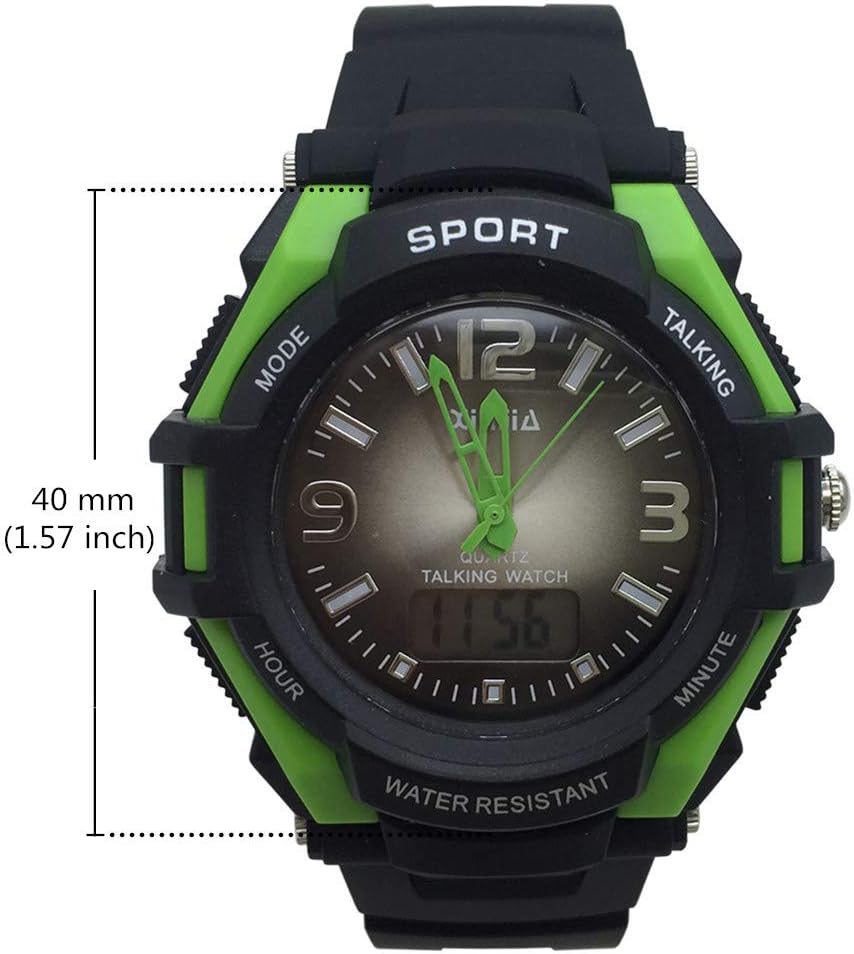
Figure 3: Watch face diameter measurement (40 mm).
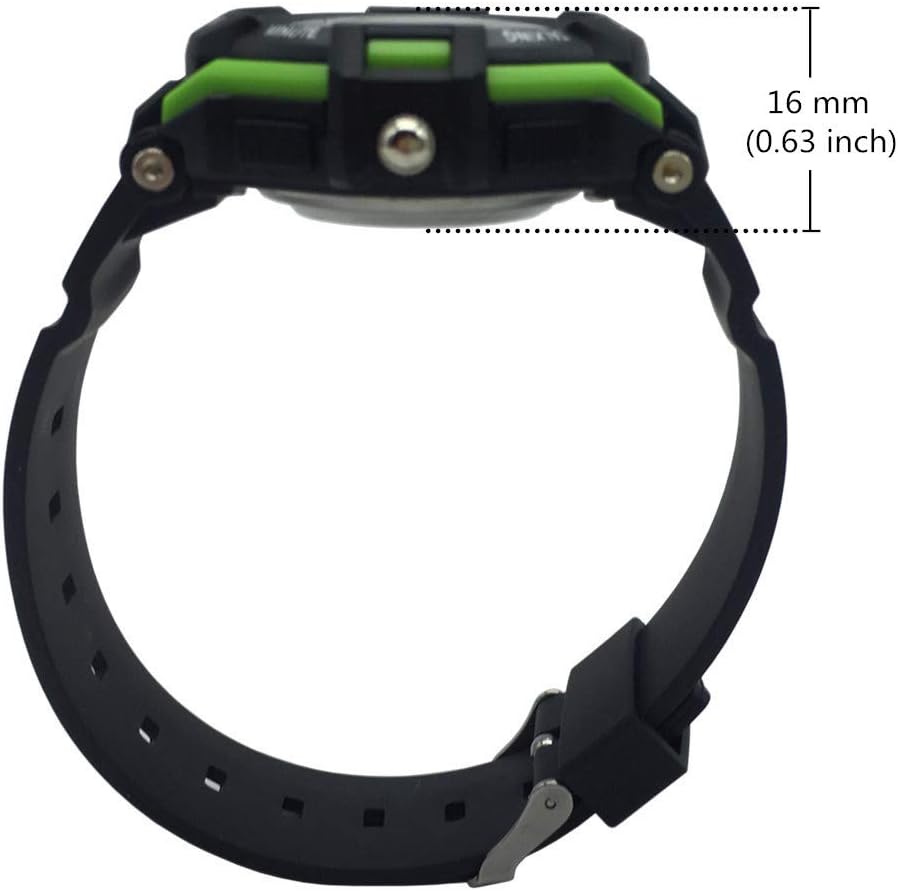
Figure 4: Watch case thickness measurement (16 mm).

Figure 5: Watch strap width measurement (18 mm).
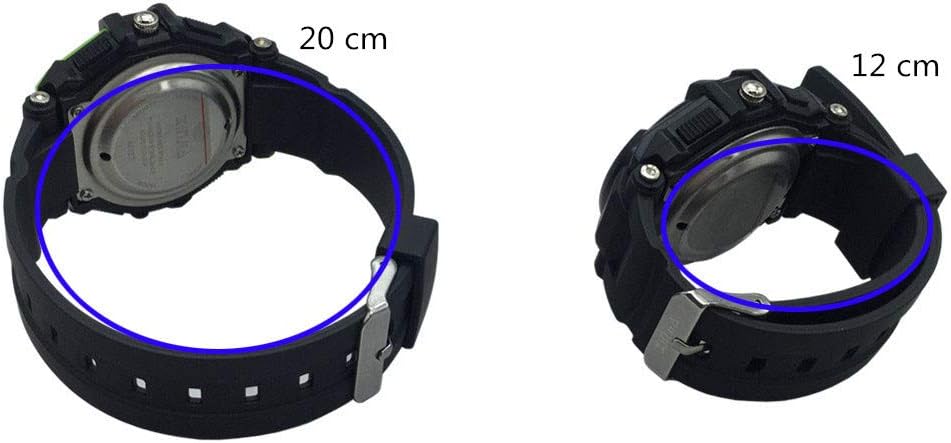
Olusin 6: Examples of wrist circumference fit (20 cm and 12 cm).
Atilẹyin ọja ati Support
For warranty information or technical support, please refer to the documentation included with your purchase or contact the seller/manufacturer directly. Keep your proof of purchase for any warranty claims.


