1. Ifihan
The HyperX Alloy Origins Core is an ultra-compact, sturdy tenkeyless keyboard designed for gamers. It features custom HyperX mechanical switches with exposed LEDs for vibrant lighting. The keyboard is built with a full aluminum body for durability and stability, and includes adjustable feet for three tilt levels. Its compact TKL design optimizes desk space for mouse movement, and it comes with a detachable USB Type-C cable for portability. Customization of lighting and macros is available through HyperX Ngenuity Software.

Image: The HyperX Alloy Origins Core keyboard showcasing apẹrẹ iwapọ rẹ ati ina RGB larinrin.
2. Ohun ti o wa ninu Apoti
- HyperX Alloy Origins mojuto Mechanical Awọn ere Awọn Keyboard
- Okùn USB Iru-C tí a lè yọ kúrò sí Okùn Iru-A
- Quick Bẹrẹ Itọsọna
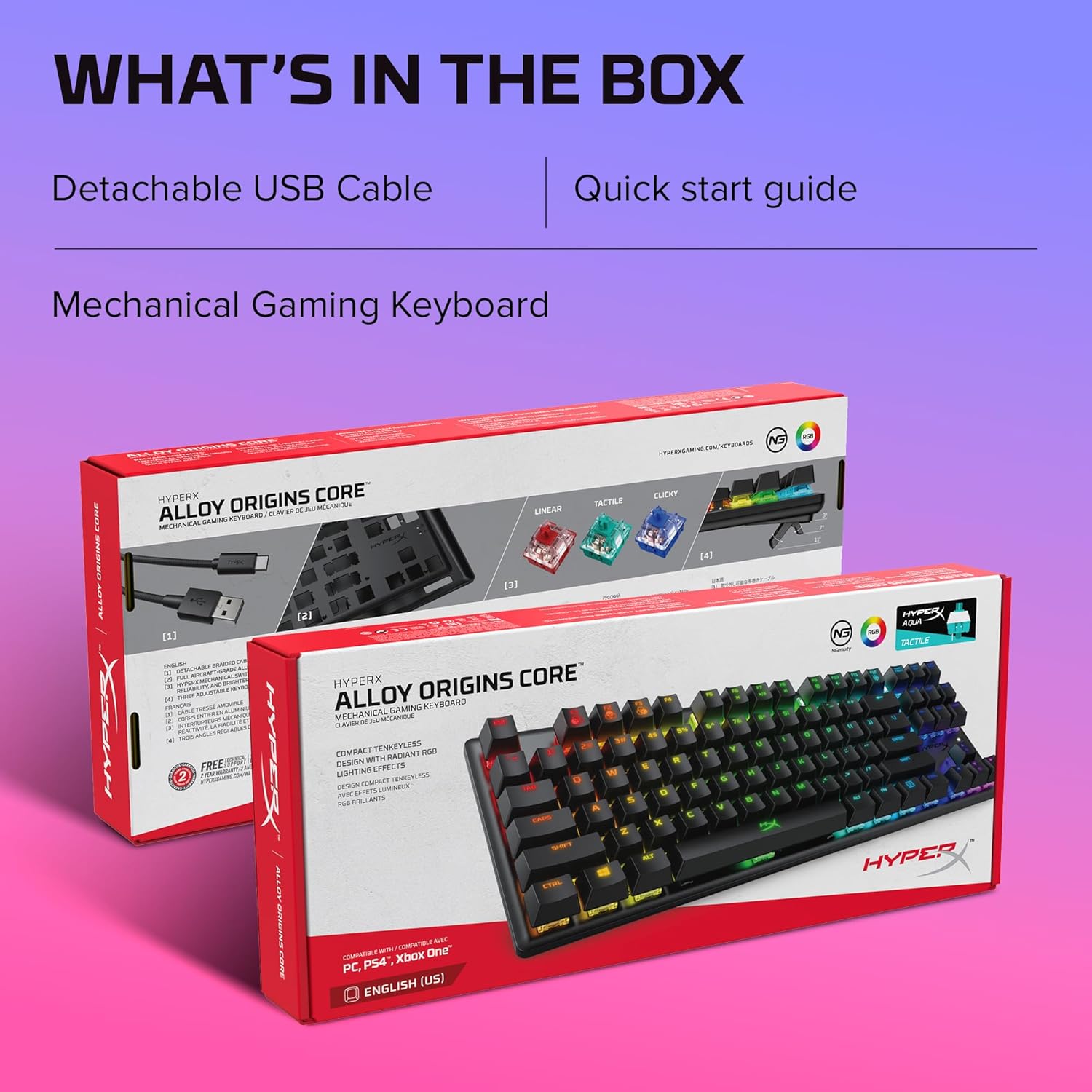
Image: The HyperX Alloy Origins Core keyboard packaging, showing the keyboard, detachable USB cable, and quick start guide.
3. Awọn ẹya ara ẹrọ
- Awọn Yipada Mechanical HyperX: Custom-designed for responsiveness and accuracy, with a short travel time and low actuation force. Rated for 80 million keypresses.
- Ara Aluminiomu Ipele Ọkọ ofurufu ni kikun: Ṣe idaniloju ohun igbekalẹ ati iduroṣinṣin lakoko lilo lile.
- Ultra-Compact TKL Design with Detachable USB Type-C Cable: Frees up desk space for mouse movement and offers easy portability.
- Awọn bọtini Afẹyinti RGB pẹlu Awọn ipa Imọlẹ Radiant: HyperX mechanical switches feature an exposed LED for brighter, more luminous RGB lighting.
- Advanced Customization with HyperX NGENUITY Software: Allows customization of Game Mode, lighting effects, and macros.
- Three Adjustable Keyboard Tilt Angles: Two-step keyboard feet provide 3°, 7°, or 11° angles for ergonomic comfort.
- Onboard Memory for Three Profiles: Store custom lightshows and settings directly on the keyboard for on-the-go use.
- Game Mode, 100% Anti-Ghosting, and N-Key Rollover: Ensures all keypresses register accurately during gameplay.

Image: The compact tenkeyless design and durable aluminum body of the HyperX Alloy Origins Core keyboard.
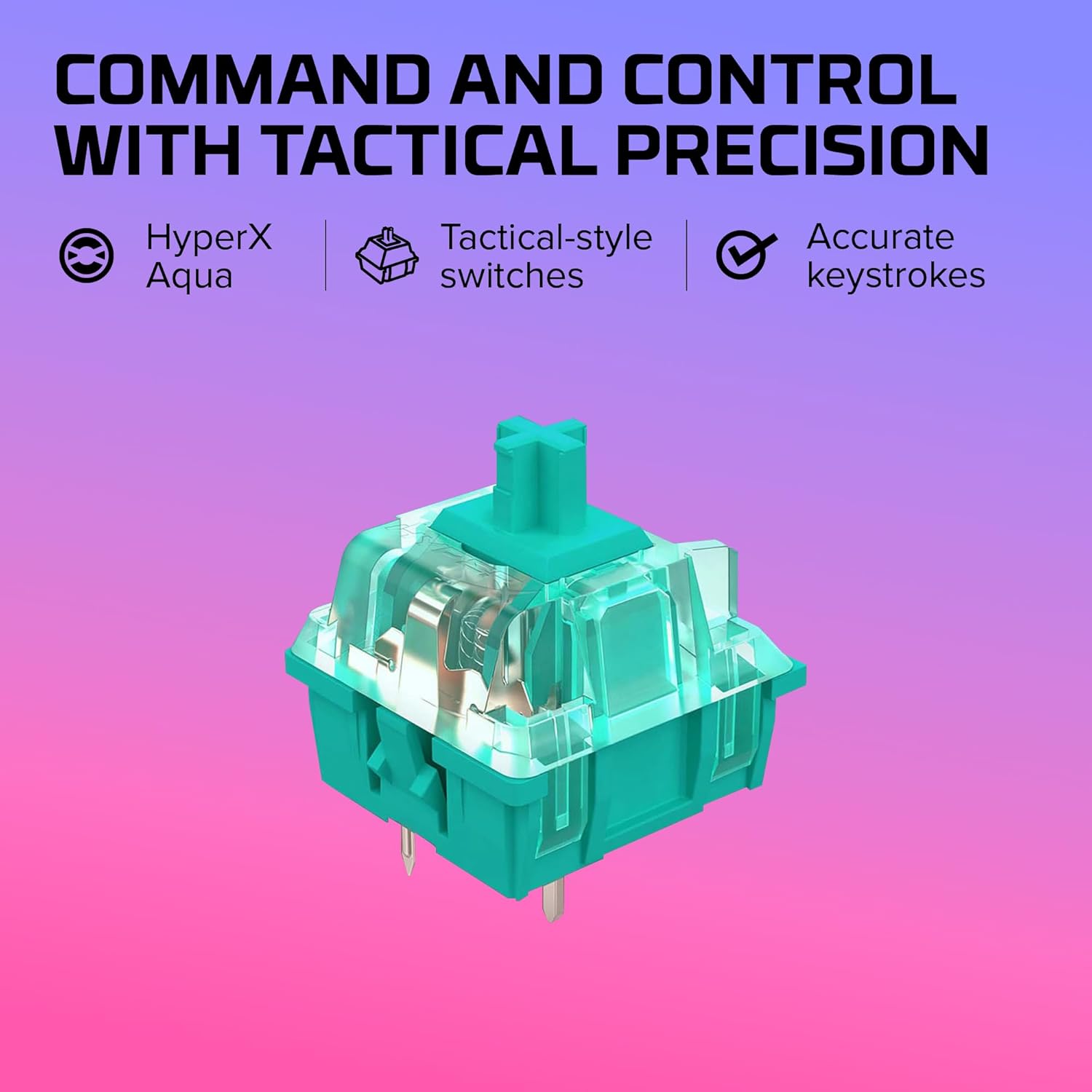
Aworan: A alaye view of the HyperX Aqua mechanical switch, emphasizing its tactile feedback and accurate keystrokes.

Image: The HyperX Alloy Origins Core keyboard demonstrating compatibility with Windows PC, PlayStation, and Xbox gaming consoles.
4. Eto
4.1 Nsopọ Keyboard
The HyperX Alloy Origins Core keyboard connects to your computer or gaming console via a detachable USB Type-C to Type-A cable. Ensure the cable is securely plugged into the Type-C port on the keyboard and a Type-A USB port on your device.
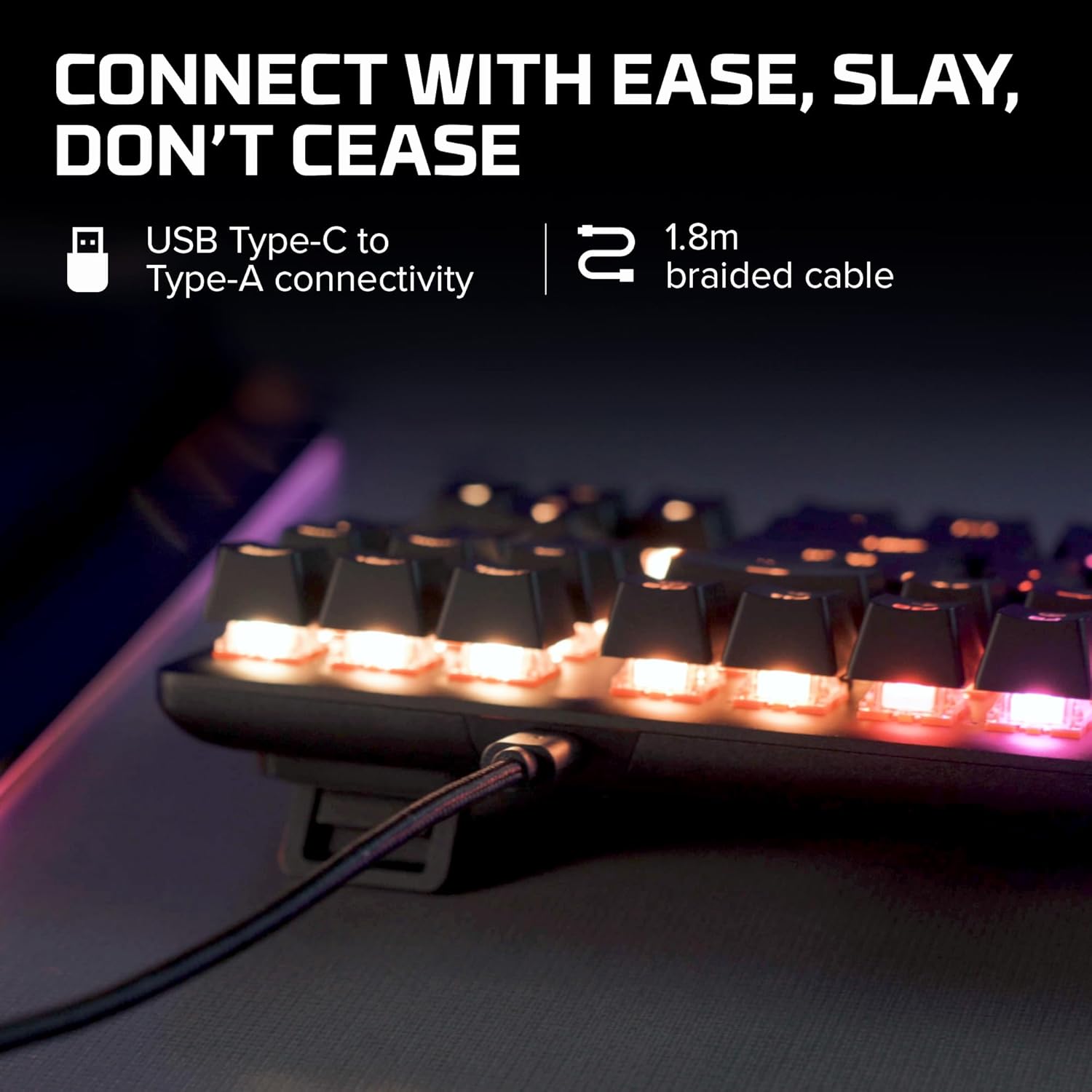
Image: The detachable USB Type-C to Type-A braided cable connected to the keyboard, illustrating easy connectivity.
4.2 Siṣàtúnṣe Keyboard igun
The keyboard features two-step adjustable feet, allowing you to set the tilt angle to 3°, 7°, or 11° for optimal comfort during use. Simply flip out the desired level of feet located on the underside of the keyboard.

Image: The adjustable keyboard feet demonstrating the three available tilt angles (3°, 7°, 11°).
5. Awọn ilana Iṣiṣẹ
5.1 Ipilẹ isẹ
The HyperX Alloy Origins Core functions as a standard tenkeyless keyboard. All keys are responsive and designed for accurate input. The keyboard supports 100% anti-ghosting and N-key rollover, ensuring every keypress is registered, even during rapid, simultaneous inputs.

Image: Keys on the HyperX Alloy Origins Core keyboard, illustrating the anti-ghosting and N-key rollover features for precise input.
5.2 RGB Lighting and Customization
The keyboard features vibrant RGB backlighting. You can adjust brightness levels directly on the keyboard or through the HyperX NGENUITY Software. The software allows for advanced customization, including per-key lighting, layered lighting effects, and macro creation. Three custom profiles can be saved directly to the keyboard's onboard memory.
Image: The HyperX NGENUITY Software interface, demonstrating options for RGB lighting customization and profile isakoso.
5.3 Ipo Ere
Activate Game Mode to prevent accidental interruptions during gameplay. This mode typically disables the Windows key and other key combinations that might minimize your game. Game Mode settings can be configured via the HyperX NGENUITY Software.
6. Itọju
6.1 Ninu
Lati nu keyboard rẹ, akọkọ ge asopọ lati kọmputa rẹ. Lo asọ asọ, ti ko ni lint die-die dampened pẹlu omi tabi a ìwọnba ninu ojutu lati mu ese si isalẹ awọn keycaps ati ẹnjini. Fun eruku ati idoti laarin awọn bọtini, lo afẹfẹ fisinuirindigbindigbin. Yago fun sisọ awọn olomi taara sori keyboard.
6.2 Ibi ipamọ
When not in use for extended periods, store the keyboard in a cool, dry place away from direct sunlight and extreme temperatures. Using the original packaging or a protective case can help prevent dust accumulation and physical damage.
7. Laasigbotitusita
7.1 Keyboard Ko fesi
- Ensure the USB cable is securely connected to both the keyboard and the computer/console.
- Gbiyanju lati so keyboard pọ mọ ibudo USB ti o yatọ.
- Test the keyboard on another computer or device to determine if the issue is with the keyboard or the original device.
- Tun kọmputa/console rẹ bẹrẹ.
Àwọn Ìṣòro Ìmọ́lẹ̀ RGB 7.2
- Verify that the HyperX NGENUITY Software is installed and up to date.
- Check lighting settings within the NGENUITY software to ensure desired effects are enabled and brightness is set appropriately.
- Perform a factory reset on the keyboard if issues persist (refer to the Quick Start Guide for specific instructions).
7.3 Keys Not Registering / Ghosting
- Ensure Game Mode is not interfering with specific key functions if you are experiencing unexpected behavior.
- Clean around the affected keys to remove any debris that might be obstructing the switch mechanism.
- Update keyboard firmware via HyperX NGENUITY Software.
8. Awọn pato
| Ẹya ara ẹrọ | Ẹ̀kúnrẹ́rẹ́ |
|---|---|
| Ọja Mefa | 14.1 x 5.1 x 1.4 inches |
| Iwọn Nkan | 1.98 iwon |
| Olupese | HP Inc. |
| ASIN | B084GYSFDT |
| Nọmba Awoṣe Nkan | HX-KB7AQX-US |
| Brand | HyperX |
| Awọn ẹrọ ibaramu | Console ere, PC |
| Asopọmọra Technology | Ti firanṣẹ |
| Apejuwe Keyboard | Awọn ere Awọn ẹrọ |
| Niyanju Lilo | Ere |
| Pataki Ẹya | Backlit |
| Àwọ̀ | Black (RGB Backlighting) |
| Nọmba ti Awọn bọtini | 87 |
| Ara | HyperX Aqua |

Image: Dimensions and weight of the HyperX Alloy Origins Core keyboard.
9. Atilẹyin ọja ati Support
Fun alaye atilẹyin ọja ati atilẹyin imọ-ẹrọ, jọwọ tọka si HyperX osise webojula tabi olubasọrọ HyperX onibara iṣẹ. Jeki ẹri rira rẹ fun awọn iṣeduro atilẹyin ọja.
- Iwe afọwọkọ olumulo osise (PDF): Ṣe igbasilẹ PDF
- Itọsọna olumulo osise (PDF): Ṣe igbasilẹ PDF
- Visit the HyperX Store: HyperX Amazon Store


