1. Ifihan
This user manual provides comprehensive instructions for the setup, operation, and maintenance of your INSIGNIA NS-24DF311SE21 24-inch Smart HD TV - Fire TV Edition. Please read this manual thoroughly before using your television to ensure proper functionality and safety.
2. Ohun ti o wa ninu Apoti
Daju pe gbogbo awọn nkan wa ninu apoti:
- INSIGNIA NS-24DF311SE21 24-inch Smart HD TV
- Latọna jijin ohun pẹlu Alexa (pẹlu awọn batiri AAA 2)
- Iduro TV (awọn ege 2)
- Okun agbara
- Itọsọna Iṣeto ni kiakia (iwe yii)
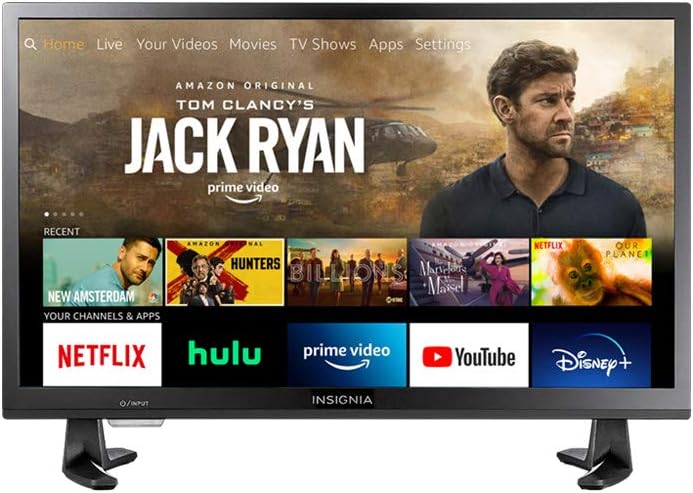
Figure 2.1: INSIGNIA NS-24DF311SE21 Smart HD TV with Fire TV interface.
3. Eto
3.1 So Iduro TV
- Fi iṣọra gbe TV ni oju-isalẹ lori rirọ, dada mimọ lati ṣe idiwọ ibajẹ iboju.
- Ṣètò àwọn ohun tí a fi ń dúró pẹ̀lú àwọn ihò ìdènà tí ó wà ní ìsàlẹ̀ TV náà.
- Ṣe aabo awọn ege imurasilẹ nipa lilo awọn skru ti a pese. Rii daju pe wọn ti di ṣinṣin.

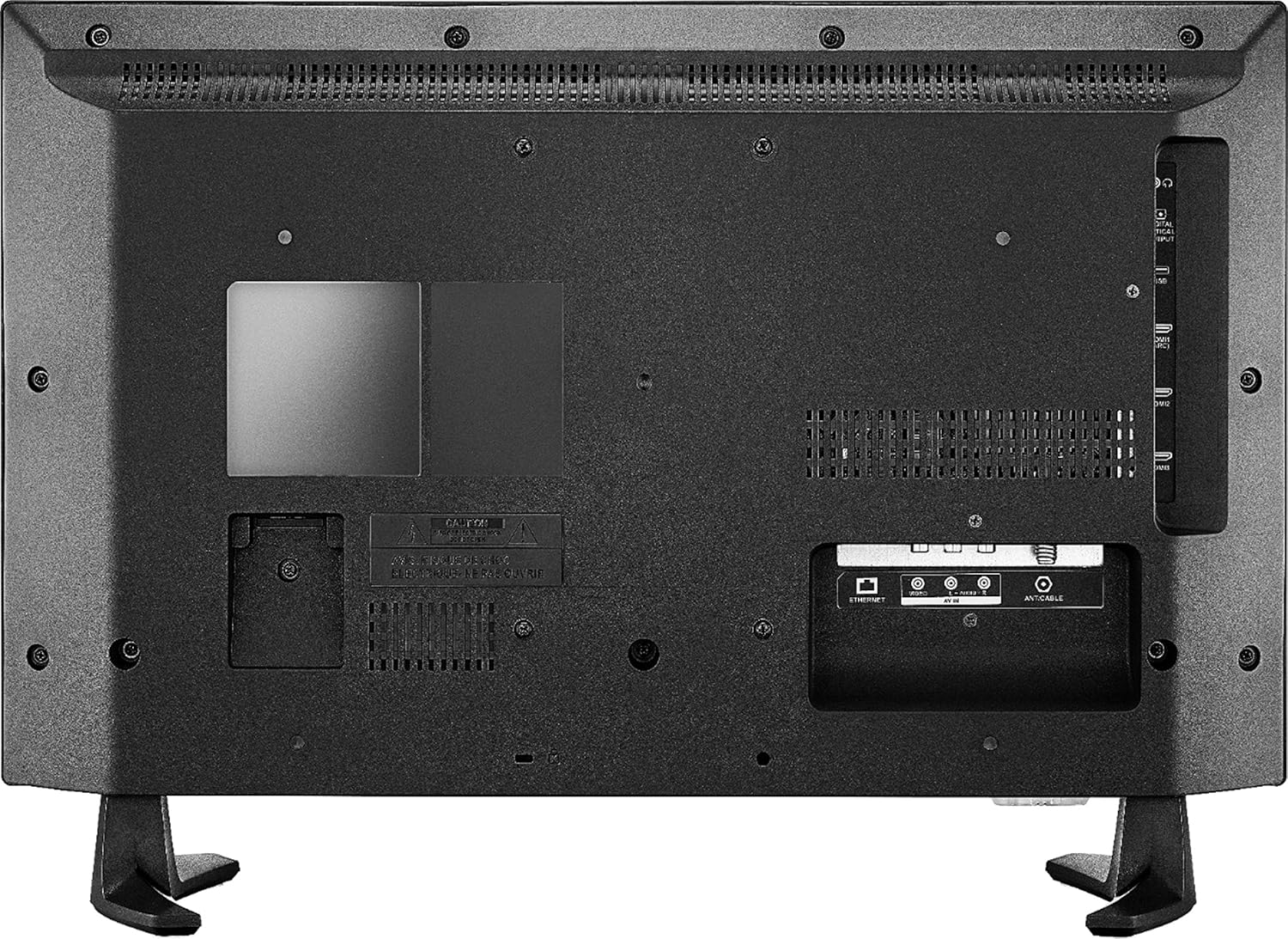
Figure 3.1: TV with stand attached.
3.2 Nsopọ Agbara
So okùn agbára mọ́ inú ìsopọ̀ agbára TV náà, lẹ́yìn náà so ìpẹ̀kun kejì mọ́ ibi tí a lè gbé e sí.
3.3 Ni ibẹrẹ Oṣo
- Tan TV nipa lilo bọtini agbara lori isakoṣo latọna jijin.
- Follow the on-screen instructions to select your language, connect to a Wi-Fi network, and sign in to your Amazon account.
- TV yoo ṣe itọsọna fun ọ nipasẹ sisopọ Latọna jijin Ohun pẹlu Alexa.
4. Awọn ilana Iṣiṣẹ
4.1 Lilo Remote ohun pẹlu Alexa
The included Voice Remote with Alexa allows for intuitive control of your TV. Press and hold the microphone button to issue voice commands for searching content, launching apps, controlling smart home devices, and more.
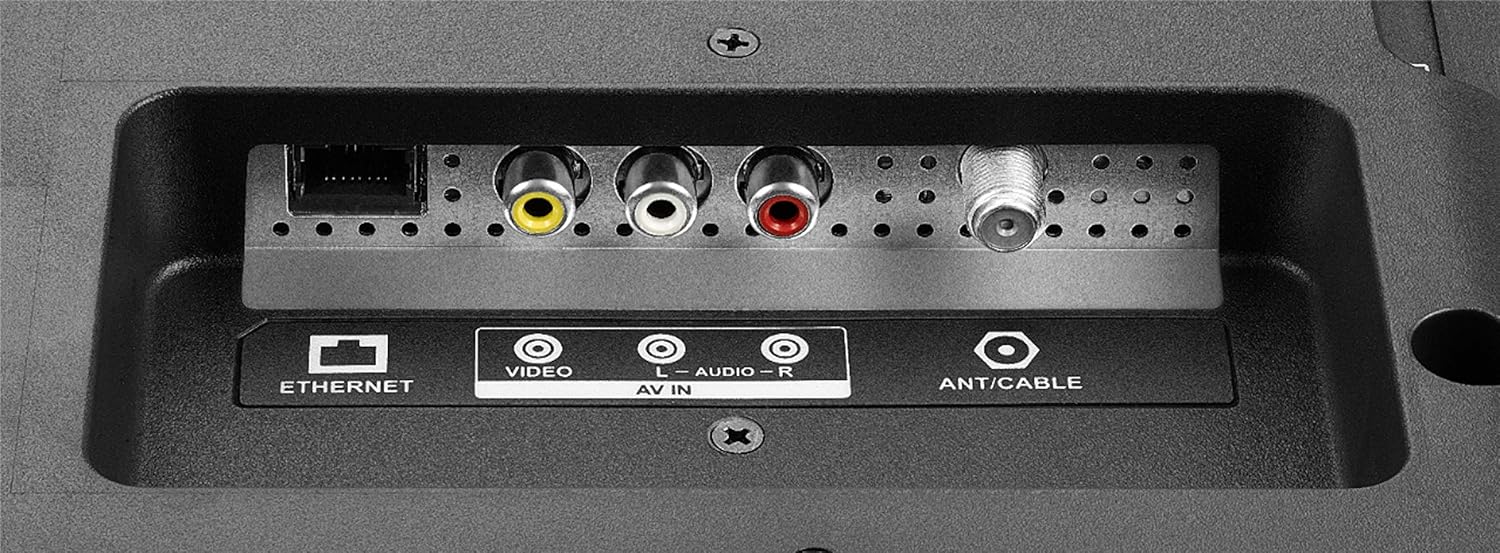
Figure 4.1: Voice Remote with Alexa.
4.2 Lilọ kiri ni Interface Fire TV
The Fire TV interface provides a unified home screen for live TV and streaming channels. Use the navigation buttons on your remote to browse content, access apps, and adjust settings.
- Ile: Returns to the main Fire TV home screen.
- Awọn ohun elo: Access your installed applications.
- Eto: Configure TV and Fire TV settings.
- Awọn bọtini iyasọtọ: Quick access to popular streaming services like Netflix and Amazon Prime Video.

Figure 4.2: Fire TV interface and remote in use.
5. Key Awọn ẹya ara ẹrọ
- Isakoṣo latọna jijin pẹlu Alexa: Control your TV, launch apps, search for titles, play music, switch inputs, and manage smart home devices using voice commands.
- Integrated Fire TV Experience: Access over 500,000 streaming movies and TV episodes from tens of thousands of channels and apps.
- Unified Home Screen: Seamlessly integrates live over-the-air TV and streaming channels.
- Iṣẹ ṣiṣe Smart TV: Built-in Wi-Fi and integrated apps for streaming content.
- Ipinnu HD: Provides clear picture quality for an enhanced viewiriri iriri.
- Multiple HDMI Connections: Facilitates easy connection of external devices.
6. Awọn isopọ
Your INSIGNIA TV offers various ports for connecting external devices.
6.1 Side Panel Connections
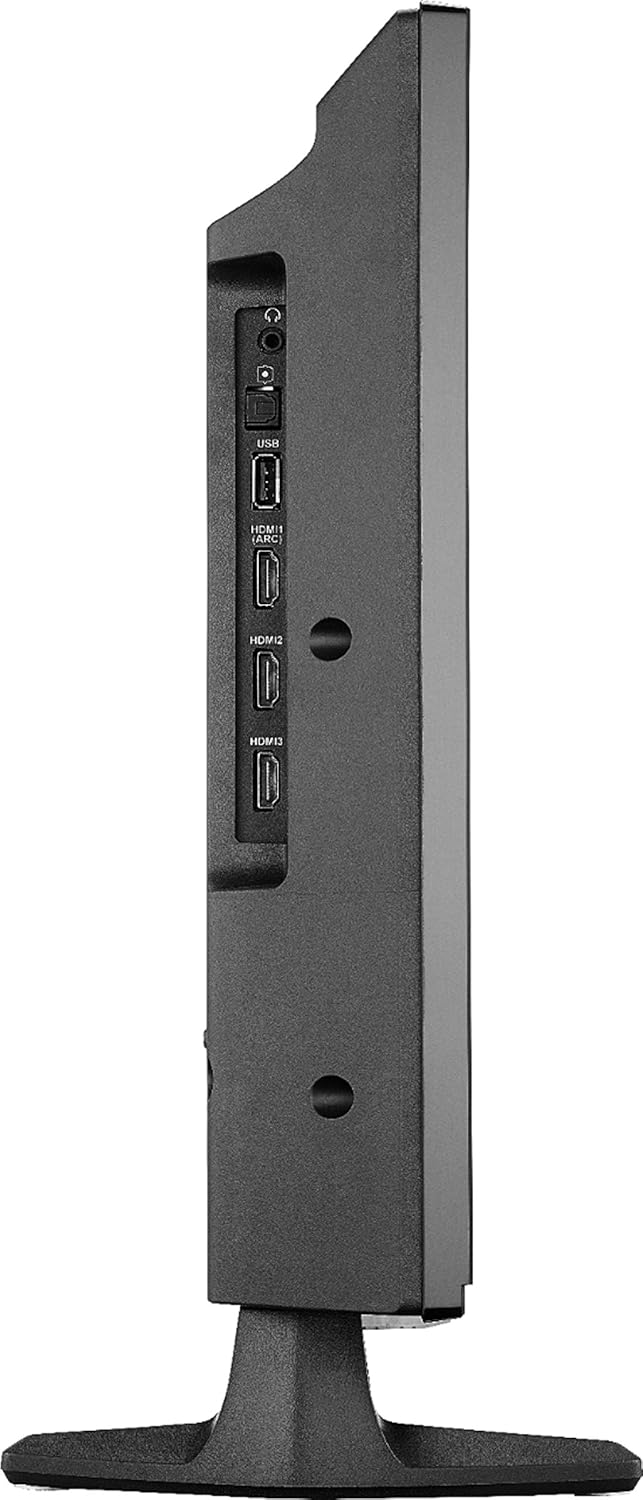
Figure 6.1: Side panel connections.
- USB: So awọn ẹrọ ibi ipamọ USB pọ fun ṣiṣiṣẹsẹhin media.
- HDMI (ARC): Connect HDMI devices. Audio Return Channel (ARC) allows audio to be sent back to a compatible audio system.
- HDMI 2, HDMI 3: Connect additional HDMI devices such as gaming consoles, Blu-ray players, or cable boxes.
- DIGITAL OPTICAL OUTPUT: Fún sísopọ̀ mọ́ olugba ohun oni-nọmba kan tàbí ibi ìsọ̀rọ̀ ohùn.
- Jack agbekọri 3.5mm: Fun sisopọ olokun.
6.2 Ru Panel Awọn isopọ
olusin 6.2: Ru nronu awọn isopọ.
- Ayelujara: Fun asopọ intanẹẹti ti a firanṣẹ.
- AV IN (Video, L-Audio, R-Audio): So awọn ẹrọ agbalagba pọ nipa lilo fidio apapo ati awọn kebulu ohun sitẹrio.
- ANT/CABLE: So eriali kan pọ fun awọn igbesafefe lori afẹfẹ tabi asopọ TV USB kan.
7. Awọn pato
| Ẹya ara ẹrọ | Ẹ̀kúnrẹ́rẹ́ |
|---|---|
| Brand | BADGE |
| Nọmba awoṣe | NS-24DF311SE21 |
| Iwon iboju | 23.6 inches (ìwọ̀n 24 inches) |
| Ifihan ọna ẹrọ | LED |
| Ipinnu | HD (720p) |
| Oṣuwọn sọtun | 60 Hz |
| Apakan Ipin | 16:9 |
| Asopọmọra Technology | HDMI, Wi-Fi, àjọlò |
| Awọn iwọn Ọja (D x W x H) | 7.1"D x 21.7"W x 14.4"H |
| Iwọn Nkan | 6.4 iwon |
| Agbọrọsọ Iru | Ti a ṣe sinu |
| Pataki Ẹya | Flat Screen, Fire TV Edition |
| Awọn batiri | Awọn batiri AAA 2 (pẹlu fun isakoṣo latọna jijin) |
| Àwọ̀ | Dudu |
| VESA Oke ibamu | 100 x 100mm (Note: May use 2 mounting points, refer to mounting instructions for details) |
8. Laasigbotitusita
Ti o ba pade awọn ọran pẹlu TV rẹ, tọka si awọn solusan ti o wọpọ wọnyi:
- Ko si Agbara: Ensure the power cord is securely connected to both the TV and a working electrical outlet. Try a different outlet.
- Ko si Aworan/Ohun:
- Rii daju pe o yan orisun titẹ sii to pe (fun apẹẹrẹ, HDMI 1, Antenna).
- Check all cable connections (HDMI, AV, etc.) are secure.
- Rii daju pe iwọn didun ko dakẹ tabi ṣeto si o kere julọ.
- Latọna jijin Ko Dahun:
- Rọpo awọn batiri ni isakoṣo latọna jijin.
- Rii daju pe ko si awọn idena laarin isakoṣo latọna jijin ati TV.
- Re-pair the remote if necessary (follow on-screen instructions during initial setup or in TV settings).
- Awọn oran Isopọ nẹtiwọki:
- Tun Wi-Fi olulana rẹ ati modẹmu bẹrẹ.
- Check TV network settings to ensure it's connected to the correct network.
- Ti o ba nlo asopọ ti a firanṣẹ, rii daju pe okun Ethernet ti sopọ daradara.
- Awọn ọran Didara Aworan:
- Ṣatunṣe awọn eto aworan (imọlẹ, itansan, awọ) ninu akojọ TV.
- Rii daju pe orisun titẹ sii n pese ifihan agbara to gaju.
Fun iranlọwọ siwaju, kan si awọn orisun atilẹyin ori ayelujara tabi kan si iṣẹ alabara.
9. Itọju
- Ninu iboju: Rọra nu iboju naa pẹlu asọ ti ko ni lint. Fun awọn ami alagidi, fẹẹrẹ dampen awọn asọ pẹlu omi tabi a iboju-ninu ojutu pataki apẹrẹ fun Electronics. Ma ṣe fun sokiri omi taara sori iboju.
- Ninu Igbimọ Ile-igbimọ: Lo asọ asọ ti o gbẹ lati nu minisita TV nu. Yago fun lilo abrasive ose tabi epo.
- Afẹfẹ: Rii daju pe awọn šiši atẹgun lori TV ko ni idinamọ lati ṣe idiwọ igbona.
- Okun Agbara: Regularly check the power cord for any damage. If damaged, discontinue use and replace it with an authorized replacement.
10. Alaye Aabo
Please read and follow all safety instructions to prevent injury or damage to your TV.
- Ma ṣe fi TV han si ojo tabi ọrinrin.
- Do not open the TV cabinet; there are no user-serviceable parts inside. Refer all servicing to qualified personnel.
- Rii daju pe fentilesonu to dara ni ayika TV.
- Yago fun gbigbe TV sinu orun taara tabi sunmọ awọn orisun ooru.
- Maṣe gbe awọn nkan ti o wuwo si oke TV naa.
- Keep the TV away from sources of strong magnetic fields.
- This item arrives in packaging that reveals what’s inside and can’t be hidden.
11. Ofin AlAIgBA
WebAwọn iṣẹ orisun ati akoonu nilo iṣẹ Intanẹẹti iyara to gaju. Diẹ ninu awọn iṣẹ le nilo ṣiṣe alabapin.
12. Atilẹyin ọja ati Support
For warranty information and technical support, please refer to the documentation included with your purchase or visit the official INSIGNIA website. You can also find support resources on the Amazon product page for this model.
Awọn orisun Ayelujara:


