1. Ifihan
This manual provides detailed instructions for the proper use, setup, and maintenance of your boAt Airdopes 131 Bluetooth Truly Wireless Earbuds. Please read this manual thoroughly before using the product to ensure optimal performance and longevity.

Image 1.1: The boAt Airdopes 131 Truly Wireless Earbuds in Midnight Blue, shown with their charging case.
2. Ohun ti o wa ninu Apoti
Daju pe gbogbo awọn ohun ti a ṣe akojọ si isalẹ wa ninu apoti ọja rẹ:
- 1 x boAt Airdopes 131 Truly Wireless Earbuds (Left and Right)
- 1 x Ọran gbigba agbara
- 1 x USB Iru-C Okun Ngba agbara
- 1 x Itọsọna olumulo
- 2 x Additional Ear Tips (various sizes)
3. Ọja Ipariview
The boAt Airdopes 131 are designed for a seamless audio experience. Key features include:
- Apẹrẹ Alailowaya Otitọ: Freedom from cables for unrestricted movement.
- Bluetooth v5.0: Idurosinsin ati lilo daradara alailowaya Asopọmọra.
- IWP™ Technology: Instant Wake N' Pair for automatic connection upon opening the case.
- Awọn Awakọ Yiyi 13mm: For immersive sound quality.
- Multifunction Button Control: Easy management of music, calls, and voice assistant.
- Gbohungbohun ti a ṣe sinu: For clear stereo calling.
- Ibudo Ngba agbara Iru-C: For convenient charging of the case.
- Atilẹyin Iranlọwọ ohun: Wiwọle yara yara si oluranlọwọ ohun ẹrọ rẹ.

Image 3.1: An illustration of the boAt Airdopes 131 charging case with an earbud, highlighting features like IWP Technology, Bluetooth V5.0, 650mAh battery, Type-C charging, Instant Voice Assistant, and Multifunction Controls.
4. Eto
4.1 Ngba agbara si Ẹrọ
Before initial use, ensure both the charging case and earbuds are fully charged.
4.1.1 Gbigba agbara si ọran naa
- So okun gbigba agbara Iru-C USB pọ si ibudo gbigba agbara lori ọran naa.
- So opin okun miiran pọ si ohun ti nmu badọgba agbara USB (kii ṣe pẹlu) tabi ibudo USB ti kọnputa kan.
- Àwọn àmì LED tó wà lórí àpótí náà yóò fi ipò agbára hàn. Ìgbà agbára tó péye sábà máa ń gba nǹkan bíi wákàtí méjì.
4.1.2 Ngba agbara si Awọn Agbekọri
- Gbe awọn afikọti naa sinu awọn iho oniwun wọn ninu ọran gbigba agbara.
- Ensure the case has sufficient charge or is connected to a power source.
- The earbuds will begin charging automatically. The LED indicators on the earbuds will confirm charging status.

Image 4.1: The boAt Airdopes 131 earbuds illustrating the ASAP Charge feature, providing 90 minutes of playback from a 5-minute charge.
The Airdopes 131 offer up to 3 hours of playback per earbud charge and an additional 12 hours with the charging case. With ASAP™ Charge, 5 minutes of charging can provide up to 90 minutes of playback.
4.2 Initial Pairing (IWP™ Technology)
The Airdopes 131 feature Instant Wake N' Pair (IWP™) Technology for quick and effortless connection.
- Ensure the earbuds are inside the charging case and the case is charged.
- Ṣii ideri ti apoti gbigba agbara. Awọn agbekọri yoo tan ina laifọwọyi ati tẹ ipo sisopọ pọ sii.
- On your smartphone or Bluetooth-enabled device, open the Bluetooth settings.
- Wa fun "Airdopes 131" in the list of available devices and select it to connect.
- Once connected, you will hear an audio prompt, and the LED indicators on the earbuds will change.

Image 4.2: A visual representation of the IWP Technology, showing a smartphone displaying a pairing notification for "Airdopes 131" as the charging case lid is opened.
4.3 Connecting to a New Device
To connect to a different device, first disconnect from the currently paired device. Then, follow the initial pairing steps (Section 4.2) to connect to the new device.
5. Awọn ilana Iṣiṣẹ
The Airdopes 131 feature intuitive multifunction button controls on each earbud.
5.1 Agbara Tan / Pa
- Agbara Tan: Open the charging case lid (IWP™ Technology) or long-press the Multifunction Button on both earbuds for 3 seconds.
- Agbara Pa: Place the earbuds back into the charging case and close the lid, or long-press the Multifunction Button on both earbuds for 5 seconds.
5.2 Awọn iṣakoso Orin
- Ṣiṣẹ/Daduro: Single tap the Multifunction Button on either earbud.
- Orin t’okan: Double tap the Multifunction Button on the right earbud.
- Tẹlẹ Orin: Double tap the Multifunction Button on the left earbud.
5.3 Awọn iṣakoso ipe
- Idahun/Ipe Ipari: Single tap the Multifunction Button on either earbud.
- Kọ Ipe: Long press the Multifunction Button on either earbud for 2 seconds.
5.4 Iranlọwọ ohun
Activate your device's voice assistant (e.g., Google Assistant, Siri) with a single press.
- Mu Oluranlọwọ Ohun ṣiṣẹ: Single press the Multifunction Button on either earbud.
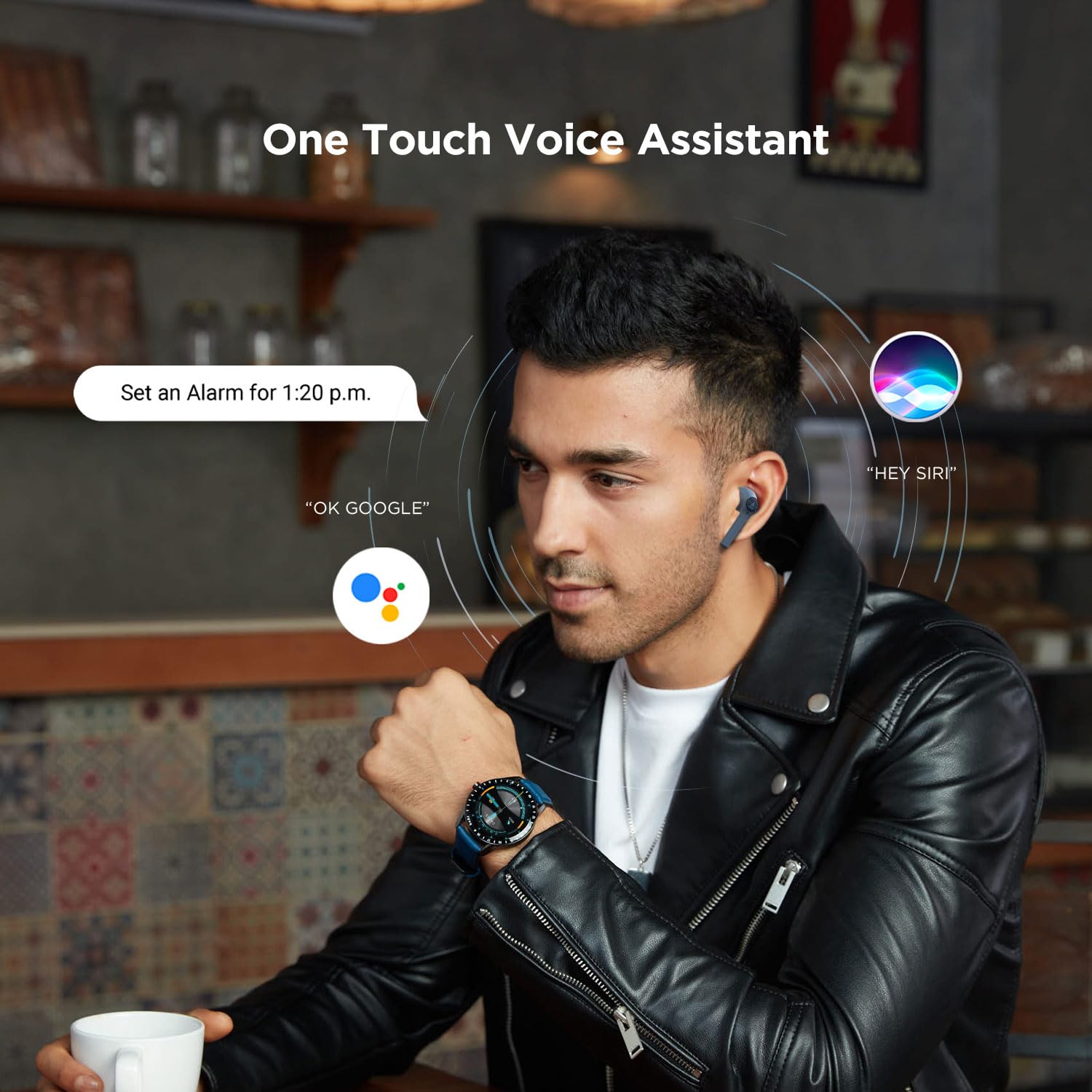
Image 5.1: A user interacting with a voice assistant via the boAt Airdopes 131 earbuds, demonstrating the "One Touch Voice Assistant" feature.
6. Itọju
Proper maintenance ensures the longevity and optimal performance of your Airdopes 131.
6.1 Ninu
- Lo asọ ti o gbẹ, asọ ti ko ni lint lati nu afikọti ati apoti gbigba agbara.
- Ma ṣe lo awọn kẹmika ti o lewu, awọn nkan mimu mimọ, tabi awọn ohun ọṣẹ ti o lagbara.
- Yago fun gbigba ọrinrin sinu eyikeyi awọn ṣiṣi.
6.2 Ibi ipamọ
- Nigbati o ko ba si ni lilo, tọju awọn afikọti sinu apoti gbigba agbara wọn lati daabobo wọn ki o jẹ ki wọn gba agbara.
- Tọju ẹrọ naa ni itura, aye gbigbẹ, kuro lati awọn iwọn otutu ti o ga julọ ati oorun taara.
6.3 batiri Itọju
- To preserve battery life, charge the device regularly, even if not in frequent use.
- Yago fun gbigba agbara si batiri ni kikun nigbagbogbo.
7. Laasigbotitusita
If you encounter issues with your Airdopes 131, refer to the following common solutions:
| Isoro | Ojutu |
|---|---|
| Earbuds ko so pọ pẹlu ẹrọ. |
|
| Agbekọri agbekọri kan ṣoṣo ti n ṣiṣẹ. |
|
| Ngba agbara ko gba agbara. |
|
| Iwọn kekere tabi didara ohun ko dara. |
|
8. Awọn pato
| Ẹya ara ẹrọ | Ẹ̀kúnrẹ́rẹ́ |
|---|---|
| Orukọ awoṣe | Awọn ọna afẹfẹ 131 |
| Asopọmọra Technology | Bluetooth |
| Imọ-ẹrọ Ibaraẹnisọrọ Alailowaya | Looto Alailowaya |
| Ẹya Bluetooth | 5.0 |
| Bluetooth Ibiti | 10 Mita |
| Audio Driver Type | Awakọ Yiyipo (13mm) |
| Iwọn Igbohunsafẹfẹ | 20Hz-20kHz |
| Igbesi aye batiri Earbud | Up to 3 Hours per charge |
| Lapapọ akoko ere (pẹlu ọran) | Titi di awọn wakati 12 |
| Akoko gbigba agbara (Ila) | O fẹrẹ to awọn wakati 1.5 |
| Gbigba agbara Port | USB Iru-C |
| gbohungbohun kika | Ti a ṣe sinu |
| Iṣakoso Iru | Multifunction Button, Voice Control |
| Omi Resistance Ipele | Omi sooro |
| Iwọn Nkan | 7 Giramu (awọn etí) |
| Ọja Mefa | 5.3 x 2.5 x 2.5 cm |
| Ohun elo | Ṣiṣu |
| Awọn ẹrọ ibaramu | iOS, Android, Windows |
9. Atilẹyin ọja ati Support
For warranty information and customer support, please refer to the official boAt webojula tabi kan si wọn onibara iṣẹ taara.
- Osise Webojula: Ṣabẹwo si Ile itaja boAt lori Amazon fun ọja alaye ati support.
- Iṣẹ onibara: Contact boAt customer support for technical assistance, warranty claims, or service inquiries.

Image 9.1: A smartphone displaying the boAt Hearables App with a QR code for scanning and exploring. The app offers features like streaming music, listening to audiobooks, and accessing user help guides. Scan the QR code to access the app: https://l.ead.me/bdAX6k


