1. Ifihan
This manual provides comprehensive instructions for the installation, operation, and maintenance of your ErGear Single Monitor Mount, Model EGSS7. This monitor arm is designed to enhance your workspace ergonomics by providing adjustable positioning for a single monitor. Please read this manual thoroughly before installation and retain it for future reference.

Image 1.1: The ErGear Single Monitor Arm (Model EGSS7) in a typical office setup.
2. Alaye Aabo
Jọwọ ṣe akiyesi awọn iṣọra ailewu wọnyi lati yago fun ipalara tabi ibajẹ si ohun elo rẹ:
- Maṣe kọja agbara iwuwo ti o pọju ti 14.3 lbs (6.5 kg).
- Ensure your monitor is between 17 and 27 inches in size.
- Verify that your monitor is VESA compatible (75x75mm or 100x100mm).
- Install the mount on a sturdy desk surface that can support the combined weight of the mount and your monitor.
- Follow all installation steps carefully. Improper installation may result in equipment damage or personal injury.
- Pa awọn ẹya kekere kuro lati ọdọ awọn ọmọde.
3. Package Awọn akoonu
Before proceeding with installation, please ensure all components are present and undamaged. Refer to the included parts list for detailed identification.
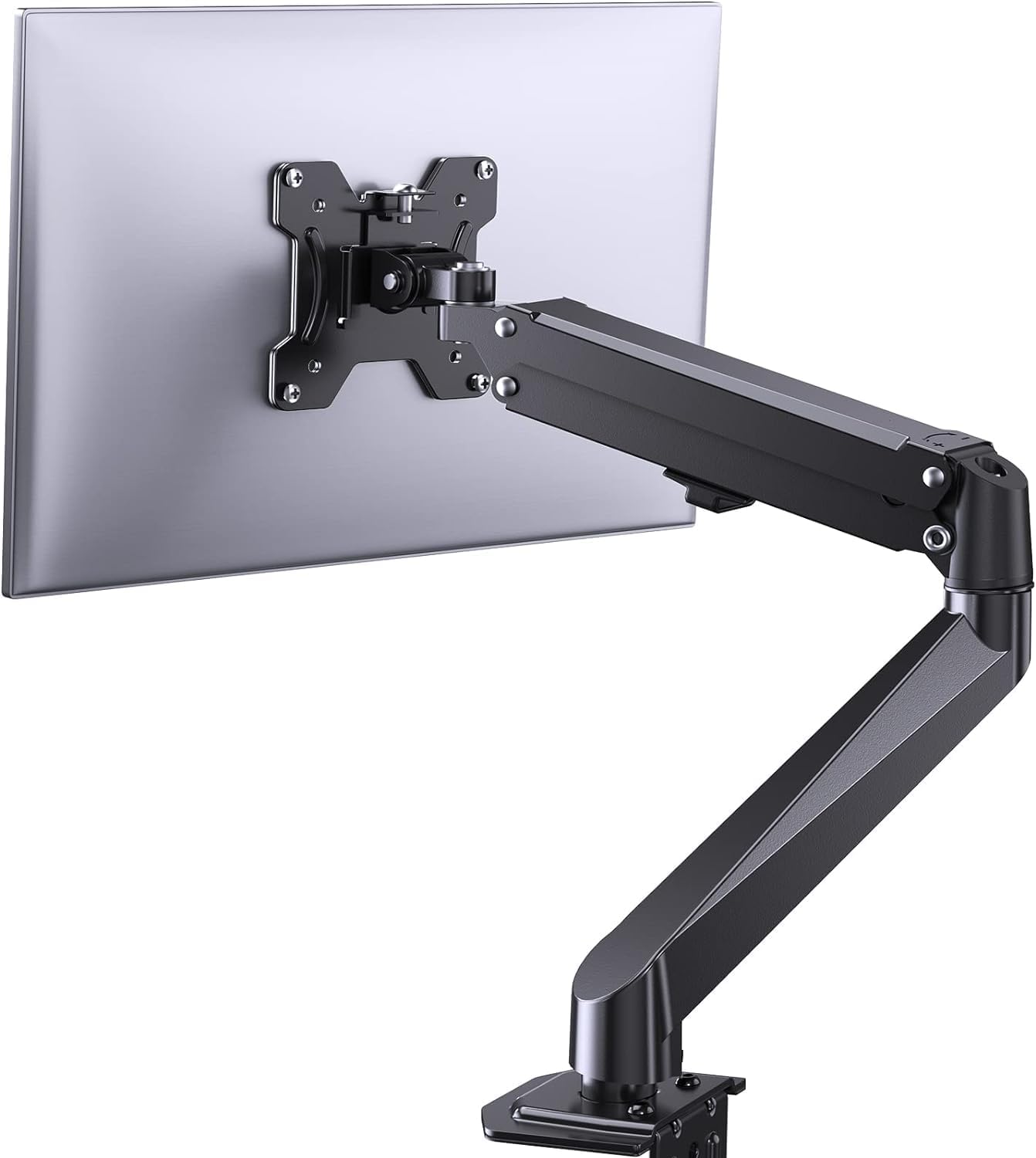
Aworan 3.1: Pariview of the ErGear Single Monitor Mount components.
4. Awọn pato
| Ẹya ara ẹrọ | Sipesifikesonu |
|---|---|
| Brand | Ergear |
| Awoṣe | EGSS7 |
| Ibamu Monitor Iwon | 17 - 27 inches |
| Agbara iwuwo | Titi di 14.3 lbs (6.5 kg) |
| VESA ibamu | 75x75mm, 100x100mm |
| Iṣagbesori Iru | C-clamp tabi Grommet |
| Ohun elo | Alloy Irin |
| Àwọ̀ | Dudu |
| Titẹ Range | -35° to +50° |
| Swivel Ibiti | -90° to +90° |
| Yiyi | 360° |
| Ọja Mefa | 41.2 x 30.4 x 10 cm |

Image 4.1: Monitor size and weight capacity details.
5. Awọn ilana iṣeto
The ErGear Single Monitor Mount offers two installation options: C-clamp or Grommet mounting. Choose the option best suited for your desk.

Image 5.1: C-clamp and Grommet mounting options with desk thickness ranges.
5.1 C-Clamp Fifi sori ẹrọ
- So C-clamp si ipilẹ apa atẹle.
- Gbe awọn C-clamp on the edge of your desk. Ensure the desk thickness is between 0.4 and 3.3 inches.
- Mu clamp securely using the provided knob until the mount is stable.
5.2 Grommet Installation
- If your desk has a grommet hole, insert the grommet bolt through the base of the monitor arm and the desk hole. Ensure the desk thickness is between 0.4 and 3.1 inches.
- Secure the mount from underneath the desk using the provided plate and nut.
5.3 So Atẹle
- Carefully attach your VESA-compatible monitor to the VESA plate on the arm using the appropriate screws.
- Ensure the screws are tightened firmly but do not overtighten.
5.4 Tension Adjustment
The gas spring arm requires tension adjustment to properly support your monitor's weight. Use the included Allen key to adjust the tension screw located on the arm. Turn clockwise to increase tension for heavier monitors, and counter-clockwise to decrease tension for lighter monitors. Adjust until the monitor stays in position when moved.

Aworan 5.2: Ti abẹnu view of the flexible gas spring arm.
6. Awọn ilana Iṣiṣẹ
Once installed, your ErGear monitor mount allows for flexible positioning of your monitor.
6.1 Ṣíṣe àtúnṣe Ipò Atẹle
- Atunse Giga: Gently push or pull the monitor to the desired height. The gas spring mechanism will hold it in place.
- Tẹ: The monitor can be tilted from -35° to +50° to reduce glare and optimize viewing awọn igun.
- Swivel: Swivel the monitor from -90° to +90° for collaborative work or to view content from different angles.
- Yiyi: Yi atẹle naa 360° lati yipada laarin ala-ilẹ ati awọn iṣalaye aworan.

Image 6.1: Monitor height adjustment.

Image 6.2: Full motion range capabilities of the monitor arm.
6.2 USB Management
The monitor arm features an integrated cable management system to keep your workspace tidy. Route your monitor cables through the designated channels on the arm to conceal them.

Image 6.3: Integrated cable management system.
7. Itọju
Itọju deede ṣe idaniloju igbesi aye gigun ati iṣẹ ti o dara julọ ti oke atẹle rẹ.
- Lorekore ṣayẹwo gbogbo awọn skru ati awọn asopọ lati rii daju pe wọn ṣinṣin.
- Clean the surface of the mount with a soft, damp asọ. Yago fun abrasive ose.
- Re-adjust the gas spring tension if your monitor feels too loose or too stiff when moving.
8. Laasigbotitusita
| Isoro | Owun to le Fa | Ojutu |
|---|---|---|
| Bojuto sags tabi ko duro ni ipo. | Gas spring tension is too low. | Increase gas spring tension using the Allen key (clockwise). |
| Monitor is difficult to move. | Ẹdọfu orisun omi gaasi ga ju. | Decrease gas spring tension using the Allen key (counter-clockwise). |
| Oke kan lara riru. | C-clamp or grommet connection is loose. | Mu C-clamp knob or grommet nut. |
| Atẹle ko baamu awo VESA. | Apẹrẹ VESA ti ko tọ. | Ensure your monitor has a 75x75mm or 100x100mm VESA pattern. |
9. Atilẹyin ọja ati Support
For warranty information or technical support, please refer to the contact details provided with your purchase or visit the official ErGear website. Please have your model number (EGSS7) and purchase date available when contacting support.


