Ọrọ Iṣaaju
This manual provides comprehensive instructions for the setup, operation, and maintenance of your iRobot Roomba s9+ Robot Vacuum and Braava Jet m6 Robot Mop Bundle. This system is designed to work together, utilizing Imprint Link Technology to vacuum and then mop your floors automatically. For optimal performance and longevity of your devices, please read these instructions carefully.
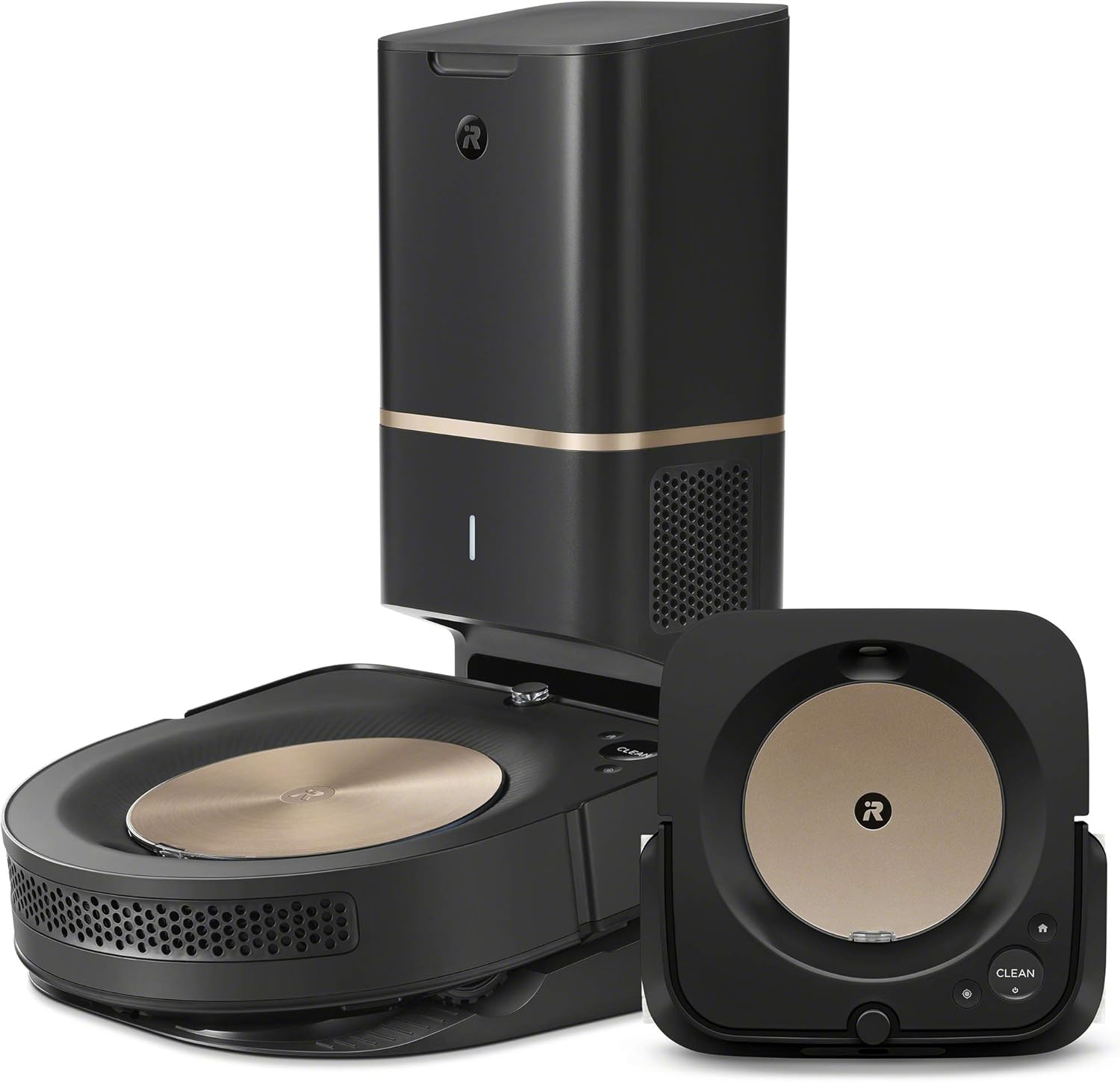
Image: The iRobot Roomba s9+ Robot Vacuum and Braava Jet m6 Robot Mop, shown with the Clean Base Automatic Dirt Disposal unit.

Image: The Roomba s9+ robot vacuum and Braava jet m6 robot mop positioned near their respective charging and disposal stations.
Ṣeto
Before using your iRobot Roomba s9+ and Braava Jet m6, follow these steps for initial setup:
- Ṣii silẹ: Carefully remove all components from the packaging. Ensure you have the Roomba s9+ robot, Braava jet m6 robot, Clean Base Automatic Dirt Disposal, Home Base charging station, power cords, and any included accessories.
- Ibi: Place the Clean Base for the Roomba s9+ and the Home Base for the Braava jet m6 in areas with good Wi-Fi coverage, on a level surface, and against a wall. Ensure there is adequate clear space around each base (e.g., 1.5 feet on each side and 4 feet in front).
- Gbigba agbara: Connect the power cords to their respective bases and plug them into a wall outlet. Place both robots on their bases to charge fully before first use. The battery indicator will show charging status.
- iRobot Home App Installation: Download the iRobot Home app from your device's app store. Follow the in-app instructions to connect both your Roomba s9+ and Braava jet m6 to your home Wi-Fi network. The app will guide you through naming your robots and initial mapping runs.
- Àwòrán àkọ́kọ́: Allow the robots to complete several mapping runs to learn the layout of your home. This process is crucial for efficient cleaning and smart navigation.

Image: A smartphone displaying the iRobot Home App interface, showing personalized cleaning schedules and recommendations.
Awọn ilana Iṣiṣẹ
Your iRobot Roomba s9+ and Braava Jet m6 are designed for intelligent, automated cleaning. Here's how to operate them:
Smart Mapping and Navigation
Both robots use vSLAM navigation to learn your home's layout and create Smart Maps. These maps allow for efficient cleaning in neat rows and enable advanced features like Keep Out Zones and targeted room cleaning.

Image: The Roomba s9+ robot vacuum navigating a floor plan, illustrating its ability to map and clean specific rooms like the Living Room, Kitchen, Entryway, and Dining Room.

Image: A visual representation of iRobot vSLAM Technology, showing how the robot gathers data points to map its environment for navigation.
Cleaning Modes and Scheduling
- Fifọ aifọwọyi: Use the iRobot Home app to initiate a full cleaning cycle for your home.
- Imprint Link Technology: The Roomba s9+ and Braava jet m6 can be linked in the app to automatically vacuum then mop in sequence.
- Isọfọ yara ti a fojusi: Select specific rooms to clean via the Smart Map in the app.
- Isọdọmọ Aami: For the Roomba s9+, place the robot over a specific dirty area and press the CLEAN button. For the Braava jet m6, use the Precision Jet Spray feature for sticky messes.
- Iṣeto: Set recurring cleaning schedules through the iRobot Home app. The app can also suggest personalized schedules based on your cleaning habits.

Image: The Roomba s9+ robot vacuum cleaning crumbs on a kitchen floor, with the iRobot Home App interface indicating a targeted clean for the "Kitchen Table" area.

Image: The Braava jet m6 robot mop in action, with the iRobot Home App displaying a recommendation to increase cleaning frequency during "Allergy Season."
To ti ni ilọsiwaju Awọn ẹya ara ẹrọ
- Keep Out Zones: Define areas on your Smart Map that the robots should avoid, such as pet bowls or delicate furniture.
- Iṣọkan Iranlọwọ Oluranlọwọ: Control your robots using voice commands with compatible devices like Amazon Echo.
- Power Boost Technology (Roomba s9+): Automatically increases suction power on carpets for deeper cleaning.
- Precision Jet Spray (Braava jet m6): Helps tackle sticky messes and kitchen grease.

Image: The Roomba s9+ robot vacuum navigating around a designated "Keep Out Zone" to avoid a guitar and its stand.

Image: The Braava jet m6 robot mop cleaning a hard floor, demonstrating its precision jet spray feature.

Image: The Roomba s9+ robot vacuum cleaning a floor near a pet bed, highlighting its suitability for homes with pets.
Itoju
Regular maintenance ensures your robots continue to perform effectively. The iRobot Home app will often provide reminders for maintenance tasks.
Roomba s9+ Vacuum Maintenance
- Emptying the Clean Base: The Clean Base automatically empties the robot's bin for up to 60 days. Replace the disposable bag in the Clean Base when full.
- Cleaning the Robot's Bin: Periodically remove and clean the robot's internal dust bin and filter.
- Awọn Fọlẹ ti nfọ mọ: Remove and clean the Dual Rubber Brushes regularly to prevent hair tangles and maintain cleaning efficiency. The Corner Brush should also be cleaned.
- Awọn sensọ mimọ: Wipe the robot's sensors (cliff sensors, optical sensors) with a clean, dry cloth to ensure proper navigation.
- Iyipada Ajọ: Replace the high-efficiency filter as recommended by the app or every few months, depending on usage.

Image: The Clean Base Automatic Dirt Disposal unit actively emptying the Roomba s9+ robot vacuum's internal bin, illustrating the automated dirt disposal process.

Image: The underside of the Roomba s9+ robot vacuum, highlighting its dual rubber brushes and the path of powerful suction for debris collection.
Braava Jet m6 Mop Maintenance
- Kun ojò: Fill the Braava jet m6's tank with water or Braava jet Hard Floor Cleaning Solution. Do not use other cleaning solutions.
- Attaching/Ejecting Pads: Use disposable or washable mopping pads. Attach a clean pad before each mopping cycle. Eject used pads directly into the trash using the pad eject button to avoid touching dirty pads.
- Cleaning Wheels and Sensors: Periodically clean the wheels and sensors to ensure smooth movement and accurate navigation.

Image: A hand filling the Braava jet m6 robot mop's water tank under a faucet, with a bottle of Braava jet Hard Floor Cleaning Solution visible.

Image: A hand ejecting a used Braava jet m6 cleaning pad directly into a trash can, demonstrating the hands-free disposal feature.
Laasigbotitusita
If you encounter issues with your iRobot Roomba s9+ or Braava Jet m6, refer to the following common solutions:
- Robot Not Starting/Returning to Base: Ensure the robot is fully charged and its charging contacts are clean. Check for any obstructions around the base station.
- Navigation/Mapping Issues: If the robot gets stuck frequently or creates incorrect maps, ensure all sensors are clean. Perform a reboot of the robot and the app. Ensure adequate lighting during mapping runs.
- Iṣe Isọdi ti ko dara: For the Roomba s9+, check and clean the brushes, filter, and dust bin. For the Braava jet m6, ensure the tank is filled and a clean pad is attached.
- Didi Robot: Clear the cleaning area of loose cables, small objects, or thick rugs that might impede movement. Use Keep Out Zones in the app for problematic areas.
- Awọn ọran Asopọmọra App: Ensure your Wi-Fi network is stable and the robots are within range. Try restarting your router, the robots, and the iRobot Home app.
- Awọn ifiyesi Igbesi aye Batiri: Battery performance can vary with floor type and cleaning mode. Ensure the robot is fully charged before each cycle. If battery life significantly degrades, contact customer support.
- Dirty Sensors/Battery Contacts: If the robot behaves erratically or fails to charge, inspect and clean all visible sensors and the battery charging contacts on both the robot and its base. Fine dust can sometimes interfere with these components.
For persistent issues, consult the iRobot Home app for specific error messages or visit the iRobot support webojula.
Awọn pato
| Ẹya ara ẹrọ | Sipesifikesonu |
|---|---|
| Brand | iRobot |
| Orukọ awoṣe | Roomba s9+ Combo |
| Pataki Awọn ẹya ara ẹrọ | Automatic Dust Collection, Programmable, Self-Cleaning Brushroll, Smart Mapping |
| Àwọ̀ | Dudu |
| Ọja Mefa | 22.64"L x 16.53"W x 20.87"H |
| Awọn irinše to wa | Braava Jet M6, Roomba S9+ |
| Àlẹmọ Iru | Katiriji |
| Igbesi aye batiri | 120 iṣẹju |
| Orisun agbara | Agbara Batiri |
| Awọn batiri To wa | Bẹẹni (1 Batiri Lithium ion nilo, pẹlu) |
| Ọna Iṣakoso | Ohùn |
| Litiumu Batiri Voltage | 14.4 Volts |
| Awọn ẹrọ ibaramu | Amazon iwoyi |
| Fọọmù ifosiwewe | Robotik |
| UPC | 885155025920 |
| Iwọn Nkan | 8.15 iwon |
| Nọmba Awoṣe Nkan | 4720096 |
| Nọmba ti Awọn nkan | 2 |
Atilẹyin ọja ati Support
Your iRobot Roomba s9+ and Braava Jet m6 Bundle comes with a 1-odun lopin atilẹyin ọja. For detailed warranty information, please refer to the official warranty document.
For further assistance, support, or to access additional resources, please visit the official iRobot support webojú-òpó wẹ́ẹ̀bù tàbí tọ́ka sí àwọn ìwé wọ̀nyí:


