Ọrọ Iṣaaju
This manual provides comprehensive instructions for the Wireless Gear Bluetooth 5.0 True Wireless Stereo Earbuds. Please read this manual carefully before using the product to ensure proper operation and to maximize your listening experience. Keep this manual for future reference.
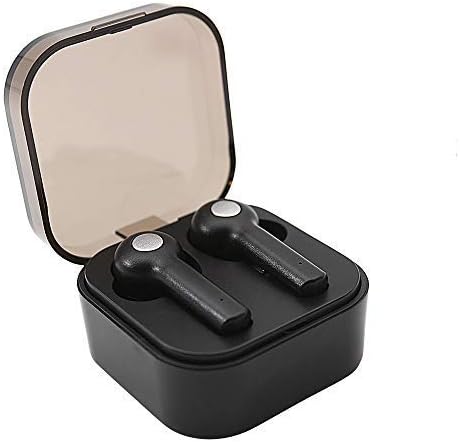
Image: Wireless Gear True Wireless Earbuds in their open charging case, showcasing wọn iwapọ oniru.
Package Awọn akoonu
Rii daju pe gbogbo awọn nkan wa ninu package:
- Wireless Gear True Wireless Earbuds (Left and Right)
- Ọran Gbigba agbara to šee gbe
- Okun Ngba agbara USB
- Afowoyi Olumulo (iwe-ipamọ yii)
- Additional Ear Gels (various sizes)
Ọja Awọn ẹya ara ẹrọ
- Bluetooth 5.0 Imọ-ẹrọ: Pese asopọ alailowaya ti o duro ṣinṣin ati ti o munadoko.
- Sitẹrio Alailowaya otitọ (TWS): Delivers rich audio and powerful bass.
- Gbohungbohun ti a ṣepọ: Nṣiṣẹ ipe ti ko ni ọwọ.
- Iṣakoso Fọwọkan: Manage music playback, calls, and voice assistant activation directly from the earbuds.
- Auto Pair & Auto Power On: Seamless pairing with previously connected devices.
- Noise-Isolating Ear Gels: Designed for comfort and enhanced sound acoustics.
- Ngba agbara gbigbe: Extends playtime and protects earbuds.
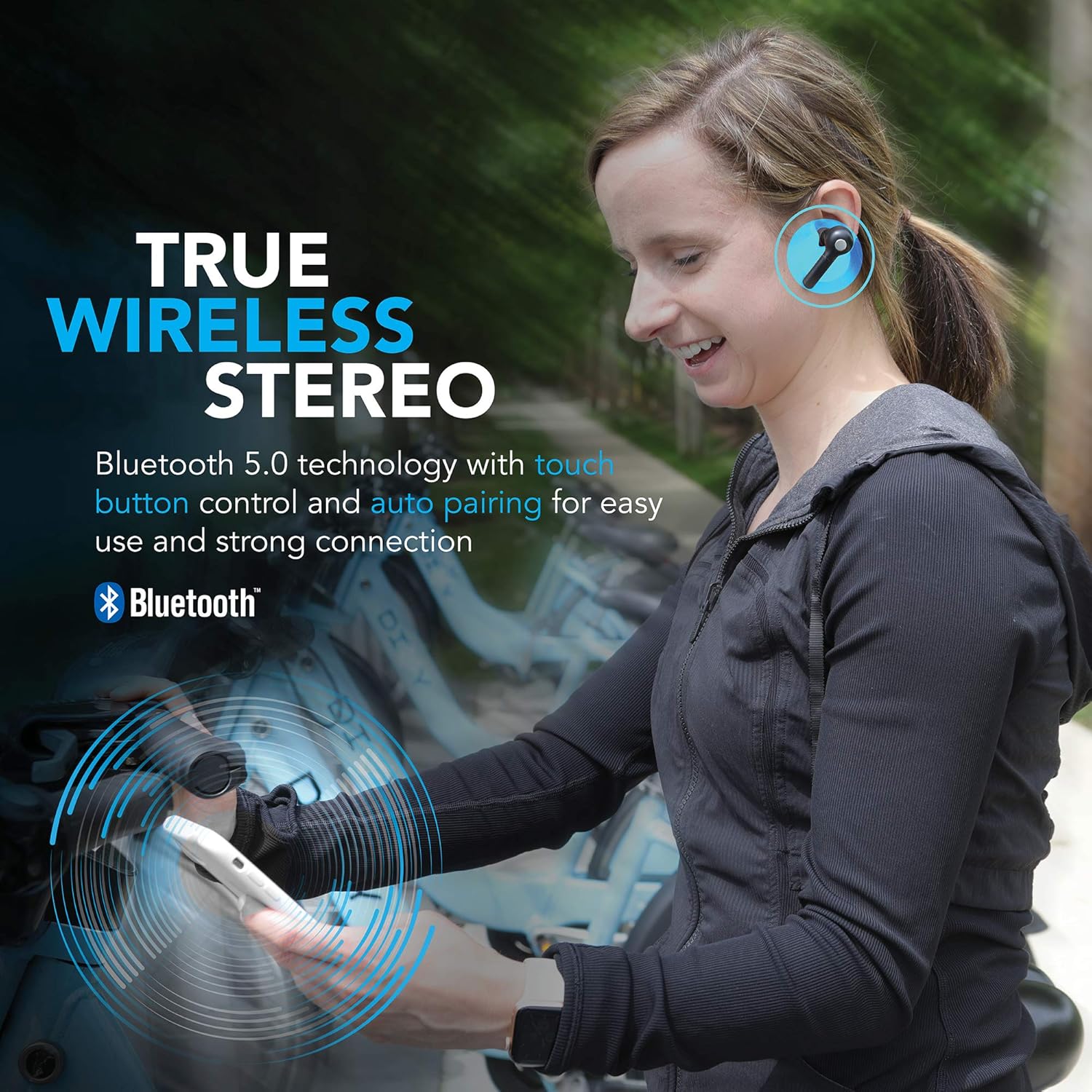
Image: A woman wearing the Wireless Gear earbuds, illustrating the true wireless stereo and Bluetooth 5.0 capabilities.

Image: A woman using the earbuds for hands-free communication, highlighting the built-in microphone feature.
Eto ati Lilo akọkọ
1. Ngba agbara si Earbuds ati Ọran
Before first use, fully charge the earbuds and the charging case. Place the earbuds into the charging case. Connect the USB charging cable to the charging port on the case and the other end to a USB power source (e.g., computer, wall adapter).
- The charging indicator lights on the case will show charging status.
- A full charge provides up to 2.5 hours of playtime for the earbuds, and the case can provide 4-5 additional charges, totaling up to 8 hours of playtime.
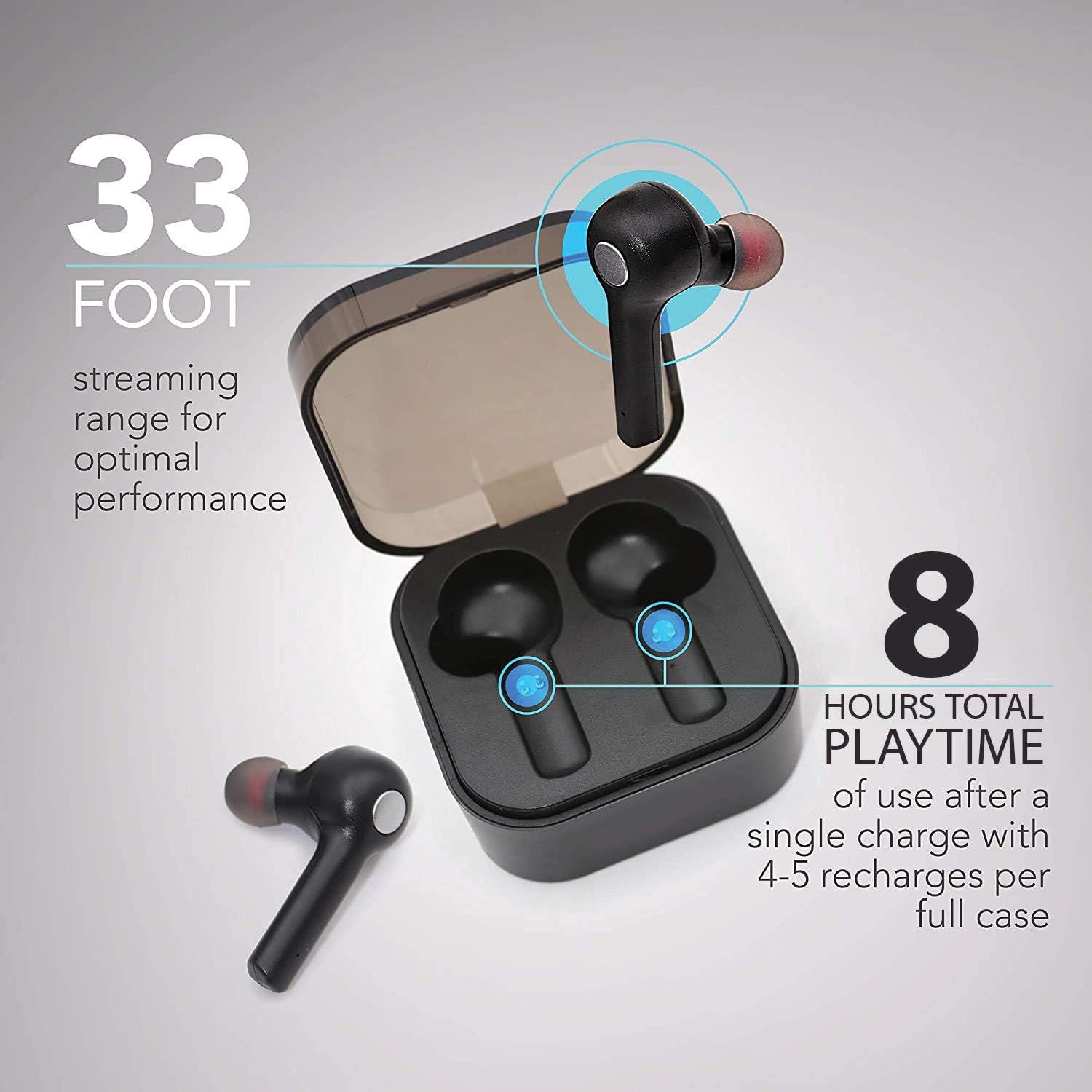
Image: The earbuds in their charging case, illustrating the 33-foot range and 8 hours of total playtime with the case.
2. Sisopọ pẹlu Ẹrọ kan
- Rii daju pe awọn agbekọri ti gba agbara.
- Ṣii apoti gbigba agbara. Awọn agbekọri yoo tan ina laifọwọyi ati tẹ ipo sisopọ pọ sii.
- Lori ẹrọ rẹ (foonuiyara, tabulẹti, kọǹpútà alágbèéká), mu Bluetooth ṣiṣẹ.
- Wa fun awọn ẹrọ Bluetooth ti o wa.
- Select "Wireless Gear Earbuds" (or similar name) from the list.
- Once connected, you will hear a confirmation tone, and the earbud indicator lights will change.
The earbuds feature auto-pair functionality, meaning they will automatically connect to the last paired device when removed from the case, if Bluetooth is enabled on that device.
Awọn ilana Iṣiṣẹ
Wọ awọn Earbuds
Gently insert the earbuds into your ears. Adjust them for a comfortable and secure fit. The noise-isolating ear gels are designed to provide optimal sound acoustics and comfort.

Image: A man demonstrating the proper fit of the earbud, emphasizing the comfort and sound isolation provided by the ear gels.
Awọn iṣakoso ifọwọkan
The earbuds feature intuitive touch controls on the side of each earbud. Refer to the table below for common functions:
| Iṣe | Išẹ |
|---|---|
| Tẹ ẹyọkan (Afikun Osi/Ọtun) | Mu orin ṣiṣẹ/Danuduro, Dahun/Pari ipe |
| Tẹ ni kia kia lẹẹmeji (Ẹkọ Atẹti ọtun) | Orin t'okan |
| Tẹ ni kia kia lẹẹmeji (Agbohun Akọkọ osi) | Orin ti tẹlẹ |
| Tẹ ni kia kia Meta (Apa osi/Ati Ọtun) | Activate Voice Assistant (Siri for iOS) |
| Tẹ gígùn (Eti osi/ọtun) | Kọ Ipe |
Titan / Paa
- Agbara Tan: Remove earbuds from the charging case. They will automatically power on.
- Agbara Pa: Place earbuds back into the charging case. They will automatically power off and begin charging.
Itọju ati Itọju
- Ninu: Lo asọ gbigbẹ, asọ ti o gbẹ lati nu awọn agbekọri ati apoti gbigba agbara. Maṣe lo awọn kẹmika lile tabi awọn ohun elo abrasive.
- Awọn Geli eti: Periodically remove and clean the ear gels with a damp Aṣọ. Rí i dájú pé wọ́n gbẹ pátápátá kí o tó tún so wọ́n pọ̀ mọ́ ara wọn.
- Ibi ipamọ: Nigbati o ko ba si ni lilo, tọju awọn afikọti sinu apoti gbigba agbara wọn lati daabobo wọn ki o jẹ ki wọn gba agbara.
- Yago fun Omi: Awọn agbekọri ko ni aabo omi. Yago fun ifihan si omi, ọrinrin, tabi awọn iwọn otutu to gaju.
- Itọju Batiri: Lati pẹ aye batiri, yago fun gbigba agbara ni kikun awọn agbekọri ati apoti nigbagbogbo. Gba agbara si wọn nigbagbogbo.
Laasigbotitusita
| Isoro | Owun to le Fa | Ojutu |
|---|---|---|
| Earbuds ko so pọ | Àwọn etí kò sí ní ipò ìsopọ̀; Bluetooth ti pa lórí ẹ̀rọ náà; ẹ̀rọ tí a ti so pọ̀ tẹ́lẹ̀ ń dí lọ́wọ́. | Ensure earbuds are out of case and indicator lights are flashing. Turn Bluetooth off and on again on your device. Forget previous pairings on your device and try again. |
| Agbekọri agbekọri kan ṣoṣo ti n ṣiṣẹ | Earbuds not properly synced; one earbud out of charge. | Gbe awọn agbekọri mejeeji pada sinu apoti gbigba agbara, pa ideri naa, lẹhinna ṣi i lẹẹkansi. Rii daju pe awọn agbekọri mejeeji ti gba agbara. |
| Ko si ohun tabi iwọn didun kekere | Volume too low on device; earbuds not connected; media source issue. | Increase volume on your connected device. Reconnect earbuds. Check if audio is playing from the correct source on your device. |
| Ngba agbara ko gba agbara | Aṣiṣe USB tabi orisun agbara. | Try a different USB cable and/or power adapter. Ensure connections are secure. |
| Dídára ohùn tí kò dára / Ìjápọ̀ | Ju jina lati ẹrọ; kikọlu; kekere batiri. | Move closer to your device (within 33 ft). Avoid strong electromagnetic interference. Charge earbuds and case. |
Awọn pato
| Ẹya ara ẹrọ | Ẹ̀kúnrẹ́rẹ́ |
|---|---|
| Nọmba awoṣe | G0679 |
| Ẹya Bluetooth | 5.0 |
| Alailowaya Ibiti | Titi de 33 ẹsẹ (10 mita) |
| Earbud Playtime | Titi di wakati 2.5 fun idiyele kan |
| Lapapọ akoko ere (pẹlu ọran) | Up to 8 hours (4-5 recharges from case) |
| Iṣakoso Iru | Iṣakoso ifọwọkan |
| Gbohungbohun | Ti a ṣe sinu |
| Ohun elo | Ṣiṣu |
| Batiri Iru | Litiumu Iwon |
| Awọn iwọn Earbud (isunmọ.) | Refer to image for detailed dimensions. |
| Àwọn Ìwọ̀n Àpótí (tó bíi) | 2.25" x 2.25" x 0.75" (5.7 x 5.7 x 1.9 cm) |

Image: Detailed dimensions of the earbuds and charging case for reference.
Alaye atilẹyin ọja
For warranty details and terms, please refer to the warranty card included with your product or contact Wireless Gear customer support. Keep your purchase receipt as proof of purchase.
Onibara Support
If you encounter any issues or have questions not covered in this manual, please contact Wireless Gear customer support. Visit the official Wireless Gear webojú-òpó wẹ́ẹ̀bù fún ìwífún nípa ìbánisọ̀rọ̀ àti àwọn ìbéèrè tí a sábà máa ń béèrè.
Olupese: Awọn ẹya ẹrọ Alailowaya ESI


