1. Ifihan
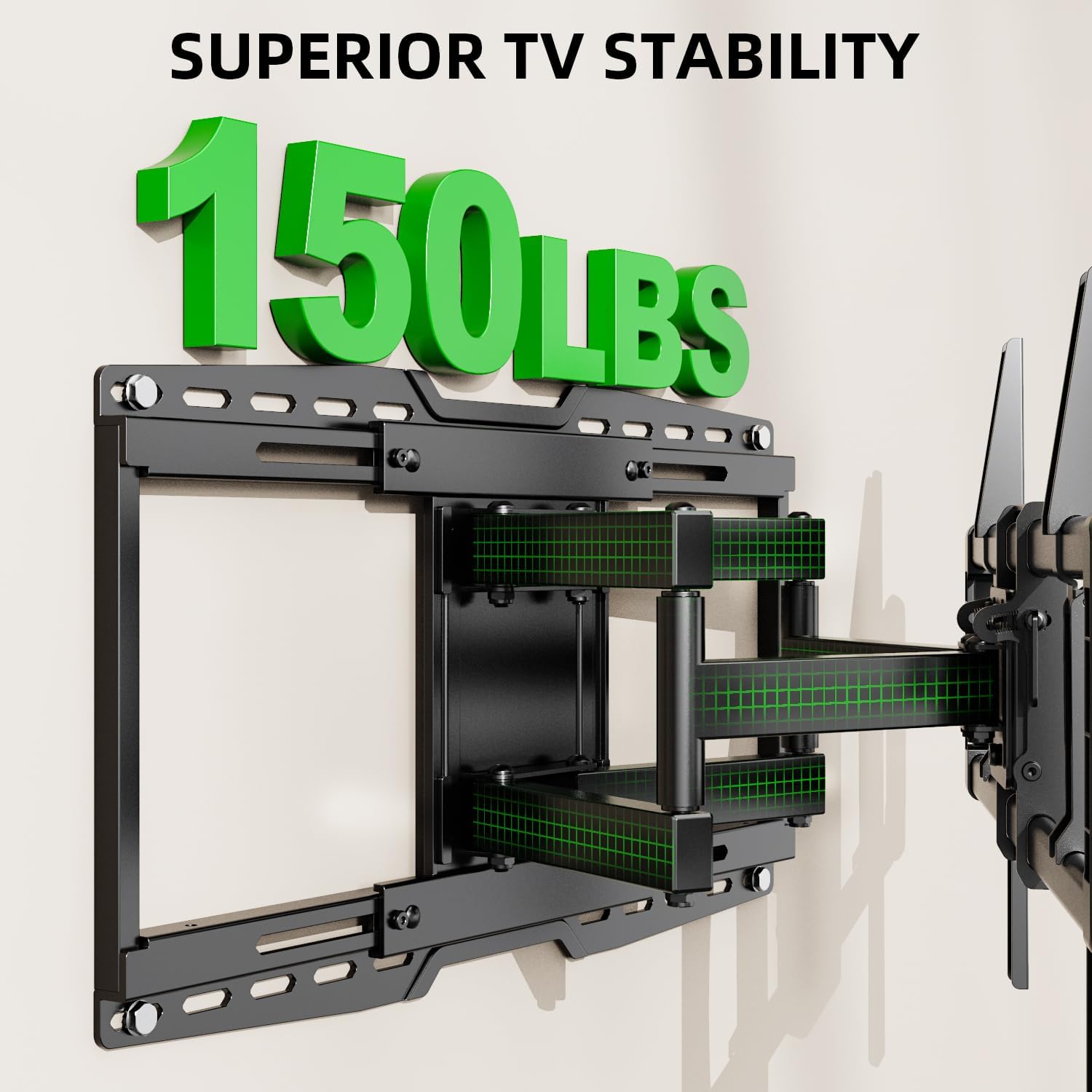
Thank you for choosing the USX MOUNT UL Listed Heavy Duty TV Wall Mount. This product is engineered for secure and versatile mounting of televisions ranging from 32 to 90 inches and weighing up to 150 lbs. It features a full-motion design with swivel, tilt, and leveling adjustments, along with an 8-inch horizontal sliding function for optimal TV positioning. Please read this manual thoroughly before installation and retain it for future reference.

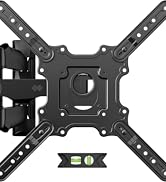
Nọmba 1: USX MOUNT Heavy Duty TV Wall Mount with bubble level and cable ties.
2. Alaye Aabo pataki
- IKILO: This product is designed for use in wood stud, solid concrete, or brick walls only. MAA ṢE fi sori ẹrọ lori ogiri gbigbẹ nikan.
- Ensure your TV's weight and VESA pattern are within the specified limits of this mount.
- Lo ohun èlò ìwádìí láti rí àwọn igi tí ó wà ní ọ̀nà tí ó tọ́.
- If mounting to concrete or brick, appropriate concrete anchors are required. Contact USX MOUNT if you need these anchors.
- Installation should be performed by at least two people due to the weight and size of the TV and mount.
- Do not overtighten screws, as this may damage the wall or TV.
- Pa awọn ọmọde ati awọn ohun ọsin kuro lakoko fifi sori ẹrọ.
3. Package Awọn akoonu
Verify that all components are present and undamaged before beginning installation. If any parts are missing or defective, please contact USX MOUNT customer support.
- TV Wall Mount Apejọ
- TV Brackets (2 pieces)
- Odi Awo
- Ipele Bubble
- Àwọn Ìdè Okùn (àwọn ègé márùn-ún)
- Standard Mounting Hardware (various screws, washers, spacers for different TV types)
Nọmba 2: Gbogbo awọn paati ti o wa ninu package.
4. Àwọn irinṣẹ́ tí a nílò (kò sí nínú rẹ̀)
- Oluwadi Okunrinlada
- Electric Drill
- Level (a small one is included, but a larger one may be helpful)
- Ikọwe
- Teepu Idiwon
- Phillips Head screwdriver
- Socket Wrench (e.g., 13mm)
- Hammer (fun awọn ìdákọró nja)
5. Awọn alaye ọja
| Ẹya ara ẹrọ | Sipesifikesonu |
|---|---|
| Nọmba awoṣe | XML018-1 |
| Ibamu TV Awọn iwọn | 32 - 90 inches |
| O pọju fifuye Agbara | 150 lbs (68.2 kg) |
| VESA ibamu | Max 600x400mm, Min 200x100mm |
| Iṣipopada Iru | Articulating, Swivel, Tilt |
| Titẹ Igun | +5° / -15° |
| Igun Swivel | +/-45° |
| Ijinna si Odi | 3.35 - 19.09 inches |
| Horizontal Sliding | 8 inches (left or right) |
| Ibamu Wall Orisi | Wood studs (8", 12", 16", 18", 24"), Solid concrete wall, Brick wall |
| Ohun elo | Alloy Irin |

Nọmba 3: Available VESA patterns and how to measure your TV's VESA.
6. Itọsọna fifi sori ẹrọ
6.1. Atokọ fifi sori ẹrọ tẹlẹ
- Confirm your TV's size and weight are within the mount's specifications.
- Verify your TV's VESA mounting pattern.
- Identify your wall type (wood studs, concrete, or brick).
- Gather all necessary tools and included hardware.
Nọmba 4: Confirm TV and wall compatibility before installation.
6.2. Igbesẹ-nipasẹ-Igbese fifi sori
Igbesẹ 1: So awọn akọmọ TV pọ si TV
- Fi pẹ̀lẹ́pẹ̀lẹ́ gbé TV rẹ sí orí ilẹ̀ tó mọ́ tónítóní, tó sì rọ̀.
- Align the TV brackets with the mounting holes on the back of your TV.
- Select the appropriate screws, washers, and spacers from the hardware kit. For flat TV backs, spacers may not be needed. For irregular or curved TV backs, use spacers to ensure a secure fit without damaging the TV.
- Secure the brackets to the TV using a screwdriver. Do not overtighten.
Nọmba 5: TV brackets attached to the back of the television.
Fidio 1: This video demonstrates the process of attaching the TV brackets to the television, including considerations for different TV back types.
Step 2: Locate Wall Studs and Mark Drilling Points
- Use a stud finder to locate the edges and center of two adjacent wood studs. Mark the center of each stud.
- Hold the wall plate against the wall at your desired height and use a level to ensure it is perfectly horizontal. Mark the drilling points through the wall plate's holes onto the wall.
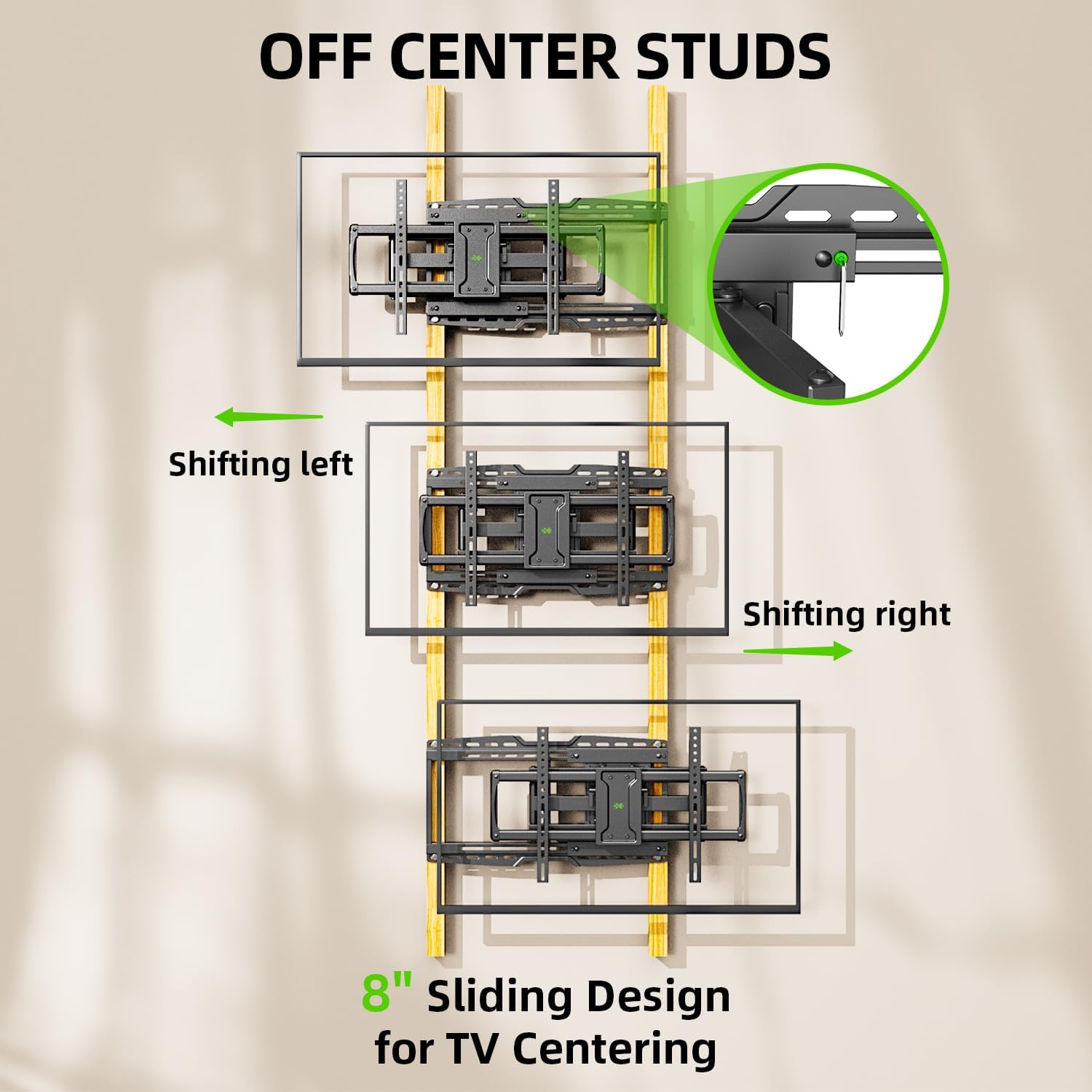
- The mount features an 8-inch horizontal sliding design, allowing you to center your TV even if your studs are off-center. Plan your wall plate placement accordingly.

Nọmba 6: The 8-inch sliding design allows for TV centering even with off-center studs.
Igbesẹ 3: So Awo Odi si Odi
Fun Awọn Odi Igi Igi:
- Drill pilot holes at the marked locations using a 7/32 inch (5.5 mm) drill bit. Ensure the depth is sufficient for the lag bolts.
- Attach the wall plate to the wall using the provided lag bolts and washers. Tighten securely with a socket wrench.
For Solid Concrete or Brick Walls:
- Drill pilot holes at the marked locations using a 3/8 inch (10 mm) drill bit. Ensure the depth is sufficient for the concrete anchors.
- Insert the concrete anchors into the pilot holes, tapping gently with a hammer if necessary until flush with the wall surface.
- Attach the wall plate to the wall using the provided lag bolts and washers, screwing them into the anchors. Tighten securely.

Nọmba 7: Compatible wall types for installation. Do not install on drywall alone.
Fidio 2: This installation video demonstrates locating studs, drilling, and securing the wall plate for various wall types.
Igbese 4: So TV sori ogiri
- With assistance, carefully lift the TV and hook the attached TV brackets onto the wall plate.
- Ensure the TV is securely seated on the wall plate.
- Engage the safety screws or locking mechanisms on the TV brackets to prevent accidental dislodging.

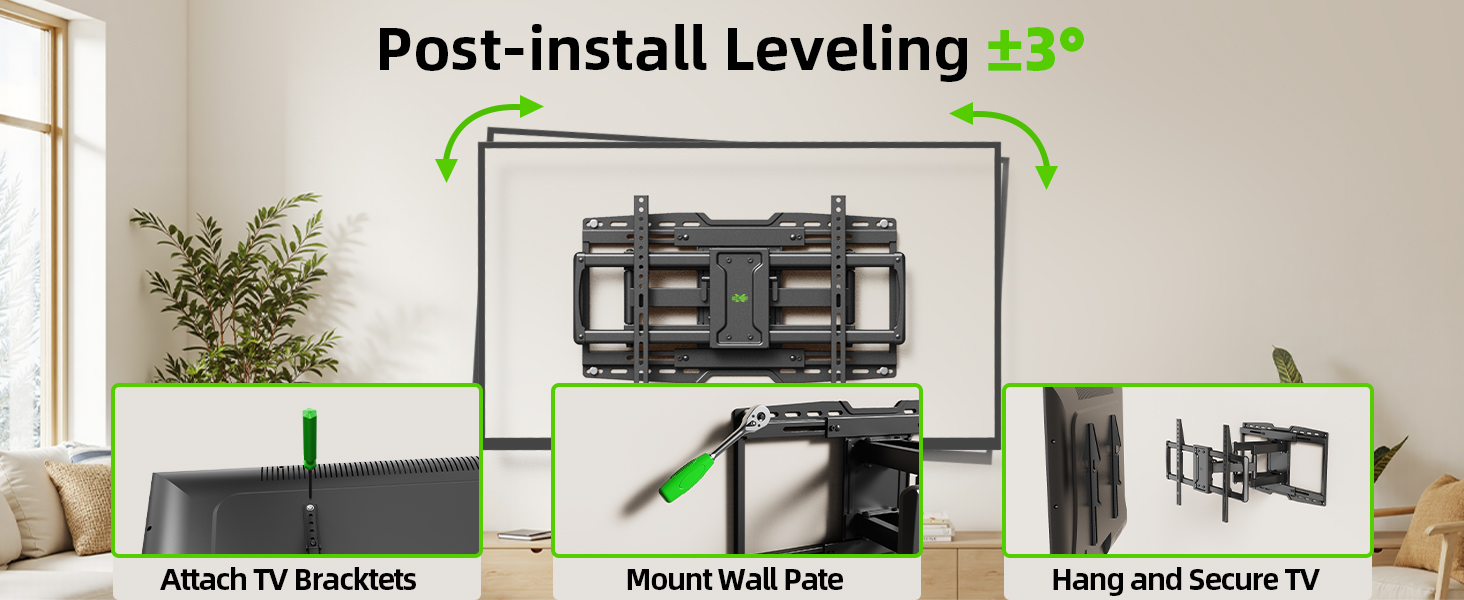
Nọmba 8: Pariview of the TV mounting process, including hanging and securing the TV.
Step 5: Leveling Adjustment
- After hanging the TV, use the horizontal post-installation leveling screws to fine-tune the TV's level. This allows for a +/-3° adjustment.
- Use the included bubble level or a larger level to achieve perfect horizontal alignment.
Nọmba 9: Post-installation leveling screws for precise alignment.
7. Awọn ilana Iṣiṣẹ
7.1. Atunṣe Tẹ
The mount allows for a tilt range of +5° (upward) to -15° (downward). This feature is useful for reducing glare and optimizing viewing awọn igun.
- Locate the tilt handles on the TV brackets.
- Loosen the tilt handles to adjust the TV to your desired vertical angle.
- Tighten the tilt handles to secure the TV in position.

Nọmba 10: Adjusting the TV tilt for comfortable viewing.
7.2. Swivel and Extension/Retraction
The full-motion arms allow the TV to swivel up to +/-45° and extend from 3.35 inches to 19.09 inches from the wall.
- Gently pull the TV away from the wall to extend the articulating arms.
- Carefully pivot the TV left or right to achieve the desired swivel angle.
- To retract, push the TV back towards the wall until it is in the desired position.

Nọmba 11: Rọ viewing with extension, retraction, and swivel capabilities.
7.3. Horizontal Sliding
The mount features an 8-inch horizontal sliding function on the wall plate, allowing you to shift the TV left or right by up to 8 inches after installation, ensuring perfect centering.
- Gently slide the TV along the wall plate to adjust its horizontal position.
- Ensure the TV is securely positioned after adjustment.
8. Itọju
- Lokọọkan ṣayẹwo gbogbo awọn skru ati awọn asopọ lati rii daju pe wọn wa ni wiwọ ati aabo.
- Nu oke naa pẹlu asọ ti o gbẹ. Yago fun abrasive ose tabi epo.
- Ti awọn apa sisọ ba di lile, iye kekere ti lubricant orisun silikoni le ṣee lo si awọn aaye pivot.
9. Laasigbotitusita
9.1. TV is not level after installation
- Use the horizontal post-installation leveling screws (as described in Section 6.2, Step 5) to adjust the TV's angle by +/-3°.
9.2. Difficulty moving the TV (stiff arms)
- Ensure no cables are snagged or obstructing movement.
- Apply a small amount of silicone-based lubricant to the articulating joints if movement remains stiff.
9.3. TV is not centered on the wall
- Utilize the 8-inch horizontal sliding feature of the mount to reposition the TV left or right on the wall plate.
10. Atilẹyin ọja ati Support
This USX MOUNT product is manufactured by X-MOUNT LIMITED. For specific warranty details, please refer to the product packaging or visit the official USX MOUNT website. If you require concrete anchors not included in your package, or have any questions or concerns regarding installation or operation, please contact USX MOUNT customer support.


