Ọrọ Iṣaaju
Thank you for choosing the BlueParrott B350-XT Noise Cancelling Bluetooth Headset. This manual provides essential information for setting up, operating, maintaining, and troubleshooting your device. The B350-XT is engineered for superior calls in high-noise environments, offering industry-leading noise cancellation and extended wireless range.
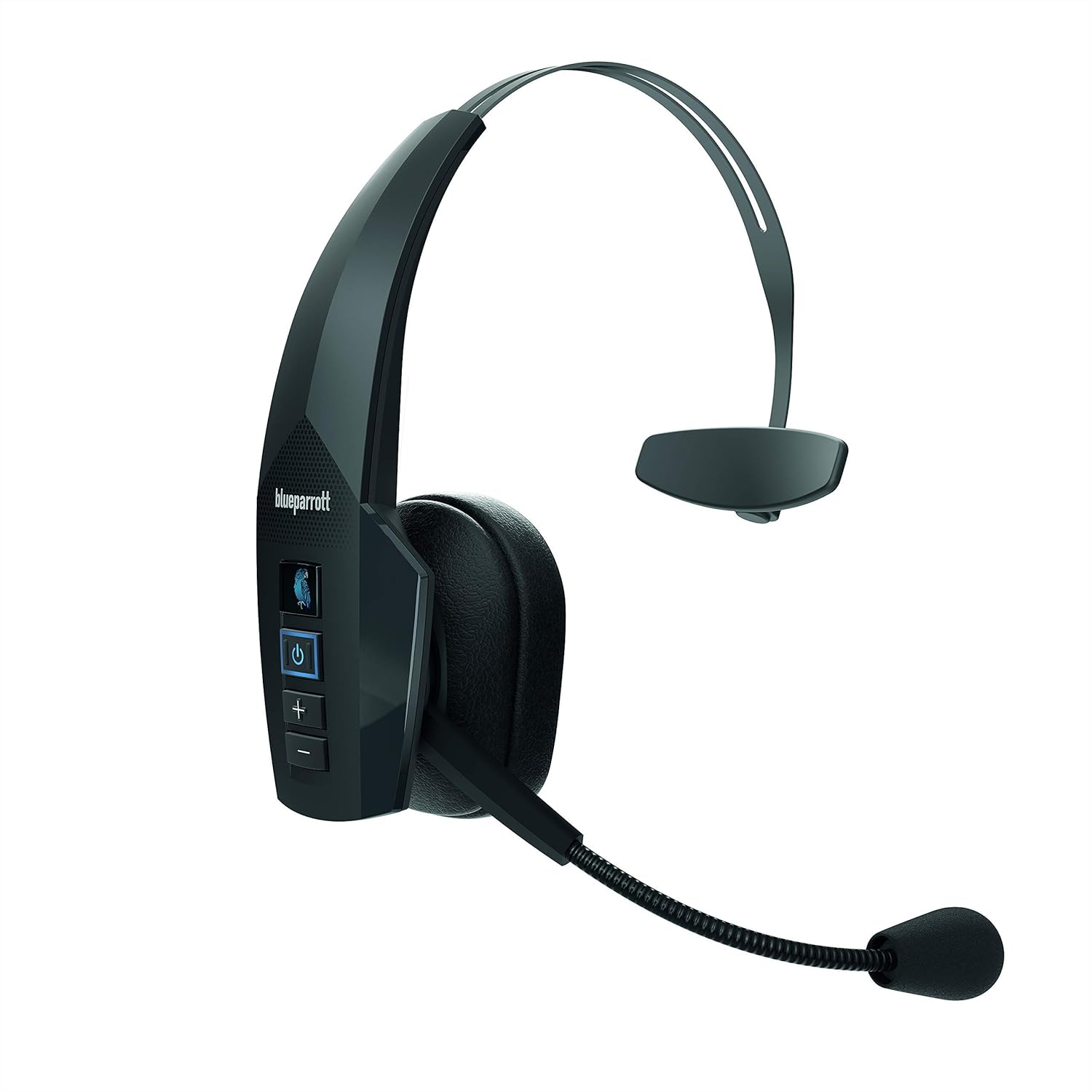
Figure 1: BlueParrott B350-XT Noise Cancelling Bluetooth Headset. This image shows the full headset from a front-side angle, highlighting its over-ear design and microphone boom.
Package Awọn akoonu
Rii daju pe gbogbo awọn nkan wa ninu apo rẹ:
- BlueParrott B350-XT Headset
- Okun Ngba agbara USB
- Foam Ear Cushion (spare)
- Apoju Gboju afẹfẹ iboju
- Alagbeka Ṣaja

Figure 2: Contents included in the BlueParrott B350-XT package. This image displays the headset, USB cable, foam ear cushion, spare mic windscreen, and mobile charger.
Ṣeto
Ngba agbara si Agbekọri
Before first use, fully charge your B350-XT headset. Connect the USB charging cable to the headset's charging port and plug the other end into the provided mobile charger or a compatible USB power source. The LED indicator will show charging status.
- A full charge provides up to 24 hours of talk time.
Pipọpọ pẹlu Ẹrọ Bluetooth kan
The B350-XT uses Bluetooth 5.0 for wireless connectivity. Follow these steps to pair your headset:
- Ensure the headset is charged and turned off.
- Tẹ mọlẹ bọtini agbara (⑂) for approximately 5 seconds until the LED indicator flashes blue and red, indicating pairing mode.
- On your mobile phone, tablet, or laptop, enable Bluetooth and search for new devices.
- Select "BlueParrott B350-XT" from the list of available devices.
- Ti o ba beere fun koodu iwọle, tẹ "0000" (odo mẹrin).
- Ni kete ti a ba so pọ, Atọka LED yoo tan buluu to lagbara.
The headset supports Near-Field Communication (NFC) for streamlined pairing with compatible devices. Simply tap the headset to the NFC-enabled device to initiate pairing.

olusin 3: Isunmọ view of the BlueParrott B350-XT headset controls, including the power button and volume controls, alongside a smartphone screen demonstrating the Parrot Button customization options.
Awọn ilana Iṣiṣẹ
Titan / Paa
- Láti tan agbára: Tẹ bọtini agbara ki o si dimu mọ (⑂) fun 2 aaya.
- Láti pa agbára: Tẹ bọtini agbara ki o si dimu mọ (⑂) fun 3 aaya.
Isakoso Ipe
- Answer Call: Press the Power button (⑂) lẹẹkan.
- End Call: Press the Power button (⑂) lẹẹkan.
- Reject Call: Press and hold the Power button (⑂) fun 2 aaya.
- Redial Last Number: Double-press the Power button (⑂).
Iṣakoso iwọn didun
- Increase Volume: Press the Volume Up button (+).
- Decrease Volume: Press the Volume Down button (-).
Parrot Button Customization
The customizable Parrot Button allows quick access to your preferred features. Use the BlueParrott app on your smartphone to configure its function, such as:
- Mu gbohungbohun / Mu odi kuro
- Speed Dial a contact
- Push-to-Talk (PTT) with compatible applications
- Launch a selected application

Nọmba 4: Alaye view of the BlueParrott B350-XT control panel, showing the Parrot Button, Power button, and Volume Up/Down buttons.
Itoju
Ninu
- Mu agbekari kuro pẹlu asọ, damp asọ.
- Maṣe lo awọn kemikali lile tabi awọn afọmọ abrasive.
- Rii daju pe ibudo gbigba agbara ti gbẹ ṣaaju gbigba agbara.
Ibi ipamọ
- Tọju agbekari naa ni itura, aye gbigbẹ kuro lati orun taara ati awọn iwọn otutu to gaju.
- Ti o ba fipamọ fun akoko ti o gbooro sii, gba agbara agbekari lorekore lati ṣetọju ilera batiri.
Rirọpo irinše
- The foam ear cushion and microphone windscreen are replaceable. Refer to the "Package Contents" section for spare parts.
- For replacement parts, visit the official BlueParrott support webojula.
Laasigbotitusita
| Isoro | Owun to le Fa | Ojutu |
|---|---|---|
| Agbekọri ko ni agbara. | Batiri kekere. | Gba agbara si agbekari ni kikun. |
| Cannot pair the headset. | Headset not in pairing mode; Bluetooth disabled on device; Device out of range. | Ensure headset is in pairing mode (flashing blue/red LED). Enable Bluetooth on your device. Move device closer to headset (within 100 meters). |
| Ko si ohun afetigbọ tabi didara ohun ti ko dara. | Volume too low; Headset not selected as audio output; Interference. | Increase headset volume. Check device's audio settings to ensure B350-XT is selected. Move away from other wireless devices. |
| Gbohungbohun ko ṣiṣẹ. | Microphone muted; Microphone boom not positioned correctly. | Unmute the microphone (via Parrot Button or device settings). Adjust the microphone boom closer to your mouth. |
| Aye batiri kukuru. | Battery degradation; Frequent use at high volume. | Ensure full charge before use. Reduce volume if possible. Contact support if battery life significantly degrades. |
Awọn pato
| Ẹya ara ẹrọ | Ẹ̀kúnrẹ́rẹ́ |
|---|---|
| Awoṣe | B350-XT |
| Asopọmọra | Bluetooth 5.0, NFC |
| Alailowaya Ibiti | Titi de awọn mita 100 (300 ẹsẹ) |
| Aago Ọrọ | Titi di wakati 24 |
| Ifagile Ariwo | Blocks 96% of background noise |
| Iduroṣinṣin | IP54-rated (dust and moisture protection) |
| Gbigbe Eti | Lori Eti |
| Iwọn | Isunmọ 4.7 iwon |
| Iwọn Igbohunsafẹfẹ | 20 Hz si 20,000 Hz |
| Awọn ẹrọ ibaramu | Awọn foonu alagbeka, Awọn tabulẹti, Kọǹpútà alágbèéká |
| Iṣakoso Iru | Physical Buttons (Power, Volume, Parrot Button) |
Atilẹyin ọja ati Support
This product is sold as "Renewed" by Amazon Renewed. Please refer to the Amazon Renewed Guarantee for specific warranty information and return policies. Typically, Amazon Renewed products come with a 90-day guarantee.
For technical support, product registration, or to purchase accessories, please visit the official BlueParrott website or contact their customer service. You may also refer to your Amazon order details for seller-specific support information.
- Atilẹyin Atunse Amazon: Kọ ẹkọ diẹ si
- BlueParrott Official Webojula: www.blueparrott.com


