Ọrọ Iṣaaju
This user manual provides comprehensive instructions for the setup, operation, maintenance, and troubleshooting of your Trust Ozaa Rechargeable Wireless Mouse. Please read this manual carefully before using the product to ensure optimal performance and longevity.

Image: The Trust Ozaa Rechargeable Wireless Mouse shown with its USB receiver and micro-USB charging cable. This image illustrates the main components included with the mouse.
Package Awọn akoonu
Jẹrisi pe gbogbo awọn ohun kan wa ninu package:
- Trust Ozaa Rechargeable Wireless Mouse
- Olugba USB
- Micro-USB Ngba agbara USB
- Awọn ilana fun lilo (afọwọṣe yii)

Image: The retail packaging for the Trust Ozaa Rechargeable Wireless Mouse, highlighting its key features such as 10m wireless range, comfortable design, and silent click buttons.
Ṣeto
- Gba agbara si Asin naa: Before first use, connect the supplied micro-USB charging cable to the mouse's charging port and to a USB power source (e.g., computer USB port, USB wall adapter). The charging indicator light will illuminate. Allow the mouse to fully charge.
- Fi olugba USB sii: Locate the USB receiver, typically stored in a compartment on the underside of the mouse. Remove it and plug it into an available USB-A port on your computer (PC or Mac).
- Agbara Tan: Turn on the mouse using the on/off switch located on the underside.
- Asopọmọra Aifọwọyi: The mouse should automatically connect to your computer. No additional drivers are typically required for basic functionality (Plug and Play).

Image: A user operating the Trust Ozaa mouse wirelessly next to a laptop, demonstrating its plug-and-play functionality and 10-meter wireless range.
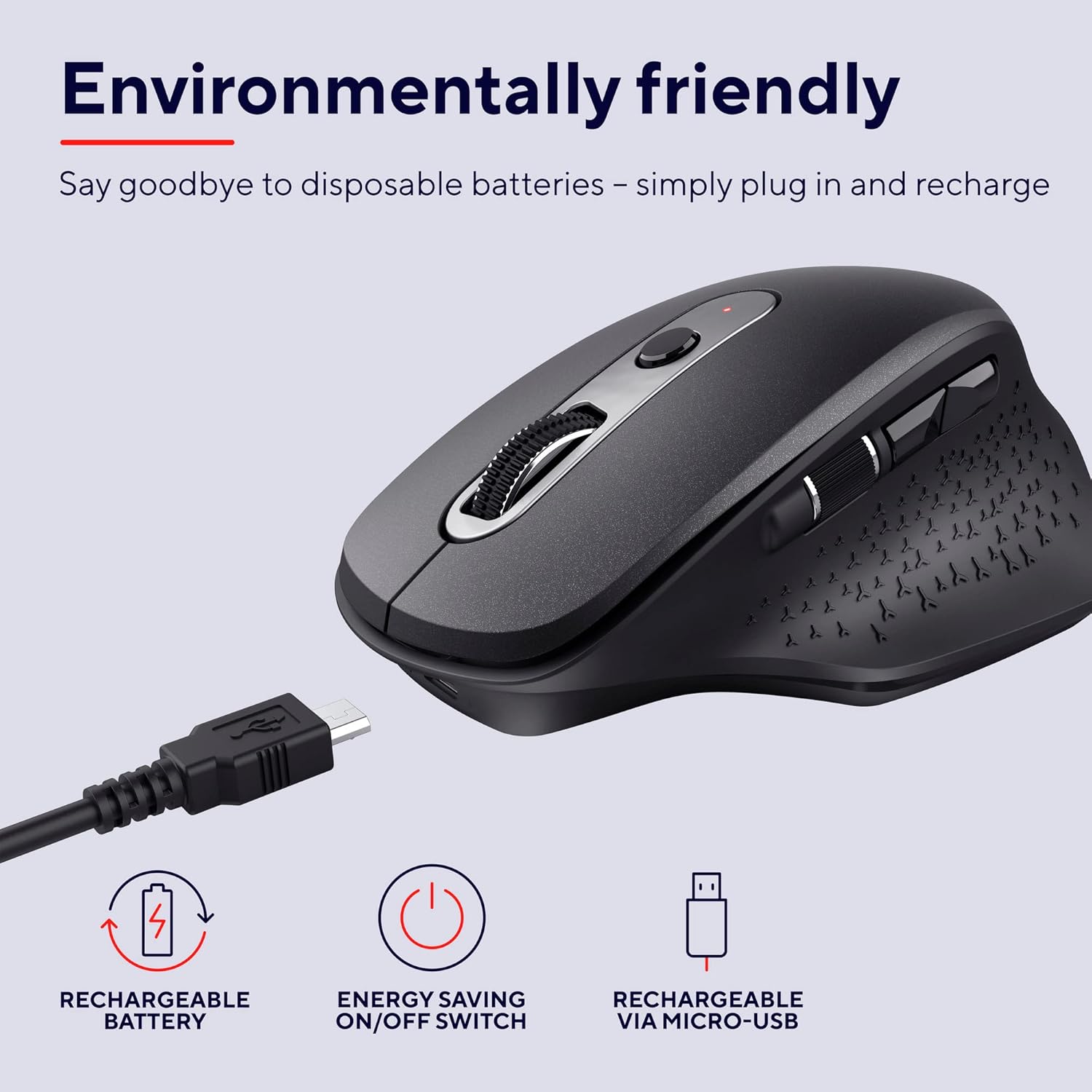
Image: The Trust Ozaa mouse being charged via its micro-USB cable, highlighting its rechargeable battery and energy-saving features.
Awọn ilana Iṣiṣẹ
Awọn iṣẹ bọtini
- Bọtini Tẹ osi: Standard primary click. Designed for silent operation.
- Ọtun Tẹ Bọtini: Standard secondary click. Designed for silent operation.
- Yi lọ Kẹkẹ (Bọtini Aarin): Yi lọ ni inaro nipasẹ awọn iwe aṣẹ ati web pages. Press down for middle-click functionality.
- Bọtini Atunse DPI: Located behind the scroll wheel. Press to cycle through different cursor speeds (DPI settings: 800, 1200, 1600, 2400 DPI).
- Side Scroll Wheel: Located on the left side. Allows for horizontal scrolling.
- Awọn bọtini Siwaju/Sẹhin: Located above the side scroll wheel. Used for navigating forward and backward in web aṣàwákiri tabi file oluwadi.

Aworan: Ohun oke view of the Trust Ozaa mouse, visually indicating the DPI adjustment, silent buttons, and convenient side scroll wheel.
DPI Atunṣe
The mouse features an adjustable cursor speed (DPI) ranging from 800 to 2400 DPI. To change the DPI, press the dedicated DPI button located behind the main scroll wheel. Each press will cycle through the available settings, allowing you to select the sensitivity that best suits your task or preference.
Nfi agbara pamọ
To conserve battery life, the mouse is equipped with an on/off switch on its underside. It also features an automatic sleep mode that activates after a period of inactivity. To wake the mouse, simply move it or click any button.
Itoju
- Ninu: Lo asọ asọ ti o gbẹ lati nu asin naa. Fun idoti alagidi, die-die damp cloth can be used, but ensure no moisture enters the internal components. Do not use harsh chemicals or abrasive cleaners.
- Gbigba agbara: Recharge the mouse when the battery indicator light signals low power or when performance degrades. Use only the provided charging cable or a compatible micro-USB cable.
- Ibi ipamọ: When not in use for extended periods, turn off the mouse to preserve battery life. Store it in a cool, dry place.
Laasigbotitusita
| Isoro | Owun to le Fa | Ojutu |
|---|---|---|
| Asin ko dahun. |
|
|
| Gbigbe kọsọ jẹ aisise tabi fo. |
|
|
| Awọn bọtini ko ṣiṣẹ. |
|
|
Awọn pato
| Brand | Gbekele |
| Nọmba awoṣe | 23812 |
| Asopọmọra Technology | Igbohunsafẹfẹ Redio (Alailowaya) |
| Alailowaya Ibiti | Ti o to awọn mita 10 |
| Awọn Eto DPI | 800, 1200, 1600, 2400 DPI (Adjustable) |
| Nọmba ti Awọn bọtini | 6 (Left, Right, Scroll Wheel Click, DPI, Forward, Backward) + Side Scroll Wheel |
| Awọn bọtini akọkọ | Silent Left and Right Buttons |
| Orisun agbara | Rechargeable Battery (1 AAA battery included, contained in equipment) |
| Gbigba agbara Port | Micro-USB |
| Awọn iwọn Ọja (L x W x H) | 7.7 x 11.8 x 4.6 cm |
| Iwọn Nkan | 122 g |
| Hardware Platform ibamu | PC, Mac |
| Ibamu System isẹ | Chrome OS, Windows, Mac OS |
| Pataki Awọn ẹya ara ẹrọ | Wireless, Rechargeable, Quiet, Ergonomic Design, Energy-saving On/Off Switch |
Atilẹyin ọja ati Support
Fun alaye atilẹyin ọja ati atilẹyin imọ-ẹrọ, jọwọ tọka si Igbẹkẹle osise webojula tabi kan si wọn onibara iṣẹ taara. Jeki ẹri rira rẹ fun awọn iṣeduro atilẹyin ọja.
Òṣìṣẹ́ Ìgbẹ́kẹ̀lé Webojula: www.trust.com
Kò sí fídíò ọjà tí olùtajà náà fi sílẹ̀ fún àfikún nínú ìwé ìtọ́ni yìí.


