1. Ifihan
The NEEWER CB150 150W 5600K Dimmable LED Video Light is a professional-grade continuous output lighting solution designed for photography and videography. It features a powerful 150W LED bead, 5600K daylight color temperature, high CRI 97+, and 2.4G wireless remote control for versatile lighting setups. This manual provides essential information for safe and effective use of your new equipment.
2. Awọn ilana aabo
- Always ensure the power supply is disconnected before installation, adjustment, or maintenance.
- Do not operate the light in wet conditions or near flammable materials to prevent electric shock or fire.
- Avoid direct eye exposure to the LED light source, as it can cause eye strain or damage.
- Ensure proper ventilation around the light to prevent overheating and prolong product lifespan.
- Use only the provided power cable and accessories. Unauthorized modifications may void the warranty and pose safety risks.
- Jeki ẹrọ naa kuro ni arọwọto awọn ọmọde.
3. Package Awọn akoonu
Daju pe gbogbo awọn nkan wa ninu apo rẹ:
- NEEWER CB150 LED Video Light Unit
- 2.4G Alailowaya latọna jijin
- Standard Reflector (Light Funnel)
- Ideri Idaabobo
- Okun agbara
- Ilana itọnisọna

4. Ọja Ipariview
The NEEWER CB150 is a high-performance LED video light designed for consistent and accurate illumination. Key features include:
- Powerful 150W LED Bead: Provides stable and bright light output.
- 5600K Iwọn otutu Awọ Oju-ọjọ: Ensures natural and consistent lighting.
- High CRI 97+ and TLCI 97+: Guarantees accurate color rendition for broadcast video, photography, and studio filmmaking.
- Bowens Mount: Compatible with a wide range of light modifiers such as softboxes, beauty dishes, and snoots.
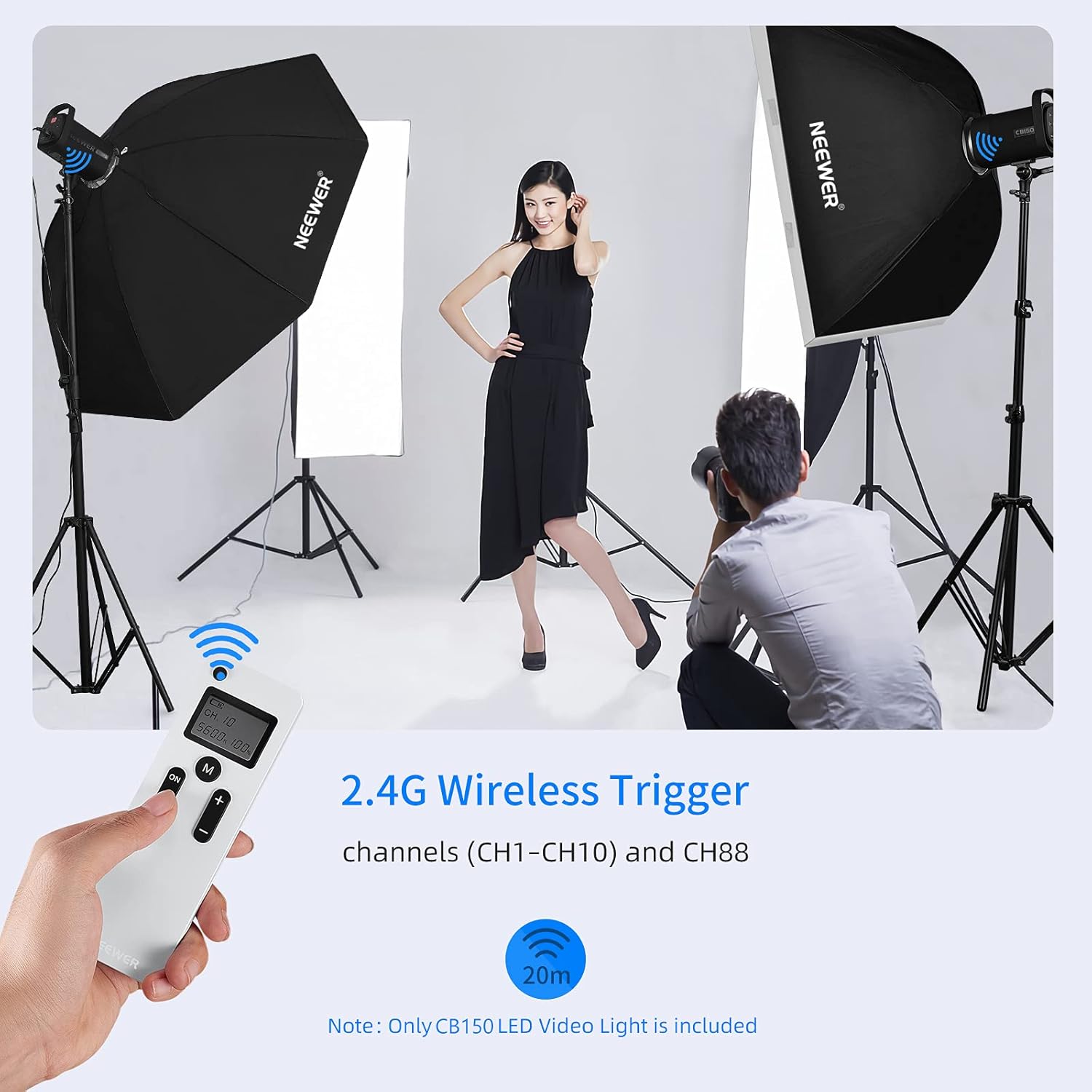
- 2.4G Iṣakoso Latọna jijin: Allows adjustment of brightness and channels from up to 20 meters away.
- Ultra Silent Fan: Features smart temperature control for efficient heat dissipation with minimal noise.
- Ifihan LCD: Large display panel shows key parameters like brightness, channel, and temperature.



Ọja Video Loriview
5. Eto
- Yọ awọn ohun elo kuro: Fara yọ gbogbo awọn ohun kan kuro ninu apoti.
- Yọ Ideri Aabo kuro: Press the release button on the light unit and twist the protective cover counter-clockwise to remove it from the LED bead.
- So Atunse Somọ: Align the standard reflector (light funnel) with the Bowens mount on the light unit. Push it in and twist clockwise until it locks securely.
- Mount on Light Stand: Loosen the knob on the light unit's mounting bracket. Place the light unit onto a compatible light stand (not included) and tighten the knob to secure it. Adjust the angle as needed.
- So agbara: Insert the power cable into the power input port on the back of the light unit. Plug the other end into a suitable power outlet.
6. Awọn ilana Iṣiṣẹ
Titan / Paa
- Locate the power switch on the bottom of the light unit. Flip the switch to the 'ON' position to power on the light. The LCD display will illuminate.
- Láti pa iná, yí ìyípadà náà sí ipò 'PA'.
Siṣàtúnṣe Imọlẹ
- Via Control Knob: Rotate the control knob on the back of the light unit to adjust brightness from 0% to 100%. The LCD display will show the current brightness percentage.
- Via 2.4G Wireless Remote: Use the '+' and '-' buttons on the remote control to adjust brightness. The remote allows for precise 1% increments.

Using the 2.4G Wireless Remote
- The remote control operates on 2.4G frequency and supports 10 channels (CH1-CH10) and a special channel CH88.
- Ensure the light unit and remote are set to the same channel for proper communication.
- Use the channel selection buttons on the remote to cycle through available channels.
- The remote can control the light from up to 20 meters away.
7. Itọju
- Ninu: Use a soft, dry cloth to clean the light unit. Do not use abrasive cleaners or solvents.
- Ibi ipamọ: When not in use, store the light in a cool, dry place, away from direct sunlight and moisture. Reattach the protective cover to the LED bead.
- Afẹfẹ: Regularly check that the ventilation openings are clear of dust and debris to ensure proper heat dissipation.
8. Laasigbotitusita
| Isoro | Owun to le Fa | Ojutu |
|---|---|---|
| Imọlẹ ko tan. | Power cable not connected properly; Power switch is off; Power outlet issue. | Check power cable connection; Ensure power switch is ON; Test with a different power outlet. |
| Isakoṣo latọna jijin ko ṣiṣẹ. | Remote batteries are low or depleted; Remote and light unit on different channels. | Replace remote batteries; Ensure both devices are set to the same channel (CH1-CH10 or CH88). |
| Imọlẹ jẹ igbona pupọ. | Blocked ventilation; Prolonged use at maximum power in a confined space. | Ensure ventilation openings are clear; Operate in a well-ventilated area; Reduce brightness if necessary. |
9. Awọn pato
| Ẹya ara ẹrọ | Ẹ̀kúnrẹ́rẹ́ |
|---|---|
| Brand | OHUN |
| Awoṣe | CB150 (Item model number: 10098474) |
| Ijade agbara | 150W |
| Iwọn otutu awọ | 5600K (Imọlẹ oju-ọjọ) |
| Atọka Rendering Awọ (CRI) | 97+ |
| Atọka Imudara Imọlẹ Tẹlifisiọnu (TLCI) | 97+ |
| Itanna | 13000 Lux @ 1m |
| Atunṣe Imọlẹ | 0% - 100% |
| Iṣakoso Alailowaya | 2.4G Wireless Remote (10 Channels + CH88) |
| Oke Iru | Bowens Oke |
| Iwọn Nkan | 7.24 iwon |
| Package Mefa | 16.1 x 10.35 x 8.39 inches |
| UPC | 191073055360 |
10. Atilẹyin ọja ati Support
For detailed warranty information, product registration, and technical support, please visit the official NEEWER webojula tabi kan si wọn onibara iṣẹ Eka. Tọju iwe-ẹri rira rẹ bi ẹri rira fun eyikeyi awọn ibeere atilẹyin ọja.


