Ọrọ Iṣaaju
The Audibax Onyx 151 is a professional-grade scissor keyboard support designed for stability and ease of use. Its robust construction and adjustable features make it suitable for various electronic musical keyboards, including 61, 76, and 88-key models. This manual provides detailed instructions for assembly, operation, maintenance, and troubleshooting to ensure optimal performance and longevity of your keyboard stand.
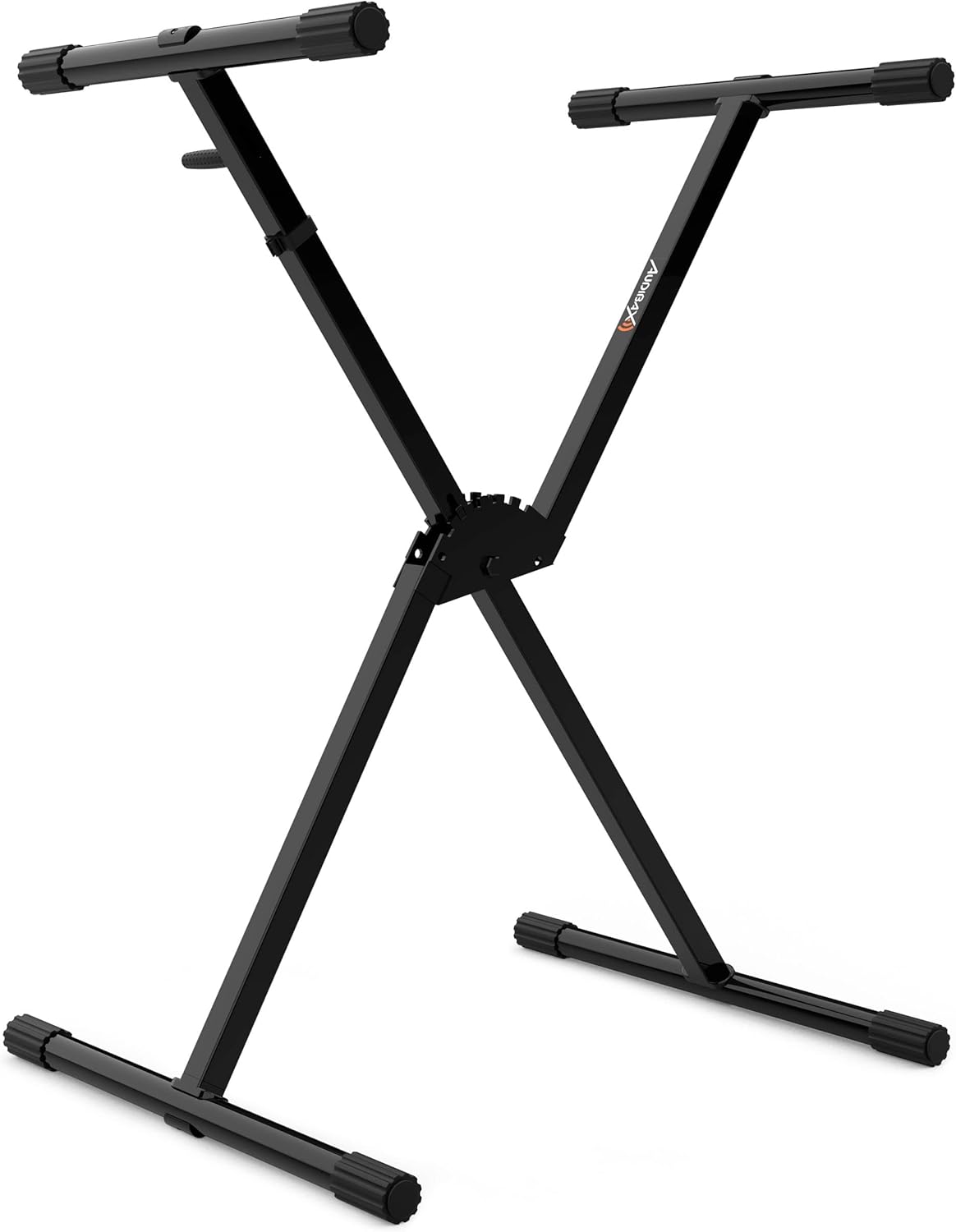
Image: The Audibax Onyx 151 Scissor Keyboard Support in its fully assembled, upright position.
Alaye Aabo
- Ensure all components are securely fastened before placing any instrument on the stand.
- Maṣe kọja agbara fifuye ti o pọju ti 50 kg.
- Avoid placing the stand on uneven or unstable surfaces.
- Keep hands clear of moving parts during height adjustment to prevent pinching.
- Regularly inspect the stand for any signs of wear or damage. Discontinue use if damage is found.
Package Awọn akoonu
Jọwọ rii daju pe gbogbo awọn paati wọnyi wa ninu package rẹ:
- Audibax Onyx 151 Scissor Keyboard Support (main frame)
- Hex key for assembly
- Afowoyi Olumulo (iwe-ipamọ yii)
Awọn ilana Apejọ
Assembly of the Audibax Onyx 151 is straightforward and typically takes less than 10 minutes.
- Ṣii Iduro naa: Carefully remove the stand from its packaging. Gently pull the two main 'X' shaped sections apart until they begin to open.
- Attach Upper and Lower Arms: The stand comes with pre-attached upper and lower arms. Ensure these are correctly oriented. The upper arms are designed to support the keyboard, while the lower arms provide ground stability.
- Awọn isopọ to ni aabo: Using the provided hex key, tighten any visible screws on the upper and lower arms to ensure they are firmly attached to the main frame. This step ensures maximum stability.
- Check Rubber Sleeves: Verify that the adjustable rubber sleeves on both the upper and lower arms are securely in place. These sleeves protect your instrument and floor from scratches and provide anti-slip stability.

Image: Detail of the central locking mechanism for height adjustment.
Awọn ilana Iṣiṣẹ
The Audibax Onyx 151 features an easy-to-use adjustment system for height and a professional locking mechanism.
- Siṣàtúnṣe Giga: Locate the spring-loaded lever and lock clutch mechanism at the center of the stand. Depress the lever to disengage the lock.
- Ṣeto Giga ti o fẹ: While holding the lever, carefully adjust the stand to your desired height. The stand offers a height range from 7 cm to 100 cm.
- Locking the Height: Once the desired height is achieved, release the spring-loaded lever. The lock clutch will engage, securely fixing the stand at the selected height. Ensure the stand is stable before proceeding.
- Gbígbé Káàdìbò sí: Carefully place your electronic keyboard onto the upper support arms. The anti-slip rubber sleeves will help secure the instrument.

Image: The Audibax Onyx 151 supporting an electronic keyboard, demonstrating its operational use.
Folding for Transport/Storage: To fold the stand, depress the spring-loaded lever and gently push the 'X' sections together until the stand is compact. Its lightweight and foldable design makes it easy to transport and store.
Itoju ati Itọju
- Ninu: Nu imurasilẹ nu pẹlu asọ, damp asọ lati yọ eruku ati idoti. Yago fun abrasive ose tabi olomi ti o le ba awọn ipari.
- Ayewo: Periodically check all screws and connections to ensure they remain tight. Re-tighten with the hex key if necessary.
- Rubber Sleeves: Ensure the anti-slip rubber sleeves on the arms and feet are intact and not worn, as they are crucial for instrument and floor protection.
- Ibi ipamọ: Store the stand in a dry environment, away from extreme temperatures or humidity, to prevent corrosion.
Laasigbotitusita
- Iduro jẹ riru: Ensure all screws are tightened. Verify the stand is placed on a flat, level surface. Check if the rubber feet are properly seated.
- Iṣoro ni atunṣe giga: Ensure the spring-loaded lever is fully depressed. Check for any obstructions in the locking mechanism.
- Keyboard slipping on stand: Confirm the anti-slip rubber sleeves on the upper arms are clean and intact. Ensure the keyboard is centered and balanced on the stand.
Awọn pato
| Brand | Audibax |
| Orukọ awoṣe | Onyx 151 Premium Scissor Holder for Keyboard/Piano Easy-Block |
| Nọmba Awoṣe Nkan | 10176036 |
| Ohun elo | Giga Agbara Irin |
| Adijositabulu Giga Ibiti | 7 cm si 100 cm |
| O pọju fifuye Agbara | 50 kg |
| Awọn iwọn Ọja (Ti ṣe pọ) | 20 x 20 x 7 cm |
| Iwọn Nkan | 1 kilogram |
| Awọn irinše to wa | Keyboard Stand, Manual |
Atilẹyin ọja ati Support
Audibax products are manufactured to high-quality standards. For information regarding warranty coverage, technical support, or replacement parts, please refer to the contact information provided with your purchase documentation or visit the official Audibax webojula. Jọwọ ṣe idaduro ẹri rira rẹ fun eyikeyi awọn ibeere atilẹyin ọja.