1. Ifihan
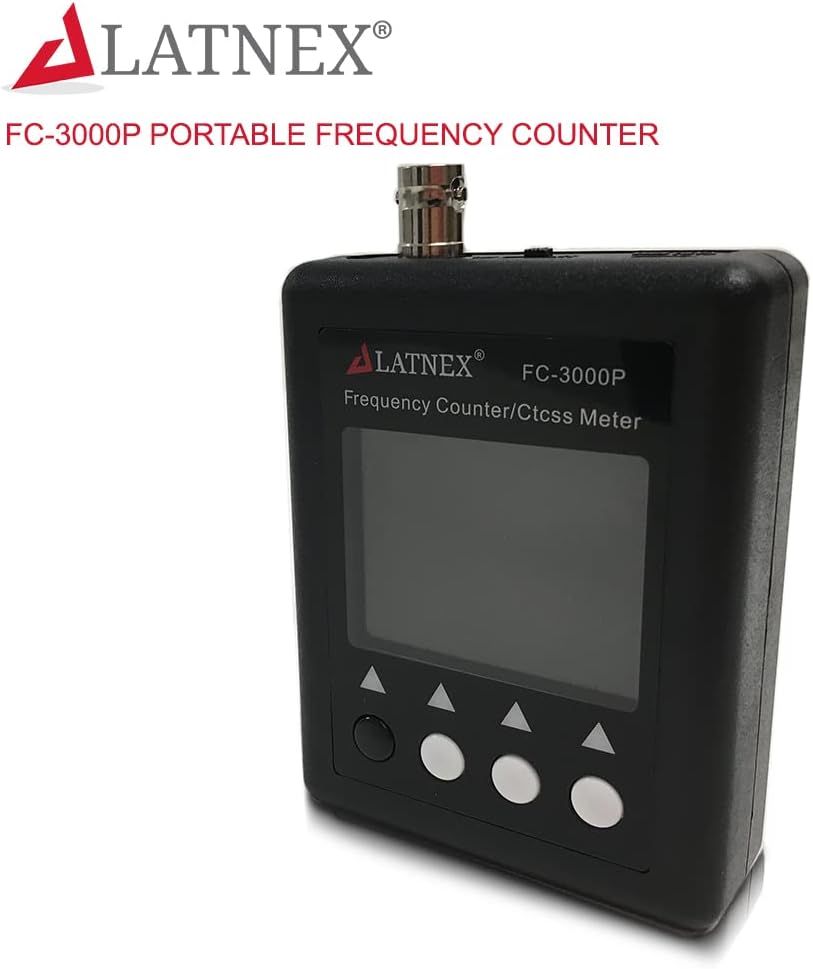
The LATNEX FC-3000P is a portable frequency counter designed for measuring continuous wave signals from two-way radios. It provides frequency parameters and signal strength indication, making it a valuable tool for monitoring and testing radio frequencies. This device is suitable for various applications, including 2m HAM radio, VHF, UHF, and DMR radio transceivers.
Key features include a wide frequency range, CTCSS/DCS decoding capabilities, and a clear TFT color display. Its compact size and four-button control ensure ease of use and portability.
2. Ọja Ipariview ati Awọn ẹya ara ẹrọ

The FC-3000P is a versatile frequency counter capable of identifying frequencies from 27MHz to 3000MHz. It features a high-sensitivity receiver and includes a built-in CTCSS/DCS decoder. The device operates with a Temperature Compensated X'tal (crystal) Oscillator (TCXO) for enhanced accuracy. The intuitive four-button interface and TFT color display ensure straightforward operation and clear data presentation.
- Iwọn Igbohunsafẹfẹ: 27MHz-3000MHz (Note: Performance below 100MHz, specifically 27MHz, may vary and is not guaranteed for all continuous carrier signals).
- CTCSS/DCS Decoder: Built-in for identifying sub-audible tones.
- Ifihan: TFT Color Display (240 x 320 pixels) with adjustable dim level.
- Yiye: TCXO (Temperature Compensated X'tal Oscillator) provides ±2 to ±4ppm accuracy within -45°C to 65°C.
- Akoko Idahun: 0.2-0.5 seconds (CTCSS/CDCSS >0.5-1 second).
- Batiri: Built-in Li-ion battery with charging indicator.
- Iṣakoso: Four-button interface for easy navigation.
- Agbara Aifọwọyi Paa: A le ṣatunṣe lati iṣẹju 1 si 9.
3. Ohun ti o wa ninu Apoti
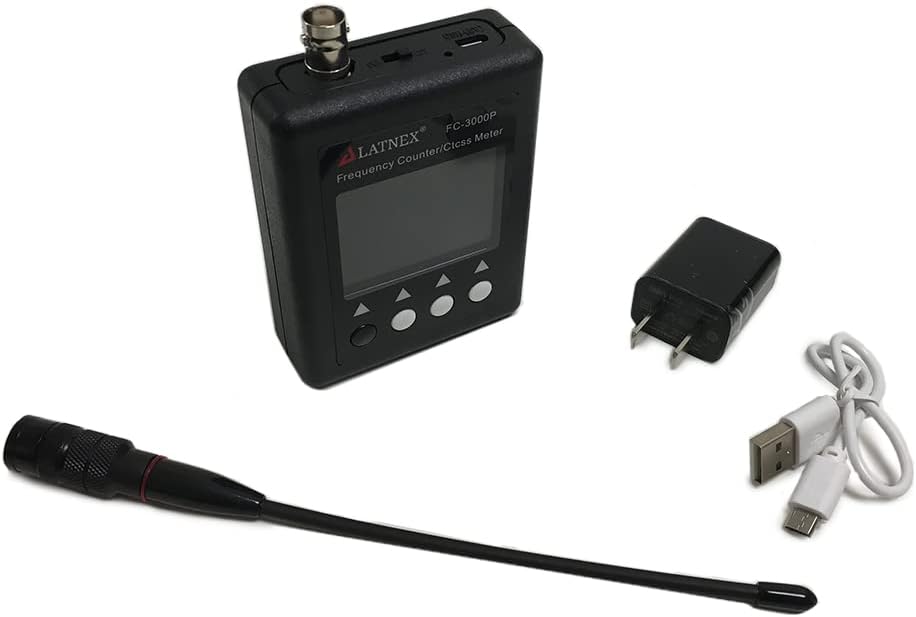
Nigbati o ba ṣii package, jọwọ rii daju pe gbogbo awọn nkan wọnyi wa pẹlu:
- LATNEX FC-3000P Frequency Counter Unit
- Eriali
- Power Cord (USB charging cable)
- Afowoyi Olumulo (iwe-ipamọ yii)
4. Eto
- Gbigba agbara akọkọ: Before first use, fully charge the built-in Li-ion battery. Connect the provided USB charging cable to the "Charger in" port on the device and plug the other end into a USB power adapter or computer USB port. The "Charger LED" will indicate charging status.
olusin 1: Isalẹ view of the FC-3000P showing connection ports.
- So Antenna: Screw the provided antenna onto the "Antenna in" BNC connector located on the top of the device. Ensure it is securely fastened.
- Agbara Tan: Press and hold the power button (usually the leftmost button) to turn on the device. The TFT color display will illuminate.
- Signal Attenuation: The device features a signal attenuation switch (0dB / Att 10dB) near the antenna port. For strong signals, you may switch to "Att 10dB" to prevent overload and improve measurement accuracy. For weaker signals, keep it at "0dB".
5. Awọn ilana Iṣiṣẹ

Figure 2: FC-3000P display and button layout (PIC.1).
- Titan/Apapa: Press and hold the power button (leftmost button) to turn the device on or off.
- Wiwọn Igbohunsafẹfẹ:
- Rii daju pe eriali ti sopọ.
- Place the FC-3000P near the radio transmitting the signal you wish to measure.
- The device will automatically detect and display the frequency (Freq) on the screen.
- The "RF Signal Level" bar graph indicates the strength of the detected signal.
- CTCSS/DCS Iyipada koodu:
- When a continuous carrier signal with CTCSS or DCS is detected, the corresponding code will be displayed under "Ctcss" or "Cdcss" on the screen.
- The "Code Signal Level" bar graph indicates the strength of the detected sub-audible tone.
- Mode Selection (Analog/Digital): Use the navigation buttons (typically the middle two buttons) to switch between "Analog" and "Digital" modes if available. The FC-3000P supports DMR radio signal frequency counting.
- Display Dim Level: Access the settings menu (refer to the specific button functions on your device, usually by pressing a menu button) to adjust the LCD dim level for optimal viewing and battery conservation.
- Eto Agbara Aifọwọyi Paa: The device can be configured to automatically power off after a period of inactivity (1-9 minutes). Adjust this setting in the device menu to conserve battery life.
6. Itọju
- Ninu: Lo asọ asọ ti o gbẹ lati nu ẹrọ naa. Ma ṣe lo abrasive ose tabi epo.
- Itọju Batiri:
- Recharge the battery when the "Battery Level" indicator is low.
- Yago fun gbigba agbara si batiri ni kikun nigbagbogbo lati fa gigun aye rẹ.
- Tí o bá ń tọ́jú ẹ̀rọ náà fún ìgbà pípẹ́, gba agbára bátìrì náà sí nǹkan bí 50% kí o sì tọ́jú rẹ̀ sí ibi tí ó tutù tí ó sì gbẹ.
- Ibi ipamọ: Store the device in a dry environment, away from extreme temperatures and direct sunlight.
- Eriali: Ensure the antenna is not bent or damaged. Replace if necessary to maintain optimal performance.
7. Laasigbotitusita
| Isoro | Owun to le Fa | Ojutu |
|---|---|---|
| Ẹrọ naa ko ṣiṣẹ. | Batiri ti wa ni idasilẹ. | Charge the device using the provided USB cable and adapter. |
| No frequency reading or unstable reading. |
|
|
| CTCSS/DCS not decoding. |
|
|
| Inaccurate readings on 27MHz. | Device's specified reliable range starts from 100MHz. | While the device can detect signals down to 27MHz, reliable and guaranteed accuracy is for 100MHz and above. Performance at 27MHz may vary. |
8. Awọn pato

Figure 3: FC-3000P Specifications Overview.
| Ẹya ara ẹrọ | Sipesifikesonu |
|---|---|
| Iwọn Igbohunsafẹfẹ | 27MHz-3000MHz (Note: 27MHz to 100MHz cannot be guaranteed for normal emission appliance) |
| CTCSS/DCS Decoder | Bẹẹni |
| Ifihan LCD | TFT Color Display 240 x 320 pixels, adjustable dim level |
| Frequency Digital | 0.000 or 0.0000 (+/-0.001) |
| Oscillator | TCXO (Temperature Compensated X'tal Oscillator) 2~2.5ppm |
| Frequency Response Time | 0.2-0.5 sec (CTCSS/CDCSS >0.5-1 sec) |
| Batiri ti a ṣe sinu | Li-ion battery (600mAh) |
| Iṣakoso | 4 awọn bọtini |
| Agbara Aifọwọyi Paa | 1-9 iṣẹju le ṣatunṣe |
| Ṣaja Input | Micro USB +5V in |
| Input Impedance | 50 Ohm (BNC) |
| Apapọ iwuwo | 113g (isunmọ 3.99 iwon) |
| Awọn iwọn | 70 x 25 x 90mm (not including antenna & BNC socket) |
9. Atilẹyin ọja ati Support
The LATNEX FC-3000P Frequency Counter comes with a 2-odun atilẹyin ọja from the date of purchase. This warranty covers manufacturing defects and ensures the product performs as described under normal use.
For technical support, assistance with setup, operation, or troubleshooting, please contact LATNEX customer service. Support is available via phone and email through Amazon Messages. Please refer to your purchase documentation for specific contact details.
Always refer to this user manual for guidance before contacting support, as many common issues can be resolved by following the instructions provided.