Awọn Itọsọna Aabo pataki
Please read this instruction manual carefully before using the MAXXMEE Digital Hot Air Oven. Keep this manual for future reference. Failure to follow these instructions may result in electric shock, fire, or serious injury.
- Always ensure the appliance is unplugged from the power outlet before cleaning, maintenance, or if not in use.
- Maṣe fi ohun elo, okun, tabi pulọọgi sinu omi tabi omi miiran.
- Ohun elo yii kii ṣe ipinnu fun lilo nipasẹ awọn eniyan (pẹlu awọn ọmọde) pẹlu idinku ti ara, imọlara, tabi awọn agbara ọpọlọ, tabi aini iriri ati imọ, ayafi ti wọn ba ti fun wọn ni abojuto tabi itọnisọna nipa lilo ohun elo nipasẹ eniyan ti o ni iduro fun aabo wọn. .
- Awọn ọmọde yẹ ki o wa ni abojuto lati rii daju pe wọn ko ṣere pẹlu ohun elo naa.
- Ma ṣe ṣiṣẹ ohun elo eyikeyi pẹlu okun tabi pulọọgi ti o bajẹ, tabi lẹhin aiṣe ohun elo tabi ti bajẹ ni eyikeyi ọna.
- Place the appliance on a stable, heat-resistant surface, away from walls and other appliances to allow for proper ventilation.
- Do not cover the air inlet or outlet vents while the appliance is in operation.
- The exterior surfaces of the appliance may become hot during use. Use oven mitts when handling hot surfaces or accessories.
- Ma ṣe gbe ohunkohun si oke ohun elo nigba ti o wa ni lilo.
- Lo awọn ẹya ẹrọ ti a ṣe iṣeduro nipasẹ olupese.
- Maṣe lo ohun elo fun awọn idi miiran ju lilo ti a pinnu lọ.
Ọja Pariview
Awọn irinše to wa
The MAXXMEE Digital Hot Air Oven comes with the following accessories:
- Agbọn Frying
- Rotisserie tutọ
- Yiyan agbeko
- Yanki Tiroko
- Drip Atẹ

Image: The MAXXMEE Digital Hot Air Oven displayed with its complete set of accessories, including the frying basket, rotisserie spit, grill rack, baking tray, and drip tray.
Ibi iwaju alabujuto ati Ifihan
The appliance features a digital control panel for easy operation, allowing precise temperature and time adjustments. It includes various preset functions for different cooking needs.

Aworan: A alaye view of the oven's digital control panel, highlighting the display for time and temperature, along with the main control knob and function buttons.

Image: A visual representation of the different cooking function icons available on the oven's display, such as air frying, grilling, dehydrating, baking, warming, and fermenting.
Eto Ibẹrẹ
- Ṣii silẹ: Carefully remove the appliance and all accessories from the packaging. Remove any protective films or stickers.
- Ninu Ṣaaju Lilo akọkọ: Mu ese ita adiro pẹlu damp cloth. Wash all removable accessories (frying basket, rotisserie, grill rack, baking tray, drip tray) with warm soapy water, rinse thoroughly, and dry completely.
- Ibi: Place the oven on a stable, level, and heat-resistant surface. Ensure there is adequate space (at least 10 cm) around all sides of the oven for proper air circulation. Do not place it near flammable materials or under cabinets.
- Asopọ agbara: Pulọọgi okun agbara sinu iṣan itanna ti ilẹ.
Awọn ilana Iṣiṣẹ
Isẹ ipilẹ
- Titan/Apapa: Press the power button to turn the oven on or off. The digital display will illuminate.
- Awọn iṣẹ yiyan: Use the control knob or dedicated function buttons to cycle through the available cooking modes (e.g., Air Fry, Roast, Bake, Dehydrate).
- Adjusting Temperature and Time: Once a function is selected, use the control knob to adjust the cooking temperature and time. Press the knob to switch between temperature and time adjustment modes.
- Bẹrẹ / Sinmi: Press the Start/Stop button to begin or pause the cooking process.
Awọn iṣẹ sise
The MAXXMEE Digital Hot Air Oven offers versatile cooking options:
- Frying afẹfẹ: Ideal for crispy results with little to no oil. Use the frying basket for items like fries, chicken wings, or vegetables.
- Sísun/Sin-ín: Perfect for meats, poultry, and larger items. The rotisserie spit can be used for whole chickens.
- Sise: Suitable for pizzas, bread, cakes, and casseroles. Use the baking tray or grill rack as needed.
- Gbígbẹgbẹ: Low-temperature cooking for drying fruits, vegetables, or making jerky.
- Jeki Gbona: Maintains food at a serving temperature after cooking.
- Sisun: Provides a controlled low-temperature environment for fermentation processes.

Image: French fries being air-fried in the oven, demonstrating the air circulation for even crisping.

Image: A whole chicken rotating on the rotisserie spit inside the oven, illustrating the roasting function.

Image: A pizza baking inside the oven, showcasing the baking capability.
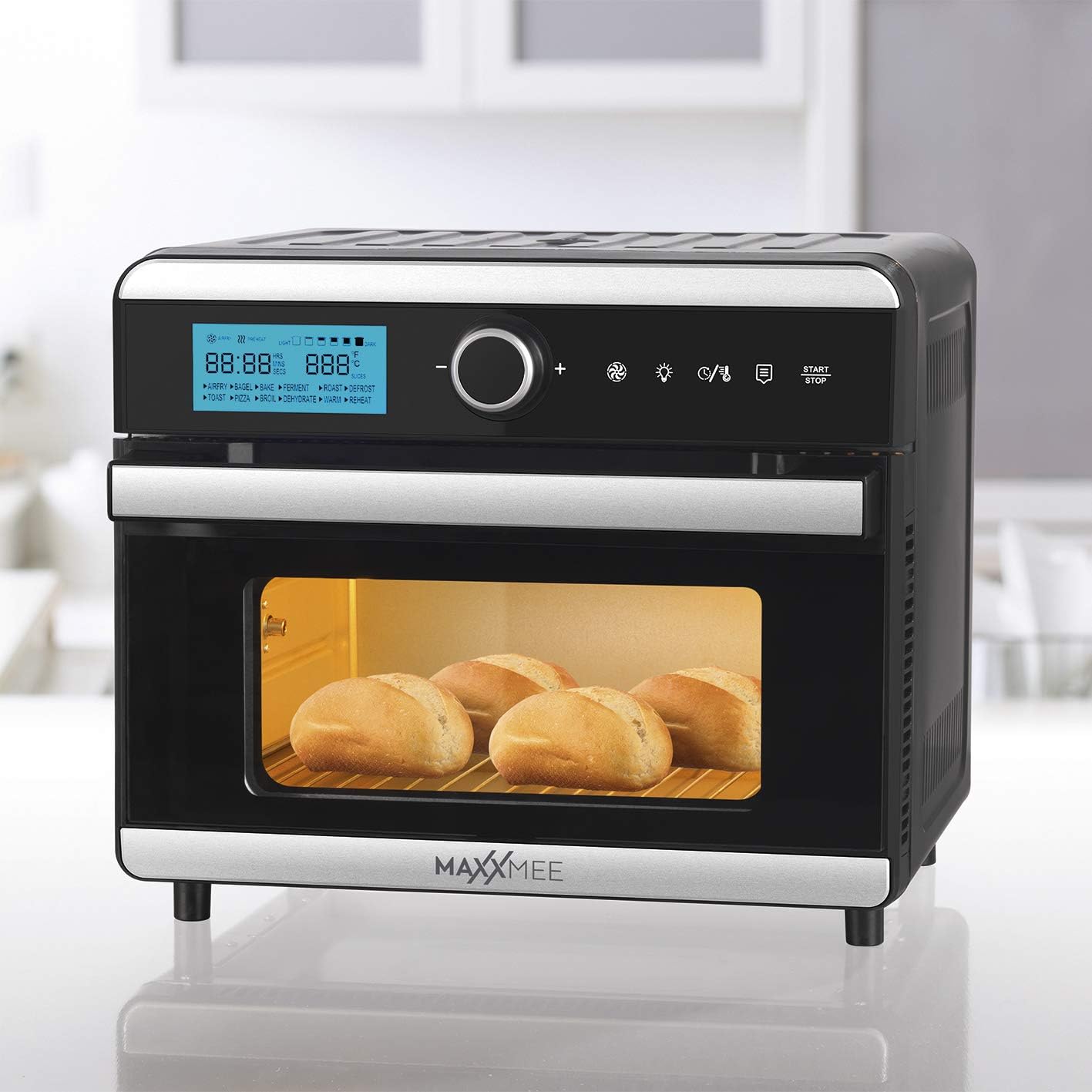
Image: Bread rolls baking inside the oven, demonstrating its use for bread.

Image: A casserole dish inside the oven, illustrating its use for baking larger dishes.

Image: Sliced oranges dehydrating on a rack within the oven.
Using the Timer and Keep Warm Function
The oven features a timer function for precise cooking durations and an automatic shut-off. The 4-hour keep warm function can be activated to maintain food temperature after cooking is complete.
Using the Included Accessories
- Agbọn didin: Insert into the oven for air frying smaller items like fries, nuggets, or vegetables. Ensure it is securely placed on the designated rack level.
- Rotisserie tutọ: For roasting whole chickens or larger cuts of meat. Secure the food onto the spit and insert it into the rotisserie sockets inside the oven. Activate the rotisserie function on the control panel.
- Yiyan agbeko: Use for grilling, baking, or to support other cookware. Can be placed at different height levels.
- Atilẹyin Baking: Ideal for baking cookies, pastries, or heating up food. Place it on the grill rack.
- Drip Atẹ: Always place the drip tray at the very bottom of the oven to catch any oil, crumbs, or food drippings, making cleanup easier.
Itoju ati Cleaning
Ninu deede ṣe idaniloju iṣẹ ṣiṣe to dara julọ ati fa igbesi aye ohun elo rẹ gbooro.
- Yọọ kuro nigbagbogbo: Before cleaning, always unplug the oven from the power outlet and allow it to cool down completely.
- Ode Ninu: Pa ode nu pẹlu asọ, damp asọ. Ma ṣe lo awọn afọmọ abrasive tabi awọn paadi iyẹfun.
- Ninu inu: Pa awọn odi inu inu pẹlu ipolowoamp Aṣọ àti ọṣẹ ìfọṣọ díẹ̀. Fún àwọn àbàwọ́n líle, a lè lo kànrìnkàn tí kò ní bàjẹ́. Rí i dájú pé inú ilé gbẹ kí a tó lò ó mọ́.
- Awọn ẹya ara ẹrọ: Wash the frying basket, rotisserie spit, grill rack, baking tray, and drip tray in warm soapy water. Rinse thoroughly and dry completely. These accessories may also be dishwasher safe (check manufacturer's guidelines if available).
- Maṣe Fi omi mọlẹ: Maṣe fi ẹya akọkọ ti adiro sinu omi tabi omi miiran.
Laasigbotitusita Itọsọna
| Isoro | Owun to le Fa | Ojutu |
|---|---|---|
| Ohun elo ko tan. | Kò sí ìsopọ̀ mọ́; kò sí ìṣòro láti inú ìsopọ̀ mọ́tò; kò sí títẹ̀ bọ́tìnì agbára. | Rii daju pe okun agbara ti wa ni edidi ni aabo sinu iṣan-iṣẹ iṣẹ. Tẹ bọtini agbara ṣinṣin. Ṣayẹwo awọn Circuit fifọ. |
| Ounjẹ kii ṣe deede. | Overcrowding the oven; incorrect temperature/time settings; food not rotated. | Do not overcrowd the oven; cook in smaller batches if necessary. Adjust temperature and time according to recipe. For best results, turn or shake food halfway through cooking. |
| Ẹfin ti o pọju nbọ lati inu adiro. | Food residue or grease buildup; fatty foods cooking at high temperatures. | Unplug the oven and let it cool. Clean the interior and accessories thoroughly, especially the drip tray. Reduce cooking temperature for very fatty foods. |
| Rotisserie spit is not rotating. | Spit not properly installed; food too heavy or unbalanced; rotisserie function not activated. | Ensure the rotisserie spit is correctly inserted into the drive sockets. Balance the food on the spit. Activate the rotisserie function on the control panel. |
Imọ ni pato
| Brand: | MAXXMEE |
| Awoṣe: | Digital Hot Air Oven 18L |
| Àwọ̀: | Black and Steel |
| Agbara: | 18 lita |
| Agbara: | 1550 Wattis |
| Ohun elo: | Irin ti ko njepata |
| Iru Iṣakoso: | Digital Iṣakoso |
| Awọn ẹya pataki: | Timer, Keep Warm, Frying Basket, Rotisserie |
| Awọn eroja to wa: | Frying Basket, Rotisserie Spit, Grill Rack, Baking Tray, Drip Tray, Air Frying Functionality |
| Awọn iwọn (Apapọ): | 47.5 x 47 x 45.9 cm |
| Ìwọ̀n Nkan: | 12.1 kilo |
Atilẹyin ọja ati Onibara Support
For warranty information, service, or support, please refer to the warranty card included with your purchase or contact MAXXMEE customer service directly. Keep your proof of purchase for any warranty claims.
O le wa alaye olubasọrọ ni igbagbogbo lori osise olupese webojula tabi nipasẹ rẹ alagbata.