1. Ifihan
Thank you for choosing the Rebel RB-0005 Weather Station. This device provides accurate indoor and outdoor temperature readings, indoor humidity, and features a clock, calendar, and alarm function. This manual will guide you through the setup, operation, and maintenance of your new weather station to ensure optimal performance.
2. Alaye Aabo
- Ma ṣe fi ẹrọ naa han si awọn iwọn otutu to gaju, imọlẹ orun taara, tabi ọriniinitutu giga.
- Yago fun sisọ silẹ tabi tẹriba ẹrọ si awọn ipa to lagbara.
- Jeki ẹrọ naa kuro ninu omi ati awọn olomi miiran.
- Sọ awọn batiri ti a lo ni ifojusọna ni ibamu si awọn ilana agbegbe.
- Ma ṣe gbiyanju lati tunto tabi tun ẹrọ naa funrararẹ. Kan si oṣiṣẹ ti o peye fun iṣẹ.
- The outdoor sensor cable should be handled with care to prevent damage.
3. Package Awọn akoonu
Jọwọ ṣayẹwo akoonu ti package naa nigbati o ba n ṣii:
- 1x Rebel RB-0005 Weather Station Main Unit
- 1x Wired Outdoor Temperature Sensor
- 1x Itọsọna olumulo (iwe yii)
Note: 1x AAA battery is required for operation and is not included in the package.
4. Awọn ẹya Ọja
- Indoor and Outdoor Temperature Measurement
- Indoor Humidity Measurement
- Kalẹnda Išė
- Iṣẹ-ṣiṣe itaniji
- 12/24 Wakati Aago Ifihan
- Memory Function for Highest and Lowest Temperature Readings
- Clear and Easy-to-Read LCD Display
- Batiri Ṣiṣẹ fun Gbigbe
5. Ọja Ipariview
Familiarize yourself with the main components of your Rebel RB-0005 Weather Station.
5.1 Ifihan iwaju
The large LCD screen displays various information simultaneously:
- IN Temperature: Iwọn otutu inu ile lọwọlọwọ.
- OUT Temperature: Current outdoor temperature from the wired sensor.
- Àkókò: Current time in 12-hour (AM/PM) or 24-hour format.
- RH%: Current indoor relative humidity.
- Kalẹnda: Date display (day, month).
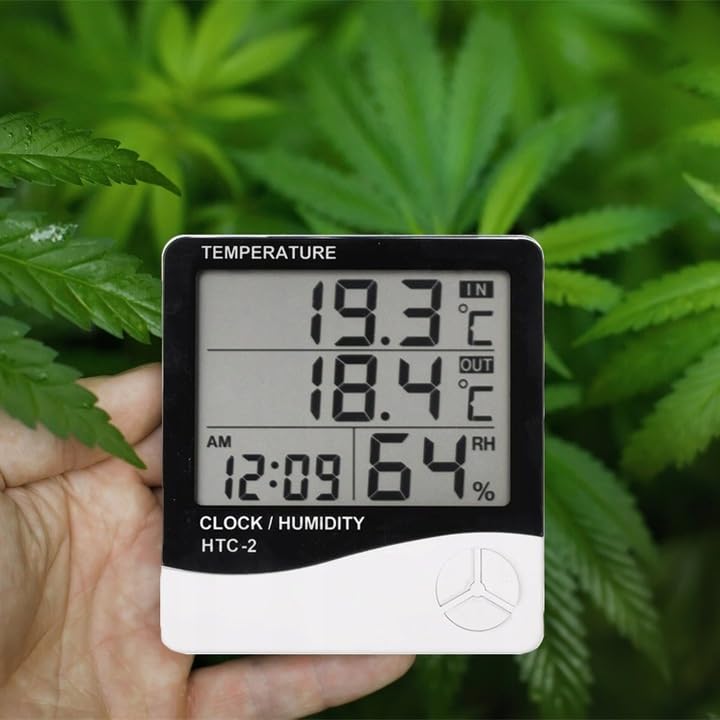
Figure 1: Front display of the weather station showing temperature, time, and humidity readings.

Nọmba 2: Alaye view of the display and control buttons.
5.2 Awọn bọtini Iṣakoso
The device features three control buttons located on the front, below the display:
- Ipo: Used to switch between display modes (e.g., time, alarm, calendar) and to enter/exit setting modes.
- ADJ (Adjust): Used to adjust values (e.g., hours, minutes, date) when in setting mode.
- Iranti: Lo lati view the highest and lowest recorded temperature and humidity values.
5.3 Ẹyìn View ati Sensọ
The back of the unit houses the battery compartment, a foldable stand, and the input for the wired outdoor temperature sensor.

olusin 3: Ẹyìn view of the weather station with battery compartment and wired sensor.
6. Eto
6.1 Fifi sori batiri
- Ṣii ideri iyẹwu batiri ni ẹhin ẹyọ akọkọ.
- Insert one (1) AAA battery, ensuring the correct polarity (+/-).
- Close the battery compartment cover securely. The device should power on automatically.
6.2 Ibi ti Sensọ Ita gbangba wa
- Connect the wired outdoor temperature sensor to the designated port on the back of the main unit.
- Carefully route the sensor cable to the desired outdoor location. Ensure the cable is not pinched or damaged.
- Place the sensor in a shaded area, protected from direct sunlight and precipitation, to ensure accurate readings. Avoid placing it near heat sources or vents.
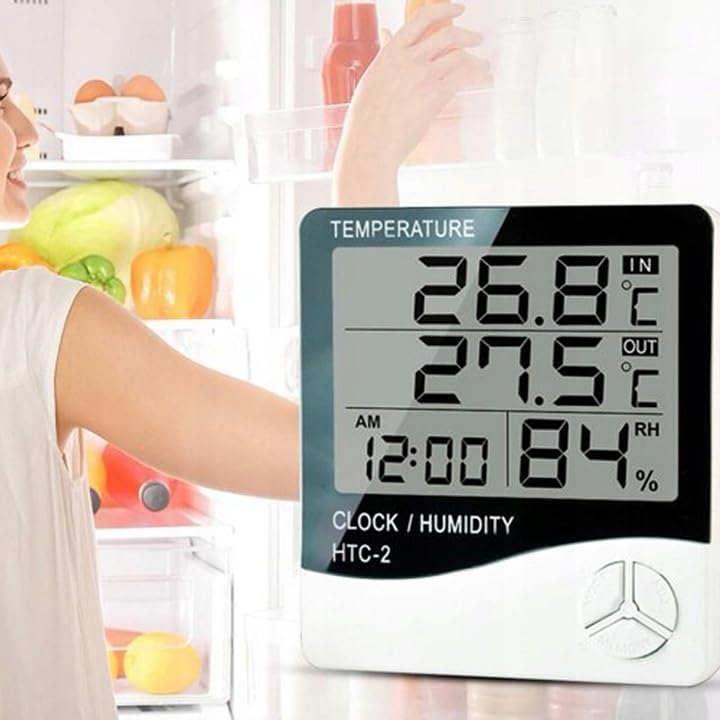
Olusin 4: Example placement of the weather station for indoor temperature monitoring.
7. Awọn ilana Iṣiṣẹ
7.1 Eto Aago ati Ọjọ
- Tẹ mọlẹ MODE bọ́tìnì náà fún bí ìṣẹ́jú-àáyá mẹ́ta títí tí ìfihàn àkókò náà yóò fi bẹ̀rẹ̀ sí í tànmọ́lẹ̀.
- Lo awọn ADJ bọ́tìnì láti ṣàtúnṣe iye ìfọ́nká (fún àpẹẹrẹ, wákàtí, ìṣẹ́jú).
- Tẹ awọn MODE button again to confirm the setting and move to the next value (e.g., minutes, 12/24 hour format, year, month, day).
- Repeat step 2 and 3 until all time and date settings are configured.
- Tẹ MODE ìgbà ìkẹyìn láti jáde kúrò ní ipò ìṣètò.
7.2 Eto Itaniji
- Lati ifihan akoko deede, tẹ bọtini naa MODE button once to enter alarm display mode (usually indicated by an alarm icon).
- Tẹ mọlẹ MODE button for approximately 3 seconds until the alarm time starts flashing.
- Lo awọn ADJ bọtini lati ṣeto aago itaniji ti o fẹ.
- Tẹ awọn MODE button to confirm the hour and move to set the minutes.
- Lo awọn ADJ bọtini lati ṣeto iṣẹju itaniji ti o fẹ.
- Tẹ awọn MODE bọtini lati jẹrisi ati jade kuro ni ipo eto itaniji.
- Lati mu itaniji ṣiṣẹ/mu ma ṣiṣẹ, tẹ awọn ADJ button once while in alarm display mode. An alarm icon will appear/disappear on the display.
7.3 Viewing Min/Max Temperature and Humidity
- From the normal display, press the ÌRÁNTÍ button once to show the maximum recorded indoor/outdoor temperature and indoor humidity.
- Tẹ awọn ÌRÁNTÍ button again to show the minimum recorded indoor/outdoor temperature and indoor humidity.
- Tẹ awọn ÌRÁNTÍ button a third time to return to the current readings.
- To clear the min/max memory, press and hold the ÌRÁNTÍ bọtini fun isunmọ 3 aaya nigba ti viewing the min/max values.
7.4 Yipada Awọn iwọn otutu (°C/°F)
While in normal display mode, press the ADJ button once to toggle between Celsius (°C) and Fahrenheit (°F) temperature units.
8. Itọju
- Ninu: Mu ẹrọ naa nu pẹlu asọ ti o gbẹ. Ma ṣe lo abrasive ose tabi epo.
- Rirọpo Batiri: Replace the AAA battery when the display becomes dim or the device stops functioning. Follow the battery installation steps in Section 6.1.
- Itọju Sensọ: Ensure the outdoor sensor cable is not damaged. Periodically check the sensor's placement to ensure it remains protected from elements for accurate readings.
9. Laasigbotitusita
| Isoro | Owun to le Fa | Ojutu |
|---|---|---|
| Ko si ifihan tabi baibai àpapọ. | Low or depleted battery. Incorrect battery polarity. | Replace the AAA battery with a new one, ensuring correct polarity. |
| Outdoor temperature reading is incorrect or "---". | Outdoor sensor cable is disconnected or damaged. Sensor is exposed to direct sunlight or heat source. | Check if the sensor cable is securely connected. Ensure the sensor is placed in a shaded, protected area. Inspect the cable for damage. |
| Akoko/ọjọ ko tọ. | Time/Date not set correctly after battery installation. | Refer to Section 7.1 "Setting Time and Date" to adjust. |
| Itaniji ko dun. | Alarm is not activated. Alarm volume is too low (if adjustable, though this model likely isn't). | Ensure the alarm icon is displayed, indicating it is active (refer to Section 7.2). |
10. Awọn pato
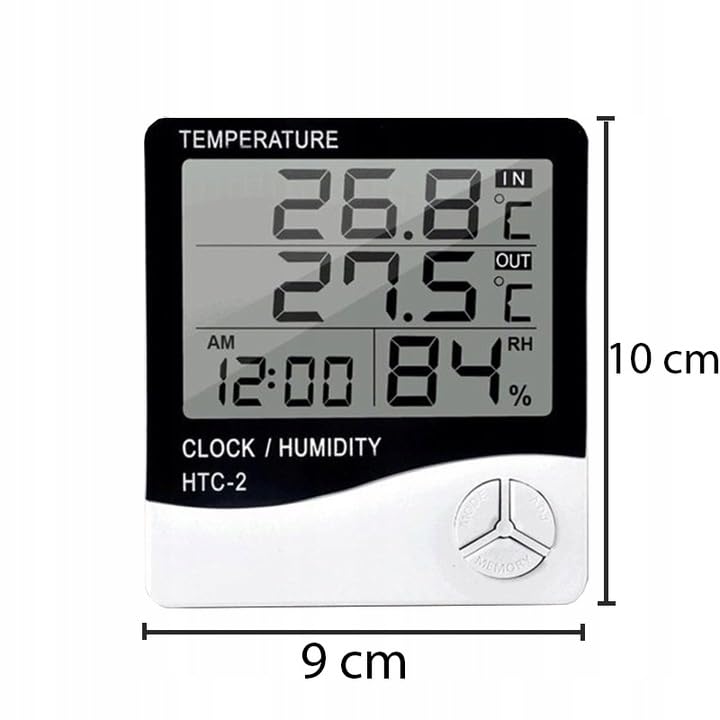
Figure 5: Approximate dimensions of the weather station.
- Awoṣe: RB-0005
- Brand: Olote
- Orisun Agbara: 1x Batiri AAA (kii ṣe pẹlu)
- Ohun elo: Ṣiṣu
- Awọn ẹya pataki: Alarm, Calendar, Min/Max Memory
- Awọn iwọn idii: 18 x 12 x 10 cm
- Awọn iwọn ọja (isunmọ): 9 cm (Iwọn) x 10 cm (Iga)
- Ọjọ akọkọ ti o wa: Oṣu kọkanla ọjọ 23, ọdun 2020
11. Atilẹyin ọja ati Support
This product is covered by a standard manufacturer's warranty. For specific warranty terms and conditions, please refer to the documentation provided at the time of purchase or contact your retailer.
For technical support or inquiries, please contact the Rebel customer service department through their official webojú-òpó wẹ́ẹ̀bù tàbí ìwífún ìbánisọ̀rọ̀ tí olùtajà rẹ pèsè.


