Ọrọ Iṣaaju
O ṣeun fun riraasing the Shinco Bluetooth Speaker. This speaker is designed to deliver powerful audio with deep bass and vibrant party lights, suitable for various occasions. It features Bluetooth connectivity, True Wireless Stereo (TWS) pairing, and multiple input options including USB, TF card, AUX, and microphone/guitar inputs. Please read this manual carefully to ensure proper use and to maximize your listening experience.
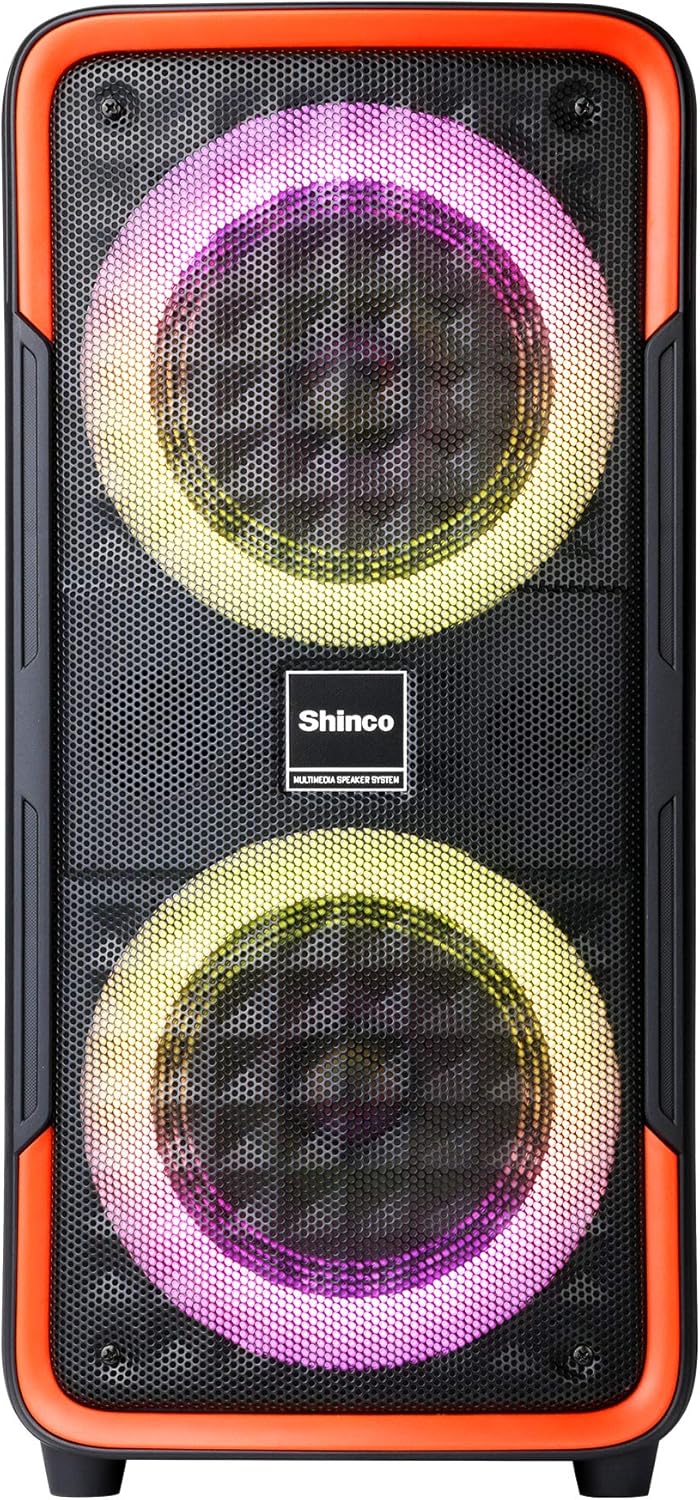
Nọmba 1: Iwaju view of the Shinco Bluetooth Speaker, showcasing its dual woofers with dynamic LED lighting.
Ohun ti o wa ninu Apoti
Upon unpacking your Shinco Bluetooth Speaker, please ensure all items are present:
- Shinco Bluetooth Speaker
- Adapta Agbara (fun gbigba agbara)
- Wired Microphone (if included with your model)
- Itọsọna olumulo
Ṣeto
Gbigba agbara si Agbọrọsọ
Before first use, fully charge the speaker. Connect the provided power adapter to the DC 5V input port on the speaker and plug the other end into a wall outlet. The charging indicator light will illuminate. Once fully charged, the indicator light may change color or turn off, depending on the model. A full charge typically takes several hours.
Titan / Paa
To power on the speaker, press and hold the Power button located on the control panel. You will hear an audible prompt, and the LED lights will activate. To power off, press and hold the Power button again.

Nọmba 2: Close-up of the speaker's control panel, showing the power button, mode selection, volume controls, and various input ports.
Awọn ilana Iṣiṣẹ
Bluetooth Asopọmọra
- Power on the speaker. It will automatically enter Bluetooth pairing mode, indicated by a flashing Bluetooth icon or LED.
- On your mobile phone or tablet, enable Bluetooth and search for available devices.
- Select "Shinco Speaker" (or similar name) from the list of devices.
- Once connected, you will hear a confirmation sound, and the Bluetooth indicator will stop flashing.
The speaker can maintain a stable connection within 65 feet (approximately 20 meters) in an open area.
Otitọ Alailowaya Sitẹrio (TWS) Sisopọ
TWS allows you to pair two Shinco Bluetooth Speakers for a stereo sound experience.
- Rii daju pe awọn agbohunsoke mejeeji wa ni titan ati pe ko sopọ si eyikeyi ẹrọ Bluetooth.
- On one speaker (this will be the primary speaker), press and hold the TWS button. You will hear a prompt indicating TWS pairing mode.
- Agbọrọsọ akọkọ yoo wa laifọwọyi ati sopọ si agbọrọsọ keji.
- Once paired, you will hear a confirmation sound. The LED indicators on both speakers will show a stable connection.
- Ní báyìí, so ẹ̀rọ rẹ pọ̀ mọ́ agbọrọsọ àkọ́kọ́ nípasẹ̀ Bluetooth gẹ́gẹ́ bí a ti ṣàlàyé rẹ̀ lókè. Ohùn náà yóò máa ṣiṣẹ́ nínú sitíréò nípasẹ̀ àwọn agbọrọsọ méjèèjì.

Nọmba 3: Two Shinco speakers operating in True Wireless Stereo (TWS) mode, providing a wider soundstage.
USB / TF Kaadi Sisisẹsẹhin
Insert a USB flash drive or TF (Micro SD) card into the respective port on the control panel. The speaker will automatically detect the storage device and begin playing audio files (MP3, WAV, etc.). Use the playback controls (Play/Pause, Next/Previous Track) on the speaker to manage your music.
Apọju AX
Connect an external audio device (e.g., MP3 player, laptop) to the AUX input port using a 3.5mm audio cable. The speaker will automatically switch to AUX mode, or you may need to press the Mode button to select AUX. Audio will then be played from your connected device.
Microphone/Guitar Input
Plug a 1/4" microphone or guitar into the MIC/GUITAR input port. Adjust the microphone volume using the dedicated knob (if available) or the main volume control. This feature is ideal for karaoke or live performances.
Party imole
The speaker features integrated LED party lights. Press the LED button on the control panel to cycle through various lighting modes and patterns. The lights can flash, blink, and synchronize with the rhythm of the music, enhancing the atmosphere.
Itoju
- Ninu: Lo asọ ti o rọ, ti o gbẹ lati nu ita ti agbọrọsọ. Ma ṣe lo awọn afọmọ abrasive, waxes, tabi awọn nkanmimu.
- Ibi ipamọ: Tọju agbohunsoke ni itura, aye gbigbẹ kuro lati orun taara ati awọn iwọn otutu to gaju.
- Itọju Batiri: Lati pẹ aye batiri, yago fun gbigba agbara si batiri ni kikun nigbagbogbo. Gba agbara si agbọrọsọ nigbagbogbo, paapaa ti ko ba si ni lilo, lati ṣetọju ilera batiri.
- Ifihan omi: Yi agbọrọsọ ni ko mabomire. Yago fun ṣiṣafihan si omi tabi ọrinrin ti o pọ ju.
Laasigbotitusita
| Isoro | Owun to le Fa | Ojutu |
|---|---|---|
| Agbọrọsọ ko ni agbara lori. | Batiri ti dinku. | Connect the speaker to a power source using the provided adapter and allow it to charge. |
| Ko si ohun lati agbọrọsọ. | Iwọn didun ti lọ silẹ pupọ; Ipo titẹ sii ti ko tọ; ẹrọ ko sopọ daradara. | Increase volume on both the speaker and the connected device. Ensure the correct input mode (Bluetooth, AUX, USB/TF) is selected. Reconnect the device. |
| Asopọ Bluetooth kuna. | Speaker is out of range; device's Bluetooth is off; speaker is connected to another device. | Move the device closer to the speaker. Ensure Bluetooth is enabled on your device. Disconnect from other devices and try pairing again. |
| TWS sisopọ kuna. | Speakers are too far apart; one speaker is already connected via Bluetooth. | Ensure both speakers are close to each other. Disconnect any Bluetooth devices from both speakers before initiating TWS pairing. |
| Microphone sound is poor or absent. | Microphone not fully plugged in; microphone volume too low; faulty microphone. | Ensure the microphone is securely plugged into the 1/4" input. Adjust microphone volume. Test with another microphone if possible. |
Awọn pato
| Ẹya ara ẹrọ | Ẹ̀kúnrẹ́rẹ́ |
|---|---|
| Awoṣe | B08PTZVWF2 |
| Awọn iwọn (HWD) | 22.83 x 11.42 x 10.63 inches (approx. 21 x 9.65 x 8.66 inches as per feature bullets) |
| Iwọn | 10.38 iwon |
| Asopọmọra | Bluetooth, USB, TF Card, AUX (3.5mm Jack), 1/4" Microphone/Guitar Input |
| Pataki Awọn ẹya ara ẹrọ | Party Lights (LED), True Wireless Stereo (TWS), Built-in Handles |
| Orisun agbara | Agbara Batiri (Batiri Lithium ion 1 to wa) |
| Àwọ̀ | Dudu, Pupa |

Nọmba 4: Shinco Bluetooth Speaker illustrating its physical dimensions.
Atilẹyin ọja ati Support
Shinco products are designed for reliability and performance. This product comes with a standard manufacturer's warranty against defects in materials and workmanship. Please refer to the warranty card included with your purchase for specific terms and conditions, including the warranty period and coverage details.
For technical support, troubleshooting assistance, or warranty claims, please contact Shinco customer service. Contact information can typically be found on the product packaging or on the official Shinco website. Please have your product model number (B08PTZVWF2) and proof of purchase ready when contacting support.


