1. Ọja Ipariview
The Logitech MK295 Silent Wireless Keyboard & Mouse Combo is designed for comfort, precision, and quiet operation. It features Logitech's SilentTouch technology, significantly reducing typing and clicking noises. This combo connects wirelessly via a tiny USB Nano receiver, offering a reliable connection and extended battery life for both the keyboard and mouse.
Key Awọn ẹya ara ẹrọ
- Innovative SilentTouch technology for same typing and clicking feel with 90% less noise.
- Full-size keyboard with 8 convenient shortcuts and a full numpad for efficient data entry and easier navigation.
- Contoured and portable mouse with smooth, precise clicking and pointing on most surfaces.
- Strong, reliable 2.4 GHz wireless connection with a 10-meter range and a tiny USB receiver.
- Compatible with Windows or Chrome OS for plug-and-play simplicity.
- Spill-proof keyboard design, durable keys, and sturdy tilt legs with adjustable height.
- Extended battery life: up to 36 months for the keyboard and 18 months for the mouse, with on/off switches.
- One-touch access to media controls (play/pause, volume, mute) and internet.
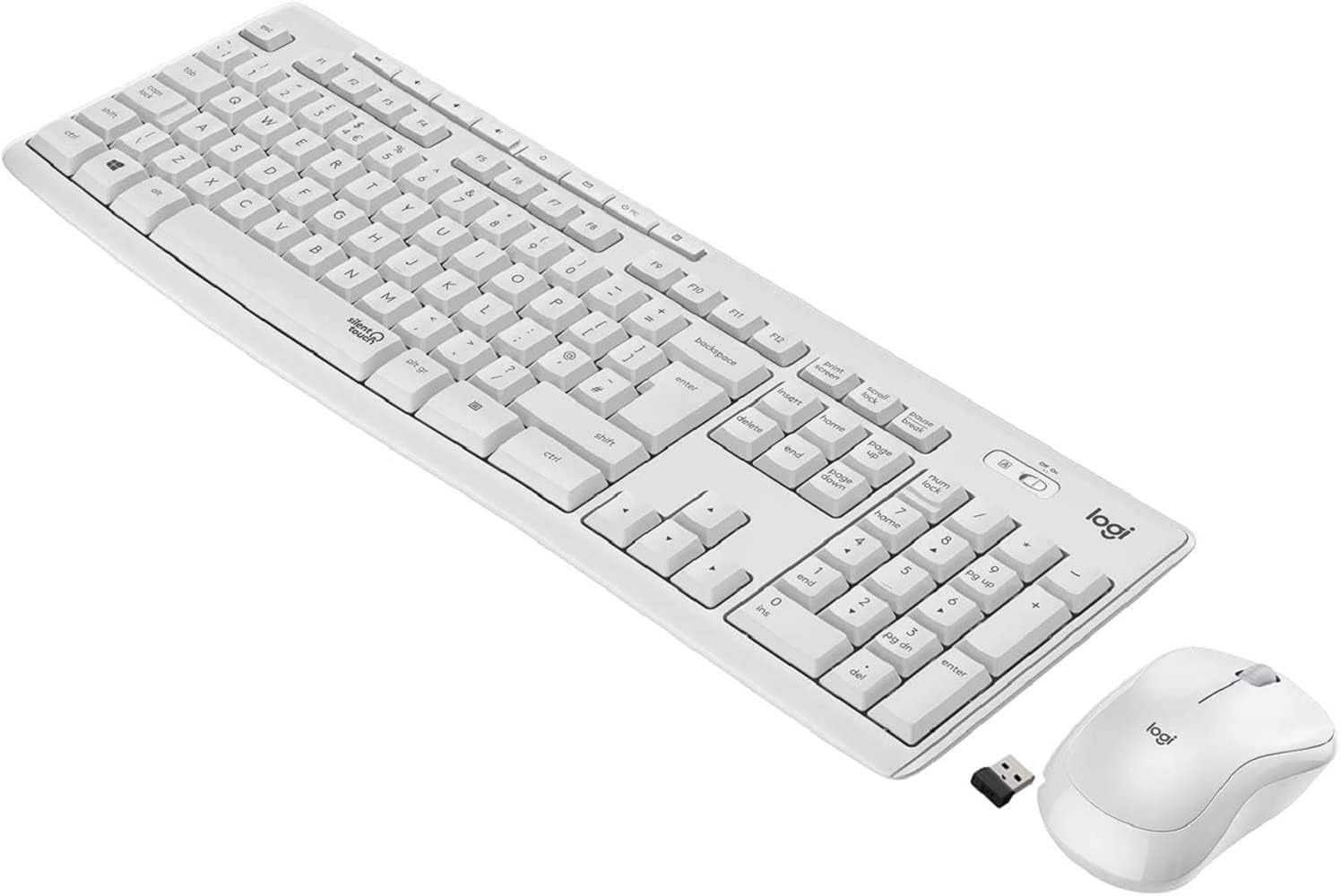
Figure 1.1: The Logitech MK295 Wireless Keyboard and Mouse Combo, including the USB receiver.
2. Eto Itọsọna
2.1 Package Awọn akoonu
- Keyboard Alailowaya Logitech MK295
- Logitech MK295 Alailowaya Asin
- Olugba Nano USB
- Awọn batiri AAA 2 (ti a ti fi sii tẹlẹ ninu keyboard)
- 1 Batiri AA (ti a fi sii tẹlẹ ninu Asin)
- Iwe-ipamọ olumulo (afọwọṣe yii)
2.2 Fifi sori batiri
The keyboard requires two AAA batteries, and the mouse requires one AA battery. Batteries are typically pre-installed. If replacement is needed:
- Wa ibi ipamọ batiri naa ni isalẹ keyboard ati Asin.
- Ifaworanhan ṣii ideri kompaktimenti batiri.
- Insert the batteries, ensuring correct polarity (+ and - ends).
- Pa ideri batiri naa ni aabo.
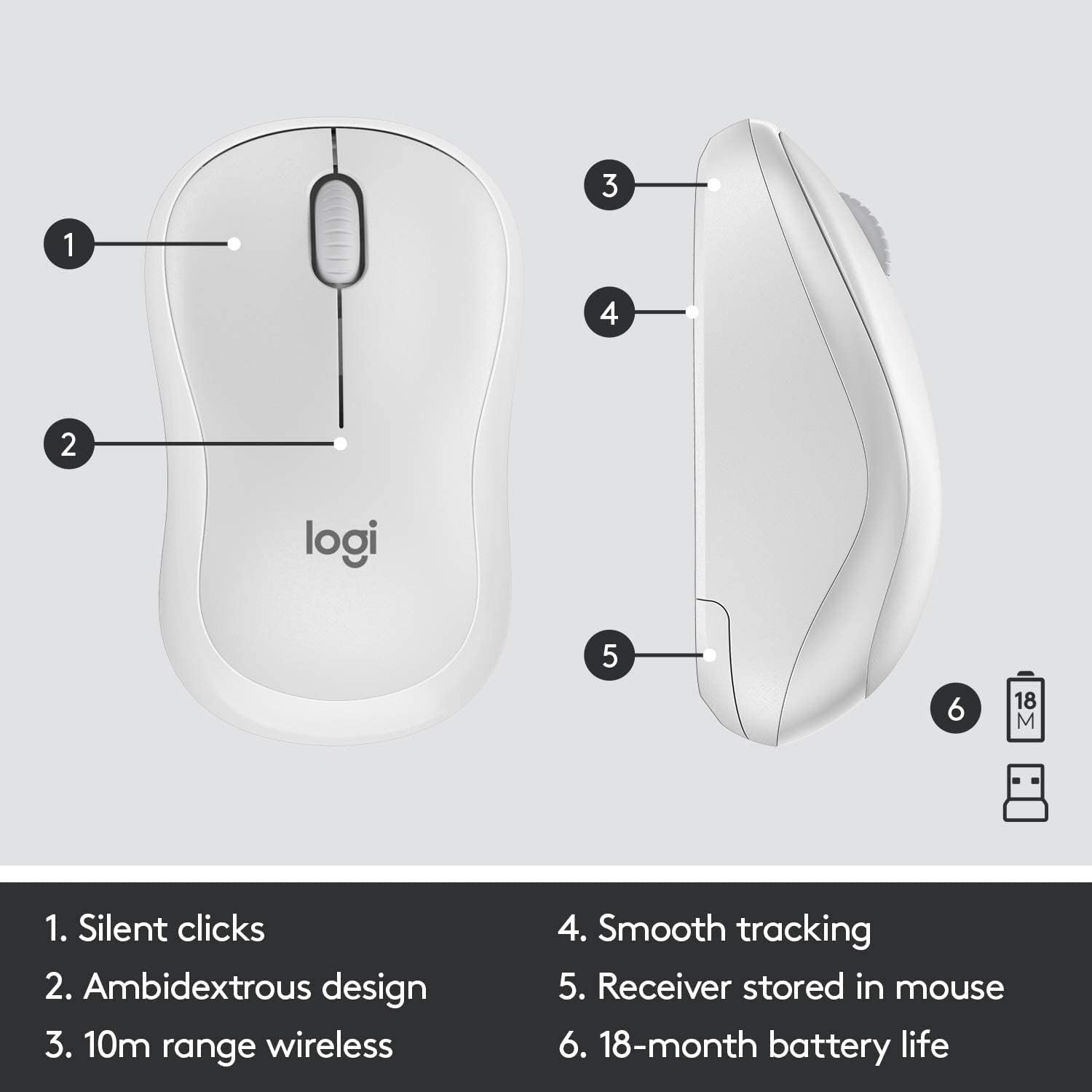
Figure 2.1: The underside of the mouse, showing the battery compartment and the storage slot for the USB receiver.
2.3 Nsopọ awọn ẹrọ
The keyboard and mouse connect to your computer using a single USB Nano receiver.
- Remove the USB Nano receiver from its storage slot in the mouse (if stored there).
- Plug the USB Nano receiver into an available USB port on your computer.
- Turn on the keyboard and mouse using their respective On/Off switches. The switches are located on the top right of the keyboard and the underside of the mouse.
- Your computer should automatically detect and install the necessary drivers. The devices are ready for use once detected.

Figure 2.2: The keyboard's On/Off switch, located above the numpad, and an indicator for its 10m (33ft) wireless range.
3. Ṣiṣẹ rẹ MK295 Konbo
3.1 Keyboard Awọn iṣẹ
The MK295 keyboard features a full-size layout for comfortable typing, including a dedicated numeric keypad for efficient data entry. It also includes several convenient shortcut keys:
- Awọn iṣakoso Media: Play/Pause, Volume Up, Volume Down, Mute.
- Àwọn Ọ̀nà Àbùjá Ohun Èlò: Home, Mail, Calculator, PC Sleep.
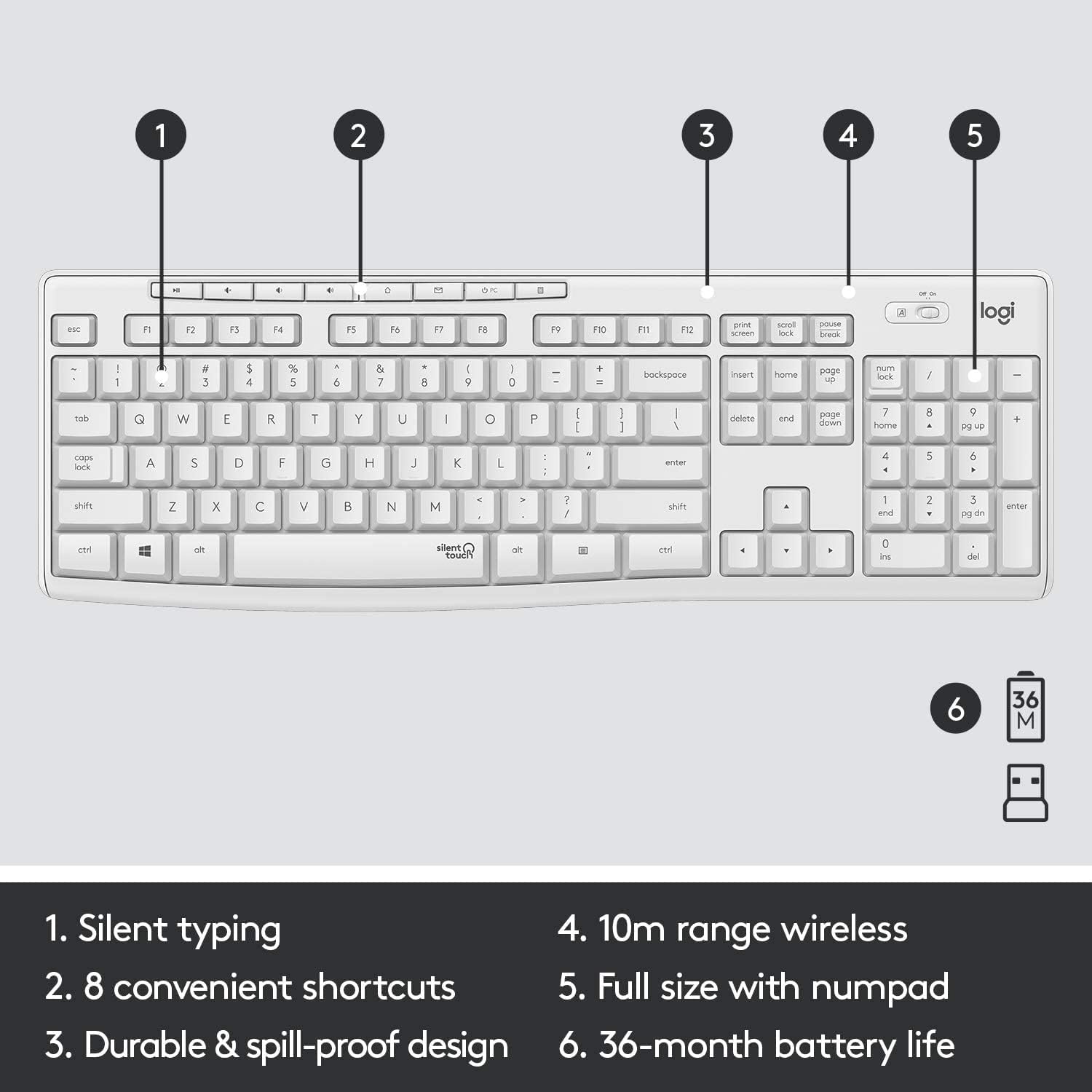
Figure 3.1: Key features of the MK295 keyboard, including its full-size layout with numpad and shortcut keys.
3.2 Mouse Awọn iṣẹ
The MK295 mouse is designed with a comfortable, contoured shape that fits well in either hand (ambidextrous design). It provides smooth and precise tracking on most surfaces, making navigation effortless.

Figure 3.2: The comfortable and compact design of the MK295 mouse in use.
3.3 SilentTouch Technology
Logitech's SilentTouch technology significantly reduces the noise from keyboard typing and mouse clicks by over 90% compared to traditional Logitech keyboards and mice. This allows for a quieter work environment without compromising the familiar typing and clicking feel.

Figure 3.3: SilentTouch technology provides a quiet user experience with 90% less noise from typing and clicking.
4. Itọju ati Itọju
- Ninu: Lo asọ, damp asọ lati nu awọn roboto ti awọn keyboard ati Asin. Yago fun awọn kẹmika lile tabi awọn ohun elo abrasive.
- Atako Idasonu: The keyboard features a spill-resistant design. In case of accidental spills, quickly wipe off the liquid. Do not immerse the keyboard in water.
- Itoju Batiri: Utilize the On/Off switches on both the keyboard and mouse when not in use for extended periods to conserve battery life.
- Ibi ipamọ: When transporting or storing the combo, you can store the USB Nano receiver inside the mouse's battery compartment to prevent loss.
5. Laasigbotitusita wọpọ oran
- Ko si Asopọ / aisun:
- Ensure the USB Nano receiver is securely plugged into a working USB port on your computer.
- Verify that both the keyboard and mouse are turned On.
- Check the battery levels and replace them if necessary.
- Gbe bọtini itẹwe ati eku sunmọ olugba USB lati rii daju pe wọn wa laarin iwọn 10-mita alailowaya.
- Avoid placing the receiver near other electronic devices that might cause interference (e.g., Wi-Fi routers, cordless phones).
- Keys Not Responding/Mouse Not Tracking:
- Replace the batteries in the affected device.
- Gbiyanju lati so olugba USB sinu ibudo USB ti o yatọ lori kọnputa rẹ.
- Tun kọmputa rẹ bẹrẹ.
- Iwa airotẹlẹ:
- If the keyboard or mouse behaves erratically, try turning it Off and On again.
- Ensure your operating system (Windows or Chrome OS) is up to date.
6. Imọ ni pato
| Ẹya ara ẹrọ | Sipesifikesonu |
|---|---|
| Ọja Mefa | 20.08 x 6.22 x 1.81 inches |
| Iwọn Nkan | 2.05 iwon |
| Olupese | Logitech |
| ASIN | B08V5LPFLZ |
| Ọjọ Akọkọ Wa | Oṣu Kẹta Ọjọ 27, Ọdun 2021 |
| Àwọ̀ | Ko ki nse funfun balau |
| Asopọmọra Technology | USB (2.4 GHz wireless via Nano receiver) |
| Pataki Ẹya | Portable, SilentTouch Technology, Spill-resistant keyboard |
| Awọn ẹrọ ibaramu | Personal Computer (Windows, Chrome OS) |
| Keyboard Batiri Life | Titi di oṣu 36 (awọn batiri AAA mẹta) |
| Mouse batiri Life | Up to 18 months (1 AA battery) |
| Alailowaya Ibiti | 10 mita (33 ẹsẹ) |
7. atilẹyin ọja Information
Logitech products typically come with a limited hardware warranty. For specific warranty terms and conditions applicable to your MK295 combo, please refer to the warranty card included with your product or visit the official Logitech webojula. Jeki ẹri rira rẹ fun awọn iṣeduro atilẹyin ọja.
8. Onibara Support
For further assistance, technical support, or to download the latest software and drivers for your Logitech MK295 Wireless Keyboard and Mouse Combo, please visit the official Logitech support webojula:
You may also find helpful FAQs and community forums on the support site.


