1. Ọja Ipariview
The Hinkley Swell 80-inch Smart Ceiling Fan (Model 903880FMB-NDD) is a modern, damp-rated ceiling fan designed for both indoor and outdoor use. It features a propeller design with wooden blades and a Matte Black finish. This smart fan includes HIRO controls, allowing for fan speed, lighting, and power management via a remote or a downloadable app. It is compatible with smart home assistants such as Google Home and Alexa.
Awọn ẹya pataki pẹlu:
- Apẹrẹ imusin: Matte Black finish with solid Walnut wood blades.
- HIRO Smart Fan Controls: Remote and app control for fan speed, lighting, and power. Integrates with Google Home and Alexa.
- Damp Ti won won: Suitable for covered patios, screened-in sunrooms, bathrooms, and laundry rooms.
- 6-Speed Reversing DC Motor: Quiet, energy-efficient operation with multiple speeds and reversible airflow for summer (downward) and winter (upward) modes.
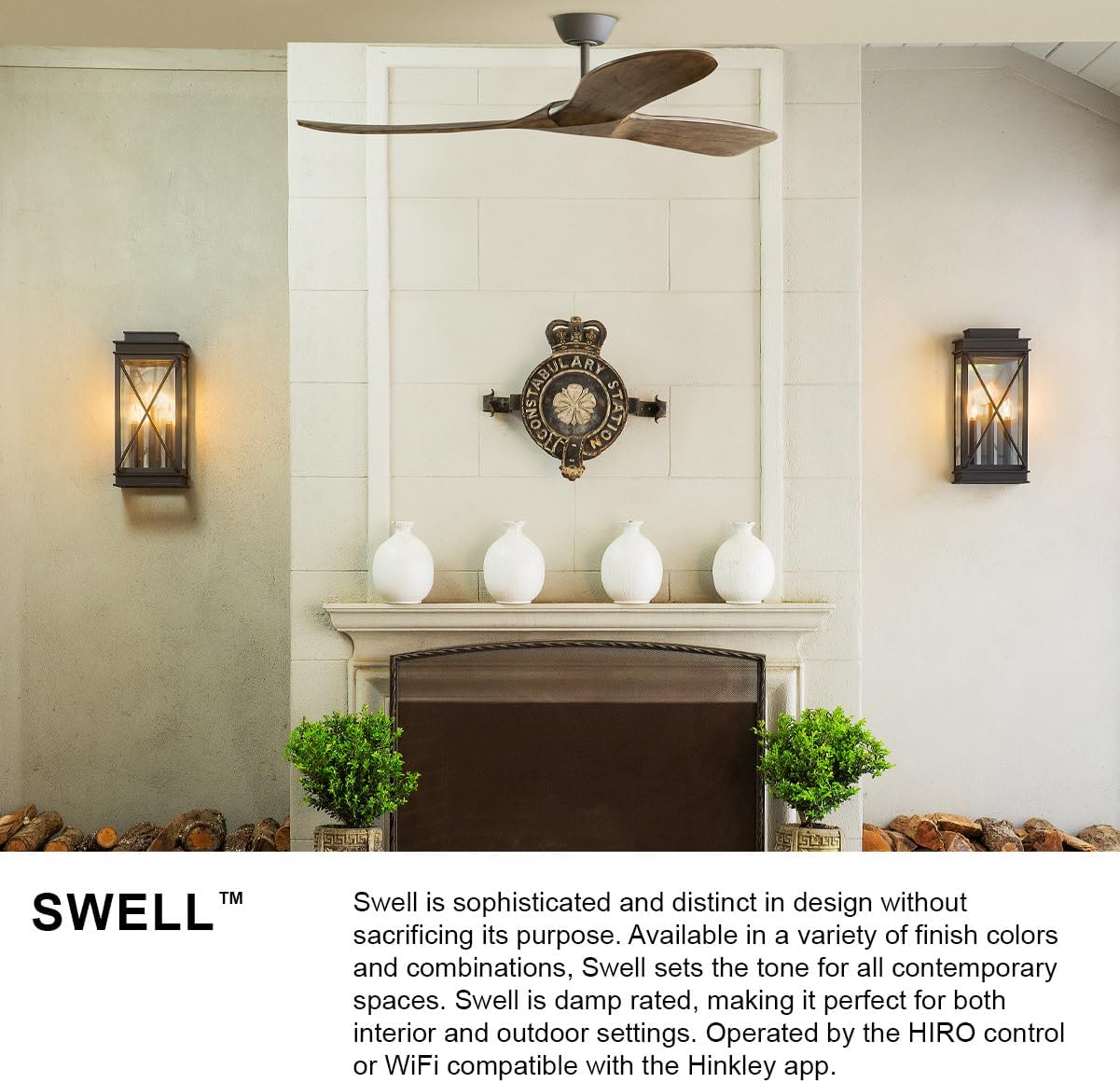
Image 1.1: The Hinkley Swell fan in a modern setting, highlighting its sophisticated design and damp rating for interior and outdoor use.
2. Alaye Aabo
Before installation or operation, carefully read and understand all instructions provided in this manual and any supplementary safety guides. Failure to follow these instructions may result in electric shock, fire, or personal injury.
- Always disconnect power at the circuit breaker before installing, cleaning, or servicing the fan.
- Fifi sori yẹ ki o wa ni ošišẹ ti a oṣiṣẹ ina.
- Ensure the mounting structure can support the fan's weight (17.42 lbs).
- Do not bend the blades during installation or cleaning.
- Jeki ọwọ, aṣọ, ati awọn nkan miiran kuro ni awọn abẹfẹfẹ afẹfẹ nigbati afẹfẹ n ṣiṣẹ.
- Olufẹ yii jẹ damp-rated for areas not directly exposed to moisture.
3. Package Awọn akoonu
Verify that all components are present and undamaged before beginning installation. If any parts are missing or damaged, contact Hinkley customer service.

Image 3.1: Diagram showing the components included in the box, such as the face plate bracket, decorative face plate, wall cradle, switch cradle, and HIRO remote.
Ni igbagbogbo package naa pẹlu:
- Ibori aja
- Idorikodo akọmọ
- Iṣagbesori Hardware
- Awọn abẹfẹfẹ Fan (3)
- Downrod (1 x 6-inch)
- Fan Housing & Motor (DC 6-Speed Reversing)
- HIRO Remote Control
- Wall Control components (Face Plate Bracket, Decorative Face Plate, Wall Cradle, Switch Cradle)
- Apo iwọntunwọnsi
- Ball Moisture Cap (for outdoor environments)
- Awọn ilana fifi sori ẹrọ
4. fifi sori
Professional installation is recommended for the Hinkley Swell ceiling fan. Refer to the detailed installation instructions included in your package for specific wiring diagrams and mounting procedures. Ensure all electrical connections comply with local codes and ordinances.
4.1 Pre-Fifi sọwedowo
- Pa a agbara ni akọkọ Circuit fifọ.
- Confirm the ceiling junction box is securely mounted and capable of supporting the fan's weight.
- Yọọ gbogbo awọn paati ati ṣayẹwo fun eyikeyi ibajẹ.
4.2 Fífi Àmì Ìdè Àgbékalẹ̀ Sílẹ̀
Attach the hanger bracket to the ceiling junction box using the provided hardware. Ensure it is firmly secured to prevent wobbling.
4.3 Ṣíṣe àkójọ afẹ́fẹ́ náà
Follow the instructions to attach the downrod to the motor housing and then to the hanger bracket. Connect the electrical wiring as per the wiring diagram. Install the fan blades onto the motor housing.

Aworan 4.1: exploded view diagram illustrating the various components of the Hinkley Swell ceiling fan for assembly reference.
5. Initial Setup & Smart Features
The Hinkley Swell fan comes with HIRO Smart Fan Controls, allowing for convenient operation via remote, app, or voice commands.
5.1 HIRO Remote Control
The HIRO remote is pre-paired with your fan. Insert the batteries and test basic functions like fan ON/OFF, speed adjustment, and light control.

Image 5.1: The HIRO remote control, detailing buttons for light on/off, brighter/darker, reverse fan direction, faster/slower, and fan on/off.
5.2 App & Smart Home Integration
Download the free Hinkley app from your device's app store. Follow the in-app instructions to connect your fan to your home Wi-Fi network. Once connected, you can link the fan to smart home assistants like Google Home or Alexa for voice control and scheduling.

Image 5.2: HIRO Smart Fan Controls enable quick connection to smart home systems, voice activation, and scheduling via a mobile device.
Video 5.1: An official Hinkley video showcasing various Hinkley fans suitable for different rooms, demonstrating their design and functionality.
6. Awọn ilana Iṣiṣẹ
Operate your Hinkley Swell fan using the included HIRO remote, the Hinkley app, or compatible smart home voice assistants.
6.1 Fan iyara Iṣakoso
Use the 'Faster' and 'Slower' buttons on the remote or the speed slider in the app to adjust the fan's 6-speed settings.
6.2 Fan Direction (Summer/Winter Mode)
The fan features a reversing DC motor to optimize airflow for different seasons.
- Ipo Igba Ooru (Siwaju): Pushes air down to create a cooling effect.
- Ipo Igba otutu (Iyipada): Pulls air up and redistributes warm air hovering around the ceiling.
Use the 'Reverse Fan Direction' button on the remote or the corresponding setting in the app to switch between modes.

Image 6.1: Explanation of Summer Mode (downward airflow for cooling) and Winter Mode (upward airflow for heat redistribution).
6.3 Light Iṣakoso
If your fan includes a light kit, use the 'Light ON/OFF' button to toggle the light. The 'Brighter/Darker' buttons adjust the light intensity.
Video 6.1: A general video from Hinkley Lighting demonstrating various fan models and their features.
7. Itọju
Regular maintenance ensures optimal performance and longevity of your Hinkley Swell ceiling fan.
7.1 Ninu
- Pa agbara ni ibi fifọ Circuit nigbagbogbo ṣaaju ki o to nu.
- Pa awọn abẹfẹfẹ afẹfẹ ati ile mọto pẹlu asọ, damp asọ. Ma ṣe lo abrasive ose tabi epo.
- Fun damp-rated outdoor fans, ensure the ball moisture cap is securely in place to protect electrical components.
7.2 Blade Iwontunwonsi
If the fan wobbles, use the included balance kit to correct the issue. Follow the instructions provided with the balance kit for proper application.
8. Laasigbotitusita
If you encounter issues with your Hinkley Swell ceiling fan, refer to the following common problems and solutions:
| Isoro | Owun to le Fa | Ojutu |
|---|---|---|
| Fan ko bẹrẹ | No power supply; Loose wiring; Remote not paired. | Check circuit breaker; Verify all wiring connections; Re-pair remote if necessary. |
| Fan wobbles | Loose blades; Unbalanced blades; Loose mounting hardware. | Tighten blade screws; Use balance kit; Ensure hanger bracket is secure. |
| Latọna jijin/App ko dahun | Dead batteries; Wi-Fi connectivity issues; Remote not paired. | Replace remote batteries; Check Wi-Fi connection; Re-pair remote/app. |
| Ariwo lati àìpẹ | Àwọn skru tí ó ti tútù; Àwọn ìṣòro mọ́tò; Àwọn abẹ́ tí ó ń lu ìdènà. | Tighten all screws; Contact customer support if motor noise persists; Check for obstructions. |
If the problem persists after attempting these solutions, contact Hinkley customer support for further assistance.
9. Awọn pato
| Ẹya ara ẹrọ | Ẹ̀kúnrẹ́rẹ́ |
|---|---|
| Brand | Hinkley |
| Orukọ awoṣe | Swell 80" Smart Fan |
| Nọmba Awoṣe Nkan | 903880FMB-NDD |
| ASIN | B08V78VBVF |
| Àwọ̀ | Matte Black |
| Ọja Mefa | 80"D x 80"W x 13.75"H |
| Iwọn Nkan | 17.42 iwon |
| Nọmba ti Blades | 3 |
| Blade Ipari | 39.86 inches |
| Motor Iru | DC 6-Speed Reversing (Brushless DC) |
| Ọna Iṣakoso | App, Remote, Voice (HIRO Smart Fan Controls) |
| inu ile / ita gbangba Lilo | Ninu ile, ita gbangba (Damp Ti won won) |
| Voltage | 120 Volts |
| Air Sisan Agbara | 8554 Onigun Ẹsẹ Fun iseju |
| Ìpele Gígun | 20° |
| Ibori Diamita | 6-inch |
| Ibugbe Opin | 7.5-inch |
| Asiwaju Waya | 76-inch |
| Iru fifi sori ẹrọ | Ọjọgbọn |
| Pato sipesifikesonu | ETL |
| UPC | 640665019087 |

Image 9.1: Dimensional drawing of the Hinkley Swell 80-inch ceiling fan.

Image 9.2: Benefits of the energy-efficient DC motor, highlighting its eco-friendliness and quiet operation.
10. Atilẹyin ọja & Atilẹyin
For warranty information, please refer to the documentation included with your product or visit the official Hinkley website. Hinkley offers protection plans for extended coverage.
For technical support, troubleshooting assistance, or to inquire about replacement parts, please contact Hinkley customer service through their official webaaye tabi alaye olubasọrọ ti a pese ninu apoti ọja rẹ.
You can visit the Hinkley Store for more products and information: Ile itaja Hinkley lori Amazon


