Ọrọ Iṣaaju
Welcome to the user manual for your new Zipro iConsole+ Elliptical Trainer. This guide provides essential information for safe assembly, operation, maintenance, and troubleshooting to ensure you get the most out of your fitness equipment.
The Zipro iConsole+ Elliptical Trainer is designed for effective home workouts, featuring a robust magnetic resistance system and connectivity with popular fitness applications like iConsole+ and Kinomap.

Figure 1: Zipro iConsole+ Elliptical Trainer (Black and Grey)
This image shows the complete elliptical trainer from a front-side angle, highlighting its sleek black and grey design, the central console, and the moving handlebars and foot pedals.
Awọn Itọsọna Aabo
- Read all instructions carefully before using the elliptical trainer.
- Kan si dokita ṣaaju ki o to bẹrẹ eto adaṣe tuntun eyikeyi.
- Pa awọn ọmọde ati awọn ohun ọsin kuro ninu ẹrọ lakoko iṣẹ.
- Gbé elliptical náà sí orí ilẹ̀ tí ó tẹ́jú, tí ó dúró ṣinṣin.
- Rí i dájú pé gbogbo àwọn boluti àti èso ni a ti mú dáadáa kí a tó lo wọ́n.
- Wọ bàtà tó yẹ nígbà tí o bá ń ṣe eré ìdárayá.
- Maṣe kọja iwuwo olumulo ti o pọju ti 150 kg (330 lbs).
Eto ati Apejọ
While the Zipro iConsole+ Elliptical Trainer is designed for straightforward assembly, it is recommended to follow these general steps. Refer to the included assembly diagram for detailed part identification and sequence.
- Yọ awọn ohun elo kuro: Carefully remove all parts from the packaging and lay them out. Verify all components are present against the parts list.
- So awọn amuduro mọra: So awọn ọpa iduroṣinṣin iwaju ati ẹhin mọ fireemu akọkọ nipa lilo awọn boluti ati awọn irinṣẹ ti a pese.
- Mount Upright Post: Attach the main upright post, which holds the console and handlebars, to the base frame. Ensure all wiring for the console is routed correctly.
- Install Pedals and Handlebars: Connect the foot pedals and moving handlebars to their respective pivot points. Pay attention to left and right designations.
- Assemble Console: Mount the iConsole+ display unit onto the upright post and connect the necessary cables.
- Ṣayẹwo Ipari: Before first use, double-check all connections, bolts, and moving parts to ensure they are secure and move freely.

Figure 2: Elliptical Trainer Dimensions
This image illustrates the overall dimensions of the elliptical trainer: approximately 128 cm in length, 66 cm in width, and 158 cm in height, providing a visual guide for space requirements.
Awọn ilana Iṣiṣẹ
Console Loriview ati Awọn iṣẹ
The advanced computer console provides comprehensive workout data and control over your training. It displays various metrics to help you monitor your progress.

Figure 3: iConsole+ Display Panel
This image shows a close-up of the elliptical's digital console, displaying various workout metrics such as Time, Calories, Speed, Pulse, Body Fat percentage, and Recovery. The console also features control buttons for mode selection and resistance adjustment.
- Àkókò: Ó ń fi àkókò ìdánrawò rẹ hàn.
- Awọn ọja: Estimates the number of calories burned during your session.
- Iyara: Ṣe afihan iyara lọwọlọwọ rẹ.
- Polusi: Measures your heart rate via the integrated pulse sensors on the handlebars.
- Ọra ARA: Calculates an estimated body fat percentage (refer to manual for specific measurement method).
- IGBAGBO: Assesses your heart rate recovery after exercise.
- Iṣatunṣe Resistance: The console allows you to change the level of magnetic resistance, offering 32 levels for varied intensity.
Bibẹrẹ adaṣe kan
- Step onto the pedals, ensuring your feet are securely placed.
- Grasp the handlebars. For pulse readings, hold the stationary handlebars with sensors.
- Begin pedaling. The console will automatically activate and display your workout data.
- Adjust resistance using the UP/DOWN buttons on the console to match your desired intensity.
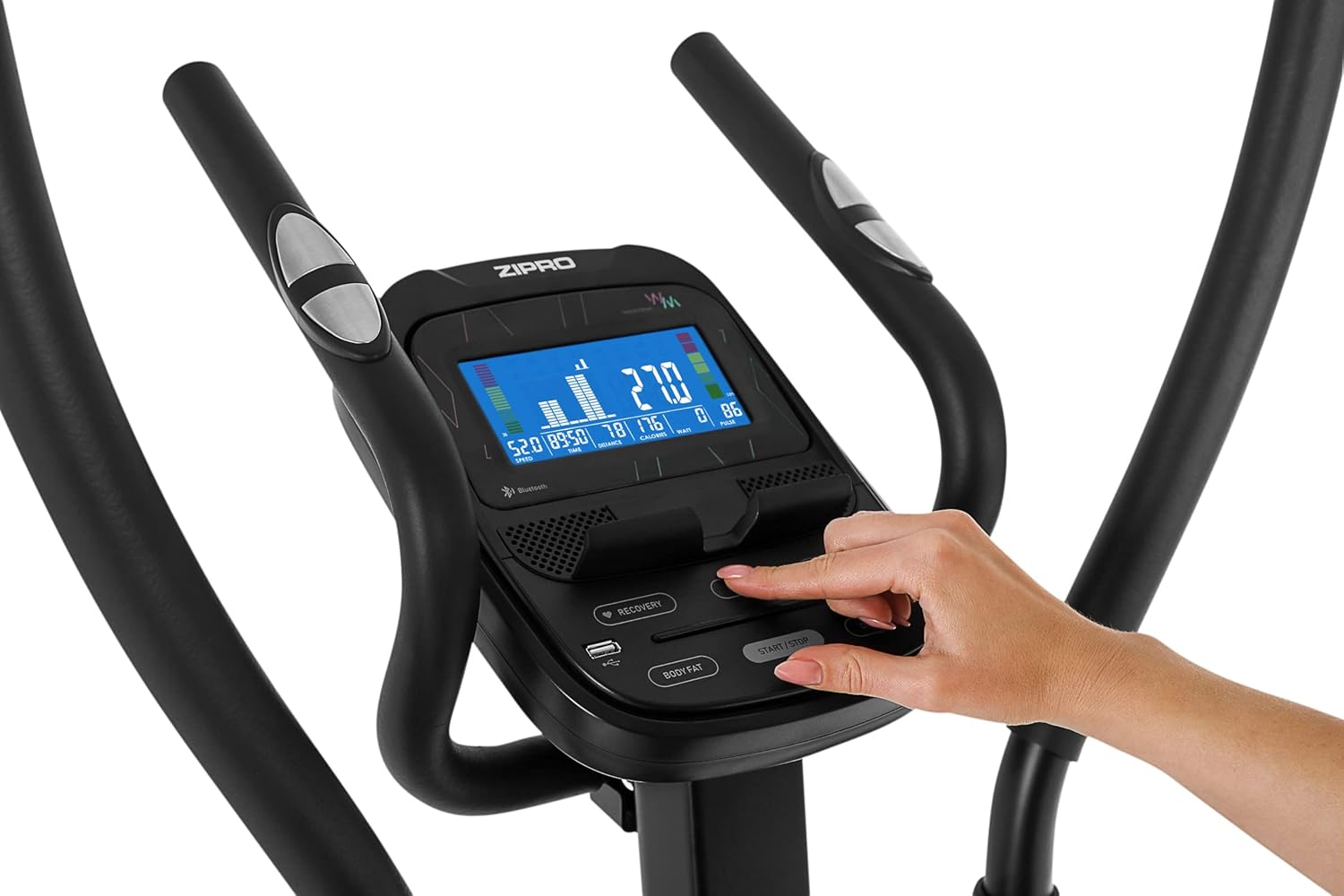
Figure 4: Interacting with the Console
This image shows a hand pressing a button on the elliptical's console, demonstrating how users can interact with the controls to adjust settings or navigate menus.
App Connectivity (iConsole+ & Kinomap)
The elliptical trainer is equipped with Bluetooth connectivity, allowing synchronization with iConsole+ and Kinomap applications for an enhanced training experience.
- Ṣe igbasilẹ Awọn ohun elo: Download the iConsole+ and/or Kinomap applications from your device's app store.
- Mu Bluetooth ṣiṣẹ: Rii daju pe Bluetooth ti ṣiṣẹ lori foonuiyara tabi tabulẹti rẹ.
- So ẹrọ pọ: Open the chosen app and follow the in-app instructions to connect to your Zipro elliptical trainer via Bluetooth.
- Lo Awọn ẹya ara ẹrọ: Once connected, you can access training programs, virtual routes, track progress, and compete with other users through the applications.

Figure 5: App Integration During Workout
This image depicts a user on the elliptical trainer, with a smartphone placed on the console's holder, displaying a fitness application. This illustrates the seamless integration of the elliptical with mobile apps for interactive training.

Figure 6: Tablet Compatibility
This image shows a tablet securely placed on the console's integrated holder, demonstrating the elliptical's compatibility with larger mobile devices for an immersive workout experience with fitness apps.
Itoju
Regular maintenance ensures the longevity and optimal performance of your elliptical trainer.
- Ninu: Pa ohun èlò náà rẹ́ pẹ̀lú ìpolówóamp asọ lẹhin lilo kọọkan lati yọ lagun ati eruku kuro. Yago fun abrasive ose.
- Lubrication: Periodically check moving parts, especially joints and bearings, for signs of wear or noise. Apply a silicone-based lubricant as needed to ensure smooth and quiet operation. Pay attention to areas where plastic bushings meet metal shafts.
- Bọluti Tii: Regularly inspect all bolts and nuts, especially those connecting the main frame, handlebars, and pedals. Tighten any loose fasteners to prevent wobbling and noise.
- Ibi ipamọ: When not in use, store the elliptical in a dry, clean environment away from direct sunlight and extreme temperatures. The transport wheels facilitate easy relocation.

Figure 7: Transport Wheels and Stabilizer
Aworan yii pese isunmọ view of the elliptical's base, highlighting the integrated transport wheels on the front stabilizer bar. These wheels allow for easy movement and storage of the equipment.
Laasigbotitusita
| Isoro | Owun to le Fa | Ojutu |
|---|---|---|
| Squeaking or Creaking Noises | Loose bolts or lack of lubrication in moving joints (e.g., pedal arms, handlebars). | Inspect and tighten all assembly bolts. Apply silicone-based lubricant to all pivot points and areas where plastic bushings meet metal. |
| Inaccurate Console Readings | Loose sensor connections, battery issues, or interference. | Check all cable connections to the console. Ensure batteries (if applicable) are fresh. Minimize electronic interference. Consider updating app firmware if connected. |
| Àtakò Kò Yípadà | Issue with the resistance motor or console connection. | Check the power connection to the elliptical. Ensure the console cable is securely connected. If the problem persists, contact customer support. |
| App Asopọmọra oran | Bluetooth interference, app version outdated, or incorrect pairing procedure. | Ensure Bluetooth is enabled on your device and the elliptical is powered on. Restart both the app and your device. Try re-pairing the device. Update the app to the latest version. |
Awọn pato
| Ẹya ara ẹrọ | Ẹ̀kúnrẹ́rẹ́ |
|---|---|
| Orukọ awoṣe | Heat WM |
| Nọmba awoṣe | 6299210 |
| Brand | ZIPRO |
| Àwọ̀ | Dudu ati Grey |
| Ohun elo | Erogba Irin |
| Resistance Mechanism | Oofa |
| Nọmba awọn ipele Resistance | 32 |
| Iṣeduro iwuwo ti o pọju | 150 kilogram (330 lbs) |
| Awọn iwọn Ọja (L x W x H) | 128 cm x 66.5 cm x 128 cm (isunmọ 50.4 x 26.2 x 50.4 inches) |
| Iwọn Nkan | 39.7 kilogira (isunmọ 87.5 lbs) |
| Agbara Iru | Cable ina |
| Awọn irinše to wa | Olukọni Elliptical |
| Console Awọn ẹya ara ẹrọ | Time, Calories, Speed, Pulse, Body Fat, Recovery, Bluetooth connectivity for iConsole+ and Kinomap apps. |
Atilẹyin ọja ati Support
For warranty information, service, or technical support, please contact the manufacturer or your point of purchase. Keep your purchase receipt and model number (6299210) readily available when contacting support.
The product is designed for home use and features a magnetic system with 16 iConsole+ training programs.
For further assistance, you may visit the official ZIPRO webaaye tabi tọka si alaye olubasọrọ ti a pese pẹlu apoti ọja rẹ.


