Ọrọ Iṣaaju
This manual provides essential information for the safe and effective use of your Zipro Flame Exercise Bike. Training on the ZIPRO FLAME stationary bike strengthens abdominal and leg muscles and promotes weight loss. It features an advanced computer that connects to your phone via Bluetooth, offering a reliable and quiet fitness experience thanks to reinforced bearings and a robust resistance system. For an enhanced experience, download the iConsole+ and Kinomap applications.

olusin 1: Iwaju view of the Zipro Flame Exercise Bike.
Alaye Aabo
Jọ̀wọ́ ka gbogbo ìtọ́ni kí o tó lo ọjà yìí dáadáa. Pa ìwé ìtọ́ni yìí mọ́ fún ìtọ́kasí ọjọ́ iwájú.
- Kan si alagbawo rẹ ṣaaju ki o to bẹrẹ eyikeyi eto idaraya.
- Rí i dájú pé gbogbo àwọn ẹ̀yà ara ni a kó jọ dáadáa tí a sì ti mú kí ó tó di mọ́lẹ̀ kí a tó lò ó.
- Gbé kẹ̀kẹ́ ìdánrawò náà sí orí ilẹ̀ tí ó tẹ́jú, tí ó sì dúró ṣinṣin.
- Pa awọn ọmọde ati awọn ohun ọsin kuro ninu ẹrọ lakoko iṣẹ.
- Maṣe kọja iwuwo olumulo ti o pọju ti 150 kg.
- Wọ aṣọ àti bàtà ìdánrawò tó yẹ.
- Duro adaṣe lẹsẹkẹsẹ ti o ba ni rirẹ, dizzy, tabi ni iriri irora.
- Máa ṣe àyẹ̀wò ẹ̀rọ náà déédéé bóyá ó ti bàjẹ́ tàbí ó ti bàjẹ́. Má ṣe lò ó bí ó bá bàjẹ́.
Package Awọn akoonu
Verify that all components are present and undamaged. If any parts are missing or damaged, contact customer support.
- Apejọ fireemu akọkọ
- Handlebar ati Console Apejọ
- Gàárì, ati ijoko Post
- Awọn ẹsẹ ẹsẹ (Osi ati ọtun)
- Iwaju ati ki o ru Stabilizers
- Ohun elo Hardware (boluti, fifọ aṣọ, eso, awọn irinṣẹ)
- Adapter agbara
- Itọsọna olumulo
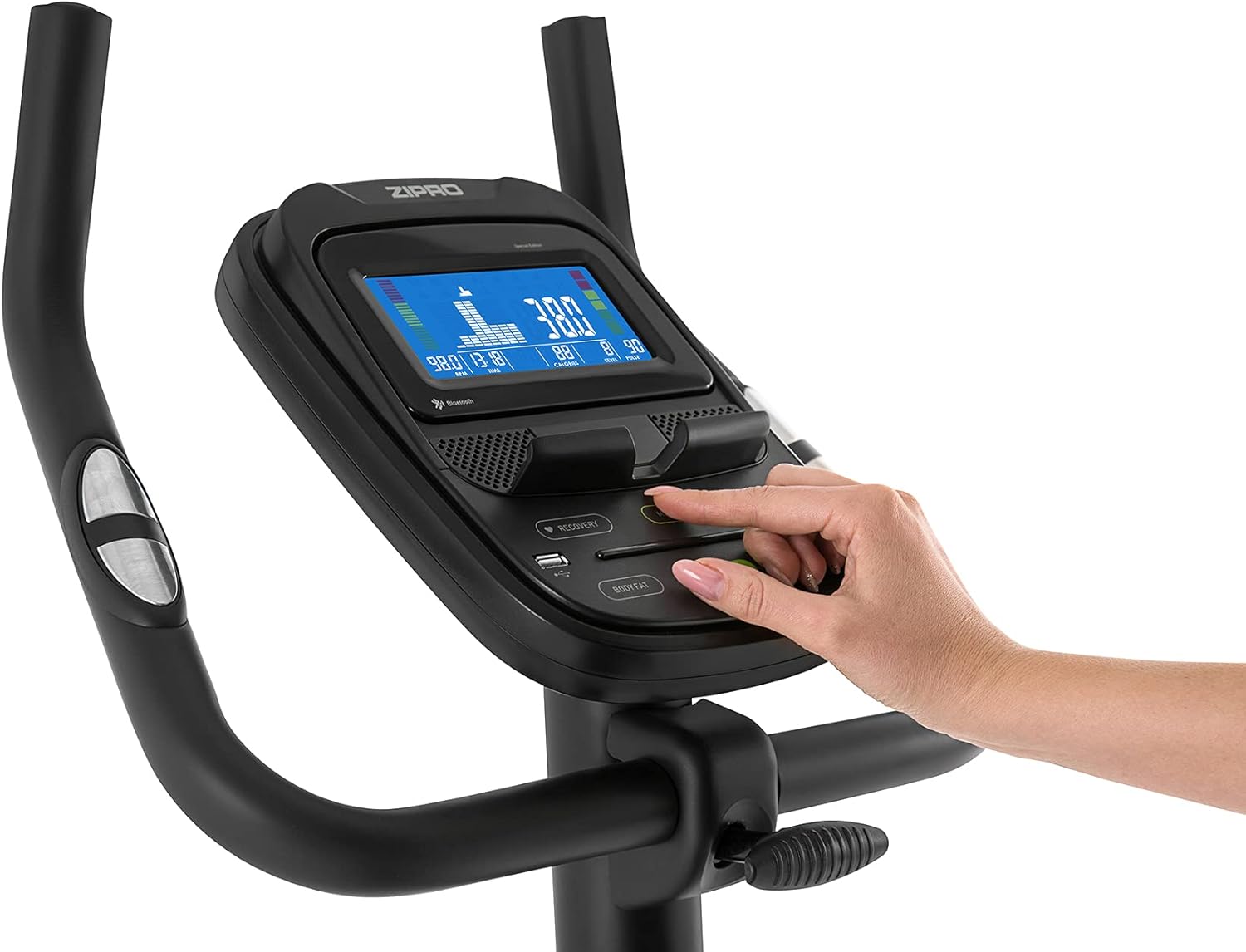
Figure 2: User manual and power adapter.
Eto ati Apejọ
Follow these steps to assemble your Zipro Flame Exercise Bike. It is recommended to have two people for assembly.
- So awọn ohun idaduro iwaju ati ẹhin mọ fireemu akọkọ nipa lilo awọn boluti ati awọn fifọ ti a pese.
- Secure the seat post and saddle to the main frame. Adjust the saddle height and distance for comfort.
- Install the handlebar and console assembly onto the main frame. Ensure all cables are connected properly.
- Attach the left and right pedals. Note that the left pedal is reverse-threaded.
- Connect the power adapter to the bike and a suitable power outlet.

Figure 3: Saddle adjustment for personalized comfort.

Figure 4: Non-slip pedals with adjustable straps for secure footing.
Awọn ilana Iṣiṣẹ
Awọn iṣẹ console
The advanced computer console provides real-time workout data and various programs.
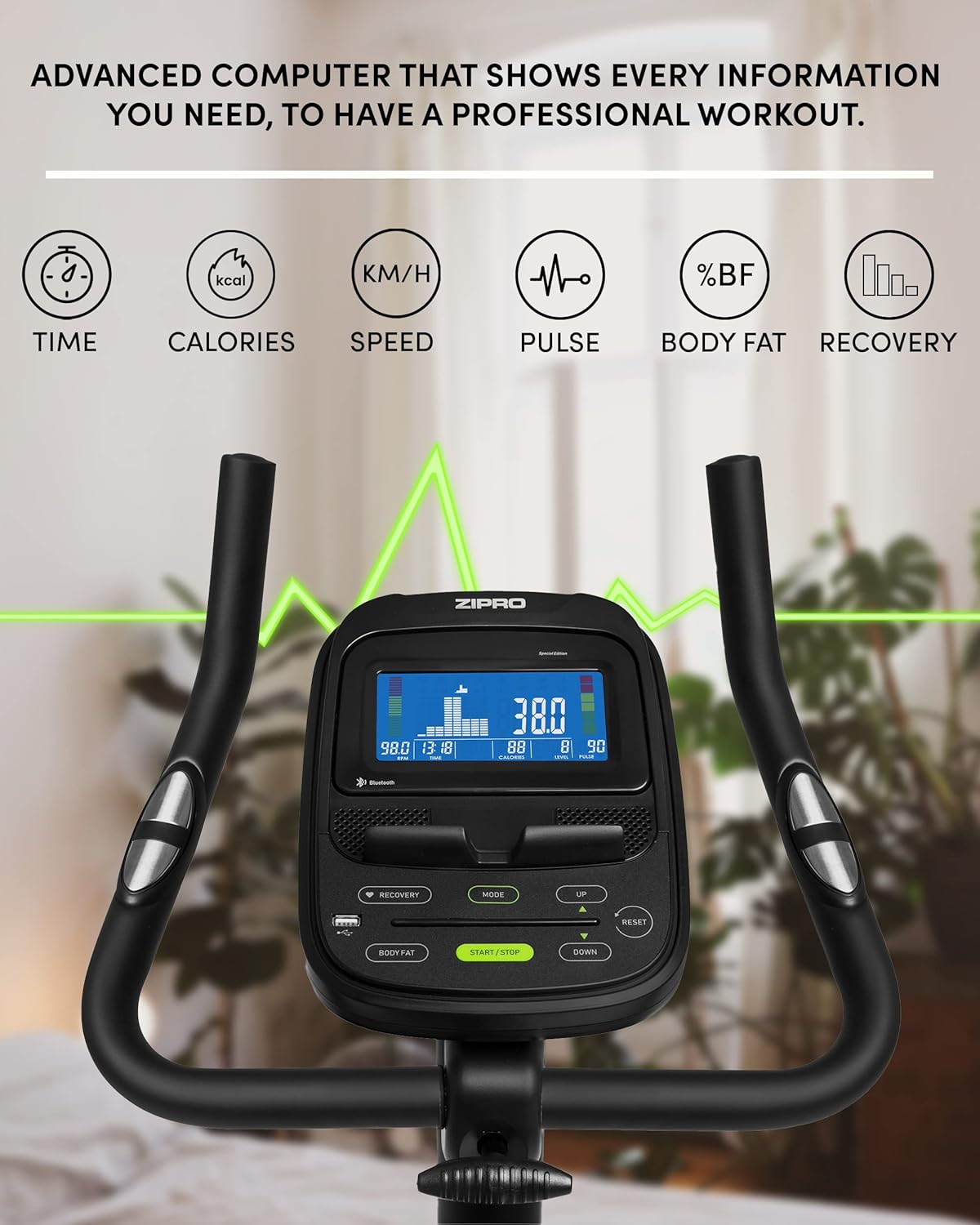
Figure 5: Advanced computer display showing workout metrics.

Figure 6: User interacting with the console controls.
- Titan/Apapa: Press the START/STOP button to turn the console on or off.
- Ipo: Press the MODE button to cycle through display functions (Time, Calories, Speed, Pulse, Body Fat, Recovery).
- Iṣatunṣe Resistance: Use the UP/DOWN buttons to adjust the 32-step electric-magnetic resistance level.
- Wiwọn Pulse: Di awọn sensọ pulse mu lori awọn ọpa idari lati wọn iwọn iyara ọkan rẹ.
- Iwọn Ọra Ara: Follow the instructions on the console to perform a body fat measurement.
- HRC Training: The bike supports Heart Rate Control (HRC) training, automatically adjusting resistance based on your target heart rate.
Mobile Device Integration
The Zipro Flame Exercise Bike is designed for seamless integration with your mobile devices and fitness applications.

Figure 7: Integrated stand for mobile devices.
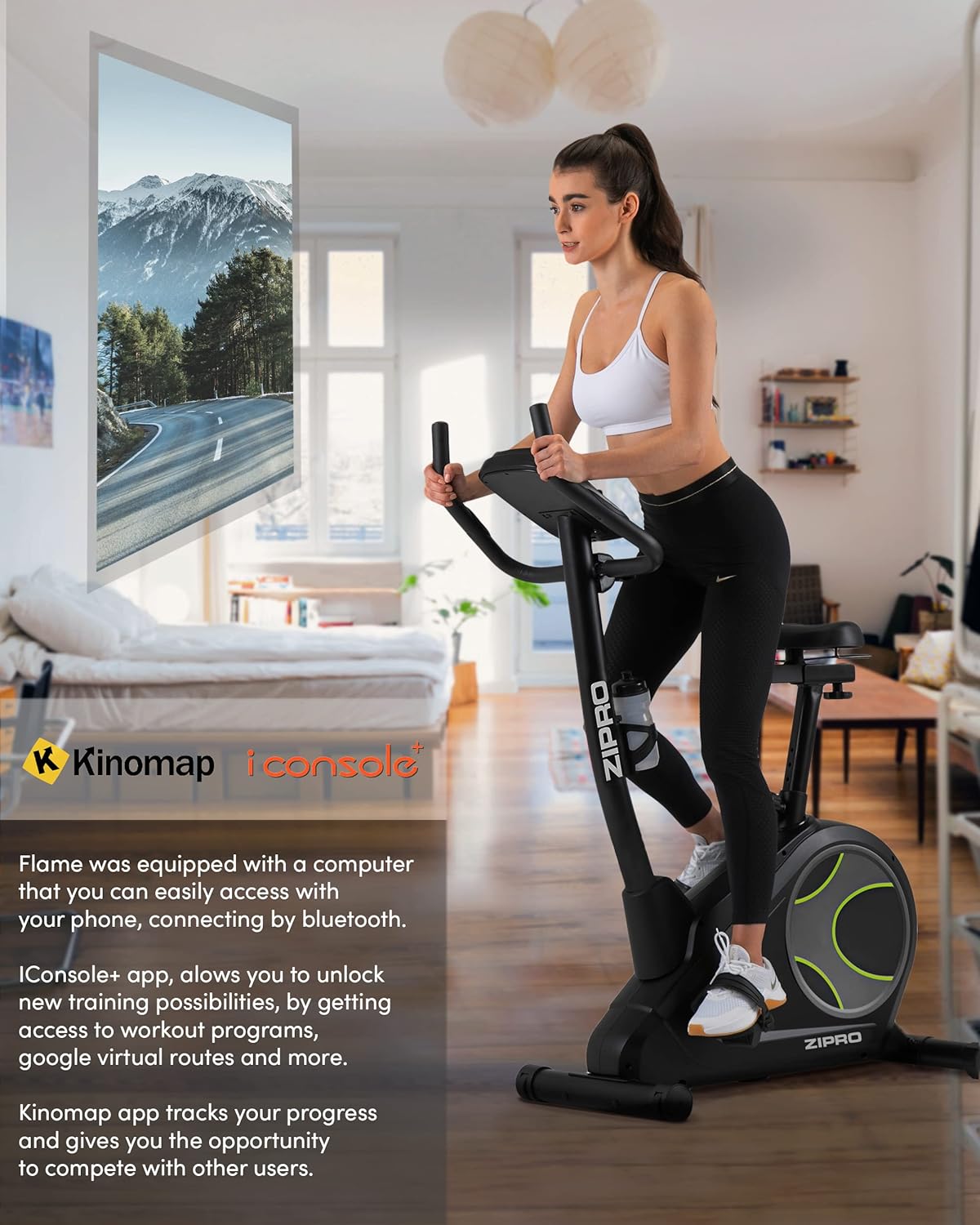
Figure 8: Bluetooth connectivity with Kinomap and iConsole+ apps.
- Asopọmọra Bluetooth: Connect your smartphone or tablet to the bike via Bluetooth to use compatible fitness apps.
- iConsole+ App: Download the iConsole+ app to unlock new training possibilities, access workout programs, and track your progress.
- Kinomap App: The Kinomap app allows you to experience virtual routes and compete with other users, enhancing your workout engagement.
- Mobile Device Stand: Utilize the integrated stand on the console to securely hold your mobile device while exercising.
Ọja Pariview Fidio
Watch this video for a general presentation of the ZIPRO product range, showcasing the brand's commitment to quality fitness equipment.
Video 1: Presentation of the ZIPRO product range. This video provides a general overview of the brand's fitness equipment, including various exercise types.
Itoju
Itọju deedee n ṣe idaniloju pe gigun ati iṣẹ ṣiṣe to dara julọ ti keke adaṣe rẹ.
- Ninu: Pa keke naa kuro pẹlu ipolowoamp asọ lẹhin lilo kọọkan lati yọ lagun ati eruku kuro. Yago fun abrasive ose.
- Lubrication: Periodically check and lubricate moving parts as recommended in the full manual (if applicable).
- Titọpa: Check all bolts and nuts regularly and tighten them if necessary to ensure stability and safety.
- Ibi ipamọ: When not in use, store the bike in a cool, dry place. The integrated transport wheels facilitate easy relocation.

Figure 9: Compact dimensions for easy storage and transport.
Laasigbotitusita
| Isoro | Owun to le Fa | Ojutu |
|---|---|---|
| No power to console | Power adapter not connected; outlet issue | Ensure adapter is fully plugged in; try a different outlet. |
| Unstable or wobbly bike | Loose bolts; uneven surface | Tighten all assembly bolts; adjust leveling feet on stabilizers. |
| Ariwo gbigbé tàbí ìró fífẹ́ | Loose parts; lack of lubrication | Check and tighten all connections; apply lubricant to moving parts as per manual. |
| Pulse reading inaccurate | Hands not firmly on sensors; dry hands | Ensure firm, consistent contact with both sensors; moisten hands slightly if dry. |
| Bluetooth Asopọmọra oran | Bluetooth off on device; app not updated | Ensure Bluetooth is enabled; restart bike and device; update fitness app. |
Awọn pato
| Ẹya ara ẹrọ | Ẹ̀kúnrẹ́rẹ́ |
|---|---|
| Nọmba awoṣe | 6299206 |
| Brand | ZIPRO |
| Àwọ̀ | Dudu |
| Ara | Iná |
| wakọ System | Igbanu |
| Ohun elo akọkọ | Ṣiṣu |
| Orisun agbara | Requires external power for console and electromagnetic resistance control. |
| Pataki Awọn ẹya ara ẹrọ | Modern computer with clear screen, wide feet with stabilizing pads, two-level saddle adjustment, mobile device tray, continuous handlebar adjustment, iConsole+ and Kinomap compatibility, integrated transport wheels, soft non-slip foam handlebars, cup holder, reinforced bearing, noise-dampening casing, touch-sensitive pulse sensors, non-slip pedals with straps. |
| O pọju iwuwo Agbara | 150 kilo |
| Awọn iwọn Ọja (L x W x H) | 118 x 49 x 140 cm |
| Iwọn Nkan | 27.3 kilo |
| Resistance Mechanism | Oofa |
| Niyanju Lilo | Home, Gym, Studio, Indoor |
Atilẹyin ọja ati Support
For warranty information, technical support, or to order replacement parts, please contact ZIPRO customer service. Refer to your purchase documentation for specific warranty terms and contact details.
Atilẹyin Ayelujara: Visit the official ZIPRO webAaye fun FAQs, awọn itọnisọna laasigbotitusita, ati awọn fọọmu olubasọrọ.
Olupese: Morele.net Sp. z oo


