Ọrọ Iṣaaju
The RUN-CHICKEN T50 Automatic Chicken Coop Door Opener is designed to provide a secure and convenient solution for managing your poultry. This device automates the opening and closing of your chicken coop door, ensuring the safety of your flock from predators and offering peace of mind for chicken keepers. It features robust aluminum construction, battery power, and flexible programming options including timer, light sensor, and GPS modes.

Image: The RUN-CHICKEN T50 Automatic Chicken Coop Door Opener, highlighting its sleek design and app connectivity.
Ọja Awọn ẹya ara ẹrọ
- Plug and Play Technology: Easy installation in under 10 minutes with no complex wiring.
- Batiri Ti Ṣiṣẹ: Long-lasting battery life (minimum 1 year) with 2x AA batteries included.
- Easily Programmable: Configure settings via a phone app, including Timer, Light Sensor, and GPS modes for automatic opening and closing.
- Works in Extreme Weather: Waterproof and resistant to temperatures from -15°F to 140°F (-26°C to 60°C).
- Apẹrẹ Gbogbo-ni-Ọkan: Constructed from high-quality, powder-coated aluminum for durability and visual appeal.
- Eto Anti-Pinch: Designed with safety in mind to prevent injury to chickens.
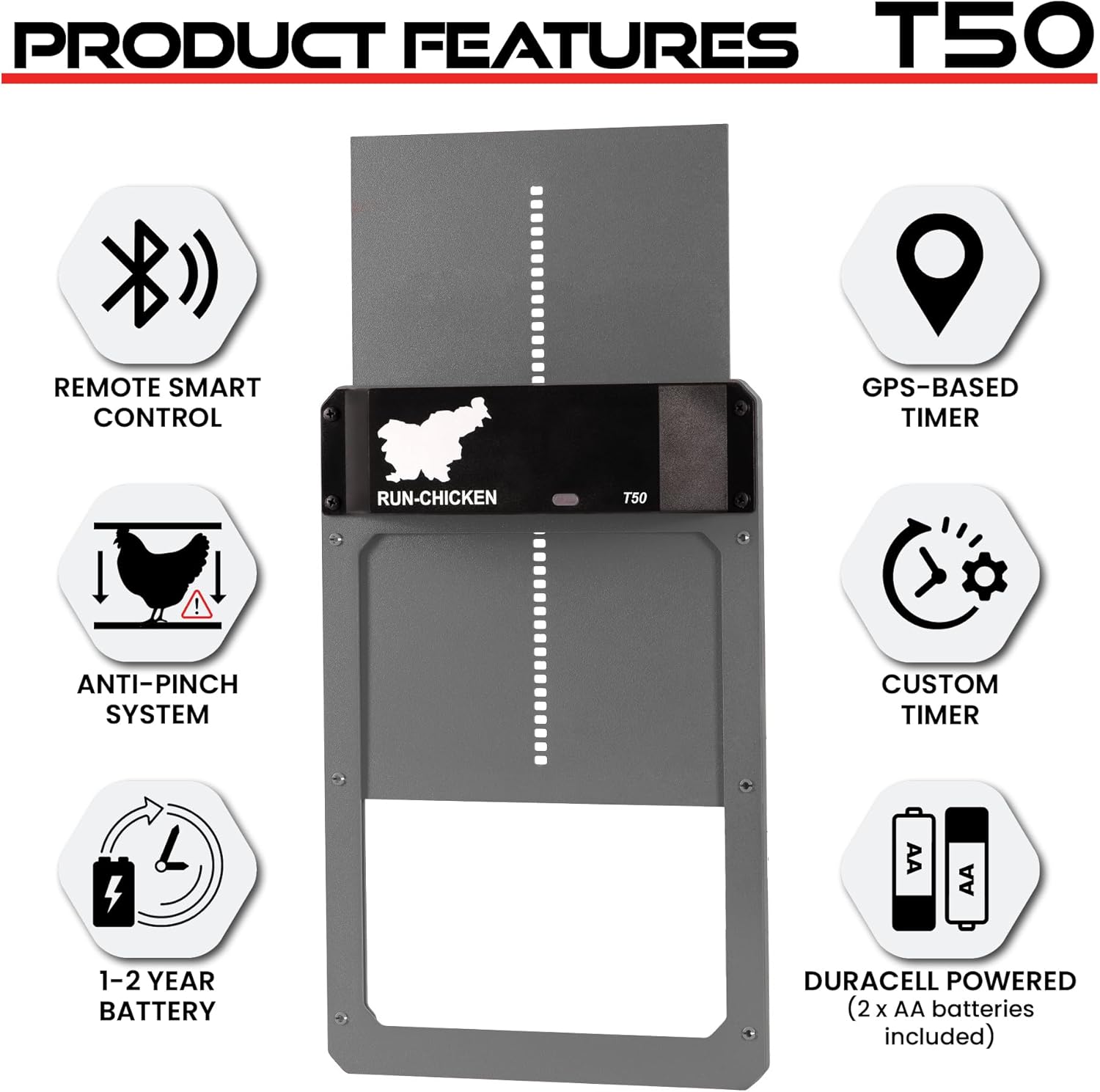
Image: Key features of the RUN-CHICKEN T50 door, highlighting its smart control, GPS timer, safety, and battery efficiency.
Package Awọn akoonu
Upon opening your RUN-CHICKEN T50 package, you should find the following items:
- RUN-CHICKEN T50 Automatic Chicken Coop Door Opener Unit
- Ìwé Ìtọ́sọ́nà (ìwé yìí)
- Awọn batiri 2x AA
- Awọn skru fifi sori ẹrọ

Image: The RUN-CHICKEN T50 door as it appears in its packaging, ready for setup.
Alaye Aabo
Please read all safety instructions before operating the device. Failure to follow these instructions may result in injury or damage to the product.
- Keep hands and loose clothing clear of the door path during operation.
- Ensure the installation area is clear of obstacles that could impede door movement.
- Do not attempt to force the door open or closed manually while it is operating automatically.
- Use only the specified battery type (AA) and ensure correct polarity during installation.
- Sọ awọn batiri ti a lo ni ifojusọna ni ibamu si awọn ilana agbegbe.
- The device is designed for outdoor use and is weather-resistant, but avoid submerging it in water.
Eto ati fifi sori
The RUN-CHICKEN T50 is designed for quick and easy installation. Follow these steps to set up your automatic chicken coop door:
- Mura Ṣii silẹ: Ensure your chicken coop or run has an opening suitable for the door. The door dimensions are approximately 13.8"L x 9.4"W x 1.3"H. The required opening size is approximately 9"x11".
- Gbe Ẹka naa si: Place the RUN-CHICKEN T50 unit over the prepared opening, ensuring it is level and securely aligned.
- Ni aabo pẹlu awọn skru: Use the provided installation screws to firmly attach the unit to your chicken coop.
- Fi Awọn batiri sii: Open the battery compartment and insert the 2x AA batteries, observing correct polarity.
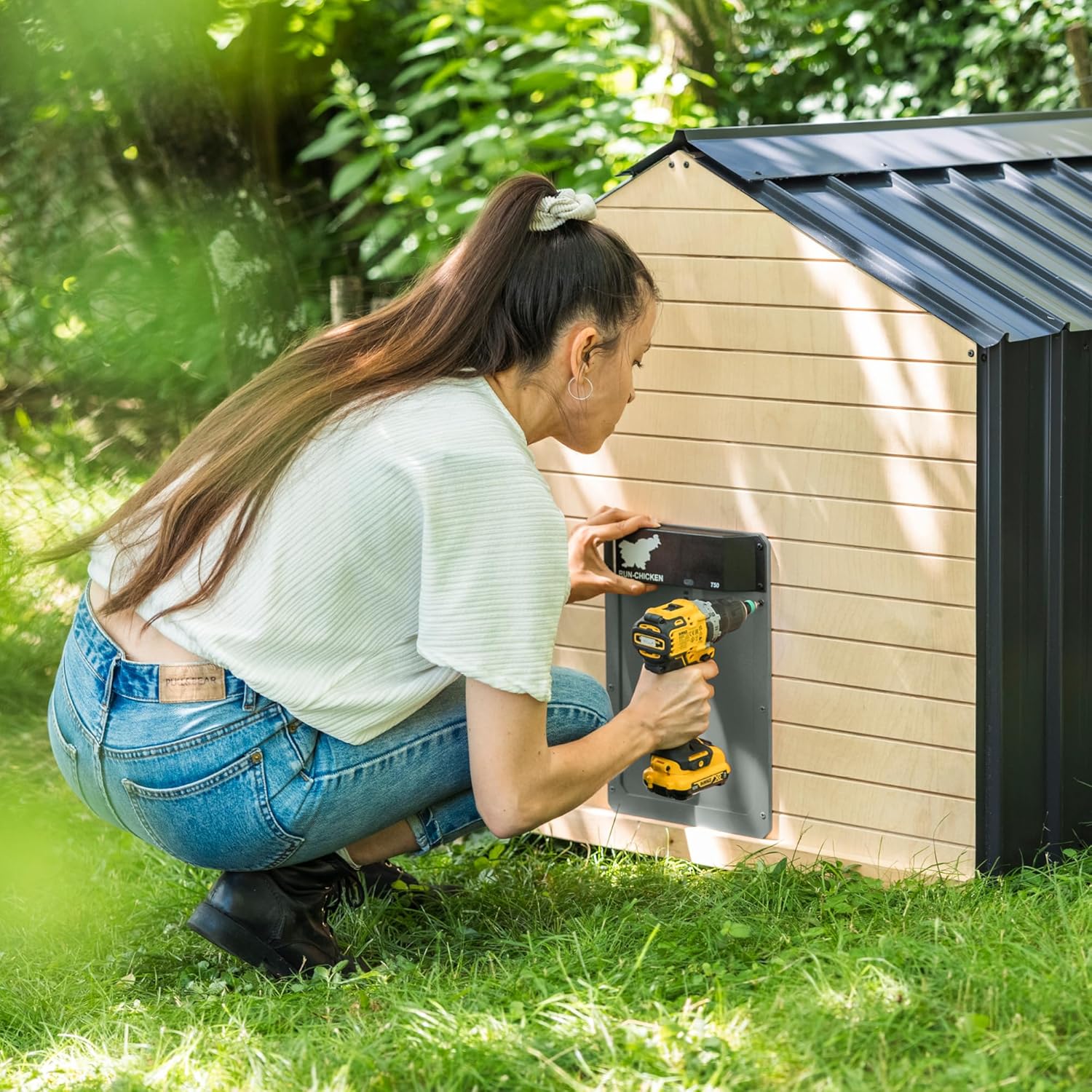
Image: A user installing the RUN-CHICKEN T50 door onto a chicken coop, demonstrating the ease of mounting.
Awọn ilana Iṣiṣẹ
The RUN-CHICKEN T50 offers various modes for automatic operation. The default factory mode is suitable for most users, but you can customize settings using the RUN-CHICKEN app.
Programming with the RUN-CHICKEN App:
The RUN-CHICKEN app allows for personalized control over your coop door. Download the app from your device's app store:
- Tẹ Ipo Iṣeto: On the RUN-CHICKEN T50 unit, press and hold the button until the light sensor shines blue. Release, then press again to enter configuration mode.
- Ṣii App naa: Launch the RUN-CHICKEN app on your smartphone.
- Yan Awọn aṣayan: Within the app, you can choose from various opening and closing options:
- Sensọ Imọlẹ: Door opens after sunrise and closes after sunset.
- Aago: Ṣètò àkókò pàtó kan láti ṣí àti láti pa.
- Do Not Open/Close: Manually control the door by pressing the test button.
- Eto To ti ni ilọsiwaju: Access advanced options to set morning opening delay, evening closing delay, or enable GPS mode. GPS mode calculates sunrise and sunset based on your location, overriding the light sensor.
- Bẹrẹ siseto: Once your desired settings are selected in the app, press the "Start Programming" button.
- Place Phone on Sensor: Place your phone onto the light sensor of the RUN-CHICKEN T50 unit. The light sensor will turn green and a beeping sound will play, indicating successful programming.

Image: Visual guide to programming the RUN-CHICKEN T50 door via the mobile app, illustrating the process from app download to final setup.
Video: This video demonstrates the configuration process of the RUN-CHICKEN T50 door using the mobile application, showing how to set opening and closing times and other advanced options.
Itoju
Regular maintenance ensures the longevity and optimal performance of your RUN-CHICKEN T50 door.
- Rirọpo Batiri: The device uses 2x AA batteries. While designed for a minimum of 1 year battery life, actual duration may vary. Replace batteries when the low battery indicator light appears or if the door's operation becomes sluggish. To replace, carefully unscrew the top control unit from the door frame to access the battery compartment.
- Ninu: Periodically clean the door and its tracks to prevent debris buildup, which can hinder smooth operation. Use a soft, damp asọ. Yago fun abrasive ose tabi epo.
- Ayewo: Regularly inspect the door for any signs of wear or damage. Ensure all screws are tight and the unit is securely mounted.
Laasigbotitusita
If you encounter issues with your RUN-CHICKEN T50, refer to the following common troubleshooting tips:
| Isoro | Owun to le Fa | Ojutu |
|---|---|---|
| Ilẹkun ko ṣii / pipade | Low batteries; Obstruction in path; Incorrect programming. | Replace batteries; Clear any obstructions; Re-program using the app. |
| Door operates erratically | Weak battery; Debris in tracks; Light sensor interference (if using light mode). | Replace batteries; Clean tracks; Ensure light sensor is not blocked or exposed to artificial light at night. |
| Aye batiri kukuru | Extreme temperatures; Frequent manual overrides; Low-quality batteries. | Ensure good quality AA batteries are used; Minimize manual overrides; Consider protecting the unit from extreme cold if possible. |
| Programming issues with app | Phone not close enough to sensor; App not updated; Bluetooth interference. | Ensure phone is directly on the light sensor; Update app to latest version; Try again in an area with less interference. |
Awọn pato
| Iwa | Ẹ̀kúnrẹ́rẹ́ |
|---|---|
| Brand | RUN-ADIYE |
| Orukọ awoṣe | T50 |
| Ohun elo | Aluminiomu |
| Àwọ̀ | Brown (Note: Product images show Gray, but specification lists Brown.) |
| Awọn iwọn Ọja (LxWxH) | 13.8" x 9.4" x 1.3" |
| Iwọn Nkan | 1.76 iwon |
| Awọn batiri | Awọn batiri AA 2 nilo (pẹlu) |
| Iwọn otutu | -15°F si 140°F (-26°C si 60°C) |
| Pataki Awọn ẹya ara ẹrọ | Battery Operated, Waterproof, Weather Resistant, Durable, Fully Made of Aluminum |
| Olupese | RUN-TIGER LLC |
| Ilu isenbale | Slovenia |

Image: Detailed dimensions of the RUN-CHICKEN T50 door, useful for planning installation space.
Atilẹyin ọja ati Support
For any problems, questions, or support regarding your RUN-CHICKEN T50 Automatic Chicken Coop Door Opener, please contact our customer support team. They are available to assist you.
Imeeli: info@run-chicken.com
Please include your product model (T50) and a detailed description of your issue for faster assistance.


