1. Ifihan
This manual provides essential instructions for the safe and efficient operation of your Itel TV A3210IE 80cm (32-inch) HD Ready Smart TV. Please read this manual thoroughly before using your television and retain it for future reference.
2. Alaye Aabo
Lati rii daju iṣẹ ailewu ati yago fun ibajẹ, ṣe akiyesi awọn iṣọra wọnyi:
- Ma ṣe fi TV han si ojo tabi ọrinrin lati yago fun ina tabi mọnamọna.
- Ma ṣe dina awọn ṣiṣi atẹgun. Rii daju aaye to peye ni ayika TV fun ṣiṣan afẹfẹ to dara.
- Gbe TV sori iduro, ipele ipele lati ṣe idiwọ lati ja bo.
- Dabobo okun agbara lati rin lori tabi pinched.
- Yọ TV kuro lakoko iji manamana tabi nigbati a ko lo fun igba pipẹ.
- Tọkasi gbogbo iṣẹ si awọn oṣiṣẹ iṣẹ ti o peye.
3. Package Awọn akoonu
Jẹrisi pe gbogbo awọn ohun kan wa ninu package:
- Itel TV A3210IE 80cm (32-inch) HD Ready Smart TV
- Isakoṣo latọna jijin
- TV Stand (if applicable for desktop placement)
- Okun agbara
- Afowoyi Olumulo (iwe-ipamọ yii)
- Àwọn skru fún ìdúró (tí ó bá wúlò)
4. Eto
4.1 Ti ara Oṣo
Your Itel TV A3210IE can be placed on a stand or wall-mounted. Ensure the TV is placed on a stable surface or securely mounted to a wall.
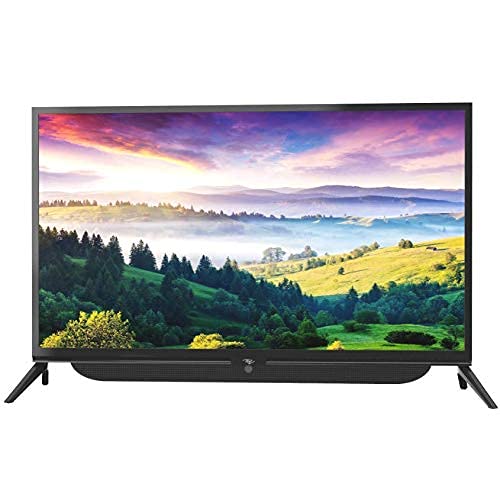
olusin 4.1: Iwaju view of the Itel TV A3210IE with its stand. The television features a slim bezel design and a central stand for stable placement on a flat surface.
For wall mounting, use a compatible VESA mount (not included) and follow the instructions provided with the mount. The TV's sleek design with slim bezels allows for a modern aesthetic in any room.
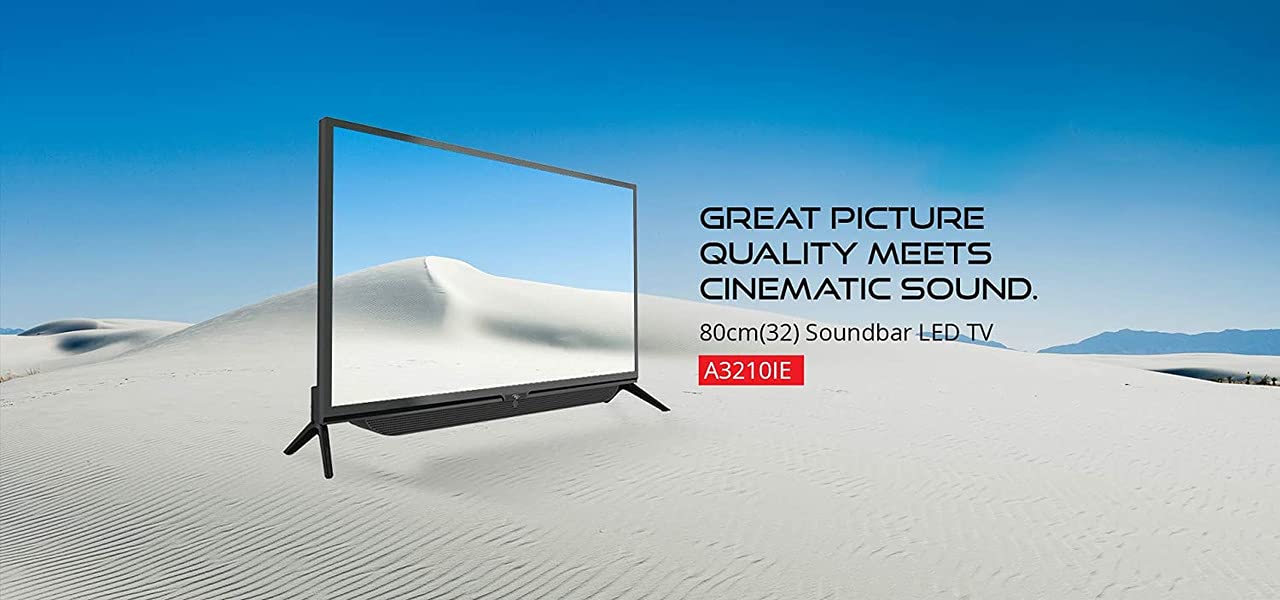
olusin 4.2: Apa view of the Itel TV A3210IE, highlighting its slim profile. Eyi view demonstrates the television's compact design, suitable for various living spaces.
4.2 Ibẹrẹ Agbara Lori
- So okun agbara pọ si TV ati lẹhinna si iṣan agbara kan.
- Tẹ bọtini agbara lori isakoṣo latọna jijin tabi lori TV funrararẹ.
- Follow the on-screen instructions to complete the initial setup, including language selection and time zone.
4.3 Asopọ Nẹtiwọọki
To access Smart TV features, connect your TV to the internet:
- Navigate to the "Settings" menu on your TV.
- Yan "Network" tabi "Wi-Fi Eto".
- Yan nẹtiwọọki Wi-Fi rẹ lati inu atokọ naa ki o tẹ ọrọ igbaniwọle sii.
- Once connected, the TV will indicate a successful internet connection.
5. Ṣiṣẹ TV
5.1 Ipilẹ Awọn iṣẹ
- Titan/Apapa: Lo bọtini agbara lori isakoṣo latọna jijin tabi TV.
- Iṣakoso iwọn didun: Lo awọn bọtini iwọn didun Up/isalẹ lori isakoṣo latọna jijin.
- Orisun igbewọle: Press the "Source" or "Input" button on the remote to switch between HDMI, USB, and other connected devices.
- Lilọ kiri: Use the arrow keys and "OK" button on the remote to navigate menus.
5.2 Smart TV Awọn ẹya ara ẹrọ
The Itel TV A3210IE runs on Android OS, providing access to a range of smart features:
- Awọn iṣẹ ṣiṣanwọle: Access popular streaming applications directly from the TV's home screen.
- Web Aṣàwákiri: Use the built-in browser to surf the internet.
- App Store: Download and install additional applications from the integrated app store.
- Iboju iboju: Share content from compatible smartphones or tablets to the TV screen.
5.3 Nsopọ Awọn ẹrọ ita
TV nfunni ni ọpọlọpọ awọn aṣayan Asopọmọra:
- Awọn ibudo HDMI: Connect gaming consoles, Blu-ray players, set-top boxes, or laptops.
- Awọn ibudo USB: Connect USB drives to play media files (awọn fọto, awọn fidio, orin).
- Ibudo VGA: Connect older computers or laptops.

Figure 5.1: A user engaged in gaming on the Itel TV A3210IE. This illustrates the TV's capability to connect with gaming consoles for an immersive entertainment experience.
6. Itọju
Proper maintenance ensures the longevity of your TV:
- Ninu iboju: Rọra nu iboju naa pẹlu asọ, gbẹ, asọ ti ko ni lint. Fun awọn ami alagidi, die-die dampFi omi tàbí ohun ìfọmọ́ ìbòjú tí a ṣe pàtó fún àwọn tẹlifíṣọ̀n bò aṣọ náà. Má ṣe fọ́n omi sí ojú ìbòjú náà tààrà.
- Ninu Igbimọ Ile-igbimọ: Lo aṣọ rírọrùn tí ó gbẹ láti nu àpótí tẹlifíṣọ̀n. Yẹra fún lílo àwọn ohun ìfọṣọ tàbí àwọn ohun èlò ìfọṣọ.
- Afẹfẹ: Rí i dájú pé àwọn ihò afẹ́fẹ́ kò ní eruku àti ìdènà kankan.
- Okun Agbara: Ṣayẹwo okun agbara nigbagbogbo fun eyikeyi ibajẹ.
7. Laasigbotitusita
Tọkasi apakan yii fun awọn ọran ti o wọpọ ati awọn ojutu wọn:
| Isoro | Owun to le Fa | Ojutu |
|---|---|---|
| Ko si agbara | Power cord disconnected; Power outlet not working | Ṣàyẹ̀wò ìsopọ̀ okùn agbára; Ṣe ìdánwò ìsọ̀rí omi pẹ̀lú ẹ̀rọ mìíràn |
| Ko si aworan, ṣugbọn ohun wa | Ti yan orisun titẹ sii ti ko tọ; Ọrọ atẹhin | Press "Source" button to select correct input; Contact support if backlight is faulty |
| Ko si ohun, ṣugbọn aworan wa | Ohùn tí a dákẹ́ tàbí tí ó lọ sílẹ̀ jù; Ìṣòro ẹ̀rọ ohùn láti òde | Unmute or increase volume; Check connections to external audio devices |
| Isakoṣo latọna jijin ko ṣiṣẹ | Batteries depleted; Obstruction between remote and TV | Replace batteries; Remove obstructions; Ensure remote is pointed at TV sensor |
| Ko le sopọ si Wi-Fi | Ọrọigbaniwọle ti ko tọ; Oro olulana; TV ju jina lati olulana | Verify password; Restart router; Move TV closer to router or use a Wi-Fi extender |
8. Awọn pato
Key technical specifications for the Itel TV A3210IE:
- Brand: Itel
- Orukọ awoṣe: A3210IE
- Iwọn iboju: 80cm (32-inch)
- Ipinnu: HD Ṣetan (awọn piksẹli 1366 x 768)
- Eto isesise: Android
- Awọn ẹya pataki: Smart TV, Android OS
- Imọ-ẹrọ Asopọmọra: HDMI, USB, VGA
- Ni wiwo Hardware: USB, USB Iru C
- Ipo Ijade Ohun: Sitẹrio
- Wattage: 16 Wattis
- Viewigun Angle: Awọn iwọn 178
- Ipin Ipin: 16:9
- Iru fifi sori: Ògiri Ògiri
- Ìwọ̀n Nkan: 6 kg 500 g
- Awọn iwọn idii: 74.2 x 56.5 x 34.5 cm
9. Atilẹyin ọja ati Support
For warranty information and technical support, please refer to the warranty card included with your product or visit the official Itel customer support webojula. Tọju iwe-ẹri rira rẹ bi ẹri rira fun awọn iṣeduro atilẹyin ọja.


