1. Ifihan
Thank you for choosing the Eversame Adaptive Fast Charger Kit. This manual provides essential information for the safe and efficient use of your new charging product. Please read these instructions carefully before use and retain them for future reference.
This kit includes two adaptive fast charger blocks and three USB Type-C cables of varying lengths, designed to provide rapid and reliable charging for a wide range of compatible devices.
2. Ọja Ipariview
The Eversame Adaptive Fast Charger Kit is engineered for optimal charging performance and convenience. It features adaptive fast charging technology, allowing compatible devices to charge significantly faster than with standard chargers.
2.1 Ohun ti o wa ninu
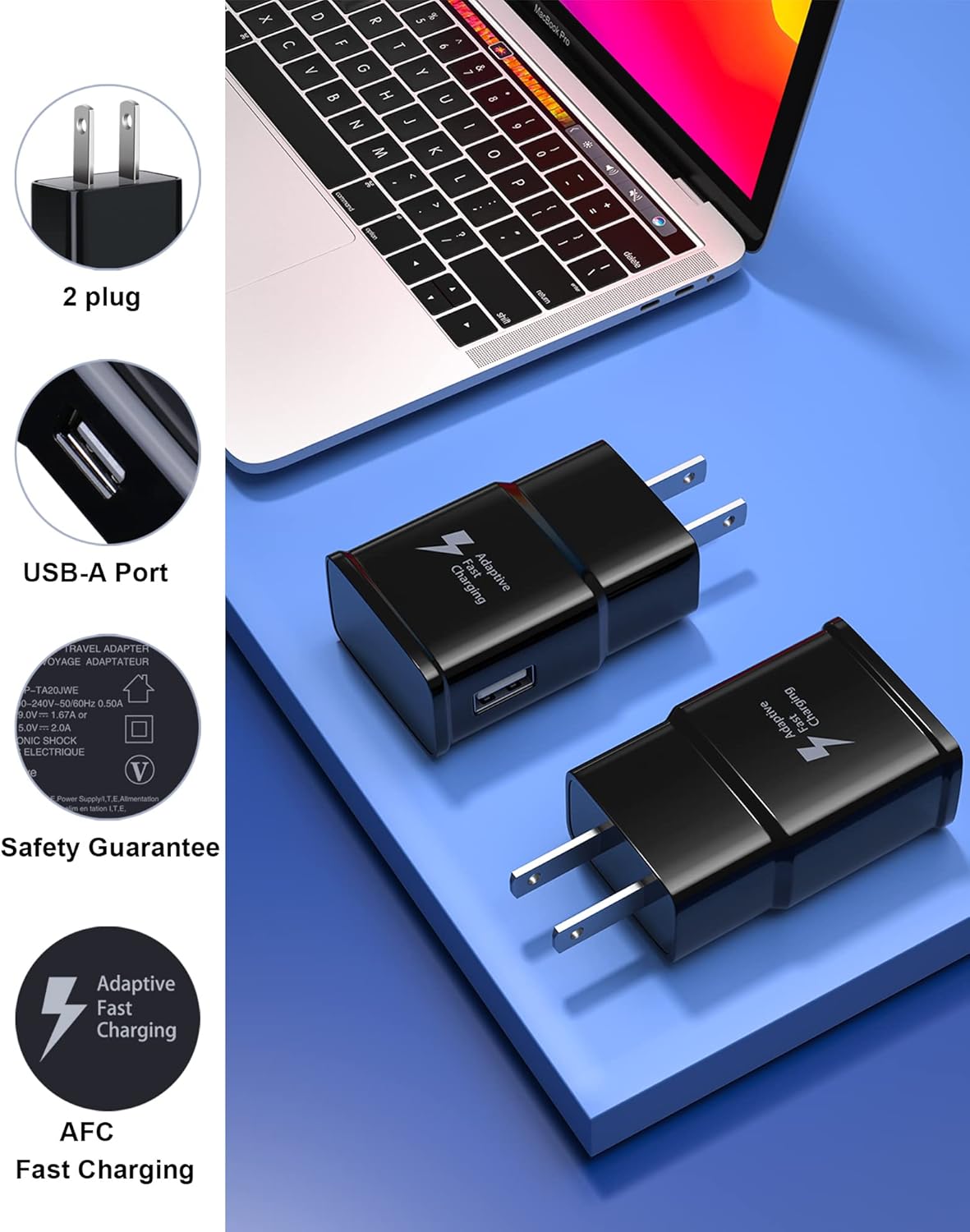
- 2 x Adaptive Fast Charging Wall Adapters
- 2 x 6.6FT (2-meter) USB Type-C Cables
- 1 x 1.5FT (0.45-meter) USB Type-C Cable
2.2 Key Awọn ẹya ara ẹrọ
- Adaptive Fast Charging: Delivers up to 50% battery charge in approximately 30 minutes for compatible devices.
- Multiple Cable Lengths: Includes 6.6FT cables for home/office use and a 1.5FT cable for portable power bank use.
- Ifọwọsi aabo: UL certified with built-in safeguards against short circuit, over-current, over-voltage, over-heat, and over-charge.
- Gbigbe Data: USB Type-C cables support data transfer speeds up to 480Mbps.

Image: The Eversame Adaptive Fast Charger Kit, showing two black wall adapters and three black USB Type-C cables of different lengths.

Image: A smartphone displaying '75% Fast Charging' while connected to the Eversame wall adapter, illustrating the adaptive fast charging capability.
3. Eto ati Asopọ
Follow these steps to set up and connect your Eversame Adaptive Fast Charger Kit:
- Connect the Wall Adapter: Plug the Eversame Adaptive Fast Charging wall adapter into a standard electrical outlet (100-240V AC).
- So okun USB pọ: Insert the USB-A end of one of the provided Type-C cables into the USB port on the wall adapter.
- Sopọ si Ẹrọ: Insert the USB Type-C end of the cable into the charging port of your compatible smartphone, tablet, or other USB-C device.
- Jẹrisi Asopọmọra: Ensure all connections are secure. Your device should indicate that it is charging, and if compatible, display a 'Fast Charging' notification.

Image: Illustration of the three different cable lengths (6.6FT, 6.6FT, 1.5FT) and their suggested uses for home, office, and power bank charging scenarios.
4. Awọn ilana Iṣiṣẹ
Once connected, the charger will automatically begin charging your device. The adaptive fast charging feature will activate if your device supports it, optimizing the power delivery for quicker charging times.
4.1 Adaptive Fast Charging
The charger intelligently detects the power requirements of your connected device and adjusts its output to deliver the fastest possible charge without overcharging. This technology helps preserve battery health while minimizing charging duration.
4.2 Data Gbigbe
The included USB Type-C cables are not only for charging but also support data synchronization. Connect your device to a computer using the cable to transfer files, photos, and other data at speeds up to 480Mbps.
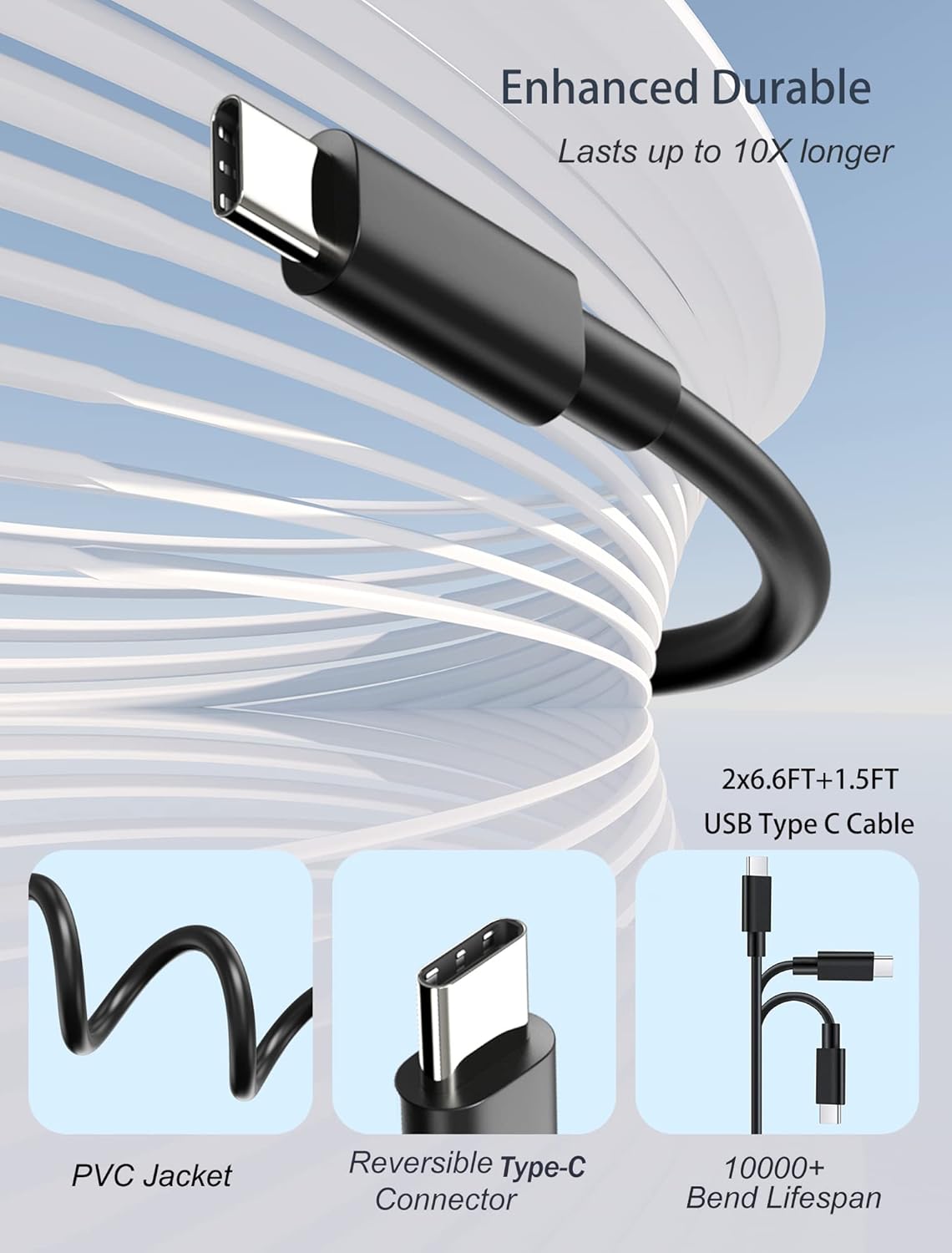
Image: A smartphone connected to a laptop via the USB Type-C cable, with arrows indicating 480Mbps data transfer speed, highlighting both fast charging and data transmission capabilities.
5. Ibamu
This charger kit is widely compatible with various USB Type-C enabled devices, including but not limited to:
- Samsung Galaxy Series: S22, S22+, S22 Ultra, S21, S21+, S21 Ultra, S20, S20+, S20 Ultra, S20 FE, S10, S10+, S10e, S9, S9+, S8, S8+, S8 Active
- Samsung Galaxy Note Series: Note 20, Note 20 Ultra, Note 10, Note 10+, Note 9, Note 8
- Samsung Galaxy A Series: A02S, A3, A5, A6, A7, A8, A9, A10, A11, A12, A20, A31, A32, A40, A41, A42, A50, A51, A52, A60, A70, A70s, A71 5G, A72, A80, A90
- Samsung Galaxy Fold/Flip Series: Z Fold 3, Z Flip 3 5G, Z Fold2, Z Fold2 5G, Z Flip, Z Flip 5G
- Samsung Galaxy Tab Series: Tab A 8.0 (2018), Tab A 10.1 (2019), Tab 10.5, Tab A 8.0
- Google Pixel: Pixel, Pixel 2, Pixel 3, Pixel XL, Pixel 6, Pixel 6 Pro
- LG: G5, G6, G7, V20, V30, V40, V50 ThinQ Plus
- Other USB-C Devices: One Plus, HTC, ZTE Axon, Nexus 6p, and more.

Image: A display of various smartphones and a laptop, illustrating the wide compatibility of the Type-C charger with numerous devices.
6. Itọju ati Itọju
To ensure the longevity and optimal performance of your Eversame charger and cables, please follow these maintenance guidelines:
- Jeki Gbẹgbẹ: Avoid exposing the charger and cables to moisture or liquids.
- Yago fun Awọn iwọn otutu to gaju: Do not store or use the product in excessively hot or cold environments.
- Mu awọn okun rọra: Avoid sharp bends, twists, or pulling the cable by the cord itself. Always grasp the connector when plugging or unplugging.
- Mọ nigbagbogbo: Use a soft, dry cloth to clean the charger and cable connectors if necessary. Ensure the product is unplugged before cleaning.
6.1 Cable Durability
The included cables are designed for enhanced durability, featuring a PVC jacket and a reversible Type-C connector with a lifespan of over 10,000 bends, ensuring reliable performance over time.
Aworan: Alaye view of the USB Type-C cable highlighting its PVC jacket, reversible Type-C connector, and a 10,000+ bend lifespan for enhanced durability.
7. Laasigbotitusita
If you encounter issues with your Eversame Adaptive Fast Charger Kit, refer to the following common problems and solutions:
- Ohun elo Ko Ngba agbara:
- Ensure the wall adapter is securely plugged into a working electrical outlet.
- Verify that the USB cable is firmly connected to both the adapter and your device.
- Try using a different electrical outlet.
- Test with a different USB Type-C cable to rule out a faulty cable.
- Rii daju pe ibudo gbigba agbara ẹrọ rẹ jẹ mimọ ati laisi idoti.
- Gbigba agbara lọra:
- Confirm your device supports adaptive fast charging. If not, it will charge at its standard rate.
- Ensure no background applications are consuming excessive power on your device during charging.
- Avoid using your device intensively while charging for optimal speed.
- Check if the cable is damaged; a damaged cable can reduce charging efficiency.
- Ṣaja tabi ẹrọ gbigbona:
- It is normal for chargers to become slightly warm during operation.
- If the charger or device becomes excessively hot, immediately unplug it.
- Ensure adequate ventilation around the charger and device.
- Avoid charging in direct sunlight or confined spaces.
8. Awọn pato
| Nọmba awoṣe | EP-TA20JWE |
| Iṣagbewọle Voltage | 100-240V AC, 0.5A |
| Abajade | 9V / 1.67A tabi 5V / 2A |
| Asopọmọra Iru | USB Type C (for cables), USB-A (for adapter port) |
| Lapapọ Awọn ibudo USB | 2 (on the two included adapters) |
| Ọja Mefa | 2.2 x 1.4 x 0.8 inches (per adapter) |
| Iwọn Nkan | 7 iwon (apapọ lapapọ) |
| Ijẹrisi aabo | UL Ifọwọsi |
9. Atilẹyin ọja ati Support
Eversame is committed to providing high-quality products and customer satisfaction. Your Adaptive Fast Charger Kit is backed by comprehensive support:
- Atilẹyin ọja Ọdún 1 Laisi Aniyan: Enjoy peace of mind with a full year of coverage.
- 365 Days Unconditional Replacement: In case of any product issues, a replacement will be provided within 365 days.
- 30 Days Product Trial: Evaluate the product's performance with a 30-day trial period.
- 24 Hours Online After-sales Support: Dedicated customer service is available to assist you with any inquiries or concerns.

Image: Graphic detailing Eversame's Lifetime Quality Maintenance, including 365 days unconditional replacement, 30 days product trial, and 24 hours online after-sales support.
For further assistance or to claim warranty services, please contact Eversame customer support through the retailer where you purchased the product or visit the official Eversame webojula.