Ọrọ Iṣaaju
This manual provides essential information for the safe and efficient use of your Cecotec EnergySilence 3000 Pro Industrial Fan. Please read these instructions carefully before operating the appliance and retain them for future reference.
Key Awọn ẹya ara ẹrọ
- Professional-grade fan with maximum power for high airflow.
- AirFlow3 Pro system with 3 metal blades (40 cm / 16 inches diameter) for efficient fresh air distribution.
- EnergySilence Technology for immediate fresh air with maximum quietness and comfort.
- CopperEngine: High-efficiency 100% copper motor for reliability and durability, including ThermoSafe safety system.
- 3Speed Function: Select from low, medium, or high operating speeds.
- TotalControl: Adjustable tilt for customized airflow direction.
- Comprehensive SecuritySystem: Safety grille preventing access to blades and a highly stable base.
- High-quality metallic finishes suitable for industrial, commercial, and outdoor environments.

olusin 1: Iwaju view of the Cecotec EnergySilence 3000 Pro Industrial Fan.
This image shows the Cecotec EnergySilence 3000 Pro Industrial Fan from the front, highlighting its robust metal construction and three large blades. The central Cecotec logo is visible on the fan's hub.
Awọn Itọsọna Aabo pataki
Lati dinku eewu ina, mọnamọna, tabi ipalara, nigbagbogbo tẹle awọn iṣọra aabo ipilẹ wọnyi:
- Ka gbogbo awọn ilana ṣaaju lilo awọn àìpẹ.
- Rii daju voltage indicated on the fan's rating label matches your local power supply.
- Má ṣe lo afẹ́fẹ́ pẹ̀lú okùn tàbí plug tó ti bàjẹ́. Tí ó bá bàjẹ́, pe àwọn òṣìṣẹ́ iṣẹ́ tó mọ̀ nípa rẹ̀.
- Má ṣe jẹ́ kí àwọn ìka ọwọ́, pẹ́ńsù tàbí àwọn nǹkan mìíràn wà níta ibi tí afẹ́fẹ́ ń tàn ká nígbà tí ó bá ń ṣiṣẹ́.
- Yọọ fanimọra kuro ni iṣan jade nigbati o ko ba wa ni lilo, nigba gbigbe lati ipo kan si omiran, ati ṣaaju ṣiṣe mimọ.
- Do not use the fan near a window, as rain may create an electrical hazard.
- Ma ṣe fi afẹfẹ bọ inu omi tabi omi miiran.
- Ohun elo yii kii ṣe ipinnu fun lilo nipasẹ awọn eniyan (pẹlu awọn ọmọde) pẹlu idinku ti ara, imọlara tabi awọn agbara ọpọlọ, tabi aini iriri ati imọ, ayafi ti wọn ba ti fun wọn ni abojuto tabi itọnisọna nipa lilo ohun elo nipasẹ eniyan ti o ni iduro fun aabo wọn.
- Awọn ọmọde yẹ ki o wa ni abojuto lati rii daju pe wọn ko ṣere pẹlu ohun elo naa.
- The fan complies with current safety and environmental protection regulations.

Figure 2: Fan in a typical living room environment.
The fan is positioned on the floor in a modern living room, demonstrating its compact size and how it blends into a home environment. A person is seated on a sofa in the background.
Ọja irinše
The Cecotec EnergySilence 3000 Pro Industrial Fan typically includes the following main components:
- Fan Body (with motor and blades)
- Front Safety Grille
- Rear Safety Grille
- Control Dial (for speed selection)
- Stable Base/Stand
- Okun agbara
- Itọsọna olumulo

Figure 3: Close-up of fan motor and blades.
This detailed shot focuses on the fan's internal components, showing the robust motor housing and the metal blades behind the protective grille, emphasizing the CopperEngine technology.
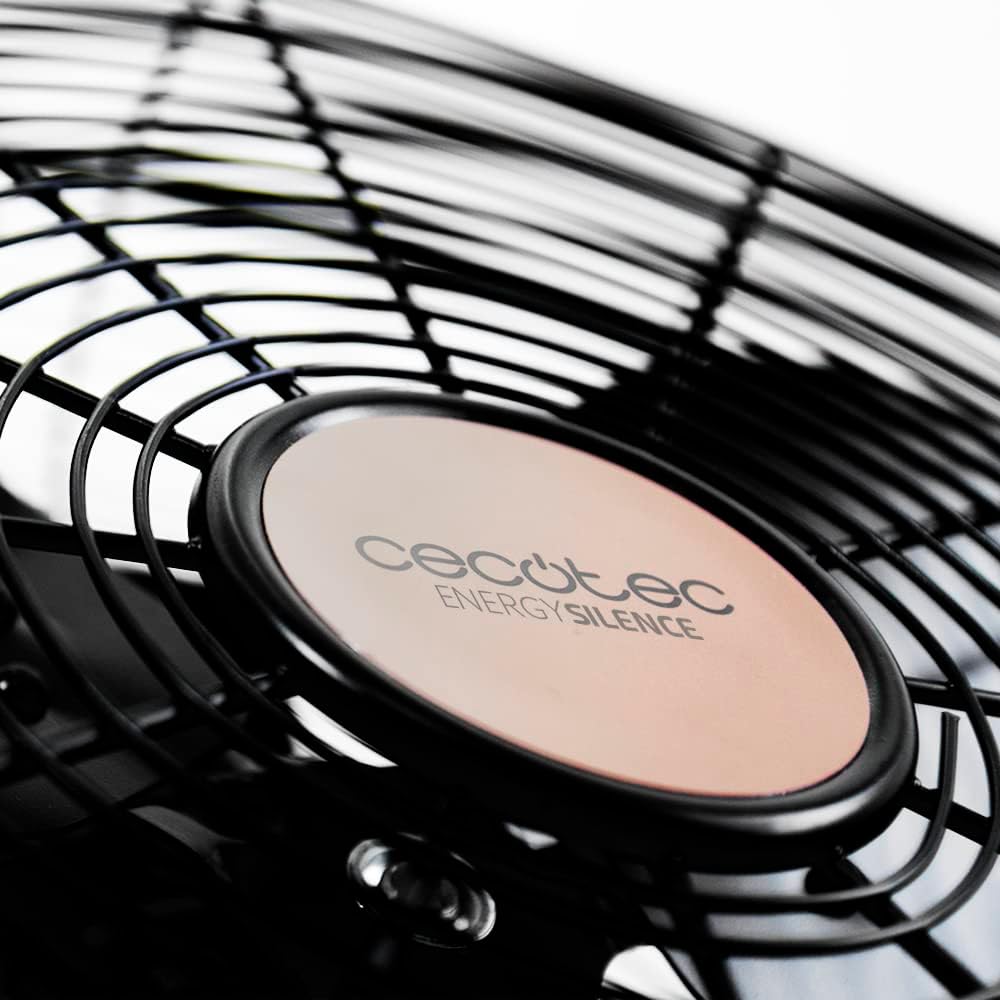
Figure 4: Cecotec EnergySilence logo on the fan hub.
A sunmọ-soke view of the fan's central hub, featuring the "Cecotec EnergySilence" branding, highlighting the product's design and brand identity.
Eto ati Apejọ
The Cecotec EnergySilence 3000 Pro Industrial Fan comes largely pre-assembled. Follow these steps for initial setup:
- Ṣii silẹ: Carefully remove the fan from its packaging. Retain packaging materials for future storage or transport.
- Ibi: Place the fan on a flat, stable, and dry surface. Ensure there is adequate space around the fan for proper air circulation and to prevent obstruction of the grilles.
- Asopọ agbara: So okùn agbára náà mọ́ ibi tí iná mànàmáná ti lè jáde. Rí i dájú pé ibi tí iná mànàmáná ti jáde náà kò pọ̀ tó.tage matches the fan's requirements.
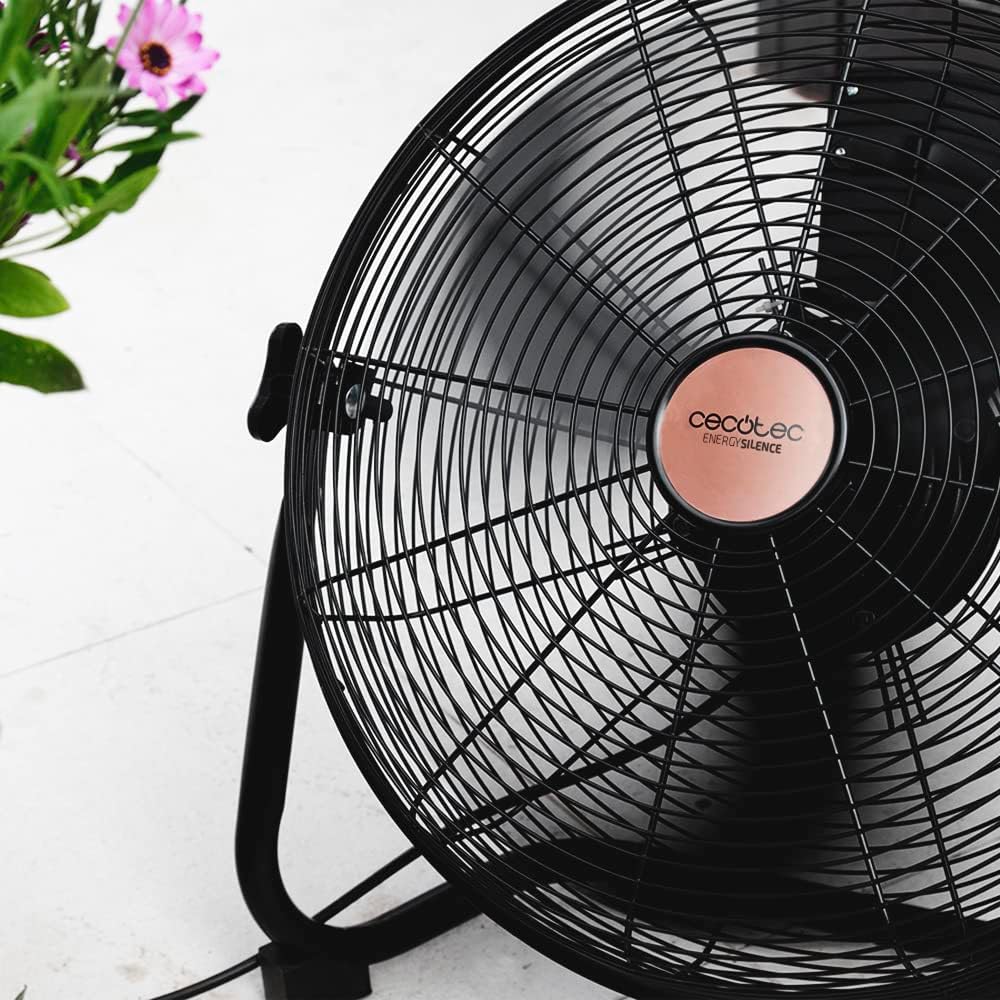
Figure 5: Fan showing its stable base.
Aworan yi pese a view of the fan from a low angle, emphasizing the sturdy and stable design of its base, which ensures secure placement during operation.
Awọn ilana Iṣiṣẹ
Titan / Pipa agbara
To turn the fan on, rotate the control dial located on the fan body from the "0" (Off) position to your desired speed setting. To turn the fan off, rotate the dial back to "0".
Iṣakoso iyara
The fan features 3 speed settings:
- V1 (Low): Fun sisan afẹfẹ ti o rọra.
- V2 (Medium): Fun afẹfẹ alabọde.
- V3 (High): Fun sisan afẹfẹ ti o pọju.
Rotate the control dial to select the appropriate speed for your needs.

Figure 6: Adjusting the fan speed.
This image shows a hand turning the rotary dial on the fan, illustrating how to select between the different speed settings (V1, V2, V3) and the off position (0).
Titunse Tit
The fan's head can be tilted to direct airflow. Gently push or pull the fan head to adjust its angle. Ensure the fan is stable after adjustment.

Figure 7: Fan on a wooden desk.
The fan is shown on a wooden desk, demonstrating its suitability for various environments, including home offices, and its ability to be placed on elevated surfaces.
Itọju ati Itọju
Regular cleaning and proper care will ensure the longevity and optimal performance of your fan.
Ninu
- Máa yọ afẹ́fẹ́ náà kúrò nígbà gbogbo láti ibi tí agbára ń jáde kí a tó fi mọ́.
- Lo asọ, damp asọ lati mu ese awọn ita ita ti awọn àìpẹ. Ma ṣe lo abrasive ose tabi epo.
- For dust accumulation on the grilles or blades, use a vacuum cleaner with a brush attachment or compressed air. Do not attempt to remove the grilles or blades unless specifically instructed by the manufacturer.
- Rii daju pe gbogbo awọn ẹya ti gbẹ patapata ṣaaju pilọọgi afẹfẹ pada sinu.
Ibi ipamọ
Nigbati o ko ba wa ni lilo fun awọn akoko ti o gbooro sii, tọju afẹfẹ naa ni itura, aye gbigbẹ, ni pataki ninu apoti atilẹba rẹ, lati daabobo rẹ lati eruku ati ibajẹ.
Laasigbotitusita
If you encounter any issues with your Cecotec EnergySilence 3000 Pro Industrial Fan, refer to the table below for common problems and their solutions.
| Isoro | Owun to le Fa | Ojutu |
|---|---|---|
| Fan ko ni tan-an. | Not plugged in; Power outlet not working; Speed dial set to "0". | Ensure fan is securely plugged in; Test outlet with another device; Rotate speed dial to V1, V2, or V3. |
| Afẹfẹ alailagbara. | Fan speed too low; Grilles or blades are dirty. | Increase fan speed; Clean grilles and blades as per maintenance instructions. |
| Ariwo ti ko wọpọ. | Fan not on a stable surface; Obstruction in blades/grille. | Place fan on a firm, level surface; Unplug and check for obstructions, remove if safe. |
| Olufẹ duro lairotẹlẹ. | Overheating (ThermoSafe system activated); Power interruption. | Unplug and let cool down for 30 minutes; Check power supply. |
Imọ ni pato
| Ẹya ara ẹrọ | Sipesifikesonu |
|---|---|
| Awoṣe | EnergySilence 3000 Pro (05933) |
| Agbara | 90W |
| Blade Opin | 40 cm / 16 inches |
| Nọmba ti Blades | 3 (Metal) |
| Motor Iru | 100% Copper Engine |
| Awọn Eto Iyara | 3 (Kekere, Alabọde, Giga) |
| Ọja Mefa | 47.3 x 19.5 x 47.5 cm |
| Iwọn Ọja | 1 kilogram |
| Pari | Irin |
| Ariwo Ipele | 1 dB |
Atilẹyin ọja ati Support
Your Cecotec EnergySilence 3000 Pro Industrial Fan comes with a manufacturer's warranty. Please refer to the warranty card included in your product packaging for specific terms and conditions.
For technical support, spare parts, or warranty claims, please contact Cecotec customer service through their official webaaye tabi alaye olubasọrọ ti a pese ninu iwe ọja rẹ.
You can also visit the official Cecotec store on Amazon for more information: Cecotec Amazon Store.


