1. Ifihan
The Qilmy 1080P Wireless WiFi Home Security Camera is designed to provide reliable surveillance for your home. This device combines a high-definition camera with motion detection, night vision, and remote viewing capabilities, all integrated into a standard light bulb form factor for easy installation. This manual will guide you through the installation, setup, and operation of your new security camera.
2. Key Awọn ẹya ara ẹrọ
- Ipinnu HD 1080P ni kikun: Pese ko o ati alaye foo fidiotage.
- Wireless WiFi Connectivity: Easy connection to your home network for remote access.
- Motion Detection & Instant Alarm: Automatically detects movement and sends alerts to your connected device.
- Ìran Alẹ́ Tí Ó Mọ́: Ó ń rí i dájú pé ó ríran ní àwọn ipò tí ìmọ́lẹ̀ kò pọ̀.
- Latọna jijin Viewing: Monitor your property from anywhere using a smartphone app.
- Imọlẹ Ikun-omi ti a ṣepọpọ: Features 3 built-in flood lights that can activate automatically upon motion detection.
- Fifi sori Rọrun: Screws into a standard E27 light socket.
- Micro SD Kaadi Iho: For local storage of recordings.

Aworan: Pariview of the Qilmy Home Security Camera's key features, including 1080P resolution, video recording, 360 panoramic viewing, Wi-Fi connection, light function, motion detection, remote viewing, ati Iho kaadi Micro SD.
3. Ohun ti o wa ninu Apoti
- Qilmy 1080P Wireless WiFi Home Security Camera (Bulb-shaped)
- E27 Light Socket Adapter (for mounting)
- Iṣagbesori skru ati odi ìdákọró
- Quick Bẹrẹ Itọsọna

Image: Contents of the Qilmy Home Security Camera package, showing the camera, an E27 socket adapter, mounting hardware, and a quick start guide.
4. Eto
4.1 Fifi sori ti ara
- Yan Ibi kan: Select a location with a standard E27 light socket that provides the desired viewigun ing ati pe o wa laarin ibiti o ti le de nẹtiwọọki Wi-Fi 2.4GHz rẹ.
- Agbara Pa: Ensure the power to the light socket is turned off at the circuit breaker before installation.
- Fi Kamẹra sori ẹrọ: Carefully screw the Qilmy security camera into the E27 light socket. If no existing socket is available, use the provided E27 adapter and mounting hardware to install it on a wall or ceiling.
- Agbara Tan: Restore power to the light socket. The camera will power on and emit a voice prompt indicating it is ready for configuration.

Image: A person's hands installing the Qilmy Home Security Camera into a ceiling light fixture, demonstrating its easy and quick installation process.
4.2 Ìsopọ̀ Wi-Fi àti Ṣíṣeto Àpù
- Ṣe igbasilẹ Ohun elo: Download the recommended mobile application (e.g., "iCSee" or similar as indicated in the Quick Start Guide) from your smartphone's app store.
- Iwe akọọlẹ iforukọsilẹ: Open the app and register a new user account if you don't already have one.
- Fi ẹrọ kun: Follow the in-app instructions to add a new device. This typically involves scanning a QR code on the camera or selecting the device type and following prompts.
- Sopọ si Wi-Fi: Connect the camera to your 2.4GHz Wi-Fi network. Ensure your smartphone is also connected to the same 2.4GHz network during the setup process.
- Iṣeto: The camera will confirm successful connection with a voice prompt. Once connected, you can access live video and adjust settings through the app.

Image: A smartphone displaying the live feed from the Qilmy Home Security Camera, illustrating Wi-Fi connection and remote viewing capabilities from anywhere, anytime.
5. Awọn ilana Iṣiṣẹ
5.1 Live Viewing ati Gbigbasilẹ
- Open the mobile app to view the live feed from your camera.
- Lo wiwo ohun elo naa lati gba fidio tabi ya awọn aworan iboju pẹlu ọwọ.
- Wiwọle gba silẹ footage stored on the Micro SD card or cloud storage (if subscribed).
5.2 Išipopada erin ati titaniji
- Mu wiwa išipopada ṣiṣẹ ni awọn eto app.
- Ṣatunṣe awọn ipele ifamọ lati dinku awọn itaniji eke.
- Receive instant push notifications on your smartphone when motion is detected.
- The camera can automatically activate its floodlights and siren alarm upon detecting motion, deterring intruders.
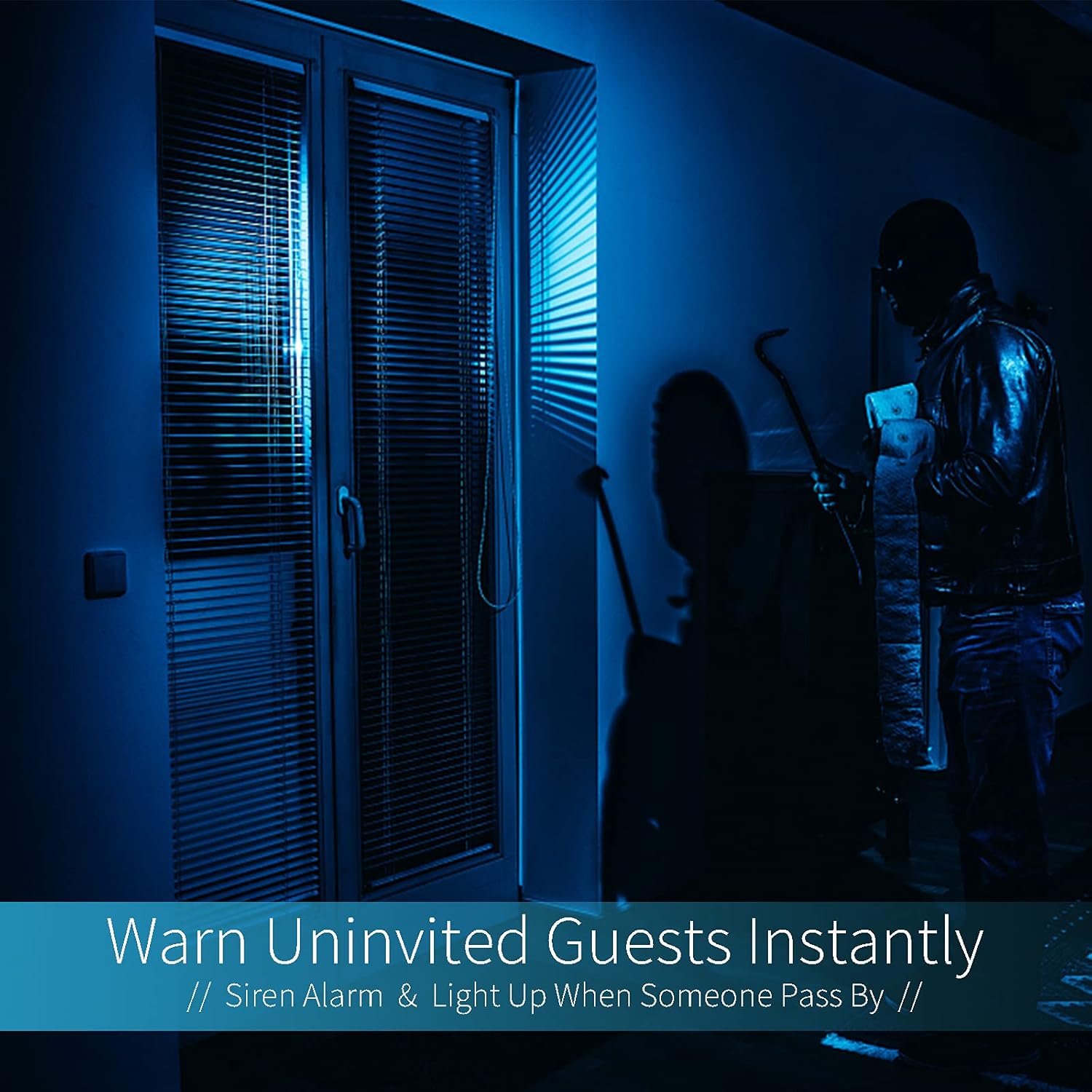
Image: A dark room with a security camera's light illuminating a figure, depicting the camera's ability to warn uninvited guests instantly with a siren alarm and light activation upon motion detection.
5.3 Iṣẹ-ina
- The camera features built-in floodlights.
- Control the floodlights manually through the app.
- Configure the floodlights to turn on automatically when motion is detected, especially during nighttime.

Image: A comparison of a standard light bulb and the Qilmy Home Security Camera, highlighting its dual function as both a light bulb and a security camera with 3W consumption.
6. Itọju
- Ninu: Fi rọra nu lẹnsi kamẹra ati ara pẹlu asọ ti o gbẹ. Maṣe lo awọn kẹmika ti o lewu tabi awọn afọmọ abrasive.
- Awọn imudojuiwọn famuwia: Ṣe àyẹ̀wò àpù alágbèéká déédéé fún àwọn àtúnṣe firmware tó wà láti rí i dájú pé iṣẹ́ àti ààbò tó dára jùlọ wà.
- Iṣakoso Kaadi SD: Tí o bá ń lo káàdì Micro SD, máa ṣe àtúnṣe lẹ́ẹ̀kọ̀ọ̀kanview ki o si pa foo atijọtage to free up space, or enable loop recording if supported by the app.
- Iduroṣinṣin nẹtiwọki: Ensure your Wi-Fi network is stable and strong for uninterrupted camera operation.
7. Laasigbotitusita
| Isoro | Owun to le Fa | Ojutu |
|---|---|---|
| Kamẹra ko ṣiṣẹ. | No power to the light socket; camera not screwed in properly. | Check the circuit breaker. Ensure the camera is securely screwed into the E27 socket. |
| Ko le sopọ si Wi-Fi. | Incorrect Wi-Fi password; camera too far from router; 5GHz Wi-Fi network used. | Verify Wi-Fi password. Move camera closer to router. Ensure you are connecting to a 2.4GHz Wi-Fi network. |
| Ko si awọn itaniji wiwa išipopada. | Motion detection disabled; sensitivity too low; app notifications blocked. | Enable motion detection in the app. Increase sensitivity. Check app notification settings on your phone. |
| Didara fidio ti ko dara. | Àmì Wi-Fi tí kò lágbára; lẹ́ńsì tí ó dọ̀tí. | Mu agbara ifihan Wi-Fi dara si. Mọ lẹnsi kamẹra pẹlu asọ asọ. |
| Latọna jijin viewkò ṣiṣẹ́. | Internet connection issue on camera or phone; app not updated. | Check internet connectivity for both camera and phone. Update the app to the latest version. |
8. Awọn pato
- Nọmba awoṣe: ZXL2023011
- Ipinnu Yiya fidio: 1080p ni kikun HD
- Imọ-ẹrọ Asopọmọra: Ailokun (Wi-Fi)
- Imọ-ẹrọ Ibaraẹnisọrọ Alailowaya: Wi-Fi (2.4GHz nikan)
- Orisun Agbara: AC/DC (E27 light socket)
- Wattage: 3 watt
- Awọn ẹya pataki: Motion Sensor, Night Vision, Integrated Flood Light
- Okunfa Fọọmu: Dome (Bulb-shaped)
- Iru fifi sori: Wall Mount (via E27 adapter)
- Awọn Iwọn Nkan (L x W x H): 6.45 x 4.1 x 3.54 inches
- Ìwọ̀n Nkan: 7.8 iwon (222 Giramu)
- Iwọn Idaabobo Kariaye: IP67
- Awọn ẹrọ ibaramu: Foonuiyara
- UPC: 605660998393
9. Atilẹyin ọja ati Support
Specific warranty information and detailed support contact details are typically provided with the product packaging or on the manufacturer's official website. Please refer to the documentation included with your purchase for the most accurate and up-to-date warranty terms and customer support options.