Ìwé Ìtọ́ni Àago Ògiri ELD Aviator
Awoṣe: 9858822518316
Ọrọ Iṣaaju
This manual provides detailed instructions for the setup, operation, and maintenance of your ELD Aviator Wall Clock. Please read this manual thoroughly before use and retain it for future reference.

Aworan: Iwaju view of the ELD Aviator Wall Clock, showcasing its unique turbine-inspired face and analog hands.
Alaye Aabo
- Keep the clock away from direct sunlight and extreme temperatures to prevent damage.
- Do not expose the clock to water or high humidity.
- Use only the specified battery type (1 AA battery).
- Jeki awọn batiri kuro ni arọwọto awọn ọmọde.
- Do not attempt to disassemble or repair the clock yourself. Contact qualified personnel for service.
- Ensure the clock is securely mounted to prevent it from falling.
Package Awọn akoonu
Jẹrisi pe gbogbo awọn ohun kan wa ninu package:
- 1 x ELD Aviator Wall Clock
- 1 x Apoti Ọja
- (AA battery not included)
Ṣeto
1. Fifi sori batiri
- Wa yara batiri ni ẹhin aago naa.
- Fi ọkan (1) AA batiri sii, aridaju rere (+) ati odi (-) ebute aligning deede pẹlu awọn asami inu awọn yara.
- Pa ideri iyẹwu batiri naa.
2. Iṣagbesori Aago
The clock is designed for wall mounting. Choose a suitable location on a stable wall.

Aworan: Ẹgbẹ profile of the ELD Aviator Wall Clock, illustrating its depth and how it appears when mounted on a wall.
- Identify a secure spot on the wall where you wish to hang the clock.
- Use a nail or screw (not included) appropriate for your wall type. Ensure it is strong enough to support the clock's weight (approximately 450g).
- So aago naa mọ lailewu nipa lilo aaye ti a fi so o ni ẹhin.
Ṣiṣẹ
Ṣiṣeto Akoko naa
- Locate the time-setting knob on the back of the clock, usually near the battery compartment.
- Gently rotate the knob in either direction until the hour and minute hands display the correct time.
- The quartz movement ensures accurate timekeeping once set.
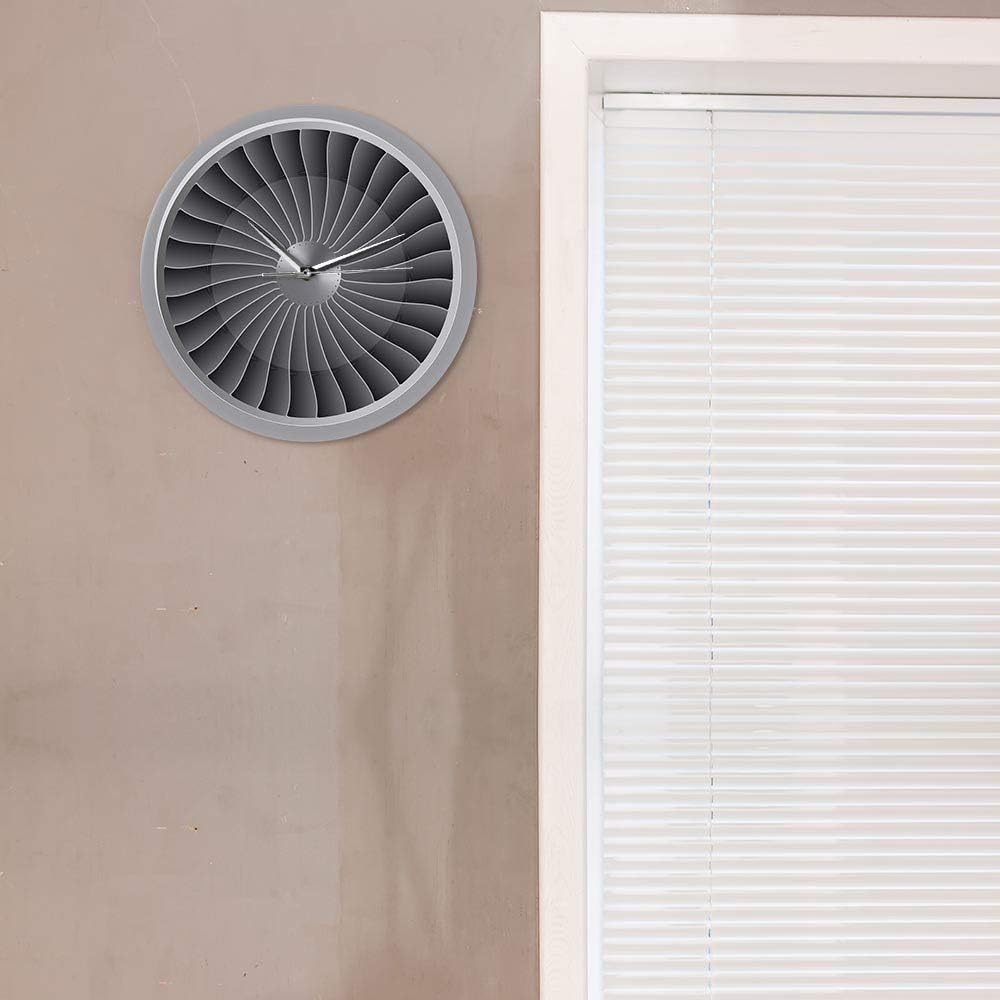
Image: The ELD Aviator Wall Clock displayed in a room setting, demonstrating its aesthetic appeal as a decorative piece.
Itoju
- Ninu: Wipe the clock surface gently with a soft, dry cloth. Do not use abrasive cleaners or solvents.
- Rirọpo Batiri: Replace the AA battery annually or when the clock starts losing time.
- Ibi ipamọ: Ti aago ba tọju fun akoko ti o gbooro sii, yọ batiri kuro lati yago fun jijo.
Laasigbotitusita
| Isoro | Owun to le Fa | Ojutu |
|---|---|---|
| Aago ko ṣiṣẹ / Awọn ọwọ ko gbe | Batiri ti ku tabi fi sori ẹrọ ti ko tọ. | Replace the AA battery with a new one, ensuring correct polarity (+/-). |
| Àkókò pípadánù aago | Batiri naa kere. | Rọpo batiri AA. |
| Ohun ticking ti npariwo | Not applicable. The clock features a silent movement. | No action required. This clock is designed for silent operation. |
Awọn pato
| Orukọ ọja | Aviator Wall Clock |
| Brand | ELD |
| Nọmba awoṣe | 9858822518316 |
| Ohun elo | Akiriliki |
| Awọn iwọn | Ìwọ̀n ìbú 30.5 cm (12 inches) |
| Iwọn | 450 g |
| Orisun agbara | 1 x AA Batiri (ko si) |
| Iṣipopada Iru | Quartz, Silent Movement |
| Ifihan Iru | Analog |
| Iṣagbesori Iru | Ògiri Ògiri |
Atilẹyin ọja ati Support
For any questions or issues not covered in this manual, please contact your retailer or the manufacturer directly. Information regarding specific warranty terms may be provided at the point of purchase or on the product packaging.
This product is designed for long-term use with proper care and maintenance.


