1. Ifihan
Ọja Pariview
The CALEX Smart Aroma Diffuser is a versatile device designed to enhance your home environment. It functions as an aroma diffuser, humidifier, air purifier, and ambient light source. With WiFi connectivity, you can control its features, including fragrance diffusion, humidification, and RGB lighting, directly from the free Calex application on your smartphone. This manual provides comprehensive instructions for safe and effective use of your device.
Awọn ẹya pataki:
- Smart App Control (Calex App)
- WiFi Asopọmọra
- Aroma Diffusion
- Ọriniinitutu
- Afẹfẹ ìwẹnumọ
- Customizable RGB Ambient Lighting (100+ options)
- Programmable Timers and Scenarios
2. Aabo ikilo
Please read all safety warnings carefully before using the device.
- Yẹra fún fífi ara kan ara taara pẹlu awọn epo pataki ti a ko ti dapọ.
- Keep the device and essential oils out of reach of children and pets.
- Ensure adequate ventilation in the area where the diffuser is used.
- Unplug the device from the power outlet when not in use or during maintenance.
- Do not exceed the maximum water fill line.
- Use only clean tap water or distilled water.
- Do not tilt or move the device when it is operating or contains water.
- Ma ṣe fi ẹrọ naa bọ omi tabi omi miiran.
- Ma ṣe dina ijade owusu.
3. Ọja Ipariview
Familiarize yourself with the components of your CALEX Smart Aroma Diffuser.

Aworan 3.1: Iwaju view of the CALEX Smart Aroma Diffuser, showing the wood-grain base, translucent top, and control buttons (ON/OFF, +, -, LIGHT).

Image 3.2: The CALEX Smart Aroma Diffuser in operation, emitting a fine mist, placed on a stack of magazines next to a vase of flowers.
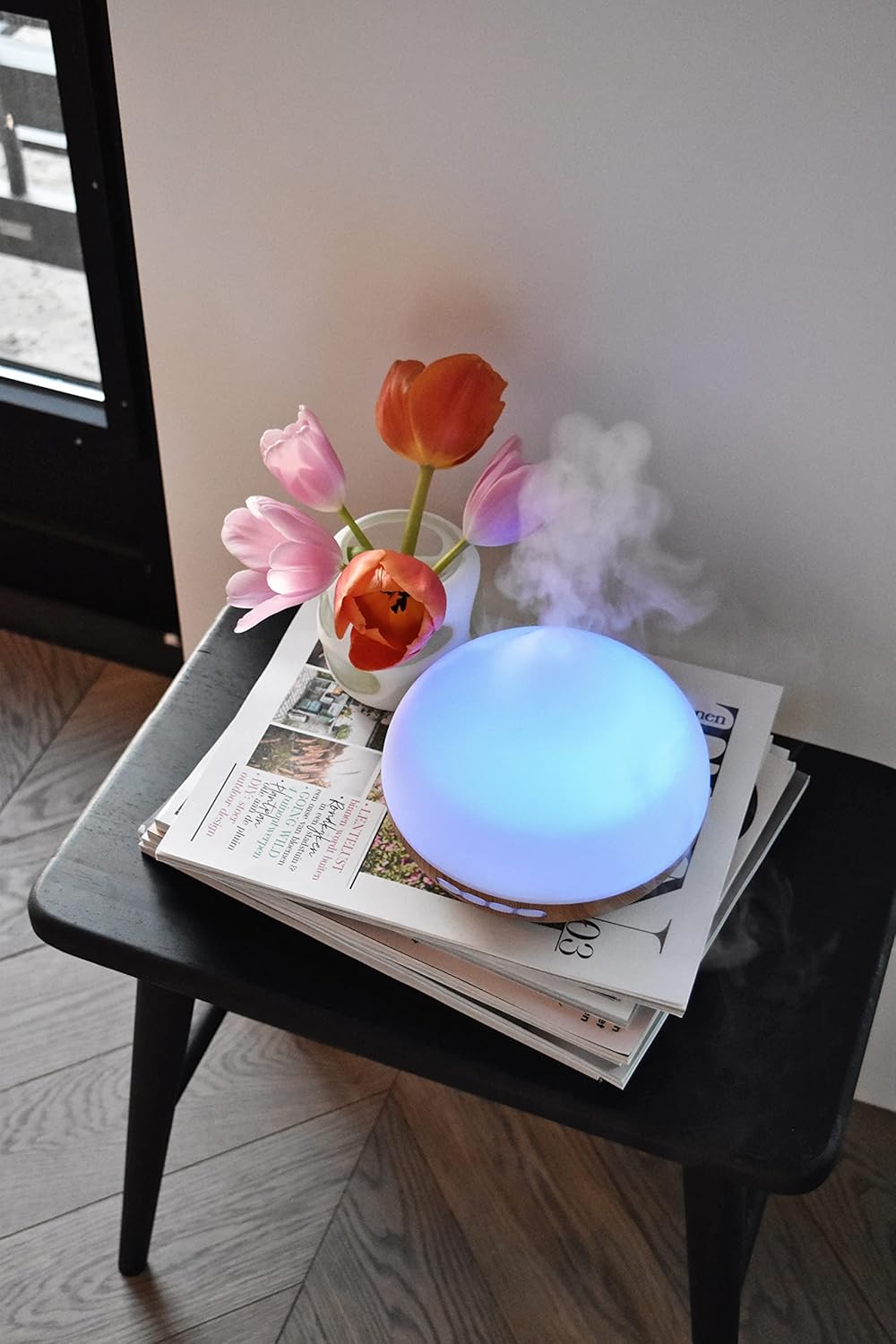
Image 3.3: The CALEX Smart Aroma Diffuser displaying a blue ambient light, placed on a table with flowers and magazines.

Image 3.4: The CALEX Smart Aroma Diffuser displaying a warm yellow ambient light, emitting mist, placed on a table with flowers and magazines.
4. Awọn ilana iṣeto
- Yọ Diffuser kuro: Ni ifarabalẹ yọ gbogbo awọn paati kuro ninu apoti.
- Gbe Diffuser naa: Position the diffuser on a flat, stable, and water-resistant surface.
- So agbara: Plug the power adapter into the diffuser's power input, then plug the adapter into a standard electrical outlet.
- Fi omi kun: Remove the top cover. Fill the water tank with clean tap water or distilled water up to the indicated maximum fill line (300 ml capacity). Do not overfill.
- Fi epo pataki kun (Aṣayan): Add a few drops of your preferred essential oil or fragrance to the water.
- Rọpo Ideri: Securely place the top cover back onto the diffuser.
- Download Calex App: Download the free Calex app from your smartphone's app store (available for iOS and Android).
- Sopọ si WiFi: Follow the in-app instructions to connect your diffuser to your home WiFi network. This typically involves putting the diffuser into pairing mode (refer to app for specific steps) and selecting your WiFi network.
5. Operating the Diffuser
5.1 Ipilẹ isẹ
- Titan/Apapa: Press the "ON/OFF" button on the diffuser or use the Calex app to turn the device on or off.
- Iṣakoso owusu: Use the "+" and "-" buttons on the diffuser to adjust the mist intensity (if applicable) or control via the app.
- Iṣakoso ina: Press the "LIGHT" button on the diffuser to cycle through light colors or turn the light off. For full RGB control and advanced options, use the Calex app.
5.2 Smart App Iṣakoso
The Calex app provides extensive control over your smart aroma diffuser:
- Isakoṣo latọna jijin: Operate the diffuser from anywhere with an internet connection.
- Eto owusu: Adjust mist output levels and set continuous or intermittent diffusion modes.
- Imọlẹ RGB: Choose from over 100 color options, adjust brightness, and select dynamic lighting effects to match your mood or decor.
- Awọn akoko ati Awọn iṣeto: Set specific times for the diffuser to turn on/off, change light settings, or adjust mist output. Create personalized scenarios for different routines (e.g., "Wake Up," "Relax," "Sleep").
- Iṣakoso ohun: Integrate with smart home assistants like Amazon Alexa or Google Assistant for hands-free control (e.g., "Alexa, turn on the diffuser light").

Image 5.1: Screenshot of the Calex app displaying color and brightness controls for the smart diffuser's RGB lighting.

Image 5.2: Screenshot of the Calex app's main screen, showing the "My Home" section where connected smart devices are managed.
6. Itọju ati Itọju
Wíwẹ̀ déédéé máa ń mú kí iṣẹ́ rẹ̀ dára jù, ó sì máa ń mú kí ẹ̀rọ tí ń tàn káàkiri máa pẹ́ sí i.
- Itọju Ojoojumọ:
- Sofo eyikeyi omi ti o ku lati inu ojò.
- Fi aṣọ rírọ̀ tí ó mọ́ tónítóní nu inú àpótí omi náà.
- Refill with fresh water before each use.
- Isọmọ ọsẹ:
- Yọọ diffuser kuro ni iṣan agbara.
- Remove the top cover and empty the water tank.
- Add a small amount of white vinegar (about 10 ml) to the water tank and let it sit for 10-15 minutes to loosen mineral buildup.
- Gently wipe the inside of the tank and the ultrasonic disc with a soft brush or cotton swab. Avoid scrubbing forcefully.
- Rinse the tank thoroughly with clean water, ensuring no vinegar residue remains.
- Nu ita ti diffuser naa pẹlu asọ, damp asọ.
- Gba gbogbo awọn ẹya laaye lati gbẹ patapata ṣaaju iṣakojọpọ tabi titoju.
- Ibi ipamọ: If storing the diffuser for an extended period, ensure it is clean and completely dry. Store it in a cool, dry place away from direct sunlight.
7. Laasigbotitusita
If you encounter issues with your CALEX Smart Aroma Diffuser, refer to the following common problems and solutions:
| Isoro | Owun to le Fa | Ojutu |
|---|---|---|
| Ko si owusuwusu tabi iṣẹjade owusuwusu kekere | Low water level; Water tank dirty; Ultrasonic disc blocked; Diffuser tilted. | Add water to the tank; Clean the water tank and ultrasonic disc; Ensure diffuser is on a flat surface. |
| Ẹrọ ko tan | Not plugged in; Power adapter faulty; No power from outlet. | Check power connection; Try a different outlet; Contact support if adapter is faulty. |
| App asopọ oran | Incorrect WiFi password; Diffuser too far from router; Router issues; App not updated. | Verify WiFi password; Move diffuser closer to router; Restart router; Update Calex app. |
| Light not working correctly | App settings; Internal fault. | Check light settings in the Calex app; Restart the diffuser. |
8. Awọn alaye ọja
| Ẹya ara ẹrọ | Sipesifikesonu |
|---|---|
| Brand | CALEX |
| Nọmba awoṣe | 429262 |
| Àwọ̀ | White/Wood look |
| Awọn iwọn Ọja (L x W x H) | 14 x 16.8 x 14 cm |
| Iwọn Nkan | 305 giramu |
| Agbara | 300 milimita |
| Agbara | 10 Wattis |
| Voltage | 240 Volts |
| Ohun elo | Reeds (wood-look base) |
| Iṣe Tiipa Aifọwọyi | Bẹẹni |
| Pataki Awọn ẹya ara ẹrọ | Aroma Diffuser, Humidifier, Timer |
| Agbegbe Agbegbe | Approximately 10 square meters |
9. Atilẹyin ọja ati Support
For warranty information and customer support, please refer to the documentation included with your purchase or visit the official CALEX webojula. Jeki ẹri rira rẹ fun eyikeyi awọn ibeere atilẹyin ọja.
Awọn orisun Ayelujara:


