1. Ifihan
Thank you for choosing the Cecotec ForceClima 7450 Touch Connected Portable Air Conditioner. This manual provides essential information for the safe and efficient operation, maintenance, and troubleshooting of your new appliance. Please read it thoroughly before use and keep it for future reference.

Figure 1.1: Cecotec ForceClima 7450 Touch Connected Portable Air Conditioner
The ForceClima 7450 Touch Connected is designed to provide effective cooling, ventilation, and dehumidification for spaces up to 15 m². It features a powerful 7000 BTU cooling capacity, a user-friendly touch control panel, a remote control, and Wi-Fi connectivity for convenient operation via your smartphone.
2. Awọn ilana aabo
Lati dinku eewu ina, mọnamọna, tabi ipalara nigba lilo afẹfẹ afẹfẹ rẹ, tẹle awọn iṣọra ipilẹ wọnyi:
- So ẹrọ naa pọ mọ ibudo agbara ti a fi ilẹ ṣe nigbagbogbo pẹlu vol to tọtage (230 Volts).
- Ma ṣe ṣisẹ afẹfẹ afẹfẹ pẹlu okun tabi plug ti o bajẹ.
- Rí i dájú pé afẹ́fẹ́ ń tàn káàkiri ẹ̀rọ náà. Má ṣe dí àwọn ọ̀nà ìwọ̀lé afẹ́fẹ́ tàbí àwọn ibi ìjáde.
- Má ṣe fi ìka tàbí àwọn ohun àjèjì sínú àwọn ìtẹ̀wọlé/ìjáde afẹ́fẹ́.
- Keep the unit away from water and other liquids. Do not use it in bathrooms or very humid environments.
- Yọọ ohun elo ṣaaju ṣiṣe mimọ tabi ṣiṣe itọju eyikeyi.
- Ma ṣe gbiyanju lati tun tabi ṣe atunṣe ẹyọ naa funrararẹ. Kan si oṣiṣẹ iṣẹ ti o pe fun atunṣe.
- Ensure the exhaust hose is properly installed to expel hot air outside.
- Ṣe abojuto awọn ọmọde lati rii daju pe wọn ko ṣere pẹlu ohun elo.
3. Package Awọn akoonu
Carefully unpack your air conditioner and check that all items are present and in good condition:
- Cecotec ForceClima 7450 Touch Connected Portable Air Conditioner Unit
- Isakoṣo latọna jijin
- eefi Hose
- Apo Igbẹhin Window
- Idominugere okun
- Itọsọna olumulo
4. Awọn ẹya Ọja
The Cecotec ForceClima 7450 Touch Connected offers a range of features for optimal comfort:
- Agbara Itutu: 7000 BTU, suitable for rooms up to 15 m².
- Agbara: 790 Wattis.
- Awọn aṣayan Iṣakoso: Intuitive touch control panel, remote control, and Wi-Fi connectivity via smartphone app.
- Ifihan: Clear LED screen showing current settings.
- Awọn ọna ṣiṣe:
- Ipo itutu: For effective temperature reduction.
- Ipo Ipele: Circulates air lai itutu.
- Ipò Ìtújáde: Removes up to 20 liters of moisture per day, improving air quality.
- Ipo Alẹ: Operates quietly for undisturbed sleep.
- Awọn Iyara Olufẹ: Two adjustable speeds (Low and High).
- Iṣẹ Aago: Programmable for up to 24 hours.
- Gbigbe: Ni ipese pẹlu kẹkẹ fun rorun ronu.
5. Eto
Tẹle awọn igbesẹ wọnyi lati ṣeto kondisona afẹfẹ to ṣee gbe:
5.1 Gbigbe Unit
Place the air conditioner on a flat, stable surface, ensuring there is at least 30 cm of clear space around the unit for proper airflow. Position it near a window or opening for exhaust hose installation.
5.2 Installing the Exhaust Hose
- So opin kan ti okun eefin naa mọ ibi ti a ti n jade afẹfẹ ni ẹhin ẹrọ naa.
- Fa okun eefin naa siwaju ki o si so ohun ti nmu badọgba ferese naa mọ opin keji.
- Open the window and install the window sealing kit. Secure the window adapter into the opening of the sealing kit to ensure hot air is expelled outside and warm air does not re-enter the room.
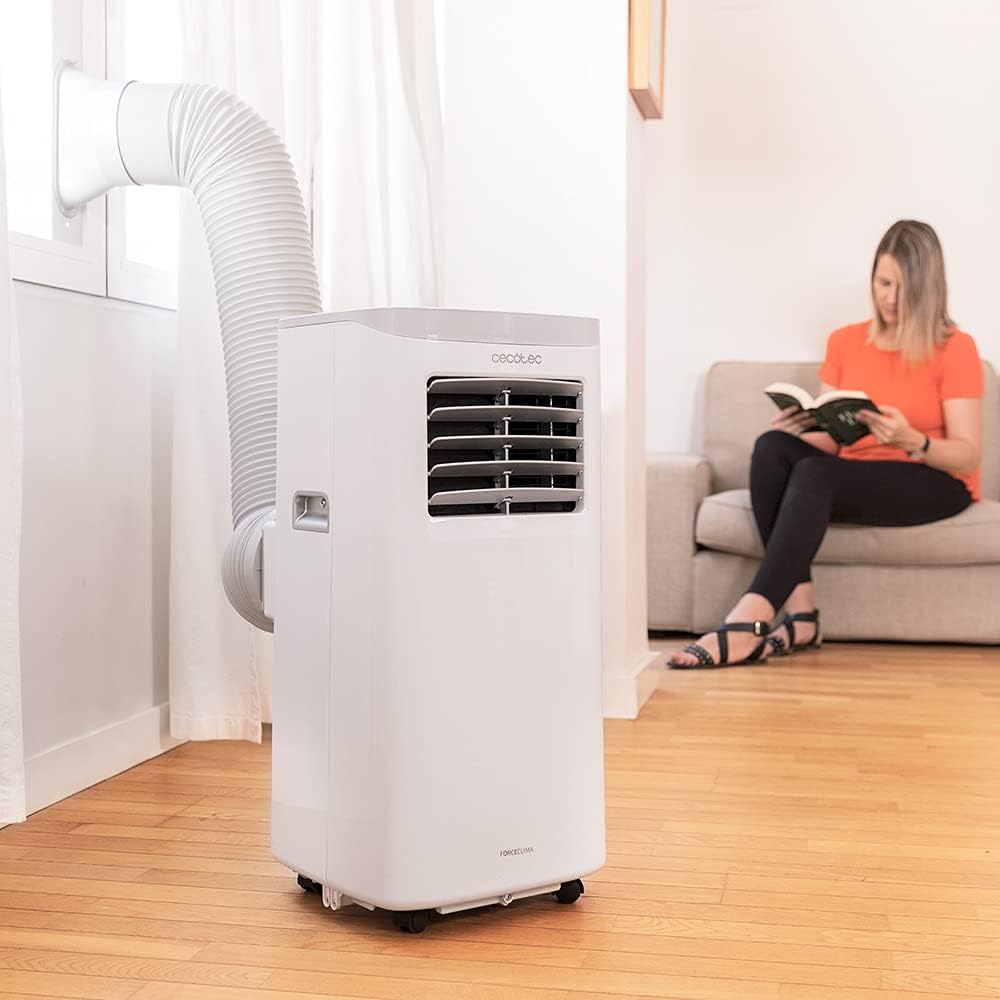
Figure 5.1: Proper installation of the exhaust hose in a window
5.3 Asopọ agbara
Plug the power cord into a standard 230V grounded electrical outlet. Ensure the outlet is suitable for the appliance's power requirements.
6. Awọn ilana Iṣiṣẹ
Your Cecotec ForceClima 7450 Touch Connected can be operated using the touch control panel, the remote control, or the dedicated smartphone app.
6.1 Iṣakoso Panel isẹ

Figure 6.1: Touch Control Panel

Figure 6.2: Interacting with the Control Panel
- Bọtini agbara: Tẹ lati tan-an tabi PA kuro.
- Bọtini Ipo: Cycle through Cooling, Fan, Dehumidification, and Night modes. The selected mode will be indicated on the LED display.
- Awọn Bọtini Iṣatunṣe iwọn otutu (Soke/Isalẹ): Adjust the desired temperature in Cooling mode.
- Bọtini Iyara Fan: Toggle between Low and High fan speeds.
- Bọtini Aago: Set the auto-off timer (up to 24 hours).
6.2 Iṣẹ iṣakoso latọna jijin
The remote control allows you to operate all functions of the air conditioner from a distance. Ensure there are no obstructions between the remote control and the unit's receiver.
- Awọn bọtini lori isakoṣo latọna jijin badọgba lati awọn iṣẹ lori awọn iṣakoso nronu.
- Insert 2x AAA batteries (not included) into the remote control before first use.
6.3 Wi-Fi Control (Smartphone App)
The Cecotec ForceClima 7450 Touch Connected can be controlled remotely via a smartphone app. This allows you to manage settings from anywhere with an internet connection.
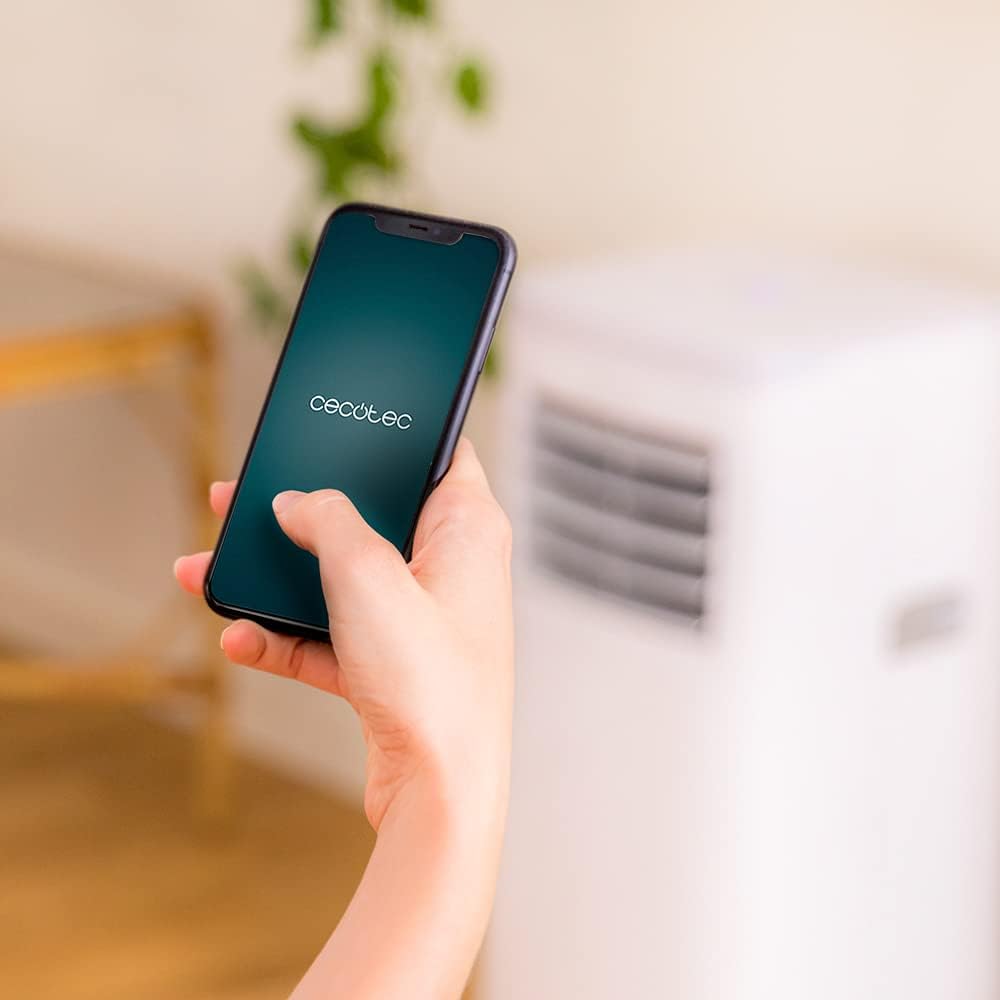
Figure 6.3: Controlling the unit via the Cecotec App
- Download the official Cecotec app from your smartphone's app store (iOS or Android).
- Register an account or log in.
- Follow the in-app instructions to add your ForceClima 7450 Touch Connected unit. This typically involves putting the unit into pairing mode and connecting it to your home Wi-Fi network.
- Once connected, you can control all functions, including power, mode, temperature, fan speed, and timer, directly from your smartphone.
7. Itọju
Itọju deede ṣe idaniloju iṣẹ ṣiṣe ti o dara julọ ati fa igbesi aye afẹfẹ afẹfẹ rẹ pọ si.
7.1 Ninu Ajọ Afẹfẹ
A gbọ́dọ̀ máa fọ àlẹ̀mọ́ afẹ́fẹ́ ní gbogbo ọ̀sẹ̀ méjì tàbí jù bẹ́ẹ̀ lọ, ó sinmi lórí bí afẹ́fẹ́ ṣe ń lò ó àti bí afẹ́fẹ́ ṣe ń dára tó. Àlẹ̀mọ́ tó dọ̀tí lè dín ìtútù àti afẹ́fẹ́ tó ń lọ sílẹ̀ kù.
- Yọọ air kondisona kuro ninu iṣan agbara.
- Locate and remove the air filter from the back or side of the unit (refer to the diagram in your quick start guide if unsure).
- Clean the filter using a vacuum cleaner to remove dust. For stubborn dirt, wash it gently with lukewarm water and a mild detergent.
- Jẹ́ kí àlẹ̀mọ́ náà gbẹ pátápátá kí o tó tún fi sínú ẹ̀rọ náà. Má ṣe fi í sí ojú oòrùn tààrà.
7.2 Sisọ Omi Akojo
During cooling and dehumidification, water will accumulate inside the unit. The unit has an internal water tank, but for continuous operation or high humidity, manual drainage may be required.
- When the internal tank is full, the unit may stop operating and display an indicator.
- Yọọ kuro.
- Fi pan tabi garawa kekere kan si abẹ iho omi ti o wa ni ẹhin apa isalẹ ti ẹrọ naa.
- Yọ pulọọgi ìṣàn omi kúrò kí o sì jẹ́ kí gbogbo omi gbẹ.
- For continuous drainage, attach the provided drainage hose to the outlet and direct it to a floor drain or suitable container.
- Replace the drain plug securely after draining.
7.3 Ninu Unit Ode
Mu ese ita kuro pẹlu asọ, damp asọ. Ma ṣe lo awọn kẹmika ti o lewu, awọn olutọpa abrasive, tabi awọn nkanmimu, nitori iwọnyi le ba ilẹ jẹ.
8. Laasigbotitusita
Ṣaaju ki o to kan si iṣẹ alabara, jọwọ tọka si awọn ọran ti o wọpọ ati awọn ojutu wọnyi:
| Isoro | Owun to le Fa | Ojutu |
|---|---|---|
| Ẹka ko ni tan-an | Kò sí agbára; Kò sí okùn agbára; okùn omi kíkún | Check power supply; Plug in power cord; Drain water tank |
| Ẹka ko ni tutu daradara | Dirty air filter; Exhaust hose not properly installed; Room too large; Doors/windows open | Clean air filter; Ensure proper hose installation; Close doors/windows; Check room size (max 15 m²) |
| Unit jẹ alariwo | Unit not on a flat surface; Obstruction in fan; Normal operating sound (65 dB) | Place on flat surface; Check for obstructions; Note that some noise is normal for portable ACs |
| Wi-Fi asopọ kuna | Incorrect Wi-Fi password; Router too far; App issues | Verify password; Move unit closer to router; Restart app/unit; Consult app's troubleshooting guide |
| Omi jijo | Drain plug loose; Drainage hose not properly connected | Secure drain plug; Ensure drainage hose is tightly connected |
9. Awọn pato
| Ẹya ara ẹrọ | Sipesifikesonu |
|---|---|
| Nọmba awoṣe | 05957 |
| Agbara Itutu | 7000 BTU |
| Agbara agbara | 790 Wattis |
| Voltage | 230 Volts |
| Ariwo Ipele | 65 dB |
| Agbegbe Agbegbe | Isunmọ. 15 m² |
| Agbara Dehumidification | O to 20 liters fun ọjọ kan |
| Iwọn (D x W x H) | 30.5 x 32.8 x 67.8 cm |
| Iwọn | 20 kg |
10. Atilẹyin ọja ati Support
Cecotec products are manufactured to high-quality standards. This product is covered by a manufacturer's warranty against defects in materials and workmanship from the date of purchase. Please retain your proof of purchase for warranty claims.
For technical support, spare parts, or warranty service, please contact Cecotec customer service through their official website or the contact information provided in your product's packaging. Do not attempt to repair the unit yourself, as this may void the warranty.