1. Ifihan
The Yealink YHS36 is a professional dual-ear headset designed for office workers, SOHO, or call center staff. It features HD Voice wideband technology and a noise-canceling microphone, ensuring clear communication. This headset is specifically designed for use with Yealink IP Phones via an RJ9 connection. Important: This headset is NOT a 3.5mm PC headset and is NOT intended for direct connection to computers or laptops.
2. Package Awọn akoonu
Rii daju pe gbogbo awọn nkan wa ninu apo rẹ:
- Yealink YHS36 Dual Headset
- RJ9 Connectivity Cord
3. Ọja Ipariview
The YHS36 headset is engineered for comfort and durability, featuring a lightweight design and soft ear cushions for extended wear. Its key components include:
- Akọkọ ti o le ṣatunṣe: Fun kan ni aabo ati itura fit.
- Àwọn ìrọ̀rí etí rírọ̀: Designed for comfort during long periods of use.
- 330° Ariwo Ariwo Arm: Allows for precise microphone positioning and durability.
- Ariwo-Fagilee Gbohungbohun: Filters out background noise for clearer voice transmission.
- Asopọmọra RJ9: For direct connection to compatible Yealink IP Phones.

Image 1: Yealink YHS36 Dual Headset showing the headset and its RJ9 connection cable.
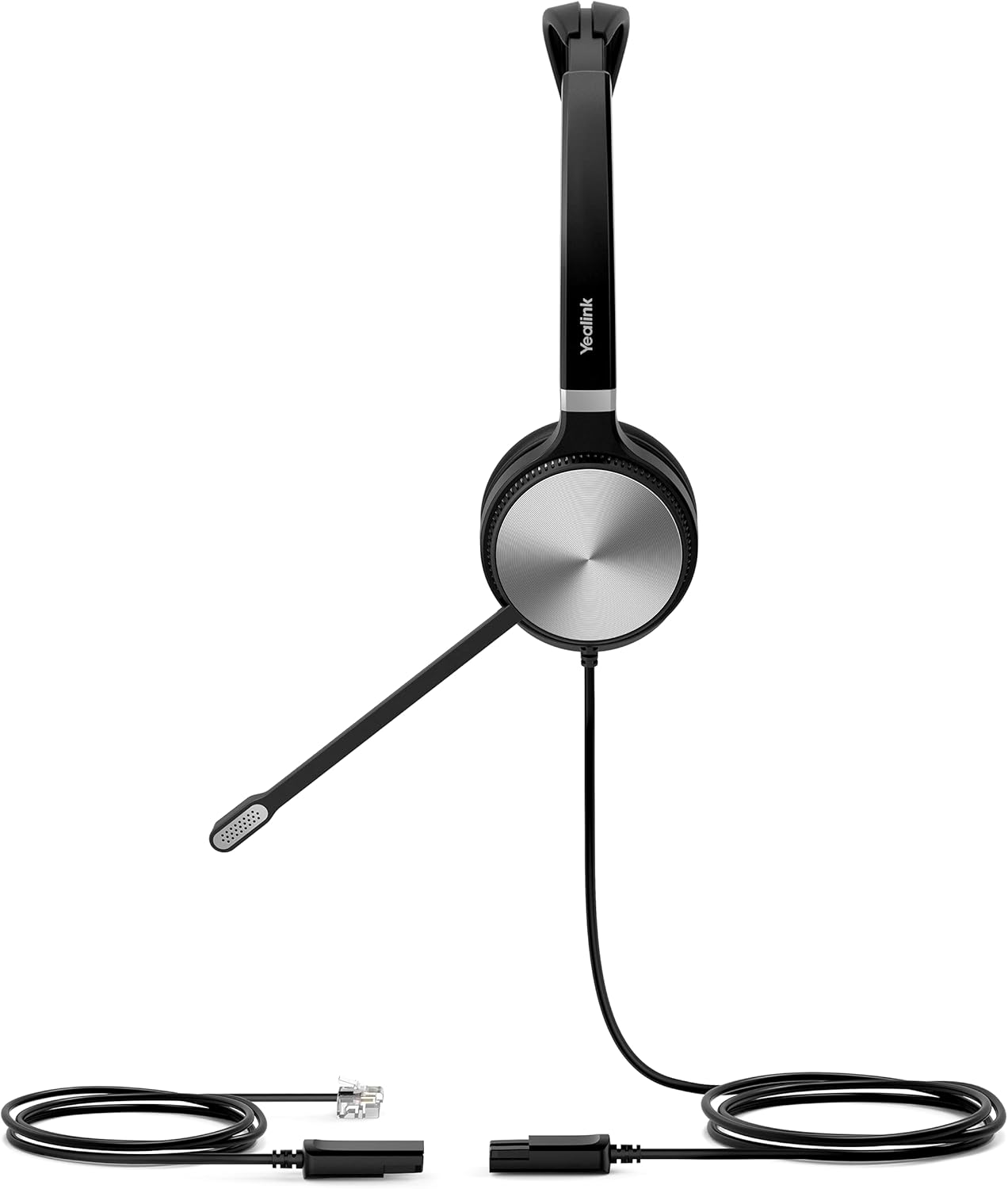
Aworan 2: Apa view of the Yealink YHS36 Dual Headset, highlighting the ear cup and microphone boom arm.
4. Eto
Follow these steps to set up your Yealink YHS36 Dual Headset:
- So Agbekọri pọ: Locate the RJ9 headset port on your Yealink IP Phone. Plug the RJ9 connector of the YHS36 headset firmly into this port.
- Ṣatunṣe Agbekọri: Place the headset on your head. Adjust the headband by sliding the ear cups up or down until they rest comfortably over both ears.
- Gbe gbohungbohun: Gently bend the 330° boom arm to position the microphone approximately 1-2 centimeters (0.4-0.8 inches) from the corner of your mouth. Ensure the microphone is aligned with your mouth for optimal voice pickup.
- Idanwo Asopọmọra: Make a test call to ensure both audio output and microphone input are functioning correctly.
5. Awọn ilana Iṣiṣẹ
Once connected, the YHS36 headset integrates seamlessly with your Yealink IP Phone for call management.
- Ṣiṣe awọn ipe: Initiate calls directly from your Yealink IP Phone. Audio will automatically route to the headset.
- Ndahun Awọn ipe: Press the headset button on your Yealink IP Phone or answer directly from the phone's interface.
- Awọn ipe ipari: Press the headset button on your Yealink IP Phone or hang up from the phone's interface.
- Iṣakoso iwọn didun: Adjust the listening volume using the dedicated volume controls on your Yealink IP Phone.
- Pa gbohungbohun: Use the mute function on your Yealink IP Phone to temporarily disable the microphone.
- ActiveProtection Technology: The headset incorporates ActiveProtection technology to safeguard users from acoustic injury by limiting sudden loud noises.
6. Itọju
Itọju to dara ṣe idaniloju gigun ati iṣẹ agbekari rẹ.
- Ninu: Lo asọ ti o rọ, ti o gbẹ lati nu agbekari naa. Fun awọn irọmu eti, die-die damp asọ le ṣee lo, ṣugbọn rii daju pe wọn ti gbẹ patapata ṣaaju lilo. Yago fun awọn kẹmika lile tabi awọn ohun elo abrasive.
- Ibi ipamọ: When not in use, store the headset in a clean, dry place, away from direct sunlight and extreme temperatures. Avoid tangling the cord.
- Mimu: Do not drop the headset or subject it to strong impacts. Avoid excessive bending or twisting of the cables.
7. Laasigbotitusita
If you encounter issues with your YHS36 headset, try the following solutions:
- Ko si Olohun/Iwọn kekere:
- Ensure the RJ9 connector is securely plugged into the phone's headset port.
- Check the volume settings on your Yealink IP Phone.
- Verify that the headset function is activated on your phone.
- Gbohungbohun Ko Ṣiṣẹ:
- Confirm the microphone boom arm is correctly positioned near your mouth.
- Check if the microphone is muted on your Yealink IP Phone.
- Ensure the RJ9 connection is secure.
- Didara Ohun Ko dara:
- Check for any physical damage to the cable or headset.
- Ensure the microphone is not too close or too far from your mouth.
- Test with another Yealink IP Phone if possible to rule out phone-related issues.
If problems persist, please contact Yealink support or refer to your Yealink IP Phone's user manual for further assistance.
8. Awọn pato
| Nọmba awoṣe | 1308021 (YHS36) |
| Asopọmọra | RJ9 |
| Ibamu | All Yealink Desk Phones |
| Audio Awọn ẹya ara ẹrọ | HD Voice/Wideband speaker performance, Noise-canceling microphone, ActiveProtection technology |
| Gbohungbo Ariwo Arm | 330° bendable |
| Ọja Mefa | 23.62 x 23.62 x 33.46 inches |
| Iwọn Nkan | 6 iwon |
| Olupese | Yealink |
9. atilẹyin ọja Information
For detailed warranty information regarding your Yealink YHS36 Dual Headset, please refer to the official Yealink website or contact your local Yealink distributor. Warranty terms and conditions may vary by region and purchase location.
10. Atilẹyin
If you require further assistance or have questions not covered in this manual, please visit the official Yealink support page or contact their customer service:
- Yealink Osise Webojula: www.yealink.com
- Support Section: Look for a 'Support' or 'Downloads' section on their website for FAQs, firmware updates, and contact information.