Ọrọ Iṣaaju
The JCLOUD Smart Scent Air Machine utilizes advanced cold-air diffusion technology to convert essential oils into a dry mist of micro-particles. This waterless and heatless process ensures maximum utilization of essential oils and efficient scent dispersion. Designed for both home and commercial spaces, this diffuser provides a consistent and pleasant aroma, effectively eliminating unwanted odors.

olusin 1: Iwaju view of the JCLOUD Smart Scent Air Machine.
Alaye Aabo
- Yẹra fún fífi ara kan ara taara pẹlu awọn epo pataki ti a ko ti dapọ.
- Keep the device and essential oils out of reach of children and pets.
- Lo ẹrọ naa ni agbegbe ti o ni afẹfẹ daradara.
Ọja irinše
The JCLOUD Smart Scent Air Machine package includes the main scent air machine (Model P300), instructions, and an HVAC tube for optional integration.

Figure 2: The JCLOUD Smart Scent Air Machine in a home environment, highlighting its key features.

Nọmba 3: Awọn iwọn ọja fun iṣeto fifi sori ẹrọ.
Ṣeto
Eto Ibẹrẹ
- Download the "Aroma-Link" app on your mobile device.
- Connect the waterless diffuser via the app.
- Add your preferred essential oils to the 300 ml oil bottle.
- Tẹ bọtini agbara lati bẹrẹ ẹrọ naa.
HVAC System Installation
For integration with an HVAC system, use the provided HVAC tube. Refer to the video below for detailed installation instructions.
Video 1: Instructions on how to install the JCLOUD Scent Air Machine with an HVAC system.
Isẹ
Control via Mobile App ("Aroma-Link")
The most convenient way to control your JCLOUD Smart Scent Air Machine is through the "Aroma-Link" mobile application. This allows for precise scheduling and scent intensity adjustments.
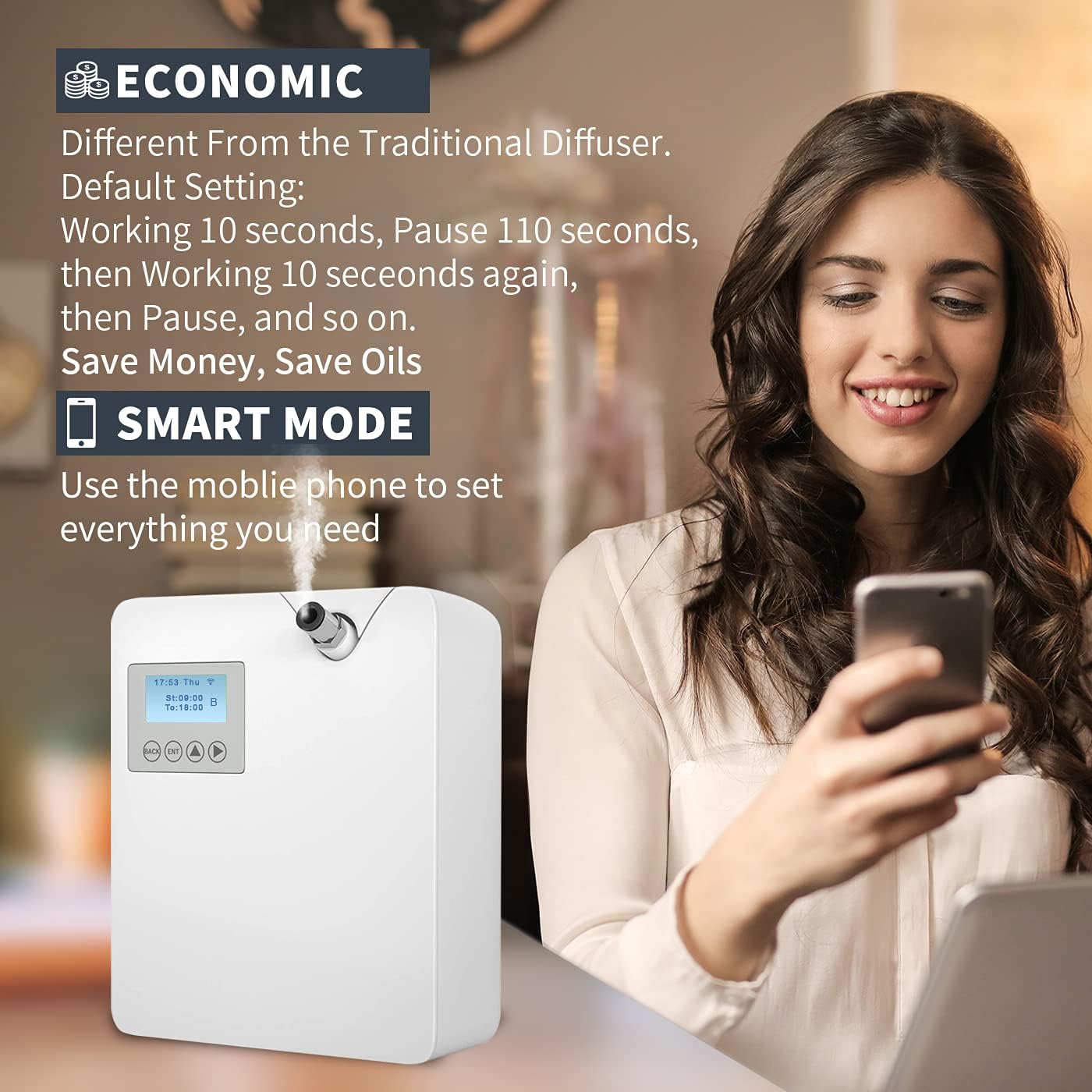
Figure 4: Controlling the scent machine using the Aroma-Link mobile application.
- Download and open the "Aroma-Link" app.
- Connect the diffuser to the app.
- Set the working time and scent grade (intensity).
- To set a schedule: Tap "Set", enable desired days, tap the pencil icon to edit programs, toggle on/off, then tap "Save".
- The default diffusion cycle is 10 seconds of work followed by 110 seconds of pause. This can be adjusted via the app.
- A "Fan" button in the app toggles a booster fan for wider scent dispersion. Note that this may slightly increase operational noise.
Video 2: A guide on how to use the "Aroma Link" app to control the scent machine.
Video 3: Detailed operation instructions for the JCLOUD P300 Scent Air Machine.
Manual Control (Front Panel)
Basic functions can be controlled directly from the front panel buttons:
- Titan/Apapa: Mu mọlẹ Wọle bọtini.
- Toggle Fan: Mu mọlẹ Pada bọtini.
- Ṣeto Akoko: Fọwọ ba ^ ati > buttons simultaneously. (Time is automatically set when using the app).
Itoju
Regular maintenance ensures optimal performance and longevity of your JCLOUD Smart Scent Air Machine.
- Ninu igbagbogbo: Clean the device regularly as needed.
- Cleaning the Oil Stem: If the device appears to stop venting from the nozzle, the stem that goes into the oil bottle may be clogged. Carefully pull the stem off, run a thin wire through it to clear any blockages, and then reattach the stem. This typically needs to be done about once a month.
Laasigbotitusita
| Isoro | Owun to le Fa | Ojutu |
|---|---|---|
| Device not emitting scent. | Clogged oil stem. | Remove the oil stem and clear any blockages with a thin wire. Ensure the oil bottle is properly inserted. |
| Device beeps 5 times. | Lost Wi-Fi connection or server issue. | The device will beep once when it reconnects. If persistent, check your Wi-Fi connection or consider using Bluetooth control only. |
| Need to reset settings. | System requires a factory reset. | Tẹ awọn 1st ati 4th buttons simultaneously, then choose "yes" for FACTORY MODE. The default password is 1234. |
Video 4: Demonstration of the factory reset operation for the scent machine.
Awọn pato
| Ẹya ara ẹrọ | Ẹ̀kúnrẹ́rẹ́ |
|---|---|
| Brand | JCLOUD |
| Orukọ awoṣe | P300 |
| Àwọ̀ | Funfun |
| Orisun agbara | Okun Itanna |
| Wattage | 12 watt |
| Agbara | 300 Milliliters (oil bottle) |
| Pakà Area Ideri | Titi di 2000 Square Ẹsẹ |
| Akoko ṣiṣe | 720 hours (approx. 30 days at highest grade) |
| Ọja Mefa | 6.89"L x 3.5"W x 10.24"H |
| Iwọn Nkan | 2.81 iwon |
| Ohun elo | Ṣiṣu |
| Ṣatunṣe Aifọwọyi | Bẹẹni |
| Awọn irinše to wa | Instructions, Scent air machine P300, HVAC Tube |
Atilẹyin ọja
The JCLOUD Smart Scent Air Machine comes with a 1-odun atilẹyin ọja lati ọjọ ti o ra. Jọwọ ṣe idaduro ẹri rira rẹ fun awọn iṣeduro atilẹyin ọja.
Onibara Support
Your satisfaction is our top priority. If you have any questions, require assistance with installation, or need help choosing essential oils, please do not hesitate to contact us.
You can reach JCLOUD customer support via brand mail or Amazon mail as indicated in your product packaging or purchase details.


