1. Ifihan
Thank you for choosing the ABBREE HF-3 Multi-Band HF VHF Telescopic Antenna. This antenna is designed for amateur mobile radio use, offering wideband frequency coverage from 3.5 MHz to 50 MHz. This manual provides essential information for the proper setup, operation, and maintenance of your antenna to ensure optimal performance.
2. Ọja Ipariview
The ABBREE HF-3 is a high-performance, portable mobile antenna featuring a telescopic whip and a base coil with multiple sockets for frequency band selection. Its design allows for quick adjustments across various HF and VHF bands.

Aworan 2.1: Pariview of the ABBREE HF-3 Multi-Band Antenna, highlighting its frequency range of 3.5-50MHz and maximum power capacity of 200 Watts S.S.B.
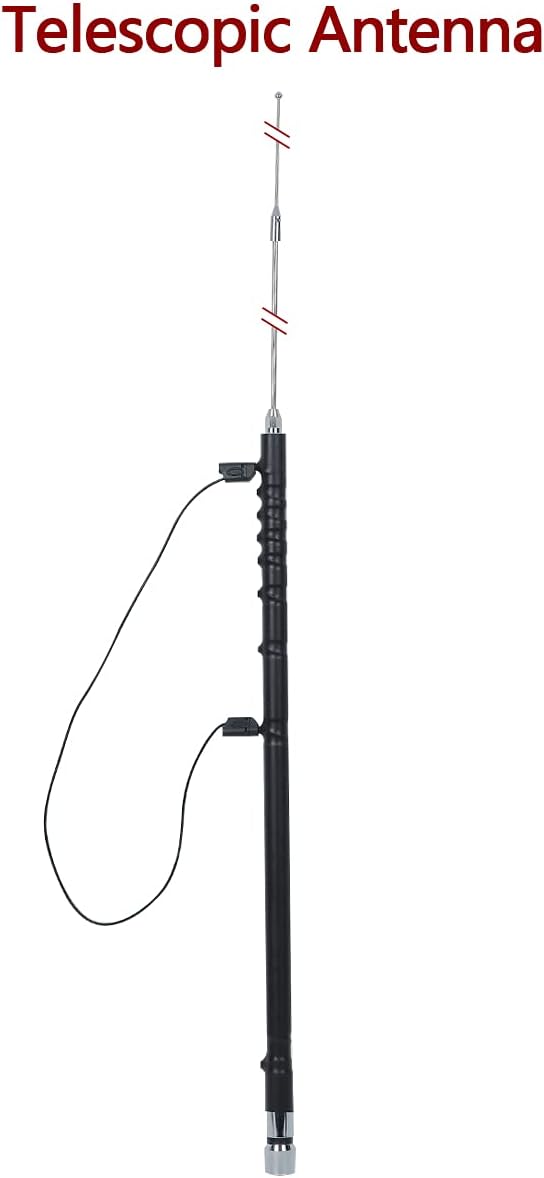
Image 2.2: The telescopic antenna fully extended, ready for operation.
Awọn ẹya pataki:
- Wideband Frequency Coverage: 3.5-50 MHz (80M / 40M / 30M / 20M / 17M / 15M / 12M / 10M / 6M)
- Connector Type: UHF Male (PL-259)
- Maximum Power Capacity: 200 Watts
- Ikọju: 50 OHM
- Ipari Apapọ: 180 cm (70.87 inches)
- Detachable Interface for easy installation

Aworan 2.3: alaye view of the wire connector and the PL259 connector for antenna attachment.
3. Package Awọn akoonu
Daju pe gbogbo awọn nkan wa ninu apo rẹ:
- 1 x ABBREE HF-3 Multi-Band Antenna Main Body
- 1 x Telescopic Whip
- 1 x Wire Lead for frequency adjustment
- 1 x Hex Key (for securing connections, if applicable)
- 1 x Instruction Sheet (for quick reference)
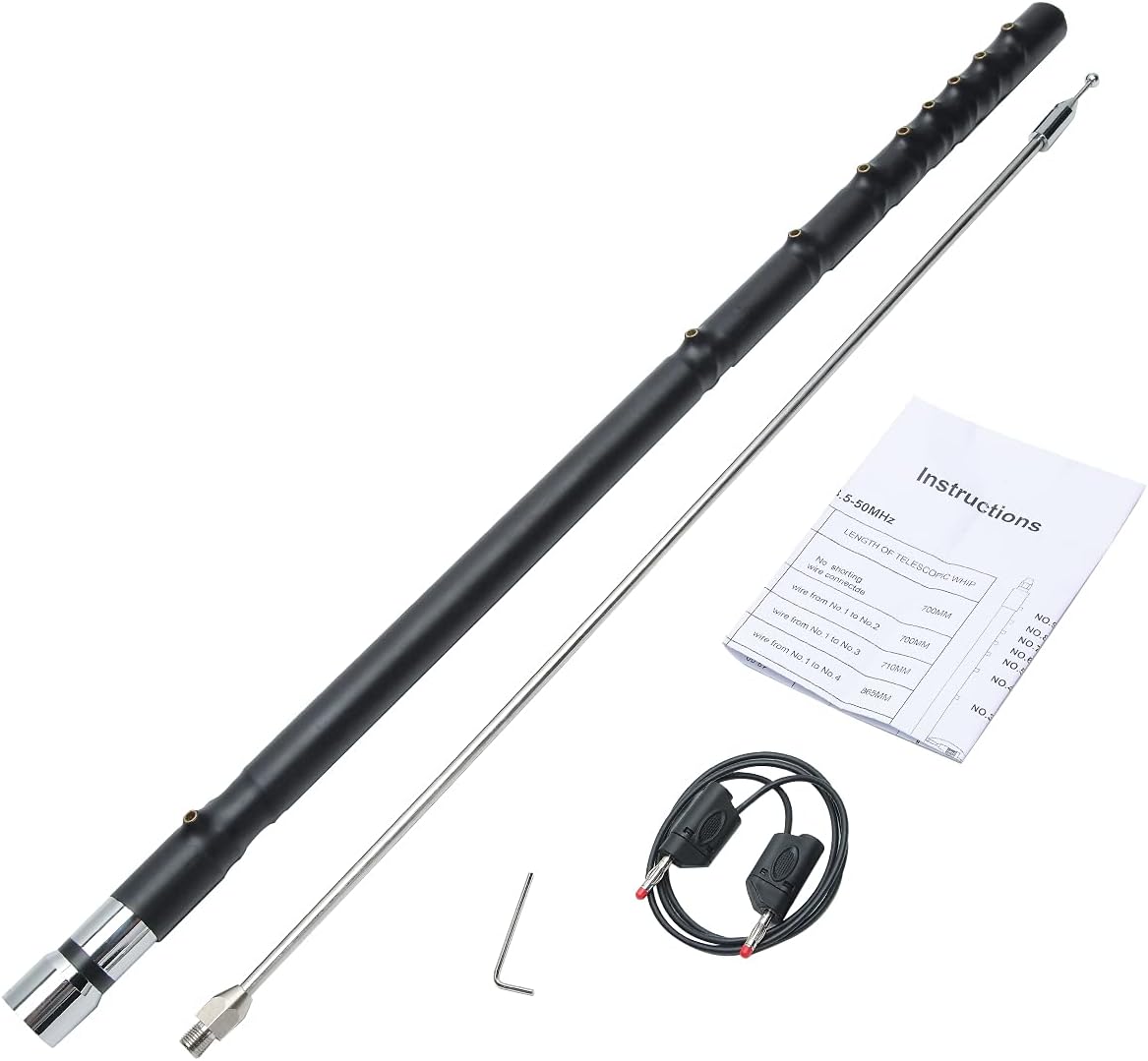
Image 3.1: All components of the ABBREE HF-3 antenna as received in the package.
4. Eto
The ABBREE HF-3 antenna features a detachable interface designed for easy assembly without the need for specialized tools. Follow these steps to set up your antenna:
- Attach the Telescopic Whip: Carefully screw the telescopic whip onto the top of the main antenna body. Ensure it is finger-tight to prevent loosening during use.
- Sopọ si Redio: Connect the UHF Male (PL-259) connector at the base of the antenna to your mobile radio or antenna mount.
- Prepare for Frequency Adjustment: The wire lead will be used to select the desired frequency band by inserting it into the appropriate socket on the base coil.

Image 4.1: Illustration of the detachable interface, emphasizing tool-free installation.
5. Awọn ilana Iṣiṣẹ
Operating the ABBREE HF-3 antenna involves selecting the correct frequency band and fine-tuning the telescopic whip for optimal performance.
5.1 Igbohunsafẹfẹ Band Aṣayan
The antenna's base coil features multiple sockets. To change the operating frequency band, insert the provided wire lead into the socket corresponding to your desired band. Refer to the table below for guidance.

Image 5.1: The base coil showing the sockets for inserting the wire lead to select different frequency bands.
5.2 Telescopic Whip Adjustment
After selecting the frequency band with the wire lead, fine-tune the antenna by adjusting the length of the telescopic whip. Extend or retract the whip until the lowest Standing Wave Ratio (SWR) is achieved for your specific operating frequency within the chosen band. The following table provides approximate starting lengths for the telescopic whip for various frequency bands. These measurements are approximate and may vary based on installation environment and vehicle.
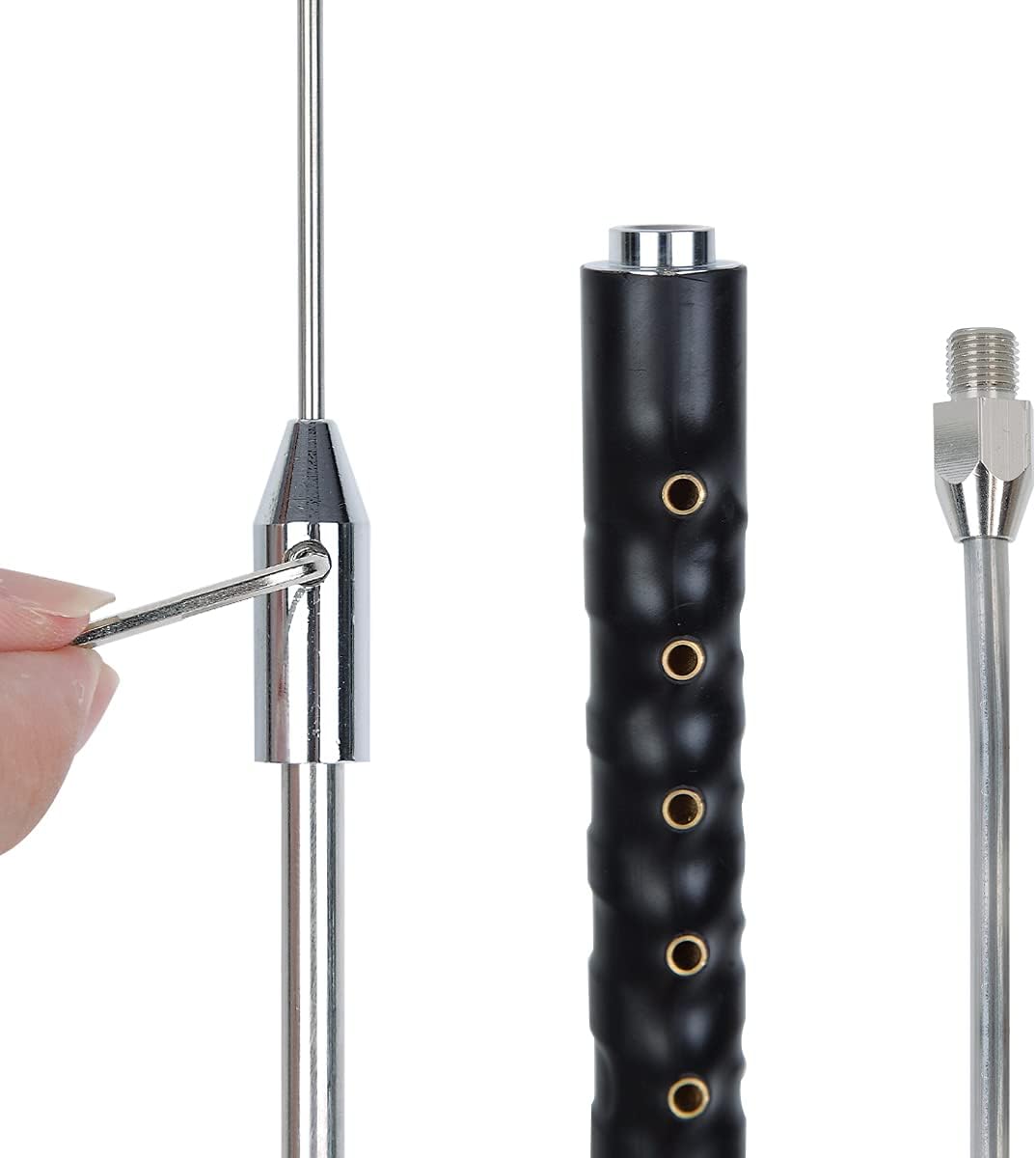
Image 5.2: A hand demonstrating the adjustment of the telescopic whip for fine-tuning.
Frequency Adjustment Table (Approximate)
| Igbohunsafẹfẹ (MHz) | Waya asiwaju Asopọ | Length of Telescopic Whip (Approx.) | Socket No. |
|---|---|---|---|
| 3.5 | No shorting wire connected | 700mm | No.9 |
| 7.00 | Wire from No.1 to No.2 | 700mm | No.8 |
| 10.10 | Wire from No.1 to No.3 | 710mm | No.7 |
| 14.00 | Wire from No.1 to No.4 | 865mm | No.6 |
| 18.00 | Wire from No.1 to No.5 | 925mm | No.5 |
| 21.00 | Wire from No.1 to No.6 | 925mm | No.4 |
| 24.90 | Wire from No.1 to No.7 | 825mm | No.3 |
| 28.00 | Wire from No.1 to No.8 | 700mm | No.2 |
| 50.00 | Wire from No.1 to No.9 | 700mm | No.1 |
Note: These measurements are approximate starting points. Fine adjustment with an SWR meter is recommended for optimal performance.
6. Itọju
Proper maintenance ensures the longevity and reliable performance of your antenna.
- Ninu igbagbogbo: Periodically clean the antenna elements and connectors with a soft, dry cloth to remove dirt, dust, and moisture. Avoid abrasive cleaners.
- Ṣayẹwo awọn isopọ: Regularly check all connections, especially the telescopic whip and the PL-259 connector, to ensure they are secure and free from corrosion.
- Ibi ipamọ: When not in use, store the antenna in a dry, protected environment. Retract the telescopic whip fully to prevent accidental damage.
- Yago fun Lilọra-julọ: Do not overtighten the telescopic whip or other threaded connections, as this can cause damage.
7. Laasigbotitusita
If you encounter issues with your ABBREE HF-3 antenna, consider the following troubleshooting steps:
- High SWR:
- Ensure the wire lead is correctly inserted into the appropriate socket for your desired frequency band.
- Adjust the length of the telescopic whip incrementally while monitoring SWR with an SWR meter.
- Check all cable connections for tightness and proper seating.
- Verify that your antenna mount and grounding are adequate for mobile operation.
- Poor Signal Reception/Transmission:
- Confirm the antenna is tuned to the correct frequency band.
- Ensure the antenna is mounted in a clear location, away from obstructions that could block the signal.
- Ṣe àyẹ̀wò okùn coaxial fún ìbàjẹ́ tàbí àwọn ìkọlù.
- Bibajẹ ti ara:
- If any part of the antenna appears damaged, discontinue use and contact support for assistance.
8. Awọn pato
| Sipesifikesonu | Iye |
|---|---|
| Iwọn Igbohunsafẹfẹ | 3.5-50 MHz (80M / 40M / 30M / 20M / 17M / 15M / 12M / 10M / 6M) |
| Asopọmọra Iru | UHF Male (PL-259) |
| Max Power Capacity | 200 Wattis |
| Ipalara | 50 OHM |
| Lapapọ Gigun | 180 cm (70.87 inches) |
| Iwọn | 0.87 KG |
| Nọmba ti awọn ikanni | 9 (referring to adjustment points) |
9. Atilẹyin ọja ati Support
For warranty information, please refer to the documentation provided at the time of purchase or contact your retailer. For technical support or inquiries, please visit the official ABBREE webojula tabi kan si wọn onibara iṣẹ Eka.