1. Ifihan
This manual provides essential information for the safe and effective use of your Amazon Echo Dot (5th Gen) smart speaker. Please read these instructions thoroughly before operating the device and retain them for future reference.

Image: Amazon Echo Dot (5th Gen) in Glacier White on a wooden surface, highlighting its compact size and capabilities.
2. Ohun ti o wa ninu Apoti
Daju pe gbogbo awọn nkan wa ninu apoti:
- Echo Dot (5th Gen) Device
- Adapta Agbara Funfun Glacier (15W)
- Quick Bẹrẹ Itọsọna
3. Ọja Ipariview
The Amazon Echo Dot (5th Gen) is a compact smart speaker designed to deliver an enhanced audio experience and integrate seamlessly with your smart home ecosystem. It features a spherical design with a fabric finish and an LED light ring at the base.

Image: Amazon Echo Dot (5th Gen) in Glacier White, front view with glowing light ring.
Awọn ẹya pataki:
- Improved Audio: Features a 1.73” (44 mm) front-firing speaker for clearer vocals, deeper bass, and vibrant sound.
- Oluranlọwọ ohun Alexa: Provides hands-free control for music, information, timers, and smart home devices.
- Awọn iṣakoso asiri: Includes a microphone off button and the ability to view ki o si pa awọn gbigbasilẹ ohun.
- Ibudo Ile Smart: Supports WiFi, Bluetooth Low Energy Mesh, and Matter for compatible smart home device control.
- Sensọ iwọn otutu: Built-in sensor for triggering smart home routines.
- Tap Controls: Tap the top of the device to snooze alarms or pause music.
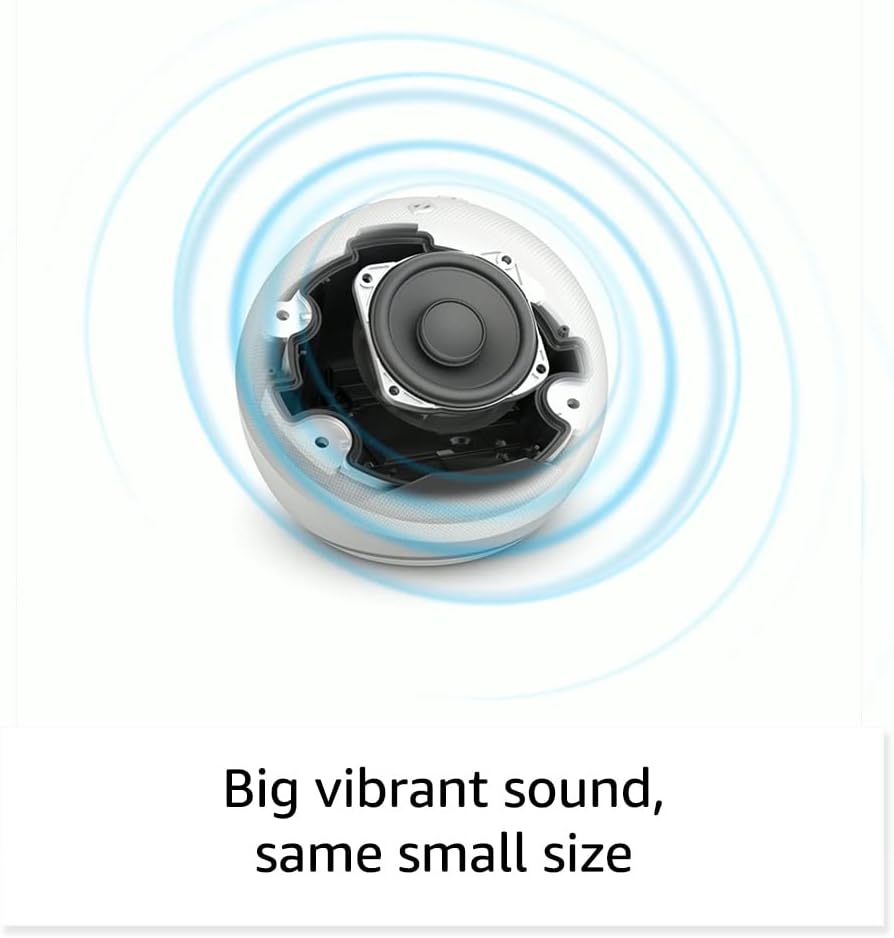
Aworan: Ti abẹnu view of the Amazon Echo Dot (5th Gen) speaker components, illustrating its audio design.
4. Eto
Tẹle awọn igbesẹ wọnyi lati ṣeto Echo Dot rẹ (Gen 5th):
- Pulọọgi sinu Echo Dot rẹ: Connect the included power adapter to your Echo Dot and then to a power outlet. The light ring will turn blue, then orange, indicating it's ready for setup.
- Ṣe igbasilẹ ohun elo Alexa: On your mobile device, download and install the Amazon Alexa app from your device's app store (compatible with Fire OS, Android, and iOS devices).
- Fi Ẹrọ Rẹ kun: Open the Alexa app. If prompted, sign in with your Amazon account. Tap the 'Devices' icon at the bottom, then the '+' icon in the top right corner. Select 'Add Device', then 'Amazon Echo', and choose 'Echo Dot'.
- Tẹle Awọn itọnisọna loju-iboju: The app will guide you through connecting your Echo Dot to your Wi-Fi network. Ensure your Wi-Fi network supports 802.11a/b/g/n/ac (2.4 and 5 GHz). Ad-hoc networks are not supported.
- Ibi: Place your Echo Dot in a central location within your room, away from walls or other objects that might obstruct sound.
5. Ṣiṣẹ rẹ Echo Dot
Voice Commands with Alexa:
To interact with your Echo Dot, simply say the wake word "Alexa," followed by your command or question. The light ring will turn blue to indicate Alexa is listening.
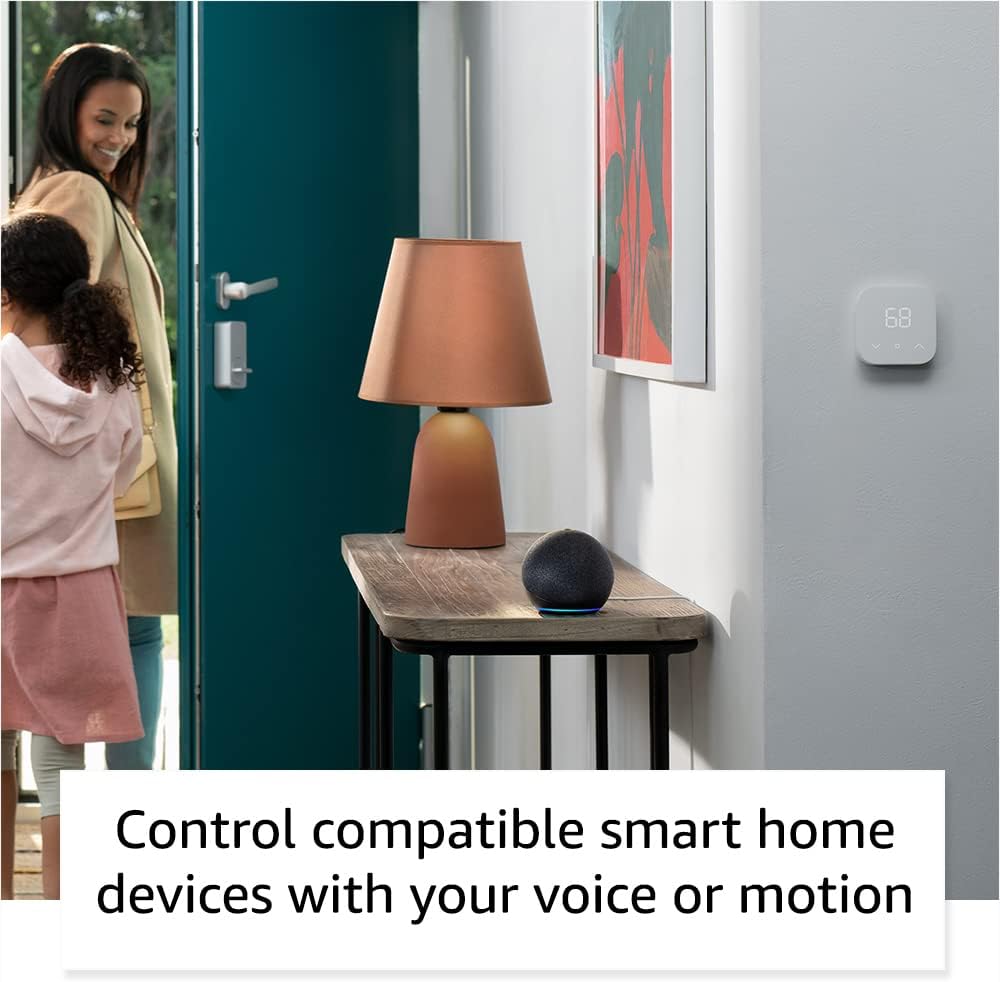
Image: Amazon Echo Dot (5th Gen) in Deep Sea Blue on a kitchen counter, demonstrating a user asking Alexa for the weather.
Àwọn Àṣẹ Wọpọ:
- "Alexa, mu orin ṣiṣẹ."
- "Alexa, kini oju ojo?"
- "Alexa, ṣeto aago kan fun awọn iṣẹju 10."
- "Alexa, tell me a joke."
- "Alexa, yi iwọn didun soke."
Tap Controls:
The top surface of your Echo Dot is touch-sensitive for quick actions:
- Tap to Snooze: When an alarm sounds, tap the top of the device to snooze it.
- Tap to Pause/Resume: Tap to pause or resume music playback.

Image: A hand tapping the top of the Amazon Echo Dot (5th Gen) in Glacier White, demonstrating the tap-to-snooze or pause music function.
6. Smart Home Integration
Your Echo Dot can control compatible smart home devices using voice commands or routines. It supports WiFi, Bluetooth Low Energy Mesh, and Matter protocols.
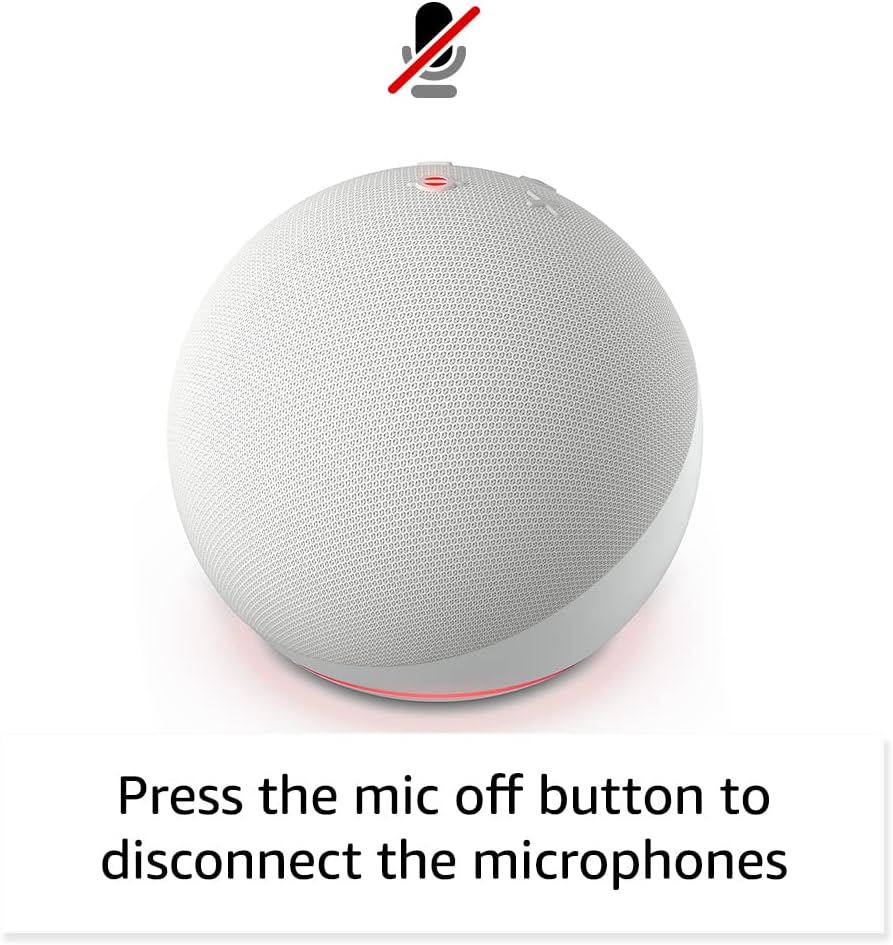
Image: Amazon Echo Dot (5th Gen) in a living space, illustrating its use for controlling compatible smart home devices.
Using the Temperature Sensor:
The built-in temperature sensor allows you to create routines in the Alexa app. For example, you can set a routine to automatically turn on a fan if the room temperature exceeds a specified comfort zone.
Ọ̀nà Ẹ̀gbẹ́ Amazon:
Amazon Sidewalk uses Echo and Ring devices to securely keep other devices connected and help find lost items. It can enable supported devices to remain connected even when Wi-Fi is lost or they are outside the range of their home Wi-Fi. Sidewalk uses a small portion of your internet bandwidth. You can manage Sidewalk settings in the Alexa app.
eero Built-in:
If you have a compatible eero router, your Echo Dot can extend Wi-Fi coverage. This feature requires linking your eero and Amazon accounts and managing it through the eero mobile application. eero Built-in compatible Echo devices support up to 1,000 sq. ft. of additional coverage, speeds up to 100 Mbps, and 10 or fewer connected devices in the 5 GHz band.
7. Asiri Awọn ẹya ara ẹrọ
Amazon Echo devices are designed with multiple layers of privacy controls:
- Gbohungbohun Pa Bọtini: Press the microphone off button on the top of your Echo Dot to electronically disconnect the microphones. The light ring will turn red to indicate the microphones are off.
- Awọn igbasilẹ ohun: O ni agbara lati view, listen to, and delete your voice recordings through the Alexa app or your Amazon account settings.
- Imọ-ẹrọ Ọrọ Ji: The device only begins recording and sending audio to the cloud after it detects the wake word (e.g., "Alexa").
Image: Amazon Echo Dot (5th Gen) with a red light indicating the microphone is off, showing the privacy control feature.
8. Wiwọle Awọn ẹya ara ẹrọ
The Alexa app provides various accessibility features to personalize your experience. Access these settings by navigating to 'Settings' → 'Accessibility' in the Alexa App.
- Gbigbọ Imudaramu: Pese akoko diẹ sii lati pari sisọ ṣaaju idahun Alexa.
- Oṣuwọn Ọrọ ti o fẹ: Control how fast or slow Alexa speaks by saying "Alexa, speak slower" or "Alexa, speak faster."
- Beere Ohun: Plays an audible tone in addition to the visual indicator when you speak to Alexa. Enable by saying "Alexa, turn on Start of Request Sound."
- Kindu Ka soke: Alexa le ka awọn iwe Kindu rẹ ni ariwo.
- Fi leti Nigbati Nitosi: Ó máa ń mú àwọn ìfitónilétí jáde nígbà tí wọ́n bá rí ọ nítòsí ẹ̀rọ Echo rẹ.
9. Itọju
To ensure the longevity and optimal performance of your Echo Dot:
- Ninu: Lo aṣọ rirọ, gbẹ, tí kò ní àwọ̀ láti nu ẹ̀rọ náà. Má ṣe lo àwọn ohun ìfọṣọ tàbí àwọn ohun ìfọṣọ.
- Ibi: Yago fun gbigbe ẹrọ naa sinu ina taara, nitosi awọn orisun ooru, tabi ni agbegbe ọriniinitutu lọpọlọpọ.
- Awọn imudojuiwọn sọfitiwia: Your Echo Dot automatically receives software security updates. Ensure it remains connected to Wi-Fi for these updates.
10. Laasigbotitusita
Awọn oran ti o wọpọ ati Awọn ojutu:
- Ẹrọ Ko Dahun:
- Ensure the microphone is not muted (red light ring indicates mute).
- Check if the device is plugged in and powered on.
- Restart the device by unplugging it from the power outlet for 30 seconds and then plugging it back in.
- Ko le Sopọ si Wi-Fi:
- Rii daju pe ọrọ igbaniwọle Wi-Fi rẹ tọ.
- Ensure your router is working and other devices can connect.
- Move the Echo Dot closer to your Wi-Fi router.
- Tun olulana ati modẹmu bẹrẹ.
- Didara Olohun ko dara:
- Adjust the volume using voice commands or the Alexa app.
- Ensure the device is not placed in an enclosed space that might muffle sound.
- Check for any physical obstructions around the speaker.
- Alexa Not Understanding Commands:
- Speak clearly and at a normal pace.
- Din ariwo lẹhin.
- Ensure you are within hearing range of the device.
11. Awọn pato
| Ẹya ara ẹrọ | Ẹ̀kúnrẹ́rẹ́ |
|---|---|
| Iwọn | 3.9" x 3.9" x 3.5" (100mm x 100mm x 89 mm) |
| Iwọn | 10.7 iwon (304g) |
| Ohun | 1.73 "(44 mm) iwaju-ibọn agbọrọsọ, Lossless High Definition |
| Wi-Fi Asopọmọra | Wi-Fi-band-meji ṣe atilẹyin awọn nẹtiwọki 802.11a/b/g/n/ac (2.4 ati 5 GHz). Ko ṣe atilẹyin awọn nẹtiwọki ad-hoc. |
| Bluetooth Asopọmọra | Atilẹyin A2DP fun ṣiṣan ohun, AVRCP fun iṣakoso ohun ti awọn ẹrọ alagbeka ti a ti sopọ. Awọn agbohunsoke Bluetooth to nilo awọn koodu PIN ko ni atilẹyin. |
| Smart Home Device Compatibility | WiFi, Bluetooth Low Energy Mesh, and Matter |
| System Awọn ibeere | Alexa app compatible with Fire OS, Android, and iOS devices. Web browser access also available. |
| Iran iran | Echo Dot (Gen 5th) - itusilẹ 2022 |
| Ede | Alexa sọ English ati Spanish |
12. Atilẹyin ọja ati Support
Alaye Atilẹyin ọja:
Your Echo Dot (5th Gen) comes with a 90-day limited warranty and service. Optional 1-year, 2-year, and 3-year extended warranties are available for U.S. customers and are sold separately. Use of the Echo Dot is subject to specific terms and conditions.
Awọn imudojuiwọn Aabo sọfitiwia:
This device is guaranteed to receive software security updates for at least four years after it is last available for purchase as a new unit on Amazon websites. For more information on software security updates or to manage your device, visit the Amazon webojula.
Atilẹyin Onibara:
For further assistance, please refer to the Amazon Alexa app or visit the Amazon support website. You can also find information specific to your device by visiting 'Manage Your Content and Devices' on Amazon.


