1. Ifihan
The Sennheiser CX Plus True Wireless Earphones (Model 509188) provide a high-quality audio experience with the convenience of true wireless technology. These earphones feature Active Noise Cancellation (ANC) for immersive listening and Transparent Hearing to stay aware of your surroundings. With customizable touch controls and a comfortable ergonomic design, they are suitable for various activities.
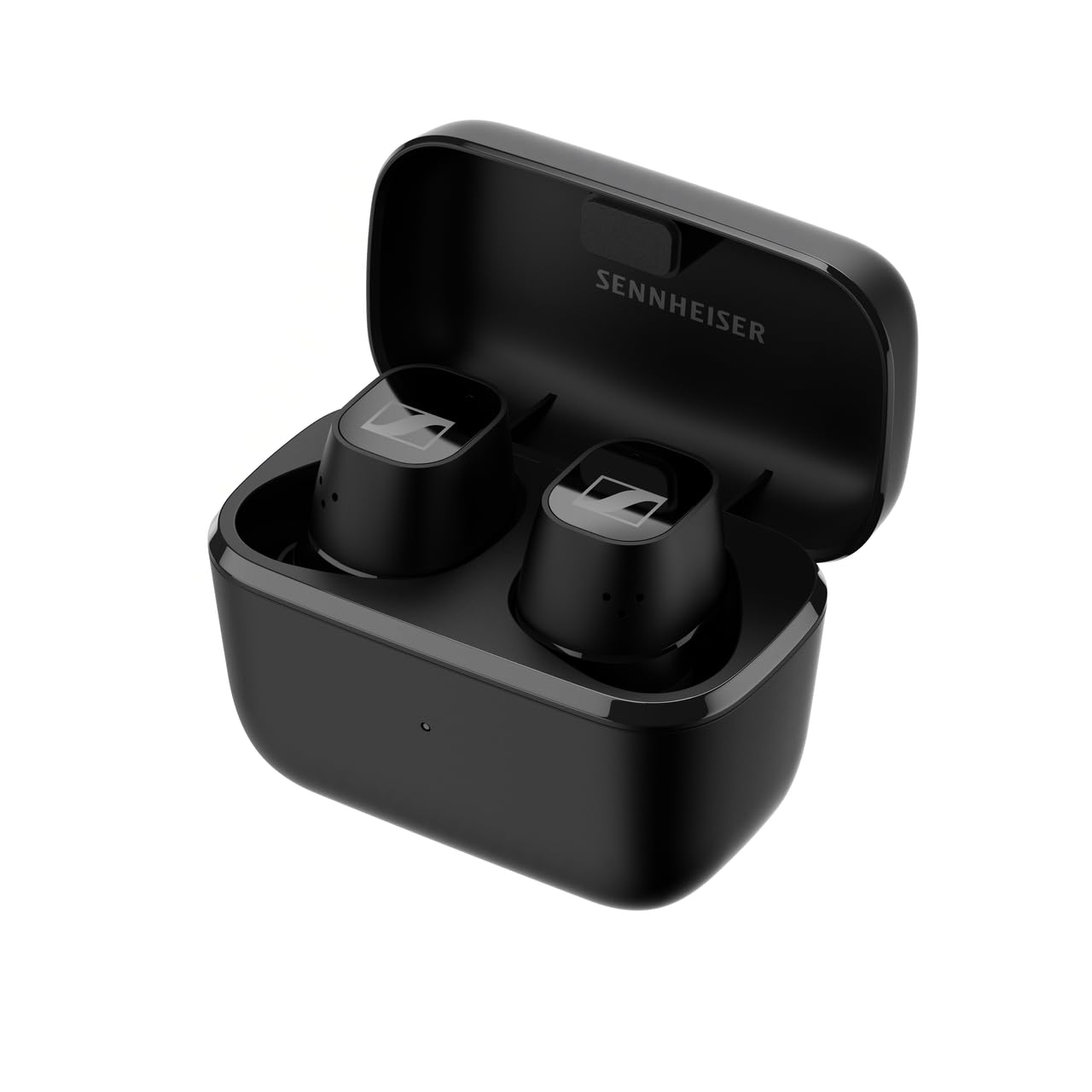
Aworan 1.1: Iwaju view of the Sennheiser CX Plus True Wireless Earphones.
2. Eto
2.1 Unboxing ati To wa irinše
Ni ṣiṣi package, rii daju pe gbogbo awọn paati wa:
- Sennheiser CX Plus True Wireless Earphones (Left and Right)
- Ngba agbara Case
- USB-C Ngba agbara Cable
- Silicone Ear Adapter Sets (XS, S, M, L)
- Quick Guide and Safety Guide

Image 2.1: The product box for Sennheiser CX Plus True Wireless Earphones, showing the earphones and charging case.
2.2 Ngba agbara si Awọn Agbekọri ati Ọran
Before first use, fully charge the earphones and the charging case. The earphones offer up to 8 hours of playback, with an additional 16 hours provided by the charging case, totaling up to 24 hours of battery life.
- Place the earphones into the charging case. Ensure they are correctly seated; magnetic contacts will guide them.
- So okùn gbigba agbara USB-C pọ mọ apoti gbigba agbara ati orisun agbara kan.
- Àmì LED tó wà lórí àpótí ìgbara náà yóò fi ipò ìgbara náà hàn.
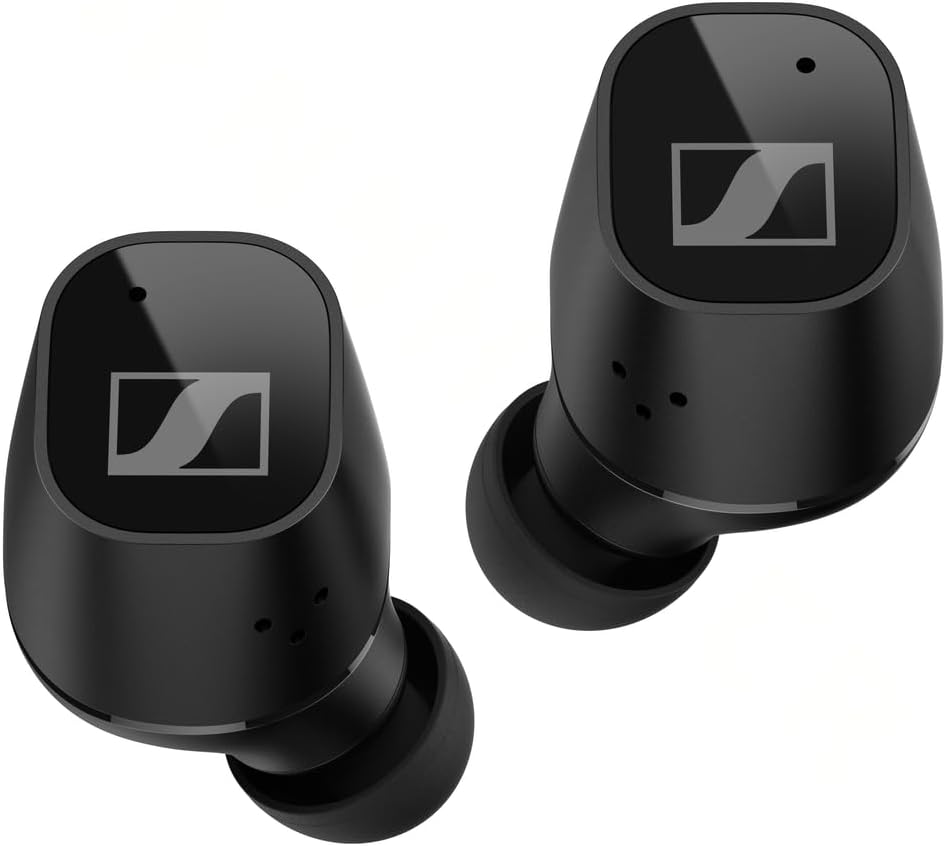
Image 2.2: Earphones placed inside the charging case for charging.
2.3 Sisopọ Bluetooth
Lati so awọn agbekọri rẹ pọ mọ ẹrọ kan:
- Open the charging case. The earphones will automatically enter pairing mode (LEDs will flash blue and red).
- On your device (smartphone, tablet, etc.), go to Bluetooth settings and search for new devices.
- Select "Sennheiser CX Plus TW" from the list of available devices.
- Once connected, the earphones will confirm with an audible prompt.
2.4 Fitting the Earphones
Proper fit is crucial for sound quality and comfort. Experiment with the different sizes of silicone ear adapters to find the best seal for your ears.
- Fi pẹ̀lẹ́pẹ̀lẹ́ tẹ efongbohun sinu ihò etí rẹ.
- Rotate the earphone slightly until it feels secure and comfortable.
- Ensure a good seal to maximize bass response and Active Noise Cancellation effectiveness.
3. Ṣiṣẹ awọn Earphones
3.1 Customizable Touch Controls
The CX Plus True Wireless Earphones feature customizable touch controls on each earbud. These controls allow you to manage audio playback, calls, and voice assistant functions. Default controls can be customized via the Sennheiser Smart Control app.

Image 3.1: A user wearing the Sennheiser CX Plus True Wireless Earphones, demonstrating their ergonomic design and touch control capability.
3.2 Ifagile Ariwo Nṣiṣẹ (ANC)
Active Noise Cancellation reduces ambient noise, allowing for a more focused listening experience. This feature can be toggled on or off via the touch controls or the Smart Control app.
3.3 Transparent Hearing
Transparent Hearing allows you to hear your surroundings without removing the earphones. This is useful for situational awareness, such as hearing announcements or engaging in brief conversations. Activate or deactivate this mode using the touch controls or the Smart Control app.
3.4 Music Playback and Call Management
Use the touch controls to:
- Mu orin ṣiṣẹ / sinmi
- Fo awọn orin (ti o tẹle/ti tẹlẹ)
- Ṣatunṣe iwọn didun
- Idahun / Ipari awọn ipe
- Kọ awọn ipe ti nwọle
3.5 Iranlọwọ ohun
Access your device's voice assistant (Siri, Google Assistant) directly from the earphones using the customizable touch controls.
4. Itọju
4.1 Ninu
Mimọ deede ṣe iranlọwọ lati ṣetọju iṣẹ to dara julọ ati mimọ:
- Use a soft, dry cloth to wipe the earphones and charging case.
- Remove ear adapters and clean them with mild soap and water, then dry thoroughly before reattaching.
- Gently clean the charging contacts on the earphones and inside the case with a dry cotton swab.
4.2 Ibi ipamọ
Nigbati o ko ba si ni lilo, tọju awọn agbekọri sinu apoti gbigba agbara wọn lati daabobo wọn ki o jẹ ki wọn gba agbara.
4.3 Omi Resistance
The Sennheiser CX Plus True Wireless Earphones are rated IPX4 for splash resistance. This means they are protected against splashing water from any direction. They are not designed for submersion in water or exposure to heavy rain.
5. Laasigbotitusita
Tí o bá ní ìṣòro, gbìyànjú àwọn ìgbésẹ̀ wọ̀nyí:
- Kò sí Ohùn tàbí Ohùn Tí Kò Lẹ́sẹ̀kẹsẹ̀:
- Rii daju pe awọn agbekọri ti gba agbara.
- Ṣayẹwo asopọ Bluetooth lori ẹrọ rẹ. Gbiyanju lati tun so pọ.
- Clean charging contacts if earphones are not charging.
- Sunmọ ẹrọ rẹ lati yago fun kikọlu.
- Awọn Agbekọri Ko Sopọ:
- Ensure earphones are in pairing mode (LEDs flashing blue/red).
- Paa ati tan Bluetooth lori ẹrọ rẹ.
- Gbagbe ẹrọ inu awọn eto Bluetooth rẹ ki o gbiyanju sisopọ pọ lẹẹkansi.
- Awọn ọran gbigba agbara:
- Rii daju pe okun USB-C ti sopọ ni aabo si ọran mejeeji ati orisun agbara.
- Gbiyanju okun gbigba agbara ti o yatọ tabi ohun ti nmu badọgba agbara.
- Ensure charging contacts on earphones and case are clean and free of debris.
- Fagilé Ariwo Ti Nṣiṣẹ Ko Muṣẹ:
- Ensure a proper seal with the correct size ear adapters.
- Check if ANC is enabled via touch controls or the Smart Control app.
For further assistance, refer to the Sennheiser Smart Control app or the official Sennheiser support webojula.
6. Awọn pato
| Awoṣe | 509188 |
| Asopọmọra Technology | Ailokun (Bluetooth) |
| Gbigbe Eti | Ninu Eti |
| Ariwo Iṣakoso | Ti nṣiṣe lọwọ Noise Ifagile |
| Idahun Igbohunsafẹfẹ | 21000 Hz |
| Ifamọ | 114 dB |
| gbohungbohun kika | Ti a ṣe sinu |
| Igbesi aye batiri (Earphone) | Titi di wakati 8 |
| Lapapọ Igbesi aye Batiri (pẹlu Ọran) | Titi di wakati 24 |
| Akoko gbigba agbara | Approximately 1.5 hours for full charge (earphones + case) |
| Omi Resistance Ipele | IPX4 (Atako Asesejade) |
| Iwọn Nkan | 47 giramu |
| Ohun elo | Ṣiṣu |
| Awọn irinše to wa | Cable, Ear Cushions, Wireless Charging Case |
7. Atilẹyin ọja ati Support
Sennheiser products are designed for reliability and performance. For detailed warranty information specific to your region and product, please refer to the warranty card included in your product packaging or visit the official Sennheiser webojula.
For technical support, FAQs, and software updates, please visit the Sennheiser support portal:
You can also download the Sennheiser Smart Control app from your device's app store for additional features and customization options.


