1. Awọn Ilana Aabo pataki
Jọwọ ka awọn ilana wọnyi ni pẹkipẹki ṣaaju lilo ohun elo naa ki o tọju wọn fun itọkasi ọjọ iwaju. Ikuna lati tẹle awọn ilana wọnyi le ja si mọnamọna, ina, tabi ipalara nla.
- Rii daju voltage tí a fi hàn lórí àmì ìdíyelé bá àwọn ìdìpọ̀ pàtàkì rẹ mutage.
- Maṣe bo ẹrọ ti ngbona lati yago fun igbona pupọ.
- Maṣe lo ẹrọ igbona ni agbegbe lẹsẹkẹsẹ ti iwẹ, iwẹ, tabi adagun odo.
- Keep flammable materials such as furniture, curtains, and other combustible items at least 1 meter (3 feet) from the front and sides of the heater.
- Yọọ ẹrọ igbona nigbagbogbo nigbati o ko ba wa ni lilo.
- Ma ṣe ṣiṣẹ ẹrọ igbona pẹlu okun ti o bajẹ tabi pulọọgi, tabi lẹhin ti ẹrọ ti ngbona ba ṣiṣẹ tabi ti lọ silẹ tabi bajẹ ni eyikeyi ọna.
- Ohun elo yii kii ṣe ipinnu fun lilo nipasẹ awọn eniyan (pẹlu awọn ọmọde) pẹlu idinku ti ara, imọlara tabi awọn agbara ọpọlọ, tabi aini iriri ati imọ, ayafi ti wọn ba ti fun wọn ni abojuto tabi itọnisọna nipa lilo ohun elo nipasẹ eniyan ti o ni iduro fun aabo wọn.
- Awọn ọmọde yẹ ki o wa ni abojuto lati rii daju pe wọn ko ṣere pẹlu ohun elo naa.
2. Ọja Ipariview
The Tristar KA-5819 is a smart electric convector heater designed for efficient room heating. It offers multiple control options and safety features.
Awọn ẹya pataki:
- Ijade agbara: Up to 2000W with 3 adjustable heat settings (750W, 1250W, 2000W).
- Awọn aṣayan Iṣakoso: Manual via integrated digital LCD screen, remote control, or smartphone app (Tuya Smart).
- Iṣẹ Aago: Aago eto lati wakati 1 si 24.
- Ipo Idaabobo-didi: Automatically activates 2000W heating when ambient temperature is too low.
- Aabo: Overheating protection and stable integrated feet.
- Asopọmọra: Compatible with 2.4 GHz WiFi networks for smart control.
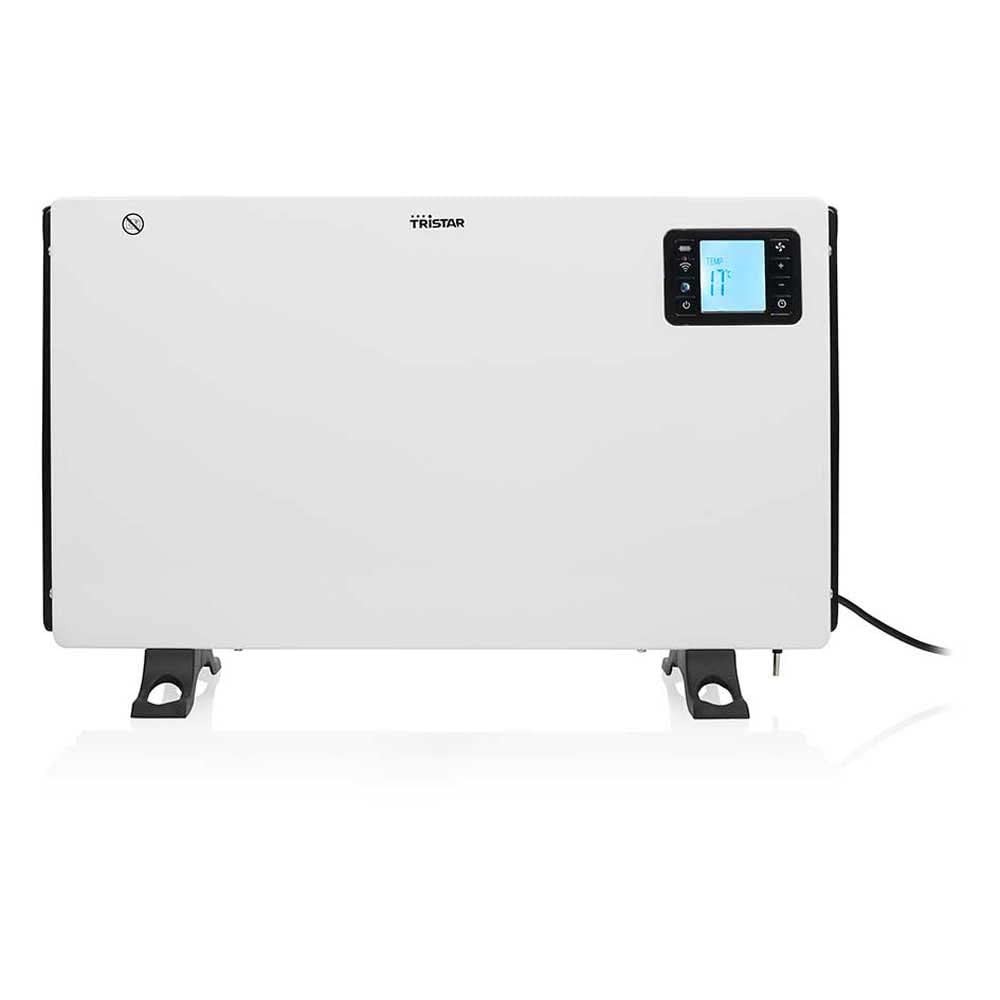
olusin 1: Apa view of the Tristar KA-5819 convector heater. This image highlights the main power switch, air vents, and the sturdy integrated feet that provide stability. The power cord is visible at the bottom right.
3. Eto
3.1 Ṣiṣii silẹ
Carefully remove the heater from its packaging. Retain the packaging for future storage or disposal. Check for any damage during transit. The package should include the convector heater, a remote control (with CR2032 battery), and this user manual.
3.2 Ibi
- Place the heater on a firm, level surface. The integrated feet ensure stability.
- Ensure there is at least 1 meter (3 feet) of clear space around the heater from walls, furniture, and other objects to allow for proper air circulation and prevent fire hazards.
- Do not place the heater directly below a power socket.
- Avoid placing the heater in areas where it could be easily knocked over or where children or pets might come into contact with it.
3.3 Asopọ agbara
Plug the power cord into a suitable 240V electrical outlet. Ensure the outlet is properly grounded and can handle the heater's 2000W power consumption.
4. Awọn ilana Iṣiṣẹ
4.1 Ibẹrẹ Agbara Lori
Flip the main power switch located on the side of the unit to the 'ON' position. The digital LCD screen will illuminate.
4.2 Manual Control (Digital LCD Screen)
Use the control buttons on the heater's digital LCD screen to adjust settings. The screen displays the current ambient temperature and selected settings.
- Awọn Eto Agbara: Select between 750W, 1250W, or 2000W for desired heat output.
- Itọju otutu: Set the desired room temperature. The heater will automatically regulate its operation to maintain this temperature.
- Aago: Activate the timer function to set the heater to operate for a specific duration (1 to 24 hours).
4.3 Iṣẹ iṣakoso latọna jijin
The included remote control allows convenient adjustment of settings from a distance. Ensure the CR2032 battery is correctly installed. Point the remote control towards the heater's display panel.
- Bọtini agbara: Turn the heater ON/OFF.
- Mode/Heat Setting Button: Cycle through 750W, 1250W, and 2000W power levels.
- Awọn bọtini Soke/Isalẹ iwọn otutu: Adjust the desired thermostat temperature.
- Bọtini Aago: Set or adjust the operating timer.
4.4 Smart Control (Tuya Smart App)
For advanced control and remote operation, download the free Tuya Smart app from the Apple App Store or Google Play Store.
- Ṣe igbasilẹ Ohun elo: Wa fun "Tuya Smart" in your device's app store and install it.
- Forukọsilẹ/Wọle: Create an account or log in to your existing Tuya Smart account.
- Fi ẹrọ kun: Follow the in-app instructions to add the Tristar KA-5819 heater. Ensure your smartphone is connected to a 2.4 GHz WiFi network during the pairing process.
- Iṣakoso: Once paired, you can control all heater functions (power, heat settings, thermostat, timer, anti-freeze mode) from your smartphone, even when away from home.
4.5 Ipo Anti-didi
The anti-freeze function automatically activates the 2000W heating mode if the ambient temperature drops below a certain threshold (typically around 5°C / 41°F) to prevent freezing. This mode can usually be enabled or disabled via the digital display or the Tuya Smart app.
5. Itọju
5.1 Ninu
- Yọọ ẹrọ ti ngbona nigbagbogbo ki o jẹ ki o tutu patapata ṣaaju ṣiṣe mimọ.
- Mu ese ita gbangba pẹlu asọ, damp asọ. Ma ṣe lo abrasive ose tabi epo.
- Má ṣe tẹ ohun èlò ìgbóná náà sínú omi tàbí kí omi máa rọ̀ sínú inú ohun èlò ìgbóná náà.
- Periodically clean the air intake and outlet grilles with a vacuum cleaner to remove dust and lint.
5.2 Ibi ipamọ
When not in use for extended periods, store the heater in a cool, dry place. It is recommended to store it in its original packaging to protect it from dust and damage.
6. Laasigbotitusita
| Isoro | Owun to le Fa | Ojutu |
|---|---|---|
| Alagbona ko ni tan-an. | No power supply; Main power switch OFF; Overheating protection activated. | Ṣàyẹ̀wò ìsopọ̀ okùn agbára àti ibi tí a ti ń yọ ògiri jáde; Rí i dájú pé switi agbára àkọ́kọ́ wà ní ON; Yọ pulọọgi náà kúrò, jẹ́ kí ó tutù fún ọgbọ̀n ìṣẹ́jú, lẹ́yìn náà, fi pulọọgi náà padà sínú rẹ̀. |
| Ohun èlò ìgbóná kò ní mú ooru tàbí ooru tí kò tó jáde. | Low power setting selected; Thermostat set too low; Room size exceeds heater capacity. | Increase power setting (750W, 1250W, 2000W); Adjust thermostat to a higher temperature; Ensure room size is within 20 m² recommended. |
| Isakoṣo latọna jijin ko ṣiṣẹ. | Battery depleted; Obstruction between remote and heater; Remote not pointed correctly. | Replace CR2032 battery; Remove any obstructions; Point remote directly at the heater's display panel. |
| App control not working / Cannot connect to WiFi. | Incorrect WiFi password; Not connected to 2.4 GHz WiFi; Heater not in pairing mode; Router issues. | Verify WiFi password; Ensure your phone is on a 2.4 GHz network during setup; Follow app instructions to put heater in pairing mode; Restart router and heater. |
| Ariwo dani tabi olfato. | Dust accumulation; Internal malfunction. | Unplug and clean the heater (see Maintenance); If problem persists, discontinue use and contact customer support. |
7. Awọn pato
| Brand | Tristar |
| Nọmba awoṣe | KA-5819 |
| Awọn iwọn (L x W x H) | 60.5 x 21 x 37.5 cm |
| Iwọn | 3.12 kg |
| Ijade agbara | 750W / 1250W / 2000W |
| Voltage | 240 Volts |
| Alapapo Ọna | Gbigbawọle |
| Ariwo Ipele | 35 Decibels |
| Ohun elo | Irin |
| Pataki Awọn ẹya ara ẹrọ | Remote Control, Digital LCD Display, Smart App Control (Tuya Smart), Timer, Anti-freeze Mode, Overheating Protection |
| Niyanju Yara Iwon | Ti o to 20 m² |
| Asopọmọra | Window 2.4 GHz |
8. Atilẹyin ọja ati Support
For warranty information, please refer to the warranty card included with your product or visit the official Tristar website. If you encounter any issues or require technical assistance, please contact Tristar customer support. Keep your purchase receipt as proof of purchase.
- Olupese: Tristar
- Webojula: www.tristar.eu


