1. Ifihan
O ṣeun fun riraasing the SHIDU H8 25W Voice Amplifier with UHF Wireless Microphone. This portable PA system is designed to provide clear and powerful sound amplification for various applications, including teaching, presentations, public speaking, and outdoor activities. Please read this manual carefully before use to ensure proper operation and to maximize the product's lifespan.
2. Alaye Aabo
- Ma ṣe fi ẹrọ naa han si omi, ọrinrin, tabi awọn iwọn otutu to gaju.
- Yago fun sisọ silẹ tabi tẹriba ẹrọ si awọn ipa to lagbara.
- Ma ṣe gbiyanju lati tunto tabi tun ẹrọ naa funrararẹ. Kan si oṣiṣẹ iṣẹ ti o peye.
- Jeki kuro ni arọwọto awọn ọmọde.
- Lo okùn gbigba agbara ati adapter ti a pese nikan lati yago fun ibajẹ.
3. Package Awọn akoonu
Jọwọ ṣayẹwo package fun awọn nkan wọnyi:
- SHIDU H8 Voice Ampitanna
- UHF Wireless Headset Microphone
- Charging Cable (for ampalafin)
- Data Line (USB)
- Audio Line (AUX)
- Ẹgbẹ-ikun
- Isakoṣo latọna jijin
- Itọsọna olumulo

Image: Contents of the SHIDU H8 Voice Amplifier package.
4. Ọja Ipariview
Familiarize yourself with the components and controls of your SHIDU H8 Voice Amplifier and UHF Wireless Microphone.
Fidio: Ipariview of the SHIDU H8 Voice Amplifier and its UHF Wireless Microphone, showcasing awọn oniwe-apẹrẹ ati awọn ẹya ara ẹrọ.
4.1 Amplifier Layout and Dimensions

Aworan: Iwaju ati sẹhin view ti awọn amplifier with dimensions: 6.45 inches (width), 9.44 inches (height), 3.6 inches (depth).
4.2 Iṣakoso igbimo
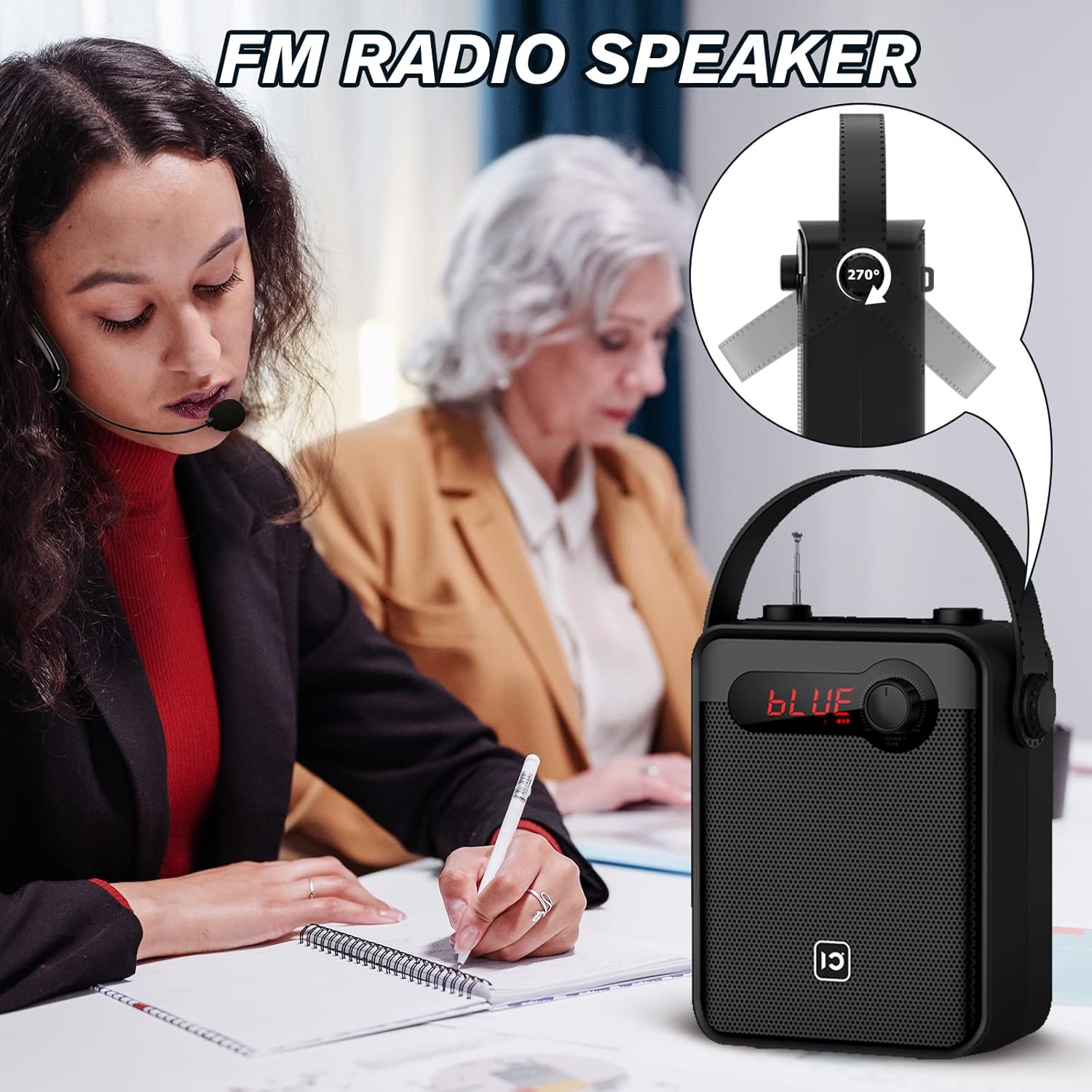
Image: Top panel controls including Microphone Volume, Bluetooth/UHF switch, Echo control, and One-Key Recording button.
4.3 Input / o wu Ports
Image: Side panel ports for TF Card, U Disk, AUX, OUT, and MIC.
4.4 Gbohungbohun Alailowaya

Image: UHF Wireless Headset Microphone showing volume buttons and one-key pairing button.
5. Eto
5.1 Gbigba agbara awọn Ampitanna
- So okun gbigba agbara si awọn ampibudo gbigba agbara lifier.
- Plug the other end into a standard USB power adapter (not included) or a computer's USB port.
- Àmì LED náà yóò fi ipò agbára hàn. Ìgbà tí agbára bá gba gbogbo rẹ̀ sábà máa ń gba wákàtí mẹ́rin sí mẹ́fà.
5.2 Ngba agbara si Gbohungbohun Alailowaya
- Connect the data line (USB) to the microphone's charging port.
- Pulọọgi opin miiran sinu orisun agbara USB.
- The indicator light will show charging status. A full charge typically takes 2-3 hours and provides 3-5 hours of use.
5.3 Wearing the Wireless Microphone

Image: Visual guide on how to properly wear the UHF wireless headset microphone.
- Place the headset over your ear, ensuring a comfortable fit.
- Adjust the microphone boom so the microphone is positioned close to your mouth, about 1-2 cm away.
- Ensure the microphone is facing towards your mouth for optimal sound pickup.
6. Awọn ilana Iṣiṣẹ
6.1 Agbara Tan / Pa
- Lati agbara lori awọn amplifier, rotate the Volume knob clockwise until the display lights up.
- To power off, rotate the Volume knob counter-clockwise until it clicks off.
- For the wireless microphone, press and hold the power button until the indicator light turns on/off.
6.2 Iṣakoso iwọn didun
- AmpIwọn didun lifter: Use the main Volume knob on the amplifia lati ṣatunṣe iwọn didun gbogbojade.
- Microphone Volume (MIC.VOL): Use the dedicated MIC.VOL knob on the amplifier to adjust the microphone input volume independently.
- Microphone Volume (Headset): Use the volume buttons on the wireless headset microphone for fine-tuning.
6.3 Pairing the UHF Wireless Microphone
- Tan awọn mejeeji amplifier ati gbohungbohun alailowaya.
- Press the 'One Key Pairing' button on the wireless microphone (refer to Product Overview fun ipo).
- Awọn amplifier should automatically connect to the microphone. A successful connection is usually indicated by a stable light on the microphone or a specific display on the amplifier.
- If you encounter difficulties pairing, please refer to the troubleshooting section or contact SHIDU customer support for a pairing method video.
6.4 Ipo Bluetooth

Aworan: Awọn amplifier connected via Bluetooth to various devices.
- Tan-an amplifier.
- Press the 'Mode' button (or cycle through modes using the Selection/LED button) until 'BLUE' appears on the display, indicating Bluetooth mode.
- On your external device (smartphone, tablet, PC), enable Bluetooth and search for 'SHIDU H8' (or similar).
- Select the device to pair. Once paired, you can play audio from your device through the amplifier.
6.5 USB/TF Card/U Disk Playback
- Insert a USB flash drive or TF card into the corresponding port on the amplifier.
- Awọn amplifier will automatically switch to USB/TF card mode and begin playing audio files.
- Use the control buttons (e.g., Play/Pause, Next/Previous) on the amplifier or remote control to manage playback.
6.6 Redio FM

Aworan: Awọn amplifier with its extendable antenna for FM radio reception.
- Press the 'Mode' button (or cycle through modes) until FM radio mode is activated.
- Extend the antenna for better reception.
- Use the tuning buttons to scan for available radio stations.
6.7 One-Key Recording
- Ensure a USB flash drive or TF card is inserted into the amplifier.
- Press the 'One-Key Recording' button to start recording.
- Press it again to stop recording. The recording will be saved to the inserted storage device.
6.8 TWS Pairing (True Wireless Stereo)
This feature allows you to pair two SHIDU H8 amplifiers for a true wireless stereo sound experience.
Aworan: Meji amplifiers connected for True Wireless Stereo (TWS) pairing.
- Turn on both SHIDU H8 ampalifiers.
- Ensure both are in Bluetooth mode and not connected to any other device.
- On one amplifier, press and hold the TWS button (refer to product overview or manual for exact button). The amplifier will search for another TWS-compatible device.
- Nígbà tí a bá so pọ̀, ọ̀kan amplifier will act as the left channel and the other as the right, providing stereo sound.
6.9 Lilo isakoṣo latọna jijin
The included remote control allows for convenient operation from a distance. Functions include power, mode selection, volume adjustment, track control, and digital selection for FM radio or track numbers.
7. Itọju
- Ninu: Use a soft, dry cloth to clean the surface of the amplifier and microphone. Do not use abrasive cleaners or solvents.
- Ibi ipamọ: Nigbati o ko ba wa ni lilo fun awọn akoko ti o gbooro sii, fi ẹrọ naa pamọ si ibi ti o tutu, ibi gbigbẹ kuro lati orun taara.
- Itọju Batiri: To prolong battery life, fully charge the device before first use and recharge it at least once every three months if not used regularly.
8. Laasigbotitusita
| Isoro | Owun to le Fa | Ojutu |
|---|---|---|
| Ko si ohun lati ampitanna | Batiri kekere; Iwọn didun kere ju; Ipo ti ko tọ; Gbohungbohun ko so pọ. | Gba agbara si amplifier; Increase volume; Select correct mode (e.g., MIC, Bluetooth); Pair microphone. |
| Wireless microphone not connecting/pairing | Microphone not powered on; Out of range; Pairing error; Interference. | Ensure microphone is charged and powered on; Move closer to amplifier; Re-attempt one-key pairing; Try pairing in a different location. If issues persist, contact SHIDU support for a pairing method video. |
| Ẹrọ Bluetooth ko so pọ | Amplifier not in Bluetooth mode; Device Bluetooth off; Amplifier already paired to another device. | Yipada amplifier to Bluetooth mode; Enable Bluetooth on your device; Disconnect from other devices and try again. |
| Gbigba redio FM ti ko dara | Eriali ko tesiwaju; Ifihan agbara; kikọlu. | Fully extend the antenna; Try moving to a different location; Rescan for stations. |
9. Awọn pato
| Ẹya ara ẹrọ | Ẹ̀kúnrẹ́rẹ́ |
|---|---|
| Agbara Ijade | 25W |
| Iwọn Agbọrọsọ | 4-inch |
| Amplifier Batiri | 2000mAh Litiumu batiri |
| Amplifier Charge Time | 4-6 wakati |
| Microphone Battery Use Time | 3-5 wakati |
| Asopọmọra | Bluetooth, UHF Wireless, USB, TF Card, AUX |
| Awọn iṣẹ | Ohùn Amplification, Bluetooth Speaker, FM Radio, One-Key Recording, TWS Pairing |
| Mefa (Ampalafin) | Isunmọ. 6.45 x 9.44 x 3.6 inches |
| Iwọn | 3.89 iwon |
10. Atilẹyin ọja ati Support
SHIDU provides a 12-osu atilẹyin ọja for this product from the date of purchase. We also offer lifetime technical support to ensure your satisfaction.
If you have any questions, require assistance with setup, operation, or encounter any issues with your SHIDU H8 Voice Amplifier, please do not hesitate to contact our customer service team. Refer to the contact information provided with your product or visit the official SHIDU webojula fun support awọn alaye.


