Ọrọ Iṣaaju
Thank you for choosing the WOLFANG GB2200 Rechargeable Selfie Stick. This manual provides essential information for the proper setup, operation, and maintenance of your device. Please read it thoroughly before use to ensure optimal performance and longevity.
Ọja Awọn ẹya ara ẹrọ
- Integrated 2600mAh Power Bank: Allows charging of your action camera during recording, providing extended usage time.
- Ìwọ̀n Fúyẹ́ àti Apẹrẹ Agbégbé: Weighs approximately 200g and collapses to 24cm, making it easy to carry.
- Gigun Adijositabulu: Extends from 24cm to 61.5cm without the need for twisting or locking mechanisms.
- Ibamu Agbaye: Equipped with a Micro-USB camera interface and a Type-C direct charging port for the stick itself. Compatible with various action cameras; a USB to Type-C adapter may be required for some camera models.
- 1/4 Inch Nut Screw Hole: For connecting to tripods or other accessories (tripod not included).
- Silicone Non-Slip Grip: Provides a secure and comfortable hold.
Package Awọn akoonu
The WOLFANG GB2200 Rechargeable Selfie Stick package includes:
- WOLFANG GB2200 Selfie Stick
- Itọsọna olumulo
- Iṣagbesori dabaru

Image: Contents of the WOLFANG GB2200 package, including the selfie stick, user manual, and mounting screw.
Ṣeto
- Yọọ kuro: Ni ifarabalẹ yọ gbogbo awọn paati kuro ninu apoti.
- Idiyele Ibẹrẹ: Before first use, fully charge the selfie stick. Connect a USB-C cable (not included) to the Type-C charging port on the stick and plug it into a power source. The battery indicator lights will show charging status.
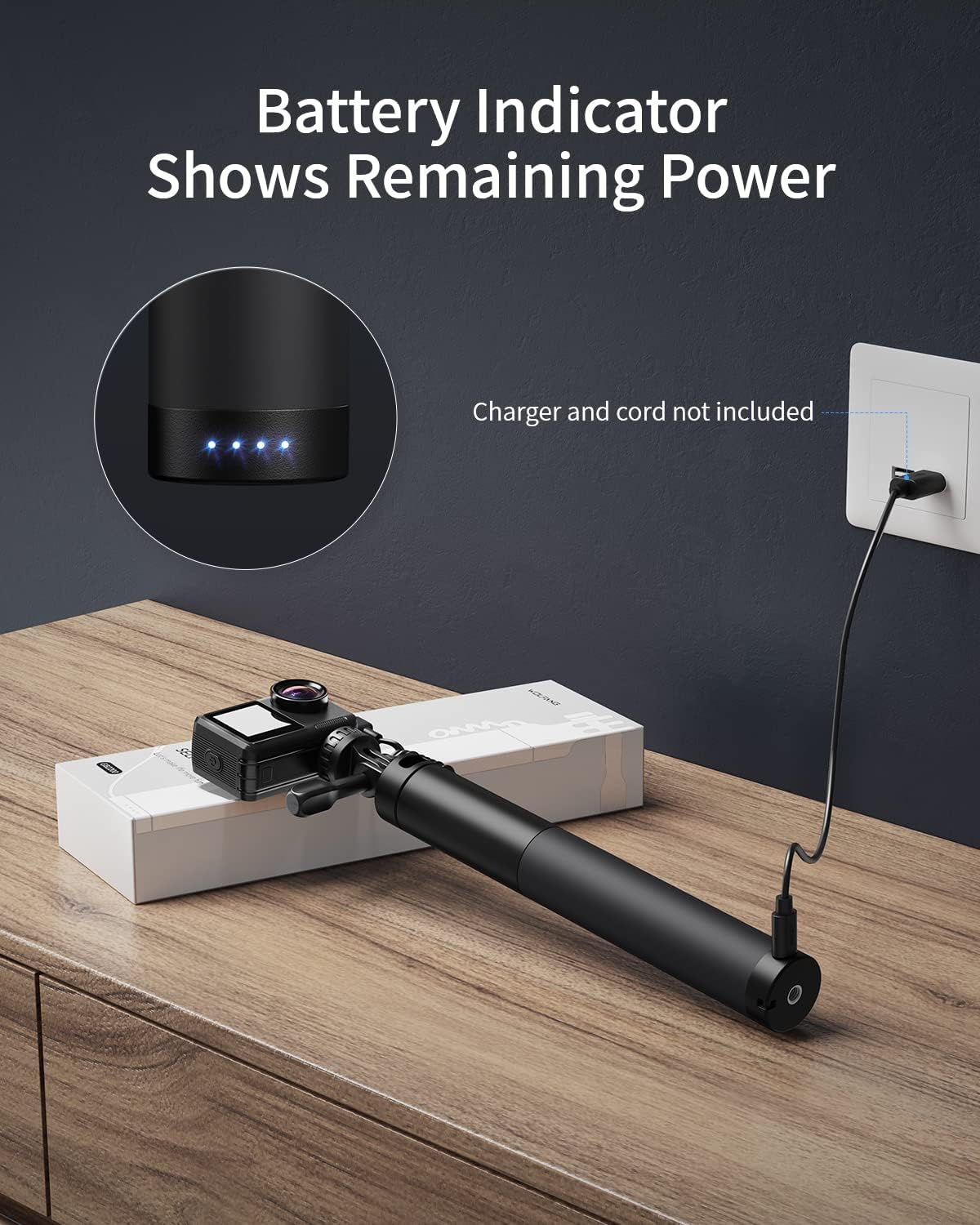
Image: The WOLFANG GB2200 selfie stick connected to a wall charger via its Type-C port, with blue indicator lights showing charging status.
- Attach Action Camera: Mount your action camera to the 180° adjustable screw at the top of the selfie stick. Ensure it is securely fastened.

Image: The WOLFANG GB2200 selfie stick with an action camera attached to its top mount, ready for use.
Awọn ilana Iṣiṣẹ
Extending and Retracting the Stick
To adjust the length of the selfie stick, simply pull the top section upwards to extend it or push it downwards to retract it. The stick can be set to any length between 24cm and 61.5cm without needing to twist or lock.

Image: A visual representation of the WOLFANG GB2200 selfie stick extending and retracting, illustrating its adjustable length from 24cm to 61.5cm.
Charging an Action Camera
The GB2200 features a built-in 2600mAh power bank to charge your action camera. Connect the coiled Micro-USB cable from the selfie stick to your action camera's charging port. If your camera uses a Type-C port, an additional USB to Type-C adapter (not included) will be required.

Image: An illustration demonstrating the WOLFANG GB2200 selfie stick's internal power bank charging an action camera via its integrated cable.
Atọka batiri
The blue LED lights at the base of the selfie stick indicate the remaining battery power. These lights will illuminate when the stick is charging or when it is actively charging a connected device.
Itoju
- Ninu: Wipe the selfie stick with a soft, dry cloth. Avoid using harsh chemicals or abrasive materials.
- Ibi ipamọ: Tọju ẹrọ naa ni itura, aye gbigbẹ kuro lati orun taara ati awọn iwọn otutu to gaju.
- Itọju Batiri: Lati pẹ aye batiri, yago fun gbigba agbara si batiri ni kikun nigbagbogbo. Gba agbara si ẹrọ nigbagbogbo, paapaa ti ko ba wa ni lilo fun awọn akoko ti o gbooro sii.
- Ifihan omi: Ẹ̀rọ yìí kì í ṣe omi tí ó lè máa gbóná. Yẹra fún fífi omi sí tàbí ọ̀rinrin tó pọ̀.
Laasigbotitusita
| Isoro | Owun to le Fa | Ojutu |
|---|---|---|
| Selfie stick not charging. | Charging cable not connected properly or faulty; power source issue. | Ensure the Type-C cable is securely connected to both the stick and the power adapter. Try a different cable or power source. |
| Action camera not charging from the stick. | Selfie stick battery is low; camera cable not connected properly; camera incompatible or requires adapter. | Charge the selfie stick fully. Ensure the Micro-USB cable is firmly connected to the camera. Verify if your camera requires a USB to Type-C adapter. |
| Selfie stick feels loose when extended. | Normal operation for non-locking design. | The design allows for free adjustment without locking. Ensure a firm grip during use. |
Awọn pato
- Awoṣe: GB2200
- Agbara Batiri: 2600mAh (Litiumu Ion)
- Gigun Di pọ: 24 cm (isunmọ 9.45 inches)
- Gigun Gigun: 61.5 cm (isunmọ 24.2 inches)
- Ìwọ̀n Nkan: 200 giramu (isunmọ 7.1 iwon)
- Awọn iwọn ọja: 23.62 x 2.76 x 1.18 inches (ti a kojọpọ)
- Charging Port (for stick): Iru-C
- Output Port (for camera): Micro-USB (coiled cable)
- Awọn ẹrọ ibaramu: Awọn kamẹra igbese
- Olupese: WOLFANG
- UPC: 794775731060
Atilẹyin ọja ati Support
For warranty information or technical support, please refer to the official WOLFANG website or contact their customer service directly. Contact details are typically provided on the product packaging or the official brand store.
Olupese: WOLFANG
Imeeli atilẹyin: support@wolfang.co


