1. Ifihan
This manual provides detailed instructions for the installation, operation, and maintenance of your Hombli Smart Doorbell 2 and Chime 2. Please read this guide thoroughly before using the product to ensure proper functionality and safety. The Hombli Smart Doorbell 2 allows you to see, hear, and speak to visitors from anywhere, while the Chime 2 provides an audible alert inside your home.
2. Alaye Aabo
- Rii daju pe gbogbo agbara ti ge asopọ ṣaaju fifi sori ẹrọ tabi itọju lati ṣe idiwọ mọnamọna.
- Do not expose the doorbell to extreme temperatures, direct sunlight for prolonged periods, or excessive moisture.
- Use only the provided or recommended accessories and power sources.
- Jeki ẹrọ naa kuro ni arọwọto awọn ọmọde.
- Do not attempt to disassemble or repair the device yourself. Contact Hombli support for assistance.
3. Package Awọn akoonu
Verify that all items are present in your Hombli Smart Doorbell 2 Promo Pack:
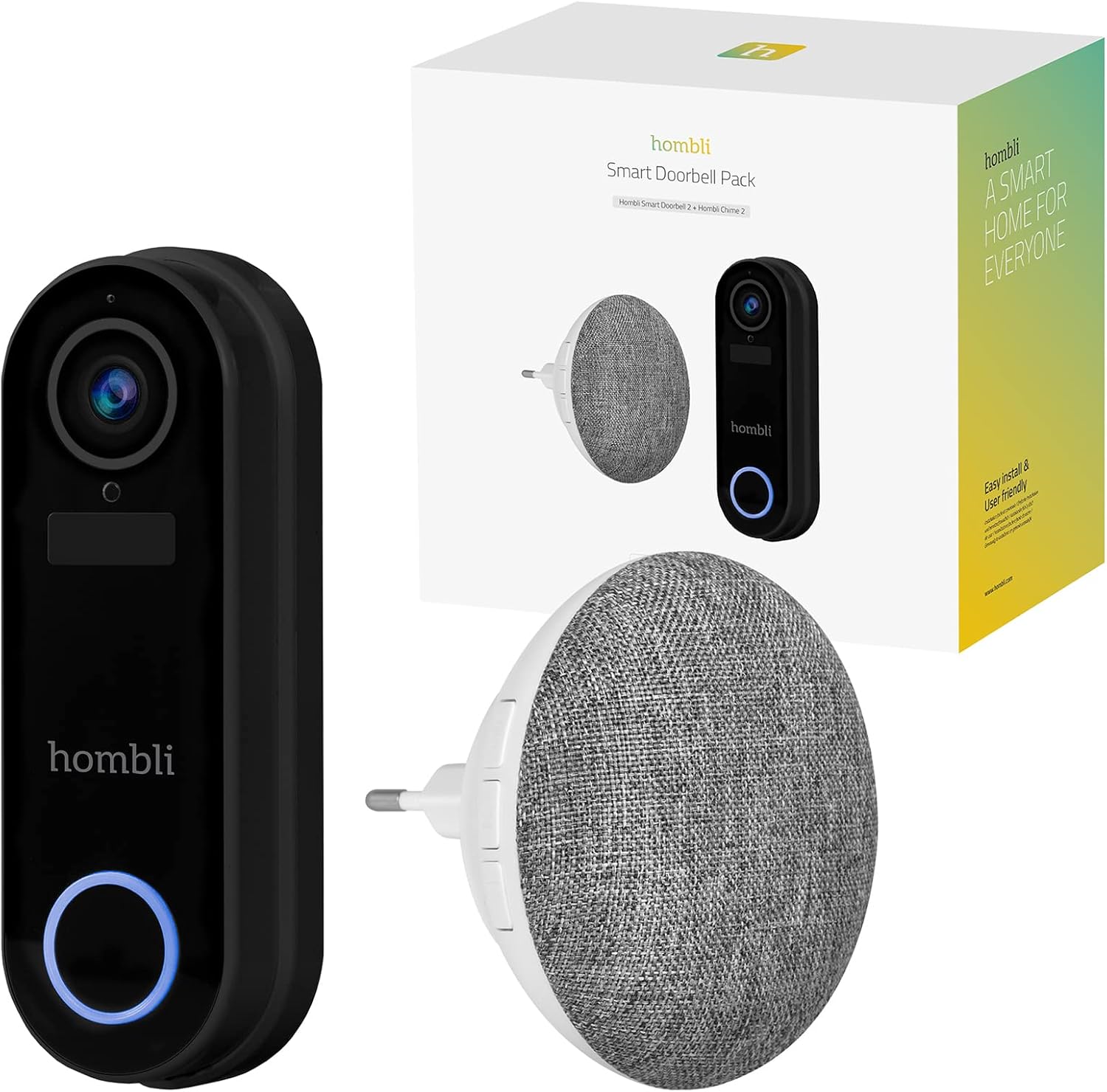
Image: The retail box for the Hombli Smart Doorbell 2 and Chime 2, showing both devices and the packaging.

Image: All components included in the Hombli Smart Doorbell 2 package, including the doorbell unit, mounting bracket, screws, wall anchors, wiring harness, USB charging cable, and adhesive pads.
- Hombli Smart Doorbell 2 (Black)
- Hombli Chime 2
- Oke Atẹgun
- Installation Screws and Wall Anchors
- Okun Ngba agbara USB
- Wiring Harness (for optional wired installation)
- Awọn paadi alemora
- Afowoyi Olumulo (iwe-ipamọ yii)
4. Ọja Ipariview
Familiarize yourself with the components of your Hombli Smart Doorbell 2 and Chime 2.
4.1 Hombli Smart Doorbell 2
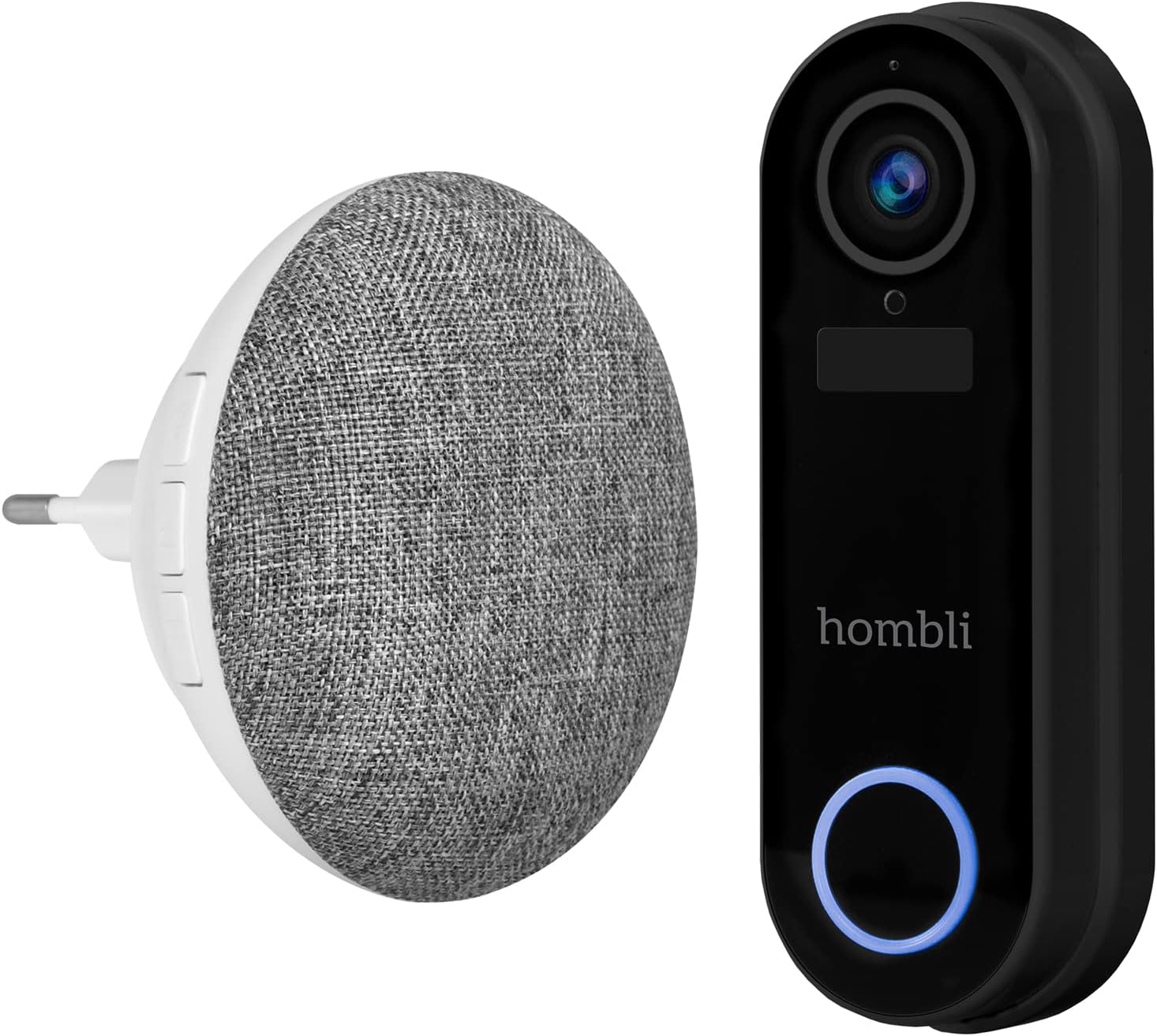
Image: The Hombli Smart Doorbell 2 and the Hombli Chime 2 displayed side-by-side.

Image: A visual representation of the Hombli Smart Doorbell 2 with icons and text highlighting its key features.
- Kamẹra: 140 ° oke-igun view, Full HD 1080p resolution at 15 frames per second.
- Iwari išipopada: Ó ń kìlọ̀ fún ọ nípa ìgbòkègbodò ní ẹnu ọ̀nà rẹ.
- Batiri ti a ṣe sinu: 5000mAh capacity for wireless operation.
- Awọn aṣayan ipamọ: Supports optional cloud storage and a Micro SD card slot (up to 128GB).
- Audio Ọna Meji: Speak and listen to visitors remotely.
- Iran Alẹ Infurarẹẹdi: Clear visibility in low-light conditions.
- Oju ojo: IP65 rating ensures protection against dust and water splashes.
- GDPR Compliant: Designed with data privacy in mind.
4.2 Hombli Chime 2
The Hombli Chime 2 is a wireless indoor chime that pairs with your Smart Doorbell 2 to provide an audible alert when the doorbell is pressed. It plugs directly into a standard wall outlet.
5. Eto
5.1 Charging the Doorbell
Before installation, fully charge the Hombli Smart Doorbell 2 using the provided USB cable. Connect the USB cable to the doorbell's charging port and a standard USB power adapter (not included). The indicator light will show charging status.
5.2 Installing the Hombli Smart Doorbell 2
The doorbell can be installed wirelessly using adhesive pads or permanently mounted with screws. For wired installation, connect to existing doorbell wiring (5V AC).

Image: The Hombli Smart Doorbell 2 securely mounted on an exterior wall next to a door frame.
- Yan Ibi: Select a suitable location near your front door, ensuring a clear view ati ti o dara Wi-Fi ifihan agbara.
- Iṣagbesori:
- Lilemọ: Clean the surface, apply the adhesive pads to the back of the mounting bracket, and firmly press the bracket onto the desired location.
- Awọn skru: Use the mounting bracket as a template to mark drill holes. Drill holes, insert wall anchors if necessary, and secure the bracket with screws.
- Wired (Optional): If connecting to existing doorbell wiring, ensure power is off. Connect the doorbell's wiring harness to your existing doorbell wires (5V AC).
- So agogo ilẹkun mọ: Slide the Hombli Smart Doorbell 2 onto the mounted bracket until it clicks into place.
5.3 Installing the Hombli Chime 2

Image: The Hombli Chime 2 plugged into a standard electrical wall outlet, ready for use.
- Wọle: Plug the Hombli Chime 2 into a standard electrical outlet in a central location within your home.
- Pipọpọ: Follow the instructions in the Hombli app to pair the Chime 2 with your Smart Doorbell 2.
5.4 Hombli App Setup
The Hombli app is essential for controlling and managing your Smart Doorbell 2 and Chime 2.
- Ṣe igbasilẹ Ohun elo: Download the Hombli app from the App Store (iOS) or Google Play Store (Android).
- Se akanti fun ra re: Ṣii app naa ki o ṣẹda akọọlẹ tuntun tabi wọle ti o ba ti ni ọkan tẹlẹ.
- Fi ẹrọ kun: Tap the '+' icon to add a new device. Select 'Smart Doorbell' from the list.
- Tẹle Awọn itọnisọna loju-iboju: The app will guide you through connecting the doorbell to your Wi-Fi network and pairing the chime. Ensure your Wi-Fi network is 2.4GHz.
6. Ṣiṣẹ
Once set up, you can use your Hombli Smart Doorbell 2 and Chime 2 to monitor your entrance and communicate with visitors.

Image: A smartphone displaying the Hombli app interface for the Smart Doorbell 2, showing live video feed and control options like screenshot, speak, record, playback, cloud storage, and buzzer.
6.1 Doorbell Functions
- Gbe View: Open the Hombli app to view live video from your doorbell camera at any time.
- Audio Ọna Meji: When a visitor presses the doorbell or motion is detected, you will receive a notification. Tap the notification to answer and speak to the visitor using the app's microphone and speaker functions.
- Iwari išipopada: The doorbell will send notifications to your phone when motion is detected. You can adjust sensitivity settings in the app.
- Gbigbasilẹ: Fidio footage can be recorded manually or automatically upon motion detection/doorbell press. Recordings are stored on a Micro SD card (if inserted) or in optional cloud storage.
- Sisisẹsẹhin: Access recorded events through the app's playback feature.
6.2 Chime Functions
- Itaniji Gbigbọ: When the doorbell button is pressed, the Chime 2 will sound an alert inside your home.
- Volume and Tone: Adjust the chime volume and select different melodies through the Hombli app.
7. Itọju
- Ngba agbara batiri: The Smart Doorbell 2's battery life depends on usage. When the battery is low, you will receive a notification. Remove the doorbell from its bracket and charge it using the USB cable.
- Ninu: Wipe the doorbell and chime with a soft, damp asọ. Maṣe lo awọn kẹmika ti o lewu tabi awọn afọmọ abrasive.
- Awọn imudojuiwọn famuwia: Periodically check the Hombli app for available firmware updates to ensure optimal performance and security. Follow the app's instructions for updating.
8. Laasigbotitusita
8.1 Wọpọ Oran ati Solusan
- Agogo ilẹkun ko sopọ mọ Wi-Fi:
- Rii daju pe nẹtiwọki Wi-Fi rẹ jẹ 2.4GHz.
- Ṣayẹwo agbara ifihan Wi-Fi ni ipo aago ilẹkun.
- Tun olulana rẹ ati agogo ilẹkun rẹ bẹrẹ.
- Ensure correct Wi-Fi password is entered in the app.
- Kilo ko dun:
- Ensure the Chime 2 is plugged in and powered on.
- Verify that the Chime 2 is successfully paired with the doorbell in the Hombli app.
- Check the volume settings for the chime in the app.
- Didara fidio ti ko dara:
- Ṣàyẹ̀wò agbára àmì Wi-Fi rẹ. Àmì tí kò lágbára lè ní ipa lórí ṣíṣàn fídíò.
- Rii daju pe lẹnsi kamẹra jẹ mimọ ati ofe lọwọ awọn idiwọ.
- Wiwa išipopada ko ṣiṣẹ:
- Adjust motion detection sensitivity in the Hombli app.
- Rí i dájú pé kò sí ìdènà ti ara tí ó ń dí àwọn sensọ náà lọ́wọ́ view.
- Doorbell battery draining quickly:
- Frequent motion detection events or live view access can consume battery faster. Adjust settings if needed.
- Ensure the doorbell is fully charged after each charging cycle.
9. Awọn pato
9.1 Hombli Smart Doorbell 2

Image: Detailed measurements of the Hombli Smart Doorbell 2, showing its height, width, and depth in centimeters.
| Nọmba awoṣe | HBDP-0100 |
| Awọn iwọn (L x W x H) | 7.28 x 3.94 x 6.81 inches (18.5 x 10 x 17.3 cm) |
| Iwọn | 1.61 poun (0.73 kg) |
| Ipinnu kamẹra | HD kikun 1080p |
| Aaye ti View | 140° Wide Igun |
| Agbara Batiri | 5000mAh |
| Resistance Oju ojo | IP65 |
| Ibi ipamọ | Micro SD (up to 128GB), Cloud Storage (optional) |
| Asopọmọra | Wi-Fi (2.4GHz) |
9.2 Hombli Chime 2

Image: Detailed measurements of the Hombli Chime 2, showing its diameter and depth in centimeters.
| Àwọn ìwọ̀n (Ìwọ̀n ìbú x Ìjìnlẹ̀) | 9.3 cm x 8.5 cm (plug part 4.9 cm width) |
| Agbara Input | 5 Volt (AC) |
| Asopọmọra | Wireless (paired with Doorbell 2) |
10. Atilẹyin ọja ati Support
Hombli products come with a standard manufacturer's warranty. For specific warranty terms and conditions, please refer to the warranty card included with your product or visit the official Hombli website. If you encounter any issues or require technical assistance, please contact Hombli customer support through their website or the Hombli app.


