Ọrọ Iṣaaju
The Satechi USB C Hub Multiport Adapter Pro Hub Mini is designed to expand the connectivity options of your MacBook Pro or MacBook Air. This compact and versatile adapter provides essential ports for data transfer, network connectivity, display output, and audio, enhancing your productivity and streamlining your workspace.
Ọja Pariview
The Pro Hub Mini features a range of ports to connect various peripherals to your compatible MacBook. Below is an illustration of the device and a description of each port's function.

Image: The Satechi USB C Hub Multiport Adapter Pro Hub Mini, showcasing its sleek Space Gray design and compact form factor.
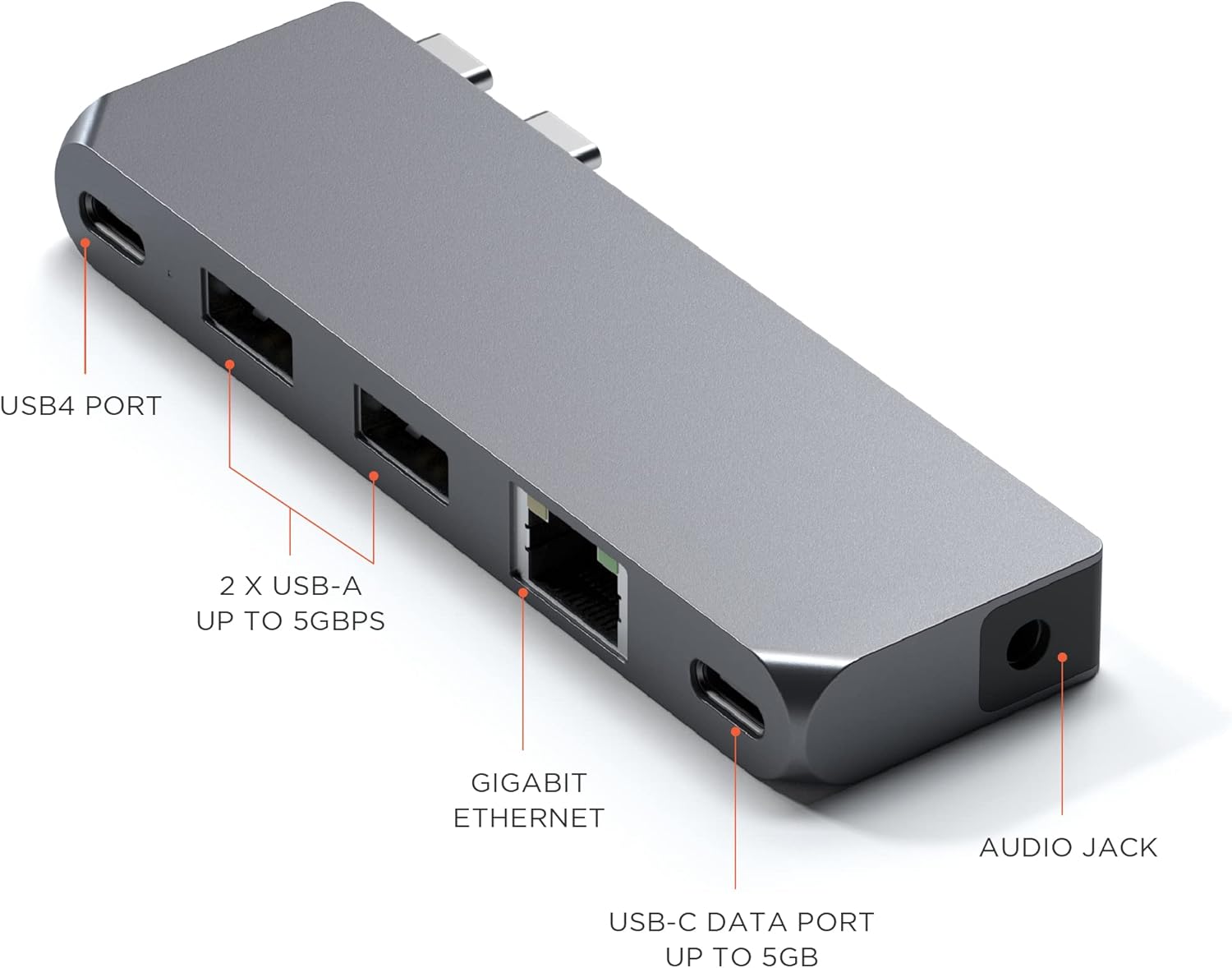
Aworan: A alaye view of the Satechi Pro Hub Mini, with labels indicating each port: USB4 Port, 2x USB-A Data Ports, Gigabit Ethernet, USB-C Data Port, and Audio Jack.
Awọn apejuwe ibudo:
- Ibudo USB4: Supports up to 100W power delivery for charging, 5K @ 60Hz display output, and data transfer speeds of up to 40Gbps. This port is designed for high-performance connectivity.
- 2 x USB-A Data Ports: Provides data transfer speeds of up to 5Gbps. These ports are suitable for connecting standard USB-A peripherals such as keyboards, mice, and external storage devices. Note: These USB-A ports do not support charging or CD drives.
- Ibudo Ethernet Gigabit: Enables a stable and fast wired network connection, supporting speeds up to 1000 Mbps.
- Ibudo Data USB-C: Offers data transfer speeds of up to 5Gbps, ideal for connecting USB-C peripherals for data exchange.
- Jack Audio 3.5mm: Allows connection of headphones or speakers for audio output. An included audio jack port clip helps secure the hub to your MacBook Pro 14 & 16-inch (2021) models.
Ṣeto
Follow these steps to set up your Satechi USB C Hub Multiport Adapter Pro Hub Mini:
- Identify Compatible Ports: The Pro Hub Mini is designed to connect to the Thunderbolt ports on the left side of your MacBook Pro 14-inch or 16-inch (2021 models).
- So Hub: Align the two USB-C connectors on the hub with the corresponding Thunderbolt ports on your MacBook. Gently push the hub until it is securely seated.
- Attach Audio Jack Clip (Optional): For MacBook Pro 14 & 16-inch (2021) models, use the provided audio jack port clip to further secure the hub and ensure a flush fit.
- Asopọ agbara: Your MacBook can be charged via its MagSafe 3 port or through the hub's USB4 port (up to 100W). For faster charging on MacBook Pro (16-inch, M1 Pro/Max, 2021) models, use the MagSafe 3 port directly as it supports 140W, while the hub's USB4 port supports 100W.

Image: The Satechi Pro Hub Mini connected to a MacBook Pro, illustrating how the hub allows for charging while expanding connectivity.

Aworan: A sunmọ-soke view of the Satechi Pro Hub Mini securely attached to a MacBook Pro, highlighting the integrated audio jack and its accompanying clip for a seamless fit.
Awọn ilana Iṣiṣẹ
Once the Satechi Pro Hub Mini is connected, you can begin using its various ports:
- Nsopọ awọn ẹrọ USB: Insert your USB-A or USB-C peripherals (e.g., flash drives, external hard drives, keyboards, mice) into the corresponding data ports.
- Isopọ nẹtiwọki: Connect an Ethernet cable from your router or modem to the Gigabit Ethernet port on the hub for a stable wired internet connection.
- Iṣafihan Afihan: To connect an external display, use a compatible Thunderbolt cable with the USB4 port. Ensure your monitor supports 5K @ 60Hz for optimal performance.
- Ijade ohun: Plug your 3.5mm headphones or speakers into the audio jack for sound output. Ensure your MacBook's audio settings are configured to output sound through the hub if necessary.

Image: A MacBook Pro connected to an external monitor, demonstrating the display output capability through the Satechi Pro Hub Mini's USB4 port.
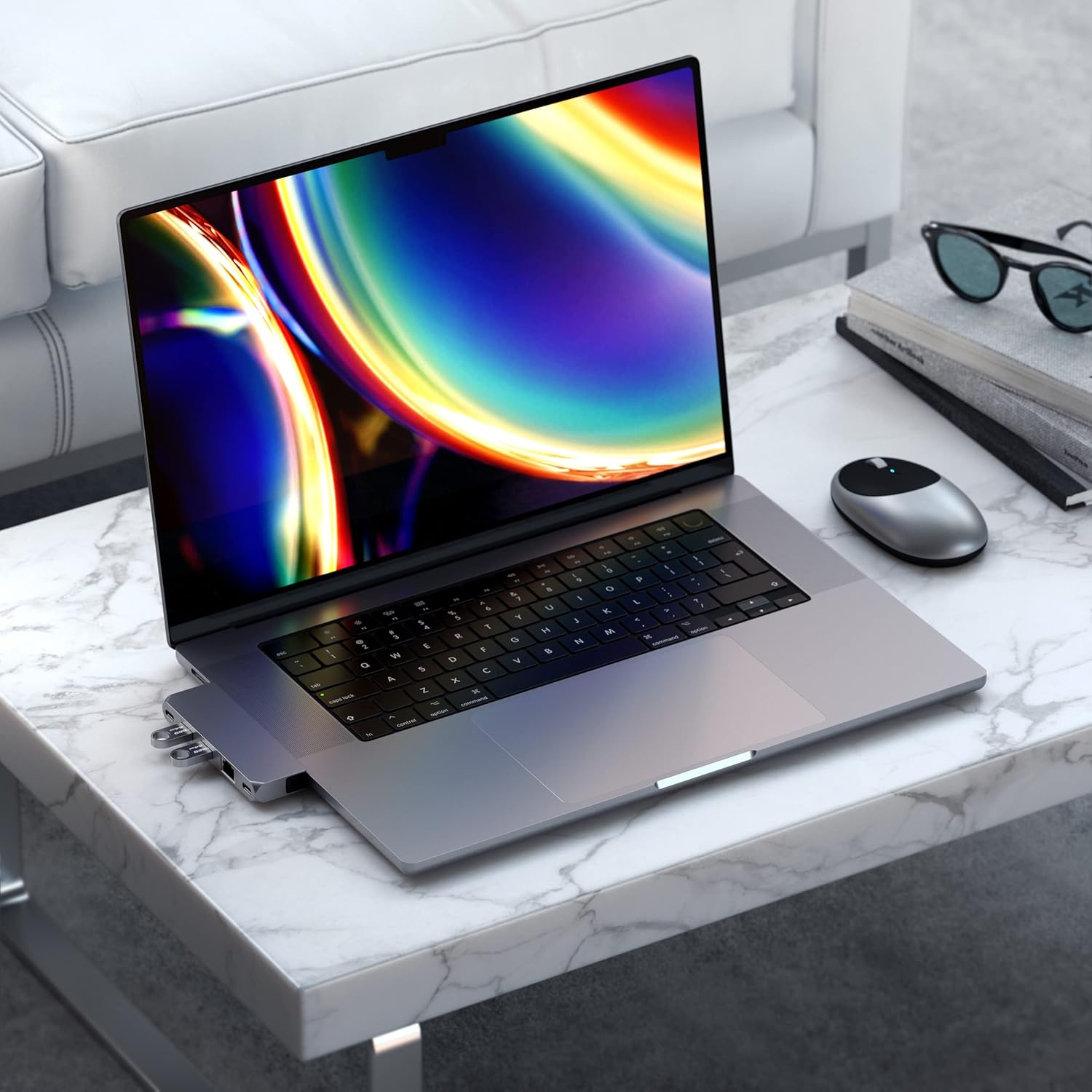
Image: The Satechi Pro Hub Mini integrated into a desktop environment with a MacBook Pro, illustrating its compact design and how it blends with the laptop.
Itoju
To ensure the longevity and optimal performance of your Satechi Pro Hub Mini, follow these maintenance guidelines:
- Ninu: Lo asọ rirọ, gbẹ, asọ ti ko ni lint lati nu ode ti ibudo naa. Yẹra fun lilo awọn kẹmika ti o lewu, awọn nkan mimu mimọ, tabi awọn ohun ọṣẹ ti o lagbara.
- Ibi ipamọ: Nigbati o ko ba wa ni lilo, tọju ibudo naa ni itura, aye gbigbẹ kuro lati orun taara ati awọn iwọn otutu to gaju.
- Mimu: Fi ọwọ́ mú ibudo naa pẹlu iṣọra. Yẹra fun sisọ ọ silẹ tabi fifi ipa lile si i, eyiti o le ba awọn ẹya inu jẹ.
- Itọju ibudo: Ensure that no dust or debris accumulates in the ports. Use compressed air if necessary to clear any obstructions.
Laasigbotitusita
If you encounter issues with your Satechi Pro Hub Mini, refer to the following common problems and solutions:
| Isoro | Owun to le Fa / Solusan |
|---|---|
| No display output or flickering display. | Ensure the USB4 port is used with a compatible Thunderbolt cable and monitor. Dual display is not supported on Apple 2020 M1 Macs. Check monitor input settings. |
| USB-A devices not working or not charging. | The USB-A ports are for data transfer only and do not support charging or CD drives. Ensure the device is a data-only peripheral. If using high-bandwidth devices like webcams or capture cards, try connecting only one at a time as bandwidth limitations may occur. |
| Hub is blocking MagSafe 3 port. | On some MacBook Pro Max 16-inch models, the hub may block the MagSafe 3 port. This is by design. You can still charge via the hub's USB4 port (up to 100W) or use the MagSafe 3 port directly when the hub is disconnected. |
| Audio jack not functioning. | Verify that the audio jack is fully inserted. Check your MacBook's Sound Preferences to ensure the correct output device is selected (e.g., 'Satechi Hub Audio' or similar). Sometimes, switching audio outputs in system settings can cause an auto-mute that needs to be manually unmuted. |
| Input lag with connected peripherals (e.g., mouse). | Ensure the hub is securely connected to the MacBook. Try connecting the peripheral directly to the MacBook if possible to isolate the issue. Some wireless receivers may experience interference or bandwidth issues when connected through a hub. |
| iPhone 15 not recognized or not charging. | iPhone 15 models are not supported by this hub. |
Awọn pato
Key technical specifications for the Satechi USB C Hub Multiport Adapter Pro Hub Mini:
- Nọmba awoṣe: ST-UCPHMIM
- Àwọ̀: Aaye Grey
- Ìwọ̀n Nkan: 1.47 iwon
- Awọn iwọn Ọja (LxWxH): 3.96 x 0.46 x 1.22 inches
- Ni wiwo Hardware: USB Iru C
- Ibamu Eto Iṣiṣẹ: macOS
- Awọn ẹrọ ibaramu: MacBook Pro, MacBook Air (including models with M1, M2, and M3 chips)
- Ibudo USB4: Títí dé 100W Ifijiṣẹ Agbara, Ifihan Ifihan 5K @ 60Hz, Gbigbe Data 40Gbps
- USB-A Data Ports: 2 ports, up to 5Gbps data transfer (no charging/CD drives)
- Ibudo Data USB-C: 1 port, up to 5Gbps data transfer
- Àjọlò: Gigabit Ethernet (10/100/1000 Mbps)
- Ohun: Orin Jack 3.5mm
Atilẹyin ọja ati Support
Satechi products are designed for reliability and performance. Your Satechi USB C Hub Multiport Adapter Pro Hub Mini is covered by a 2-odun lopin atilẹyin ọja lodi si awọn abawọn ninu awọn ohun elo ati iṣẹ-ṣiṣe labẹ lilo deede.
For customer support, technical assistance, or warranty claims, please visit the official Satechi webojula tabi kan si wọn onibara iṣẹ Eka. Tọju iwe-ẹri rira rẹ bi ẹri rira fun awọn idi atilẹyin ọja.
Fun alaye siwaju sii, o le ṣàbẹwò awọn Ile itaja Satechi lori Amazon.