1. Ifihan
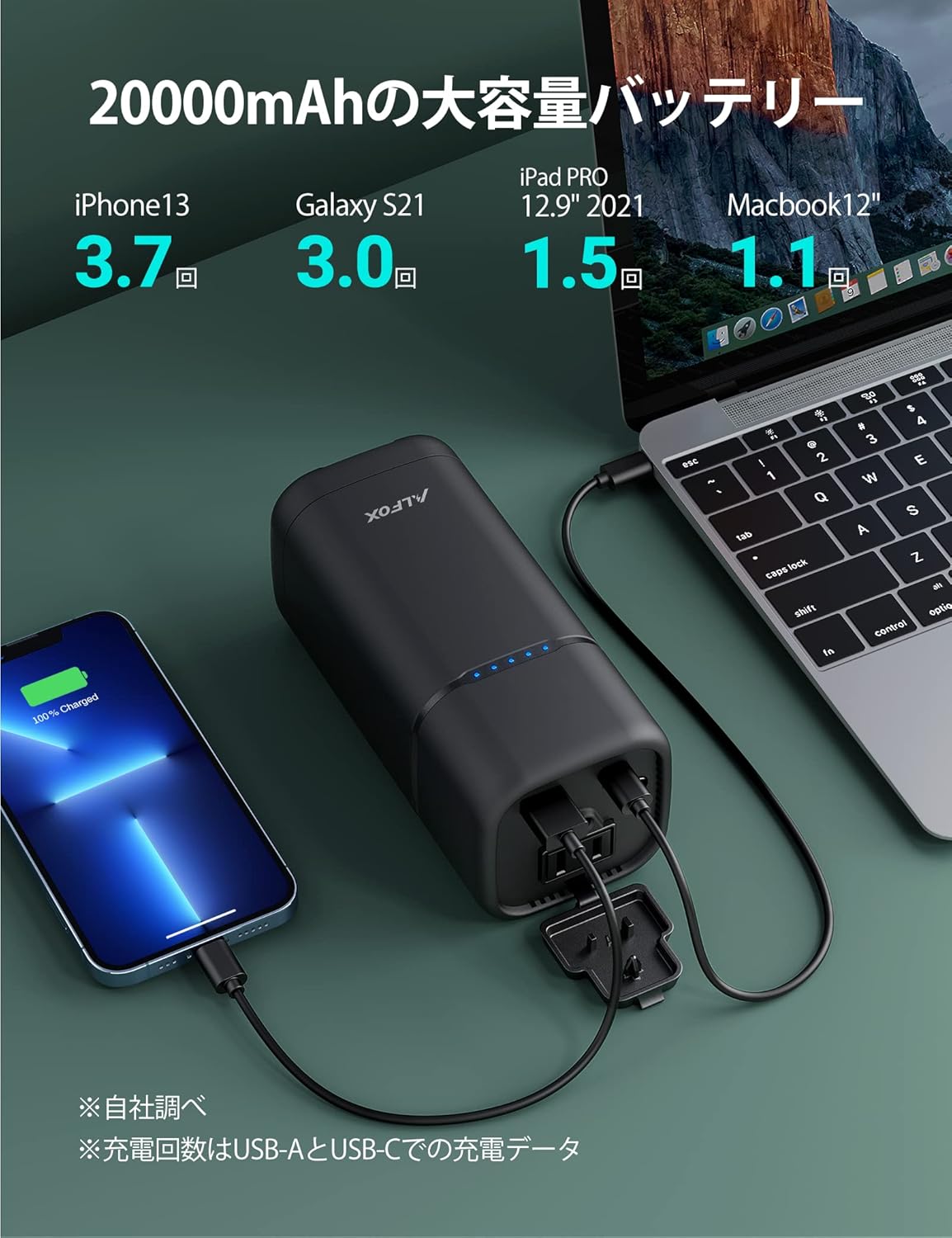
The Alfox Portable Power Bank AF-PB001 is a versatile and high-capacity power solution designed for charging various electronic devices, including laptops, smartphones, and tablets. With a 20000mAh battery and 80W AC output, it provides reliable power on the go. This manual provides essential information for safe and efficient use of your device.
2. Alaye Aabo
Jọ̀wọ́ ka gbogbo ìlànà ààbò kí o sì lóye wọn kí o tó lo ọjà yìí. Àìtẹ̀lé àwọn ìlànà wọ̀nyí lè yọrí sí ìkọlù iná mànàmáná, iná, tàbí ìpalára ńlá.
- Ma ṣe tuka, tunše, tabi tunse ẹrọ naa.
- Avoid exposure to extreme temperatures (above 45°C or below 0°C) and direct sunlight.
- Keep the device away from water, moisture, and flammable materials.
- Maṣe ju silẹ, puncture, tabi lo agbara ti o pọju si banki agbara.
- Use only approved chargers and cables for charging the power bank and connected devices.
- Jeki kuro ni arọwọto awọn ọmọde.
3. Ọja Ipariview
Familiarize yourself with the components of your Alfox Portable Power Bank AF-PB001.

Awọn eroja:
- Ijabọ AC: Provides up to 80W power for small appliances.
- Ibudo Ijade USB-A: Fun gbigba agbara USB boṣewa.
- Ibudo Iwọle/Ijade USB-C: Supports Power Delivery (PD) up to 30W for fast charging of devices and recharging the power bank.
- Bọtini agbara: To turn the device on/off and check battery status.
- Awọn itọkasi LED: Display the remaining battery level.
4. Eto
4.1 Gbigba agbara akọkọ
Before using your power bank for the first time, ensure it is fully charged. This optimizes battery performance and longevity.
- So okùn USB-C tí a pèsè mọ́ ibudo USB-C ti banki agbara.
- Connect the other end of the USB-C cable to a compatible USB Power Delivery (PD) wall charger (not included).
- Awọn afihan LED yoo tan imọlẹ lati fihan ilọsiwaju gbigba agbara. Gbogbo awọn LED yoo jẹ ri to nigba ti gba agbara ni kikun.

5. Awọn ilana Iṣiṣẹ
5.1 Powering On/Off and Checking Battery Level
- To turn on the power bank, press the power button once. The LED indicators will light up to show the current battery level.
- To turn off the power bank, press and hold the power button for approximately 3 seconds.
- To check the battery level at any time, press the power button once.
5.2 Using the AC Outlet
The AC outlet provides up to 80W of power for compatible devices.
- Open the protective cover of the AC outlet.
- Plug your device's power cord into the AC outlet.
- Ensure your device's power consumption does not exceed 80W.

5.3 Using USB-A and USB-C Ports
The USB-A and USB-C ports are suitable for charging smartphones, tablets, and other USB-powered devices. The USB-C port supports Power Delivery (PD) for faster charging.
- Connect your device to the USB-A or USB-C port using an appropriate charging cable.
- Ile-ifowopamọ agbara yoo bẹrẹ gbigba agbara ẹrọ rẹ laifọwọyi.

5.4 Igbakana Ngba agbara
The power bank can charge multiple devices simultaneously using its various output ports.
5.5 Gbigbe ati Travel
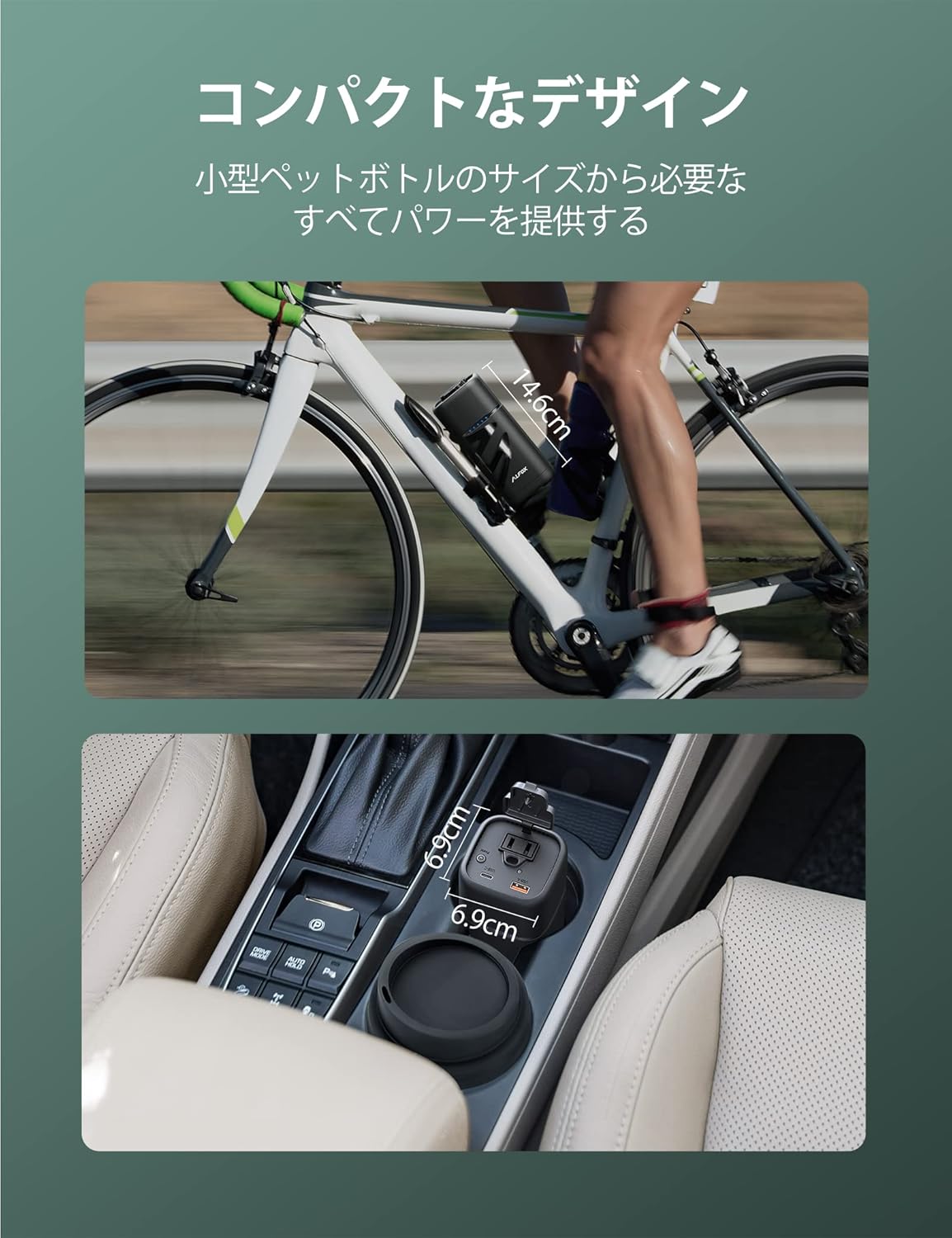
The compact design of the AF-PB001 makes it ideal for travel and outdoor activities. It is designed to be compliant with airline regulations for carry-on luggage.

6. Itọju
Itọju to dara ṣe idaniloju igbesi aye gigun ati iṣẹ ti o dara julọ ti banki agbara rẹ.
- Ibi ipamọ: Store the power bank in a cool, dry place away from direct sunlight and extreme temperatures. If storing for extended periods, charge it to about 50-75% every 3-6 months to prevent deep discharge.
- Ninu: Use a soft, dry cloth to clean the exterior of the power bank. Do not use liquid cleaners or solvents.
- Itọju Batiri: Avoid completely draining the battery or leaving it fully charged for very long periods. Optimal battery health is maintained by keeping the charge between 20% and 80% when possible.
7. Laasigbotitusita
If you encounter issues with your Alfox Portable Power Bank, refer to the following common problems and solutions.
| Isoro | Owun to le Fa | Ojutu |
|---|---|---|
| Power bank does not turn on. | Batiri naa ti yọ patapata. | Connect the power bank to a charger and allow it to charge for at least 30 minutes before attempting to turn it on. |
| Device is not charging from the power bank. |
|
|
| Power bank charges slowly or not at all. |
|
|
| LED indicators are not functioning correctly. | Software glitch or internal issue. | Try fully discharging and then fully recharging the power bank. If the problem continues, contact customer support. |
If you experience any issues not covered here, or if the problem persists after attempting the suggested solutions, please contact Alfox customer support for further assistance.
8. Awọn pato
Detailed technical specifications for the Alfox Portable Power Bank AF-PB001.
| Ẹya ara ẹrọ | Sipesifikesonu |
|---|---|
| Brand | Alfox |
| Awoṣe | AF-PB001 |
| Agbara Batiri | 20000 mAh |
| Iwọn Ọja | 800 g |
| Package Mefa | 20 x 19.5 x 9.9 cm |
| Pataki Awọn ẹya ara ẹrọ | Gbigba agbara yara |
| Àwọ̀ | Dudu |
| Asopọmọra Iru | USB Iru A, USB Iru C |
| Ijade AC | Titi di 80W |
| USB-C PD o wu | Titi di 30W |
| ASIN | B09PVDVTKL |
9. Atilẹyin ọja ati Support
The Alfox Portable Power Bank AF-PB001 comes with an 18-month warranty from the date of purchase, covering manufacturing defects. Please retain your proof of purchase for warranty claims.
Atilẹyin Onibara:
For technical assistance, warranty claims, or any questions regarding your product, please contact Alfox customer service through the retailer where you purchased the product or visit the official Alfox webojula fun alaye olubasọrọ.


