1. Ifihan
This manual provides comprehensive instructions for the Sena Outstar S helmet, a smart visor helmet equipped with Sena's communication technology. The Outstar S is ECE certified and designed for immediate use without complex installation. It offers practical functionalities for communication with other riders and smartphone connectivity for GPS directions, music, and calls.
The Sena Outstar S integrates Bluetooth 5.0 for seamless smartphone pairing and a 4-way Bluetooth intercom system with a range of up to 900 meters and a talk time of 12 hours. It also features an integrated retractable sun visor for enhanced riding comfort and safety.

Image: The Sena Outstar S helmet, showcasing its sleek design and integrated communication unit on the side, set against a scenic outdoor background.
2. Eto
2.1 Gbigba agbara akọkọ
Before first use, fully charge the helmet's integrated battery. Connect the provided USB charging cable to the helmet's charging port and to a USB power source. The LED indicator will show charging status and turn off when fully charged. A full charge typically takes approximately 2.5 hours.
2.2 Bluetooth Pairing with Smartphone
- Ensure the helmet is powered off.
- Tẹ mọlẹ Bọtini foonu for 5 seconds until the LED flashes red and blue, indicating pairing mode.
- Lori foonuiyara rẹ, lọ si awọn eto Bluetooth ki o wa awọn ẹrọ titun.
- Select "Sena Outstar S" from the list of available devices.
- Tí a bá béèrè, tẹ PIN “0000” sii.
- Nígbà tí a bá so wọ́n pọ̀, LED náà yóò máa tàn bí àwọ̀ búlúù.
2.3 Intercom Pairing (Up to 4 Riders)
To establish a 4-way intercom connection, each helmet needs to be paired with the others. Follow these steps for each helmet:
- Rí i dájú pé àwọn àṣíborí méjèèjì wà ní titan.
- On the first helmet, press and hold the Bọtini Intercom fun 5 aaya titi ti LED seju pupa.
- On the second helmet, repeat the same action.
- The helmets will automatically connect. The LED will turn blue on both helmets once connected.
- Repeat this process for additional helmets (up to 4 total) by pairing each new helmet with one of the already connected helmets.

Aworan: Iwaju view of the Sena Outstar S helmet, showing the clear main visor in the open position and the integrated dark sun visor deployed.
3. Awọn ilana Iṣiṣẹ
3.1 Agbara Tan / Pa
- Agbara Tan: Tẹ mọlẹ Bọtini Ile-iṣẹ ati Bọtini foonu fun 1 aaya.
- Agbara Pa: Tẹ mọlẹ Bọtini Ile-iṣẹ ati Bọtini foonu fun 5 aaya.
3.2 Iṣakoso iwọn didun
- Iwọn didun Up: Yiyi awọn Jog Dial aago.
- Iwọn didun isalẹ: Yiyi awọn Jog Dial counter-clockwise.
3.3 Sisisẹsẹhin Orin
- Ṣiṣẹ/Daduro: Tẹ awọn Bọtini Ile-iṣẹ.
- Orin t’okan: Tẹ mọlẹ Bọtini Ile-iṣẹ fun 2 aaya.
- Tẹlẹ Orin: Tẹ mọlẹ Bọtini foonu fun 2 aaya.
3.4 Awọn ipe foonu
- Idahun Ipe: Tẹ awọn Bọtini Ile-iṣẹ.
- Ipe Ipari: Tẹ mọlẹ Bọtini Ile-iṣẹ fun 2 aaya.
- Kọ Ipe: Tẹ mọlẹ Bọtini foonu fun 2 aaya.
- Pipe pẹlu ohun: Tẹ awọn Bọtini foonu.
3.5 Intercom ibaraẹnisọrọ
- Ibẹrẹ/Pari Intercom: Tẹ awọn Bọtini Intercom.
- The intercom system allows for 4-way communication with a range of up to 900 meters in open terrain.
3.6 Retractable Sun Visor
The integrated sun visor can be deployed or retracted using the lever located on the left side of the helmet. Push the lever down to deploy the sun visor and push it up to retract it.

Aworan: Apa view of the Sena Outstar S helmet, showing the clear main visor in the closed position, protecting the rider's face.
4. Itọju
4.1 Helmet Cleaning
- Òde: Lo asọ, damp cloth with mild soap and water. Avoid abrasive cleaners or solvents.
- Interior Padding: Removable padding can be hand-washed with mild soap and water. Allow to air dry completely before reinserting.
- Àwọn ìbòjú: Clean with a soft cloth and clean water. Specialized visor cleaning solutions can be used. Do not use harsh chemicals.
4.2 batiri Itọju
- Gba agbara batiri nigbagbogbo, paapaa ti ko ba si ni lilo nigbagbogbo, lati ṣetọju ilera batiri.
- Avoid storing the helmet in extreme temperatures (hot or cold) for extended periods.
4.3 Ibi ipamọ
Store the helmet in a cool, dry place away from direct sunlight and extreme temperatures. Use a helmet bag to protect it from dust and scratches.
5. Laasigbotitusita
5.1 Ko si Agbara
- Rii daju pe batiri ti gba agbara ni kikun.
- Verify that the power button sequence is correctly followed (Press and hold Bọtini Ile-iṣẹ ati Bọtini foonu for 1 second).
5.2 Bluetooth so pọ oran
- Ensure the helmet is in pairing mode (LED flashing red and blue).
- Delete "Sena Outstar S" from your smartphone's Bluetooth device list and attempt to pair again.
- Try resetting the helmet to factory settings (refer to the full manual for specific steps, typically involves holding a combination of buttons for an extended period).
5.3 Intercom Not Connecting
- Ensure all helmets are within the specified intercom range (up to 900m).
- Verify that each helmet is correctly paired with at least one other helmet in the group.
- Check for any obstructions that might interfere with the signal.
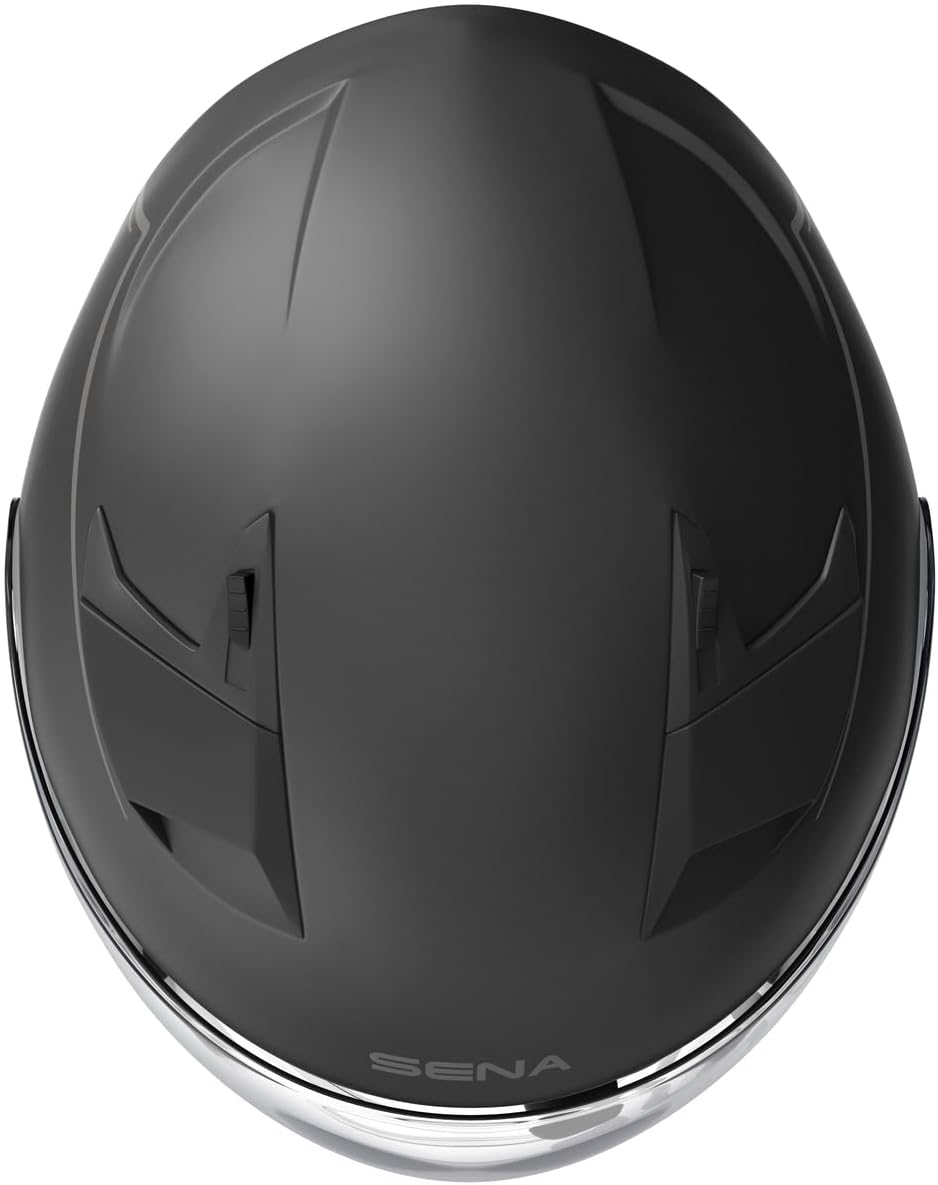
Aworan: Oke-isalẹ view of the Sena Outstar S helmet, highlighting the ventilation points and overall shell design.
6. Awọn pato
| Ẹya ara ẹrọ | Ẹ̀kúnrẹ́rẹ́ |
|---|---|
| Orukọ awoṣe | Outstar S |
| Nọmba awoṣe | OUTSTARS-MB0XL |
| Ẹya Bluetooth | Bluetooth 5.0 |
| Intercom Ibiti | Up to 900 meters (0.56 miles) in open terrain |
| Àtìlẹ́yìn Intercom | 4-ọna intercom |
| Aago Ọrọ | wakati meji 12 |
| Ohun elo akọkọ | Polycarbonate ABS |
| Ijẹrisi | ECE 22.05 |
| Batiri Iru | Lithium-polymer (included) |
| Tiipa Iru | Ratchet |
| Àwọ̀ | Dudu |
| Iwọn | XL |
7. Atilẹyin ọja ati Support
Sena provides support for its products. Spare parts availability in the EU is indicated for 2 years from the date of purchase. For detailed warranty information, technical support, or service inquiries, please refer to the official Sena webojula tabi kan si wọn onibara iṣẹ taara.
It is recommended to register your product on the Sena website to receive updates and access full support resources.


