Ọrọ Iṣaaju
Thank you for choosing the ZEBRONICS Zeb-Bro Wired Earphones. These earphones are designed to provide a comfortable listening experience with clear audio and convenient features. This manual will guide you through the setup, operation, maintenance, and troubleshooting of your new earphones.
Kini o wa ninu apoti:
- ZEBRONICS Zeb-Bro Wired Earphones
- Itọsọna olumulo
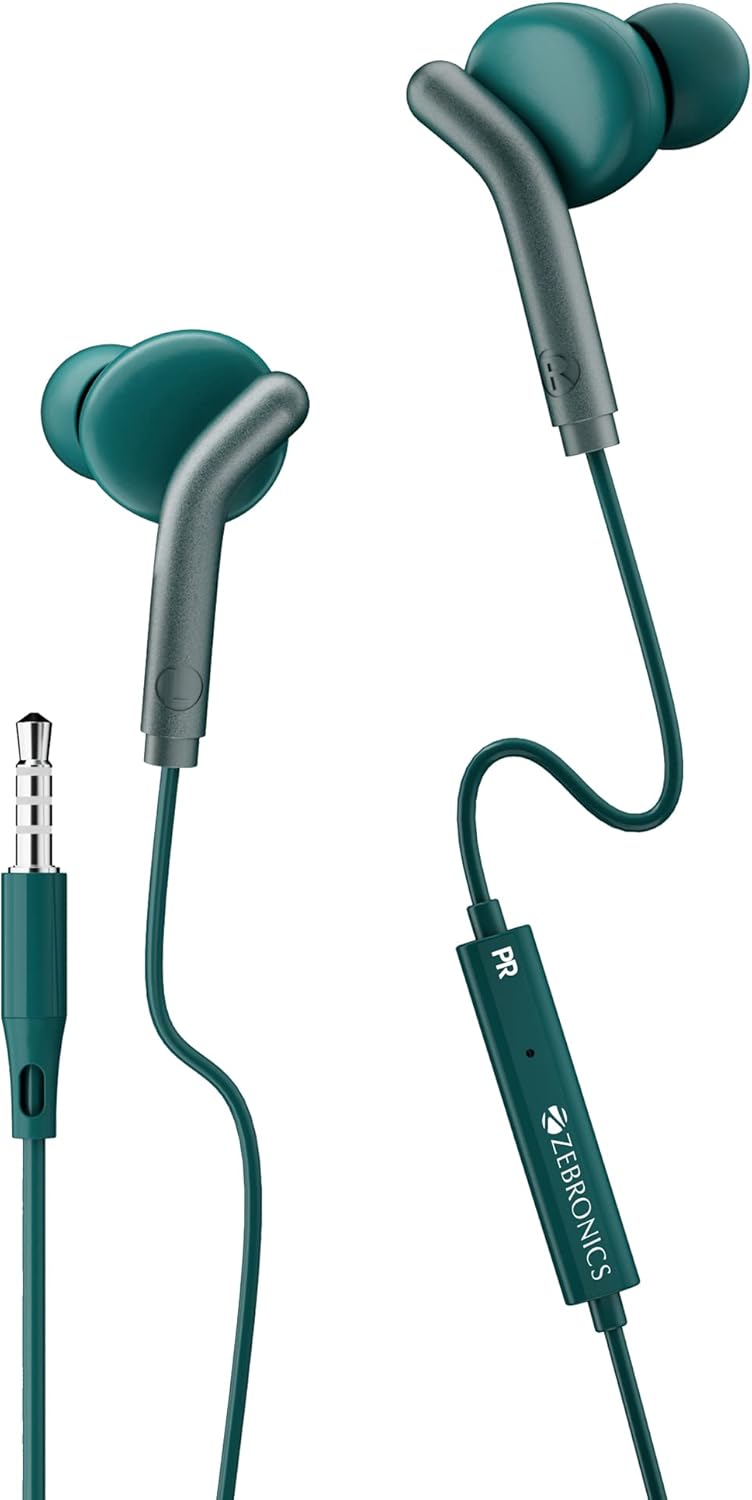
Figure 1: ZEBRONICS Zeb-Bro Wired Earphones (Green)
Ṣeto
Setting up your Zeb-Bro earphones is straightforward. Follow these steps to begin using your device.
Nsopọ si Ẹrọ Rẹ:
- Wa jaketi ohun afetigbọ 3.5mm lori foonu alagbeka rẹ, tabulẹti, kọǹpútà alágbèéká, tabi ẹrọ ohun afetigbọ miiran.
- Insert the 3.5mm connector of the Zeb-Bro earphones firmly into the audio jack of your device.
- Rii daju pe asopọ wa ni aabo lati ṣe idiwọ awọn idilọwọ ohun.

Figure 2: 3.5mm Audio Jack Connection
Wọ Awọn Agbekọri:
- Gently insert each earbud into the corresponding ear canal (Left earbud into the left ear, Right earbud into the right ear).
- Adjust the earbuds for a comfortable and snug fit. A proper fit helps in achieving optimal sound quality and passive noise isolation.

Figure 3: Proper Earbud Placement for Optimal Sound
Awọn ilana Iṣiṣẹ
The Zeb-Bro earphones are designed for simple and intuitive operation.
Sisisẹsẹhin ohun:
- Once connected, play audio from your device. The earphones will automatically output sound.
- Adjust the volume using your connected device's volume controls.

Figure 4: 10mm Audio Driver for Clear Sound
Iṣẹ Ipe:
The in-line microphone allows for hands-free calling.
- Idahun / Ipari Awọn ipe: Press the multi-function button on the in-line remote once to answer an incoming call. Press it again to end an active call.
- Kọ Awọn ipe: Tẹ mọlẹ bọtini iṣẹ-ọpọlọpọ fun isunmọ awọn aaya 2 lati kọ ipe ti nwọle.
- Orin tí ń gbá/Dídádúró: Press the multi-function button once to play or pause music playback.

Figure 5: In-line Microphone and Control Button
Itoju
Proper care and maintenance will extend the lifespan of your earphones.
Ninu:
- Wipe the earbuds and cable with a soft, dry, lint-free cloth.
- Ma ṣe lo awọn kẹmika ti o lewu, awọn nkan mimu mimọ, tabi awọn ohun ọṣẹ ti o lagbara.
- Yago fun gbigba ọrinrin sinu eyikeyi awọn ṣiṣi.
Ibi ipamọ:
- Store the earphones in a clean, dry place when not in use.
- To prevent tangling and damage, coil the cable neatly. The flat, tangle-resistant cable design helps in this regard.
- Yago fun awọn iwọn otutu to gaju.
Laasigbotitusita
If you encounter issues with your Zeb-Bro earphones, refer to the following common problems and solutions.
| Isoro | Owun to le Fa | Ojutu |
|---|---|---|
| Ko si ohun tabi iwọn didun kekere | Loose connection, device volume too low, incorrect audio output setting on device. | Ensure 3.5mm jack is fully inserted. Increase volume on your device. Check device's audio output settings. |
| Gbohungbohun ko ṣiṣẹ | Loose connection, device microphone settings, incompatible device. | Ensure 3.5mm jack is fully inserted. Check your device's microphone privacy settings. Test with another compatible device. |
| Iparun ohun | Volume too high, damaged cable/earbuds, audio source issue. | Lower the volume. Inspect cable for damage. Try with a different audio source. |
Awọn pato
Key technical specifications for the ZEBRONICS Zeb-Bro Wired Earphones:
| Ẹya ara ẹrọ | Sipesifikesonu |
|---|---|
| Orukọ awoṣe | ZEB-BRO |
| Asopọmọra Technology | Ti firanṣẹ |
| Awọn agbekọri Jack | 3.5 mm Jack |
| Audio Driver Iwon | 10 millimeters |
| Idahun Igbohunsafẹfẹ | 20Hz - 20kHz |
| Ipalara | 16 ohm |
| Ariwo Iṣakoso | Iyasọtọ ohun |
| Ohun elo | Ṣiṣu |
| USB Ipari | 3.9 Ẹsẹ (isunmọ 1.2 mita) |
| Iwọn Nkan | 14 Giramu (0.494 iwon) |
| Iṣakoso Iru | Iṣakoso Media |
| Awọn ẹrọ ibaramu | Laptops, Mobile Phones, Tablets, PC, All 3.5mm Jack Devices, iOS, Android, Audio Player |
Atilẹyin ọja ati Support
ZEBRONICS provides a warranty for the Zeb-Bro Wired Earphones to ensure your satisfaction.
Alaye Atilẹyin ọja:
Ọja yi wa pẹlu kan 6-osu atilẹyin ọja from the date of purchase. The warranty covers manufacturing defects. Please retain your purchase receipt as proof of purchase for warranty claims.
Atilẹyin Onibara:
For any technical assistance, warranty claims, or product-related inquiries, please contact ZEBRONICS customer support through their official webaaye tabi alaye olubasọrọ ti a pese pẹlu iwe rira rẹ.
For more information, visit the official ZEBRONICS webojula: www.zebronics.com