1. Ifihan
Thank you for choosing the HTC True Wireless Earbuds 1. This manual provides essential information to help you set up, operate, and maintain your earbuds for optimal performance.
Package Awọn akoonu
Rii daju pe gbogbo awọn nkan wa ninu apo rẹ:
- 1 Pair HTC True Wireless Earbuds
- 1 USB-C Ngba agbara Cable
- 2 Pairs of Rubber Eartips (S/L)
- 1 Awọn ọna Itọsọna
- 1 Kaadi atilẹyin ọja
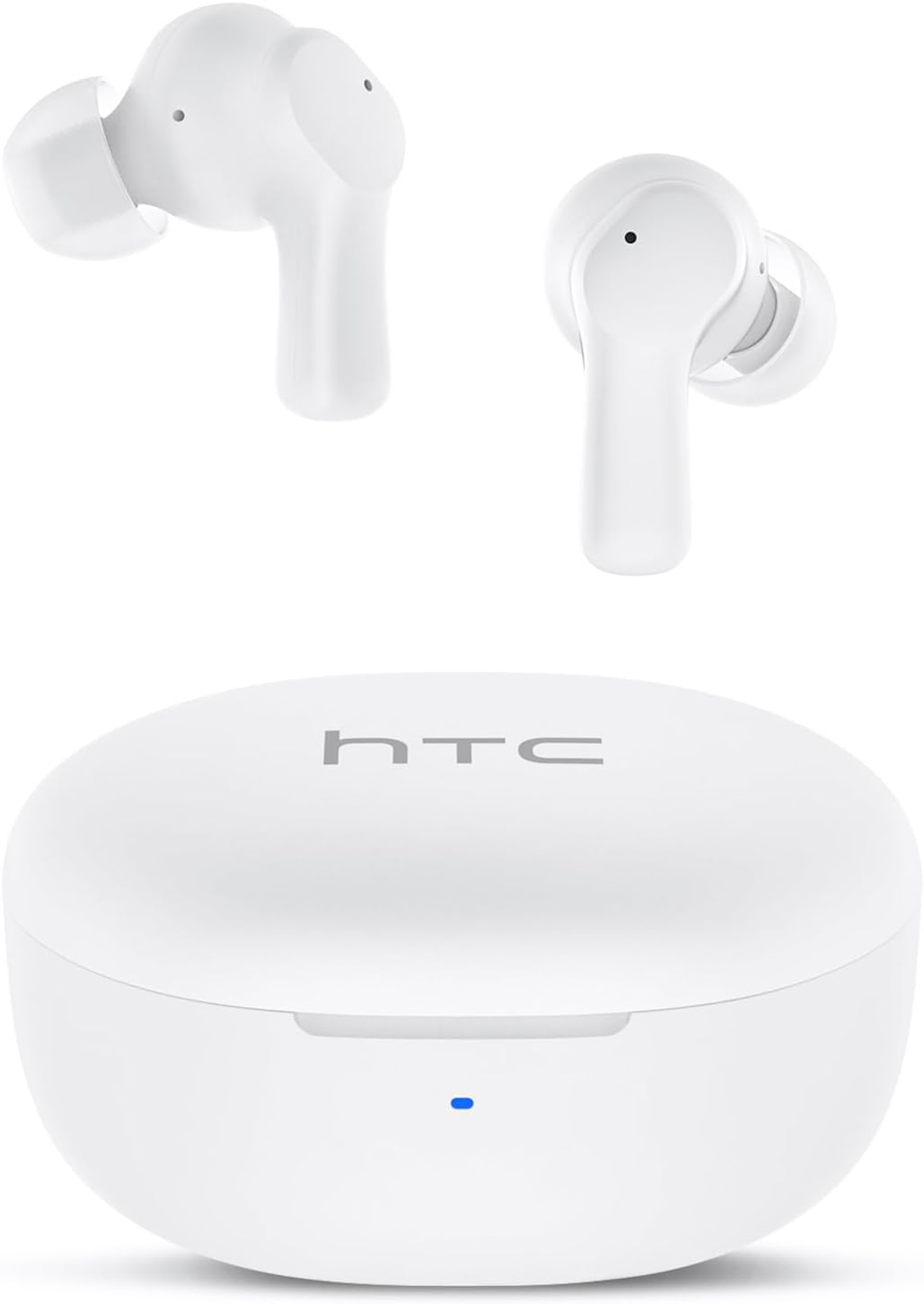
Image: HTC True Wireless Earbuds 1 and their charging case.

Image: The charging case opened, showing the two earbuds nestled inside.
2. Eto ati Sisopọ
Eto Ibẹrẹ
- Yọ fiimu Aabo kuro: Kí o tó lo ó fún ìgbà àkọ́kọ́, yọ fíìmù ààbò náà kúrò nínú àwọn olùsopọ̀ gbígbóná lórí àwọn ètí agbọ́rọ̀ méjèèjì.
- Gba agbara Agbekọri: Place the earbuds back into the charging case and close the lid. Connect the charging case to a USB power source using the provided USB-C cable. Ensure the earbuds and case are fully charged before initial use.
- Agbara Tan: Open the charging case lid. The earbuds will automatically power on and enter pairing mode.
Asopọ Bluetooth
The HTC True Wireless Earbuds 1 feature one-step auto-pairing after the initial setup.
- Mu Bluetooth ṣiṣẹ: Lori ẹrọ rẹ (foonuiyara, tabulẹti, kọmputa), jeki Bluetooth.
- Wa fun Awọn ẹrọ: Ninu awọn eto Bluetooth ti ẹrọ rẹ, wa awọn ẹrọ to wa.
- Select 'HTC TWS2': From the list of found devices, select 'HTC TWS2' to connect.
- Ìmúdájú: Ni kete ti o ti sopọ, iwọ yoo gbọ itọsi ohun kan, ati pe awọn agbekọri yoo ṣetan fun lilo.
After the first successful pairing, the earbuds will automatically connect to the last paired device when taken out of the charging case, provided Bluetooth is enabled on the device.

Image: Illustration of the one-step auto-pairing process, showing earbuds connecting to a smartphone.
3. Bawo ni lati Wọ
For optimal sound quality and comfort, it is important to wear the earbuds correctly.
- Yan Àwọn Àfikún Eartips: Select the rubber eartips (S, M, L) that best fit your ear canal. A proper seal enhances bass response and noise isolation.
- Fi Agbekọri sii: Gently insert each earbud into its corresponding ear (L for left, R for right).
- Rotate to Lock: Rotate the earbud slightly forward or backward until it feels secure and comfortable in your ear canal.

Image: Diagram showing how to properly insert the earbuds and the available S/M/L silicone eartips.
4. Awọn ilana Iṣiṣẹ (Iṣakoso ifọwọkan)
The HTC True Wireless Earbuds 1 feature intuitive touch controls on each earbud. The following actions can be performed:
| Iṣe | Iṣakoso | Išẹ |
|---|---|---|
| Sisisẹsẹhin Orin | Fọwọ́ kan ṣoṣo (bóyá earbud) | Ṣiṣẹ / Sinmi |
| Sisisẹsẹhin Orin | Fọwọ ba agbekọri osi ni ilopo meji | Orin ti tẹlẹ |
| Sisisẹsẹhin Orin | Fọwọ ba agbekọri ọtun lẹẹmeji | Orin t'okan |
| Awọn ipe | Fọwọ́ kan ṣoṣo (bóyá earbud) | Idahun / Ipari Ipe |
| Awọn ipe | Tẹ̀ etí gígùn (bóyá earbud) | Kọ Ipe |
| Oluranlọwọ ohun | Triple tap (either earbud) | Mu Oluranlọwọ Ohun ṣiṣẹ (Siri, Oluranlọwọ Google, ati bẹbẹ lọ) |
| Iṣakoso iwọn didun | Tẹ̀ etí òsì fún ìgbà pípẹ́ | Iwọn didun isalẹ |
| Iṣakoso iwọn didun | Tẹ etí ọ̀tún fún gígùn | Iwọn didun soke |
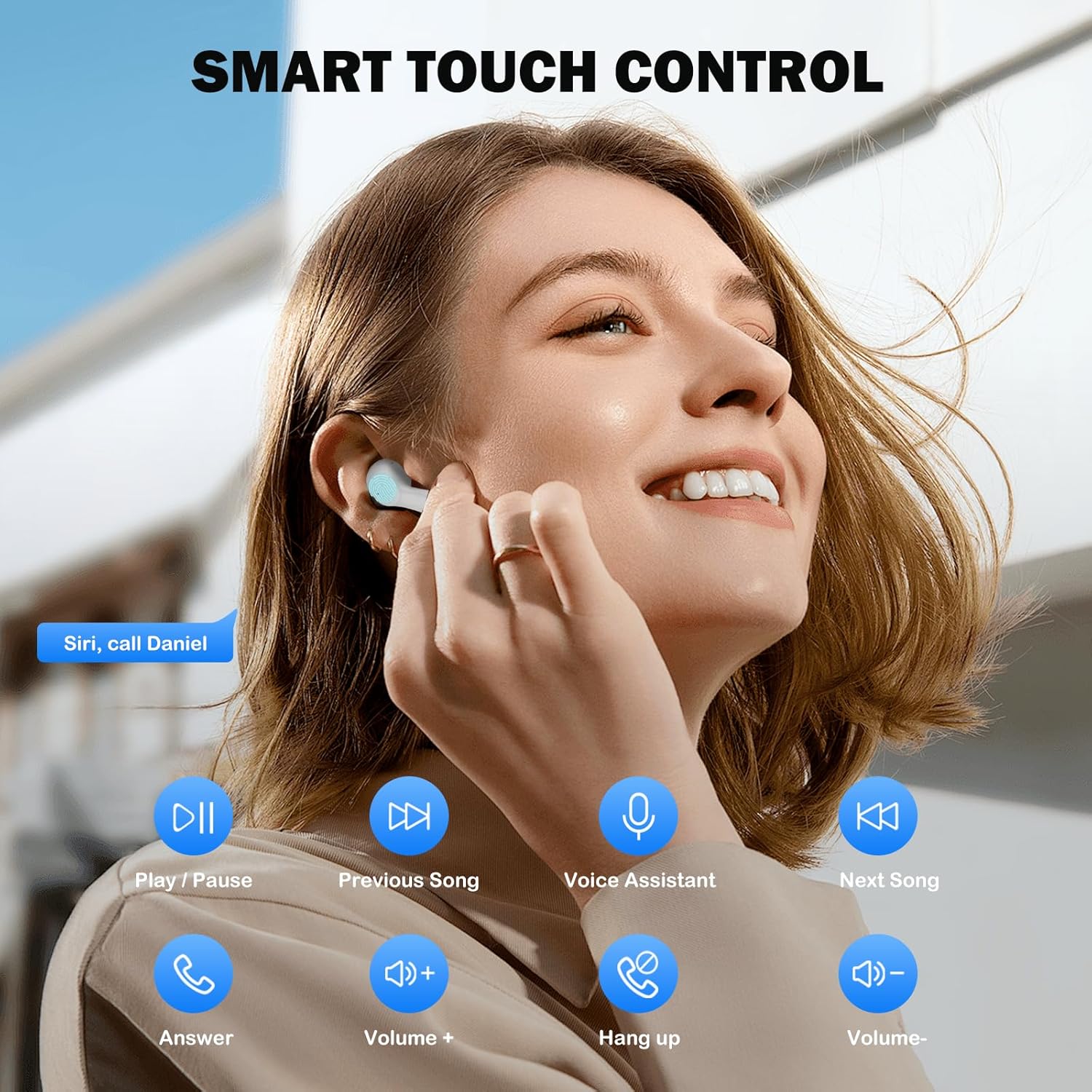
Image: Visual guide to the smart touch controls for music, calls, and voice assistant.
5. Gbigba agbara
The earbuds and charging case are powered by internal rechargeable batteries.
Ngba agbara si Earbuds
Place the earbuds into the charging case. They will automatically begin charging. The LED indicator on the case will show charging status.
Gbigba agbara si ọran naa
Connect the provided USB-C cable to the charging port on the case and to a USB power adapter (not included). The LED indicator on the case will show charging progress. A full charge for the earbuds takes approximately 40 minutes.
Igbesi aye batiri
- Awọn afetigbọ: Up to 8 hours of listening time on a single charge (at 50% volume).
- Pẹlu Ẹru Gbigba agbara: Títí dé wákàtí 40 ti àkókò eré gbogbo pẹ̀lú ọ̀pọ̀ owó láti inú àpótí náà.
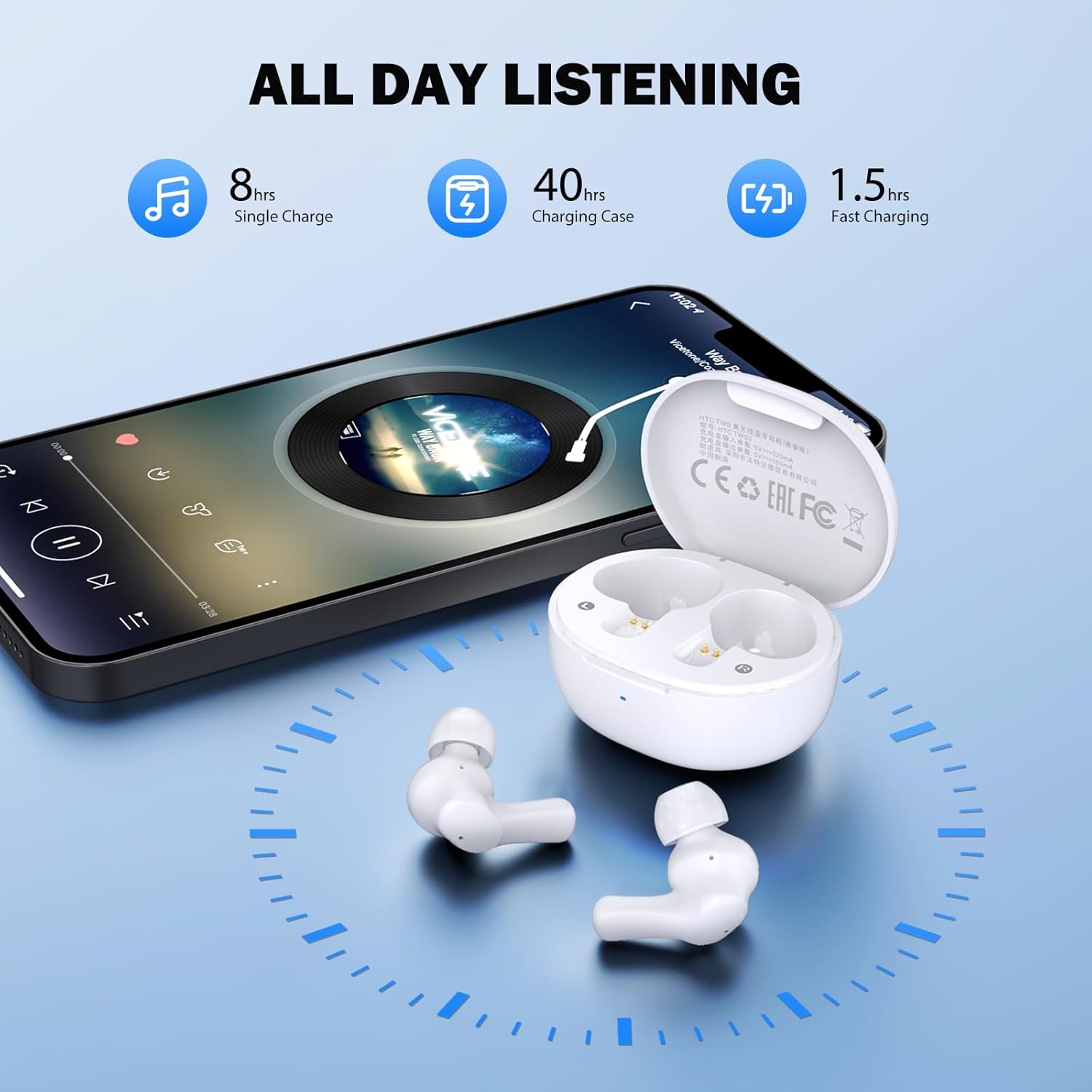
Image: Visual representation of 8 hours single charge, 40 hours with charging case, and 1.5 hours fast charging for the case.
6. Itọju ati Itọju
Proper care ensures the longevity and performance of your earbuds.
Ninu
- Mọ awọn afikọti nigbagbogbo ati apoti gbigba agbara pẹlu asọ ti o gbẹ, asọ ti ko ni lint.
- Yọ awọn eartips kuro ki o si sọ wọn di mimọ pẹlu ọṣẹ kekere ati omi, lẹhinna gbẹ daradara ṣaaju ki o to tun ṣe.
- Ensure charging contacts on both earbuds and inside the case are clean and free of debris.
Omi Resistance
The earbuds are rated IPX4 omi sooro, meaning they are protected against splashing water from any direction. They are suitable for exercise and light rain, but should not be submerged in water or exposed to heavy downpours.
Ibi ipamọ
Nigbati o ko ba si ni lilo, tọju awọn afikọti sinu apoti gbigba agbara wọn lati daabobo wọn ki o jẹ ki wọn gba agbara.
7. Laasigbotitusita
Ti o ba pade awọn iṣoro, gbiyanju awọn ojutu wọnyi:
- Ko si Ohun: Ensure earbuds are charged, connected to your device, and volume is up on both the earbuds and your device.
- Awọn oran Isopọpọ: Rii daju pe Bluetooth ti ṣiṣẹ lori ẹrọ rẹ ati pe awọn agbekọri wa ni ipo sisopọ pọ. Gbiyanju titan Bluetooth si pipa ati tan lẹẹkansi lori ẹrọ rẹ.
- Agbohunsafefe kan Ko Ṣiṣẹ: Gbe awọn agbekọri mejeeji pada sinu apoti gbigba agbara, pa ideri naa, duro fun iṣẹju diẹ, lẹhinna mu wọn jade lẹẹkansi. Eleyi igba tun-syncs wọn.
- Asopọmọra Laarin: Ensure there are no obstructions between the earbuds and your device. Keep your device within the 10-meter Bluetooth range.
Atunto ile-iṣẹ
If problems persist, a factory reset may resolve them:
- Gbe awọn afikọti mejeeji sinu ọran gbigba agbara.
- With the earbuds in the case, quickly tap each earbud 5 times.
- The LED on the earbuds will flash red, then turn off, indicating a successful reset.
- Close the charging case lid, then open it again to re-initiate pairing.

Image: Visual instructions for initial setup, wearing the earbuds, and performing a factory reset.
8. Awọn pato
| Ẹya ara ẹrọ | Ẹ̀kúnrẹ́rẹ́ |
|---|---|
| Orukọ awoṣe | Eshitisii TWS2 |
| Asopọmọra Technology | Ailokun (Bluetooth 5.3) |
| Bluetooth Ibiti | Titi de awọn mita 10 (33 ẹsẹ) |
| Audio Driver Type | 10mm Yiyi Driver |
| Iwọn Igbohunsafẹfẹ | 20 Hz - 20,000 Hz |
| Igbesi aye batiri Earbud | Titi di wakati 8 (agbara ẹyọkan) |
| Lapapọ akoko ere (pẹlu ọran) | Titi di wakati 40 |
| Aago Gbigba agbara Earbud | O fẹrẹ to iṣẹju 40 |
| Omi Resistance Ipele | IPX4 (Sweatproof, Splash Resistant) |
| Iṣakoso Iru | Iṣakoso ifọwọkan |
| Gbohungbohun | Built-in with Call Noise Cancellation |
| Low Lairi | 40ms (Ipo Ere) |
| Iwuwo Earbud | Nǹkan bí 3.8g fún etí kọ̀ọ̀kan |
| Awọn ẹrọ ibaramu | iOS, Android, Windows awọn ẹrọ |

Image: Diagram illustrating the 10mm diameter loud speaker for HiFi stereo sound.

Image: Visual representation of Bluetooth 5.3 technology benefits: low consumption, faster transmission, lower latency, and built-in microphone.
9. Atilẹyin ọja ati Support
Alaye atilẹyin ọja
Your HTC True Wireless Earbuds 1 come with a warranty. Please refer to the included Warranty Card for detailed terms and conditions, including coverage period and what is covered.
Onibara Support
For any questions, technical assistance, or warranty claims, please contact HTC customer support. Refer to the contact information provided in your Quick Guide or on the official HTC webojula.


