Ọrọ Iṣaaju
This manual provides essential instructions for the safe and efficient operation, maintenance, and troubleshooting of your KARACA Coffee Art Aroma Filter Coffee Machine. Please read this manual thoroughly before first use and keep it for future reference.
Awọn Itọsọna Aabo pataki
- Ka gbogbo awọn ilana ṣaaju lilo ohun elo naa.
- Maṣe fi ọwọ kan awọn aaye ti o gbona. Lo awọn ọwọ tabi awọn koko.
- Lati daabobo lodi si ina, mọnamọna, ati ipalara si awọn eniyan, maṣe fi okun, plugs, tabi ohun elo bọ inu omi tabi omi miiran.
- Abojuto sunmọ jẹ pataki nigbati eyikeyi ohun elo ba lo nipasẹ tabi sunmọ awọn ọmọde.
- Yọọ kuro lati inu iṣan nigbati ko si ni lilo ati ṣaaju ṣiṣe mimọ. Gba laaye lati tutu ṣaaju fifi sii tabi mu awọn ẹya kuro, ati ṣaaju ki o to nu ohun elo naa.
- Ma ṣe ṣiṣẹ ohun elo eyikeyi pẹlu okun ti o bajẹ tabi pulọọgi tabi lẹhin aiṣe ohun elo, tabi ti bajẹ ni eyikeyi ọna.
- Lilo awọn asomọ ẹya ẹrọ ti a ko ṣeduro nipasẹ olupese ohun elo le ja si ina, mọnamọna, tabi ipalara si awọn eniyan.
- Maṣe lo ni ita.
- Ma ṣe jẹ ki okun duro lori eti tabili tabi counter, tabi fi ọwọ kan awọn aaye ti o gbona.
- Ma ṣe gbe sori tabi sunmọ gaasi ti o gbona tabi ina ina, tabi ni adiro ti o gbona.
- Nigbagbogbo so plug to ohun elo akọkọ, ki o si pulọọgi okun sinu ogiri iṣan. Lati ge asopọ, tan eyikeyi iṣakoso si “pa”, lẹhinna yọ plug kuro ni iṣan ogiri.
- Ma ṣe lo ohun elo fun miiran ju lilo ti a pinnu lọ.
Ọja irinše
Familiarize yourself with the parts of your KARACA Coffee Art Aroma Filter Coffee Machine:

Aworan: Ohun exploded view showing the main components of the coffee machine, including the digital display, removable water tank (1.35 L), nylon filter, coffee basket, and stainless steel thermos (1.2 L).
- Ifihan Digital: Shows time and brewing status.
- Ibi iwaju alabujuto: Buttons for ON/OFF, START, PROGRAM, AUTO, AROMA FUNCTION, HOUR, MIN.
- Removable Water Tank (1.35 L): For easy filling and cleaning.
- Nylon Filter: Àlẹ̀mọ́ tí a lè tún lò fún kọfí tí a lọ̀.
- Agbọ̀n kọfí: Holds the nylon filter and ground coffee.
- Stainless Steel Thermos (1.2 L): Keeps coffee hot for extended periods.
Eto ati Lilo akọkọ
- Ṣii silẹ: Carefully remove all packaging materials and inspect the coffee machine for any damage.
- Ìfọ̀mọ́ àkọ́kọ́: Before first use, wash the removable water tank, nylon filter, coffee basket, and thermos with warm, soapy water. Rinse thoroughly and dry. Wipe the exterior of the machine with a damp asọ.
- Ipo: Place the coffee machine on a stable, flat, heat-resistant surface, away from the edge of the counter. Ensure adequate ventilation around the appliance.
- Ayika Pipọnti akọkọ (Isọmọ): Fill the water tank with clean water up to the maximum level. Do not add coffee. Run a full brewing cycle to clean the internal components. Discard the water.
Awọn ilana Iṣiṣẹ
Basic Coffee Brewing

Image: A visual guide demonstrating the coffee brewing process, from adding coffee grounds and water to starting the machine and pouring the finished coffee.
- Múra Kọfí: Insert the nylon filter into the coffee basket. Add your desired amount of ground coffee into the filter.
- Fi omi kun: Fill the removable water tank with fresh, cold water up to the desired level (max 1.35 L). Ensure the thermos is correctly placed on the heating plate.
- Bẹrẹ Pipọnti: Press the "ON/OFF" button, then press the "START" button to begin the brewing process. The digital display will show the brewing progress.
- Sin: Once brewing is complete, carefully remove the thermos and pour your coffee. The stainless steel thermos is designed to keep your coffee hot for an extended period.
Lilo Iṣẹ Aroma

Aworan: A alaye view of the coffee machine's control panel, highlighting the digital display and various function buttons, including the 'Aroma Function' button.
The Aroma Function enhances the coffee's flavor for a richer taste.
- Follow steps 1 and 2 for basic brewing.
- Before pressing "START", press the "AROMA FUNCTION" button. An indicator light may illuminate.
- Press "START" to begin brewing with the enhanced aroma setting.
Setting the Timer (Programmable Brewing)

Image: The coffee machine on a wooden table with a cup of coffee, emphasizing the digital display and control panel, indicating the timer function for scheduled brewing.
The timer function allows you to program the machine to start brewing at a specific time.
- Ṣeto Akoko lọwọlọwọ: With the machine plugged in, use the "HOUR" and "MIN" buttons to set the current time on the digital display.
- Murasilẹ fun Pipọnti: Add coffee grounds to the filter and fill the water tank as described in the basic brewing section.
- Ṣeto Akoko Eto: Press the "PROGRAM" button. The display will flash. Use the "HOUR" and "MIN" buttons to set your desired brewing start time.
- Activate Auto Brew: Press the "AUTO" button. An indicator light will confirm that the automatic brewing is set. The machine will now start brewing at the programmed time.
Itoju ati Itọju
Daily Cleaning
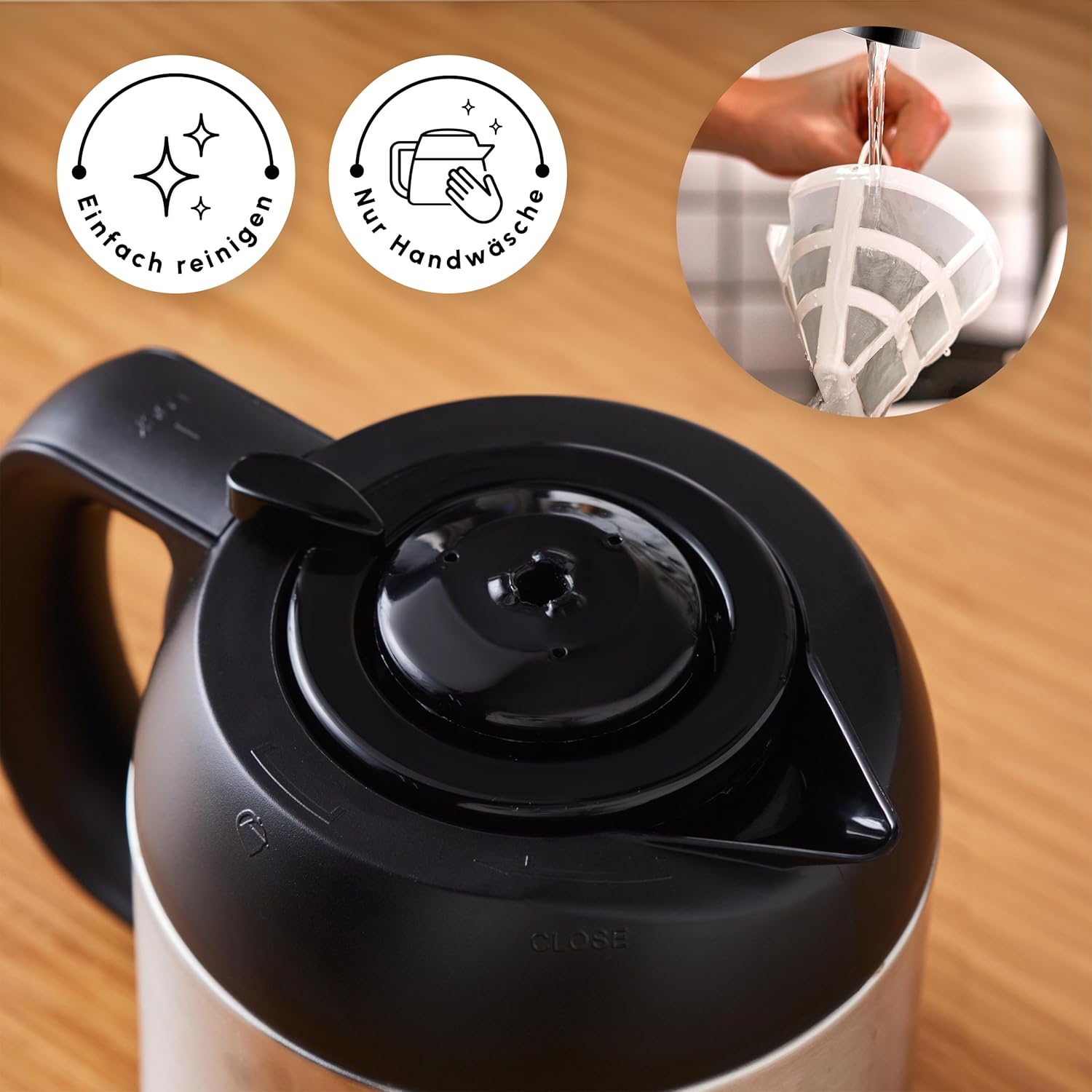
Image: A hand cleaning the reusable nylon filter under a faucet, accompanied by icons signifying easy cleaning and the recommendation for hand washing.
- Yọọ: Always unplug the coffee machine from the power outlet before cleaning.
- Awọn Ẹya Yiyọ kuro: Remove the water tank, nylon filter, coffee basket, and thermos. Wash them with warm, soapy water. Rinse thoroughly and dry completely. The nylon filter should be hand-washed.
- Pa Ode nu: Mu ese ita ti kofi ẹrọ pẹlu asọ, damp asọ. Ma ṣe lo awọn afọmọ abrasive tabi awọn paadi iyẹfun.
- Maṣe Fi omi mọlẹ: Never immerse the main unit of the coffee machine in water or any other liquid.
Epa
Mineral deposits from water can build up in your coffee machine over time, affecting performance and coffee taste. Regular descaling is essential.
- Igbohunsafẹfẹ: The frequency of descaling depends on the hardness of your water and how often you use the machine. A general recommendation is every 2-4 weeks.
- Ojutu Ilọkuro: Use a commercially available descaling solution suitable for coffee machines, or a mixture of white vinegar and water (1 part vinegar to 2 parts water).
- Ilana: Fill the water tank with the descaling solution. Place the empty thermos on the heating plate. Run a full brewing cycle.
- Awọn Yiyi Fi omi ṣan: After the descaling cycle, discard the solution. Fill the water tank with clean water and run at least two full brewing cycles with only water to rinse out any remaining descaling solution.
Laasigbotitusita
| Isoro | Owun to le Fa | Ojutu |
|---|---|---|
| Coffee does not brew or stops mid-cycle. | Machine needs descaling; water tank empty; power interruption. | Perform descaling procedure; ensure water tank is filled; check power connection. |
| Kofi ko gbona to. | Thermos not properly sealed; thermos not pre-heated. | Ensure thermos lid is securely closed; pre-heat thermos with hot water before brewing. |
| Plastic taste in coffee. | New machine residue; insufficient initial cleaning. | Run several cycles with only water; ensure all removable parts are thoroughly cleaned. If problem persists, contact customer support. |
| Digital display or controls not responding. | Oro agbara; ibùgbé itanna glitch. | Unplug the machine for a few minutes, then plug it back in. If the issue persists, contact customer support. |
Imọ ni pato

Image: The coffee machine with its key dimensions labeled, including height, width, and depth, along with the power cord length.
- Brand: ROE
- Nọmba awoṣe: 153.03.06.2270
- Àwọ̀: Inox (Irin Alagbara)
- Awọn iwọn Ọja (L x W x H): 22 x 22 x 34 cm
- Agbara Omi Omi: 1.35 liters
- Thermos Capacity: 1.2 liters
- Agbara: 1000 Wattis
- Voltage: 230 Volts
- Ohun elo: Irin ti ko njepata
- Ìwúwo: 3.88 kilo
- Awọn ẹya pataki: Programmable, Timer Function, Aroma Function, Digital Clock, Large Control Panel, Removable Water Tank, Reusable Nylon Filter
Atilẹyin ọja ati Onibara Support
For warranty information, please refer to the documentation included with your product packaging or visit the official KARACA website. For technical support, spare parts, or service inquiries, please contact KARACA customer service through their official channels.


