1. Ifihan
The Wintact WT816A Handheld Digital Anemometer is a compact and versatile instrument designed for accurate measurement of wind speed and temperature. Its robust design and multiple features make it suitable for a wide range of applications, from HVAC system tuning to outdoor sports and environmental monitoring.
Awọn ẹya pataki pẹlu:
- Precision Wind & Air Temp Tracking: Measures wind speed from 0 to 65 mph (accuracy ±5%) and wind temperature from 14°F to 113°F (accuracy ±3.6℉ / -10°C to 45°C).
- Awọn Ẹka Ọpọ: Supports m/s, km/h, mph, knots, and ft/min for wind speed, and °C/°F for temperature.
- IP67 Waterproof & Ultra-Compact: Splash-proof design (not submersible) and pocket-sized for portability.
- Multifunction Precision: Data Hold function, high-precision sensor for current, max, and average wind speed.
- Ìfihàn Ọ̀rẹ́ oníṣe: Bright LCD backlight, low battery indicator, and auto power-off feature.
- Apẹrẹ ti o tọ: Anti-slip rubber jacket for enhanced grip and protection.
2. Ọja Ipariview
The Wintact WT816A is designed for ease of use and durability. Below are images illustrating its key features and components.

Figure 1: Wintact WT816A Anemometer displaying wind speed, temperature, and wind chill readings.

Olusin 2: Pariview of the Wintact WT816A's primary functions and features.

Figure 3: The anemometer's IP67 splash-proof design, suitable for light rain or sea spray.

Figure 4: Multifunction display showing maximum, average, and wind chill readings.

Figure 5: The bright LCD backlight ensures readability in low-light conditions.
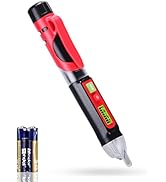
Figure 6: The compact and lightweight design makes it easy to carry.
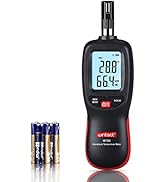
Figure 7: The device features a durable anti-slip rubber protective cover.
3. Eto
3.1 Fifi sori batiri
The Wintact WT816A Anemometer uses one CR2032 3.0V battery (included). Follow these steps to install or replace the battery:
- Carefully remove the anti-slip rubber jacket from the device.
- Wa ideri iyẹwu batiri ni ẹhin ẹyọ naa.
- Use a small screwdriver (not included) to unscrew the two screws securing the battery cover.
- Yọ ideri batiri kuro.
- Insert the CR2032 battery with the positive (+) side facing up, ensuring it is correctly seated.
- Replace the battery cover and secure it with the two screws.
- Reinstall the anti-slip rubber jacket.

Figure 8: Battery installation diagram for the WT816A.
3.2 Titan / Pa a
- Lati Fi agbara: Press the red power button (usually labeled with a power symbol) once. The LCD will light up.
- Lati Paarẹ: The device features an auto power-off function to conserve battery. It will automatically turn off after a period of inactivity. To manually power off, press and hold the power button for a few seconds until the display turns off.
4. Awọn ilana Iṣiṣẹ
The WT816A Anemometer offers various measurement modes and unit selections for comprehensive wind and temperature monitoring.
4.1 bọtini Awọn iṣẹ
- Bọ́tìnì Agbára (Pupa): Press once to turn on. Press and hold to turn off.
- Bọtini UNIT: Cycles through different wind speed units (m/s, km/h, mph, knots, ft/min).
- Bọtini Max/MIN: Displays the maximum or minimum recorded wind speed during a measurement session.
- AVG Button: Displays the average wind speed during a measurement session.
- Bọtini C/°F: Switches the temperature display between Celsius and Fahrenheit.
- Backlight Button (Sun symbol): Toggles the LCD backlight on/off.
4.2 Gbigba Awọn wiwọn
- Power on the device using the red power button.
- Hold the anemometer so that the fan (impeller) faces the direction of the wind or airflow you wish to measure.
- The current wind speed and temperature will be displayed on the LCD.
- Lo awọn UNIT button to select your preferred wind speed unit.
- Tẹ awọn MAX/MIN bọtini lati view the highest or lowest wind speed recorded.
- Tẹ awọn AVG button to see the average wind speed.
- Lo awọn ° C / ° F button to switch between temperature units.
- Activate the backlight in low-light conditions by pressing the Bọtini ina afẹyinti.
4.3 Beaufort Scale
The device can also display wind force according to the Beaufort scale, providing a qualitative measure of wind conditions.

Figure 9: Beaufort Scale reference for interpreting wind force.
5. Itọju
- Ninu: Mu ẹrọ naa nu pẹlu asọ ti o gbẹ. Ma ṣe lo abrasive ose tabi epo.
- Ibi ipamọ: Store the anemometer in a temperature environment between -30°C (-22°F) and 60°C (140°F). Prolonged storage outside this range may cause internal damage.
- Batiri: If the device will not be used for a long period, it is recommended to remove the battery to prevent leakage and damage.
- Olutayo: Ensure the impeller is free from dust and debris for accurate readings.
6. Laasigbotitusita
- Ẹrọ ti ko tan: Ṣayẹwo boya batiri ti fi sori ẹrọ daradara ati pe o ni idiyele ti o to. Rọpo batiri naa ti o ba jẹ dandan.
- Awọn kika ti ko pe: Ensure the impeller is spinning freely and is not obstructed. Clean the impeller if dust or debris is present. Verify that the device is held correctly in the airflow.
- Ṣe afihan awọn iṣoro: If the display is dim or flickering, the battery may be low. Replace the battery.
7. Awọn pato
| Ẹya ara ẹrọ | Sipesifikesonu |
|---|---|
| Nọmba awoṣe | WT816A |
| Afẹfẹ Iyara Ibiti | 0 - 65 mph (0.3 - 30 m/s) |
| Yiye Iyara Afẹfẹ | ± 5% |
| Afẹfẹ otutu Ibiti | 14°F si 113°F (-10°C si 45°C) |
| Yiye iwọn otutu afẹfẹ | ±3.6℉ (±2°C) |
| Afẹfẹ Iyara sipo | m/s, km/h, mph, knots, ft/min |
| Awọn iwọn otutu | °C, °F |
| Ifihan | LCD pẹlu Backlight |
| Batiri Iru | 1x CR2032 3.0V (included) |
| Aifọwọyi Agbara-Paa | Bẹẹni |
| Mabomire Rating | IP67 (Imudaniloju Asesejade) |
| Iwọn Nkan | 47 g |
| Ọja Mefa | 10.5 x 4 x 1.8 cm |
| Ohun elo | Ṣiṣu |
8. Atilẹyin ọja ati Support
The Wintact WT816A Anemometer comes with a 12-osu atilẹyin ọja. If you encounter any problems within one year of purchase, please contact Wintact for a free product replacement.
Our friendly 24/7 professional customer service team is available to assist you with any questions or concerns.
9. Àwọn Fídíò Ìkọ́ni
Watch these videos for visual guidance on setting up and operating your Wintact WT816A Anemometer.
GOYERRNES Handheld Anemometer Features
This video demonstrates the key features of a handheld anemometer, including its measurement capabilities, tripod screw hole, and hand strap.
Digital Anemometer Button Functions and Battery Installation
A quick guide to the button functions, unit switching, backlight, and battery installation for a digital anemometer.
TopTes TS-301 Anemometer Outdoor Use
This video showcases the TopTes TS-301 Anemometer in an outdoor setting, demonstrating its real-time wind speed and temperature measurements.
BTMETER Mini Anemometer Overview
Ipariview of the BTMETER Mini Anemometer, highlighting its compact design, display features, and ease of use for various applications.
866A Anemometer Features and Operation
This video provides a detailed look at the 866A anemometer, covering its features, button functions, and how to take various measurements.
BTMETER BT-816B Digital Anemometer Installation
A step-by-step guide on installing the battery and attaching the lanyard to the BTMETER BT-816B digital anemometer.