1. Ifihan
This manual provides instructions for the safe and effective use of your SmallRig LP-E6NH Camera Battery Charger Set. This set includes two 2040mAh rechargeable batteries and a dual-slot charger designed for various Canon camera models. Please read this manual thoroughly before use and retain it for future reference.
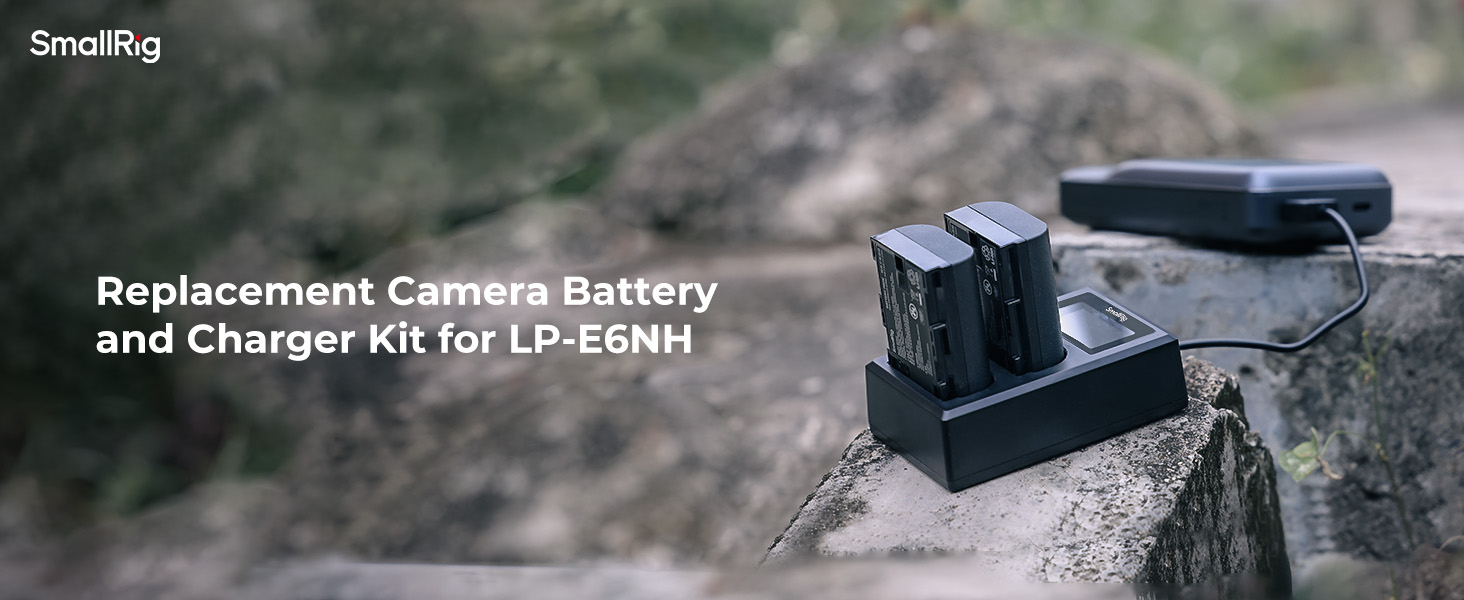
Image 1.1: SmallRig LP-E6NH Camera Battery Charger Set components.
2. Ọja Ipariview ati Awọn akoonu Package
2.1 Package Awọn akoonu
- 1 x Dual-Slot Battery Charger
- 2 x LP-E6NH Rechargeable Batteries (2040mAh each)
- 2 x Battery Protective Covers
2.2 Key Awọn ẹya ara ẹrọ
- Dual-Slot Charging: Charges one or two batteries simultaneously.
- Awọn aṣayan gbigba agbara lọpọlọpọ: Features a built-in USB-A cable and a USB-C input port.
- Intelligent LCD Screen: Displays real-time charging status, including current, voltage, progress, and charged capacity.
- Awọn Aabo Aabo: Incorporates 6-point protection against over-charging, over-current, short-circuit, over-discharge, over-voltage, and recovery issues.
- Ibamu giga: Fully decoded batteries compatible with a wide range of Canon cameras.

Aworan 2.1: alaye view of the charger, batteries, and protective covers.
3. Awọn pato
| Ẹya ara ẹrọ | Ẹ̀kúnrẹ́rẹ́ |
|---|---|
| Nọmba awoṣe | 3821-SR |
| Agbara Batiri | 2040mAh (each battery) |
| Charger Input (USB-A) | 5V/2.1A (Minimum) |
| Charger Input (USB-C) | 5V/2.1A (Minimum) |
| O wujade Voltage | 8.4V |
| Ọja Mefa | 3.54"D x 2.2"W x 1.06"H (Charger) |
| Iwọn Nkan | 10 ounces / 283 grams (Total package) |
4. Ibamu
The SmallRig LP-E6NH batteries and charger are fully compatible with the following Canon camera models:
- Canon EOS R, R5, R6, R7, R5 C, R6 Mark II
- Canon EOS 5D Mark II, 5D Mark III, 5D Mark IV, 5DS, 5DS R
- Canon EOS 6D, 6D Mark II
- Canon EOS 7D, 7D Mark II
- Canon EOS 60D, 60Da, 70D, 80D, 90D
- Canon XC10, XC15

Image 4.1: Visual representation of compatible Canon camera models.
5. Setup and Charging Instructions
5.1 Agbara Ṣaja
The charger offers two methods for power input:
- Built-in USB-A Cable: Connect the integrated USB-A cable from the charger to a USB power source (e.g., USB adapter, car charger, power bank).
- Input USB-C: Use a USB-C cable (not included) to connect the charger's USB-C port to a compatible USB-C power source.
Important: Do not use both USB-A and USB-C input interfaces simultaneously.

Image 5.1: Multiple ways to power the charger using USB-A or USB-C.
5.2 Fi sii awọn batiri
Insert one or two LP-E6NH batteries into the designated charging slots (CH1 and CH2) on the charger. Ensure the battery contacts align correctly with the charger pins.
5.3 Monitoring Charging Status
The intelligent LCD screen will activate upon battery insertion and power connection, displaying real-time charging information for each battery:
- CH1/CH2 Indication: Identifies the charging slot.
- Gbigba agbara lọwọlọwọ: Displays the current in milliampere (mA).
- Ngba agbara Voltage: Ṣe afihan voltage ni folti (V).
- Ilọsiwaju gbigba agbara: Visual indicator (circular segments) showing 25%, 50%, 75%, and 100% charged status.
- Charged Capacity: Displays the accumulated charged capacity in milliampawọn wakati diẹ (mAh).
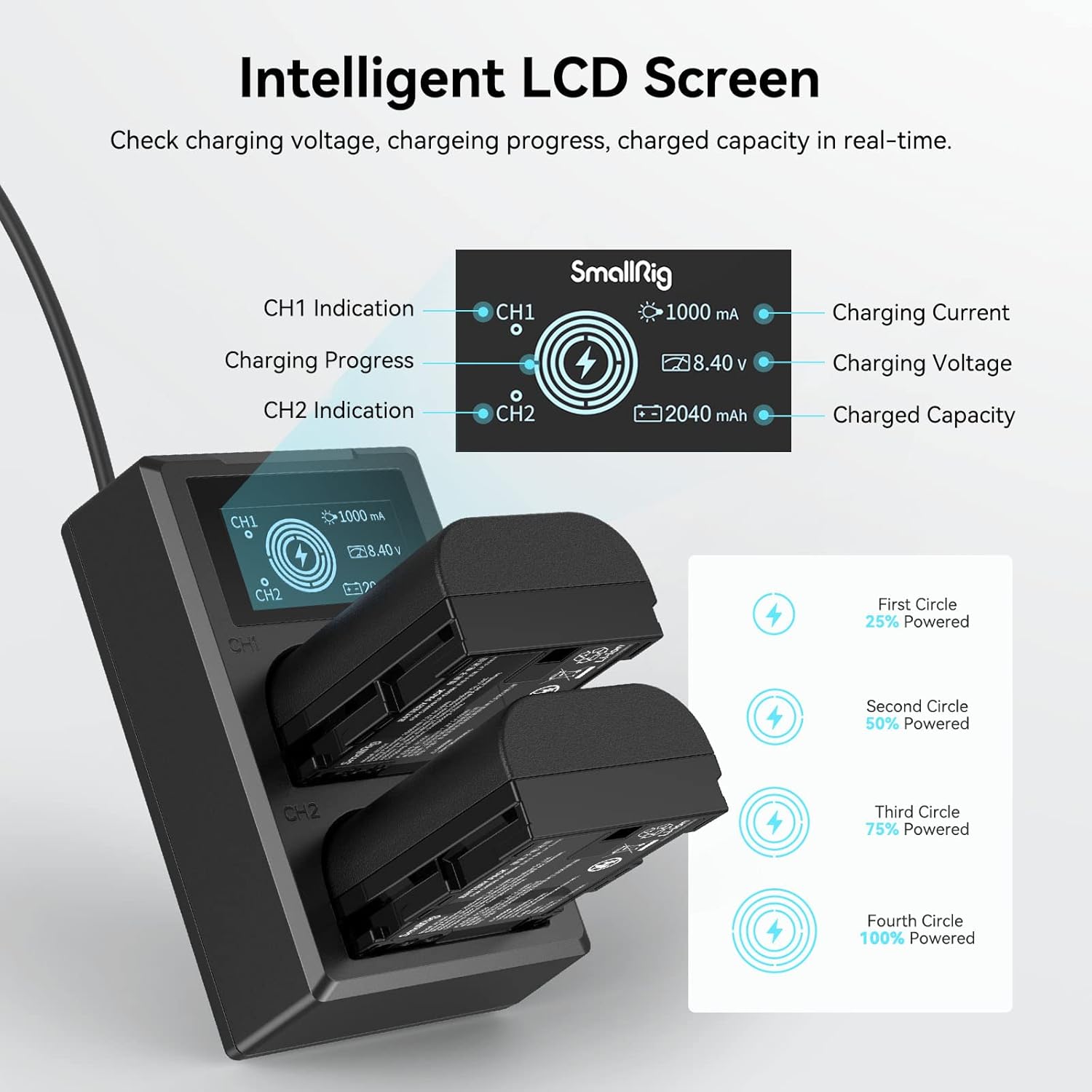
Image 5.2: Understanding the Intelligent LCD Screen display.
6. Operating the Batteries
6.1 Battery Installation in Camera
Once fully charged, remove the batteries from the charger. Refer to your camera's instruction manual for proper battery installation procedures. Ensure the battery is inserted correctly into the camera's battery compartment.
6.2 batiri Performance
Each 2040mAh battery is designed to provide extended power for continuous recording or taking photos. Actual performance may vary based on camera model, usage patterns, and environmental conditions.

Image 6.1: Battery capacity and estimated usage.
7. Ìròyìn Ààbò àti Ààbò
The SmallRig LP-E6NH Battery Charger Set is equipped with a 6-point protection system to ensure safe operation and protect your devices:
- Idaabobo gbigba agbara ju: Prevents batteries from being charged beyond their capacity.
- Idaabobo lọwọlọwọ: Awọn aabo lodi si sisan lọwọlọwọ pupọju.
- Idaabobo igba-kukuru: Laifọwọyi ge agbara kuro ni ọran ti Circuit kukuru kan.
- Idaabobo Isọjade ju: Prevents batteries from being discharged too deeply.
- Lori-voltage Idaabobo: Dáàbò bo lodi si iwọn didun titẹ siitage gbooro.
- Recovery Protection: Ensures safe recovery from protection states.

Aworan 7.1: Pariview of the 6-point protection system.
8. Itọju
- Keep the charger and batteries clean and dry. Avoid exposure to moisture or extreme temperatures.
- Use a soft, dry cloth to clean the contacts on both the batteries and the charger regularly.
- Store batteries in a cool, dry place when not in use, ideally with their protective covers installed.
- Avoid dropping or subjecting the charger and batteries to strong impacts.
- Ma ṣe gbiyanju lati ṣaito tabi tun ọja naa pada.
9. Laasigbotitusita
- Ṣaja ko ṣiṣẹ lori: Ensure the USB cable is securely connected to both the charger and a functional power source. Verify the power source is providing at least 5V/2.1A.
- Awọn batiri ti ko gba agbara: Check if the batteries are inserted correctly into the slots with contacts aligned. Ensure the charger is powered. Clean battery and charger contacts if necessary.
- LCD screen not displaying information: Confirm the charger is powered and batteries are inserted. If the issue persists, try a different power source or cable.
- Gbigba agbara lọra: Ensure your power adapter provides sufficient output (at least 5V/2.1A). Lower output power sources will result in slower charging times.
- Battery not recognized by camera: Ensure the battery is fully charged and correctly inserted. If the issue persists, try another compatible battery to rule out a camera issue.
10. Atilẹyin ọja ati Support
SmallRig products are designed for reliability and performance. For warranty information, technical support, or service inquiries, please contact SmallRig customer service through their official website or the retailer where the product was purchased. Please have your product model number (3821-SR) and proof of purchase available.


