1. Ọja Ipariview
The TEEHO TZ001 Keypad Door Lock offers a secure and convenient keyless entry solution for your home. Designed for ease of use and robust security, this electronic deadbolt provides multiple access options and smart features to enhance your daily living.
- Ìfilọ́lẹ̀ Kóòdù Ìpamọ́: Supports up to 20 user codes for family members and temporary codes for guests.
- Kóòdù Ìgbà Kan: Generate single-use PIN codes that automatically delete after use.
- Smart-Locking: Features automatic locking with adjustable delay (10-99 seconds) and one-touch auto-lock by holding any keypad key for 2 seconds.
- Security Deadbolt: Constructed from sturdy aluminum alloy with IP54 weather resistance, ensuring long-term durability and protection. Includes anti-peeping user code protection and a low battery indicator.
- Fifi sori Rọrun: Designed for quick installation with basic tools like a screwdriver.

This image displays the sleek design of the TEEHO TZ001 Keypad Door Lock, showing both the external keypad unit and the internal battery housing and thumb-turn mechanism. The satin nickel finish is visible on the exterior.
2. Eto & Fifi sori
Installing your TEEHO TZ001 lock is a straightforward process. Follow these steps carefully to ensure proper functionality and security.
2.1 Prepare Your Door
Ensure your door is prepared with the correct bore holes and backset. The lock is designed to fit most standard doors.

This diagram illustrates the necessary door dimensions, including backset (2-3/8" or 2-3/4") and bore hole diameter (2-1/8"), along with the physical dimensions of the lock components (exterior keypad and interior assembly).
2.2 Install the Latch
Adjust the latch length if necessary and insert it into the door edge. Secure it with screws.

This image shows the adjustable latch mechanism, highlighting how it can be extended or retracted to fit different door backsets, ensuring compatibility with various door types.
2.3 Install the Exterior Keypad
Carefully feed the cable through the door bore hole and align the exterior keypad with the latch.

This image demonstrates the exterior keypad being positioned on the door, showing the keypad and keyhole. This unit houses the primary input for codes and the physical key override.
2.4 Install the Mounting Plate and Interior Assembly
Attach the mounting plate to the door, ensuring the cable passes through. Connect the cable to the interior assembly and secure it.

This image depicts the interior assembly of the lock, which contains the battery compartment and the thumb-turn. It also highlights the automatic door lock feature, which can be customized for a 10-99 second delay.
2.5 Awọn fidio fifi sori ẹrọ
For a visual guide, please refer to the official installation videos provided by TEEHO:
Video 2.5.1: Detailed installation steps for the TEEHO Keypad Door Lock. This video guides you through each physical step of setting up the lock on your door.
Video 2.5.2: Comprehensive installation video specifically for the TEEHO TZ001 model, covering all aspects from latch adjustment to final assembly.
3. Awọn ilana Iṣiṣẹ
The TEEHO TZ001 offers various convenient ways to secure and access your door.
3.1 Setting Up Passcodes
The lock supports up to 20 unique access codes for regular users and temporary codes for guests. Refer to your quick start guide for detailed programming steps to set your master code and user codes.
This image illustrates the anti-peeping password feature, allowing users to enter random digits before or after their actual PIN code to prevent others from guessing the code by observing finger movements.
Àwọn Kóòdù Ìgbà Kanṣoṣo Mẹ́rin
For single-use access, you can generate a one-time PIN code that will automatically delete after it has been used. This is ideal for deliveries or temporary guest access.

This image depicts a scenario where a one-time password is being communicated for temporary access, highlighting the convenience of this feature for guests or service providers.
3.3 Laifọwọyi Titiipa
The lock can be set to automatically lock after a specified delay (10-99 seconds). To manually auto-lock, simply press and hold any key on the keypad for 2 seconds.
3.4 Ṣíṣe àtúnṣe Títì
If you need to reset your lock to factory settings or troubleshoot programming issues, follow the instructions in the video below:
Video 3.4.1: Instructions on how to reset the TEEHO TZ001 Keypad Door Lock to its default settings.
4. Itọju
Proper maintenance ensures the longevity and optimal performance of your TEEHO TZ001 lock.
- Rirọpo Batiri: The lock requires 4 AA batteries. Replace them when the low battery indicator activates. It is recommended to use high-quality alkaline batteries for best performance.
- Ninu: Use a soft, dry cloth to clean the keypad and lock body. Avoid abrasive cleaners or solvents that could damage the finish or electronic components.
- Awọn ipo Ayika: The lock is designed to operate in temperatures from -31°F to 151°F (-35°C to 66°C) and has an IP54 weather resistance rating, making it suitable for various environments.
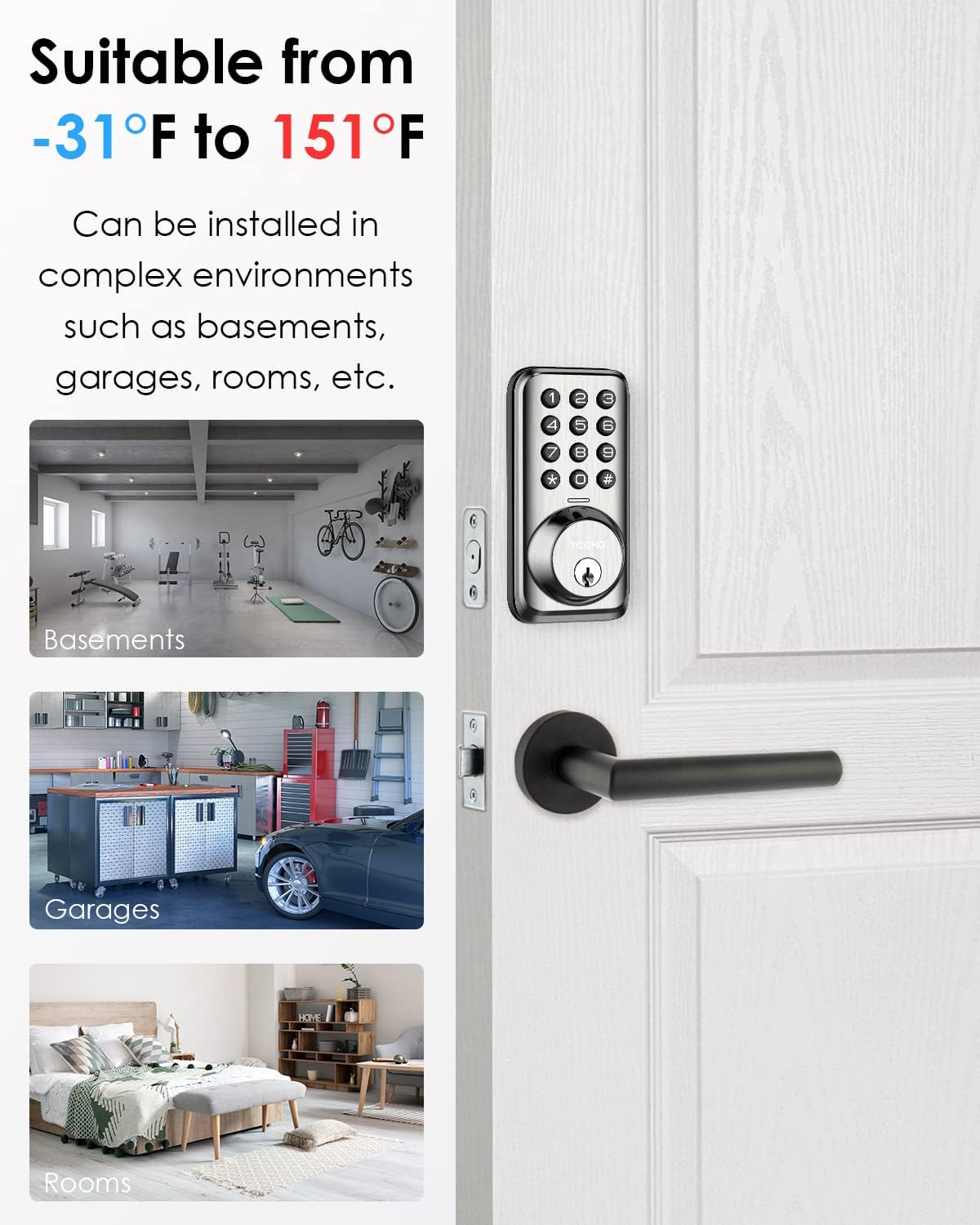
This image highlights the wide temperature range (-31°F to 151°F) in which the TEEHO TZ001 lock can function reliably, making it suitable for diverse indoor and outdoor environments like basements, garages, and rooms.
5. Laasigbotitusita
If you encounter issues with your TEEHO TZ001 lock, try the following solutions:
| Isoro | Owun to le Fa | Ojutu |
|---|---|---|
| Titiipa ko dahun si titẹ bọtini itẹwe. | Low batteries; incorrect code entered; keypad malfunction. | Replace batteries. Ensure correct code is entered. Perform a factory reset (refer to Section 3.4). |
| Deadbolt kò nà tàbí fà sẹ́yìn pátápátá. | Misalignment during installation; obstruction in door frame. | Check alignment of the lock and strike plate. Clear any debris from the door frame. |
| Títìpa máa ń dún nígbà gbogbo tàbí kí ó máa tàn yanranyanran. | Ìkìlọ̀ bátìrì kékeré; àṣìṣe nígbà tí a ń ṣe ètò. | Replace batteries immediately. Re-program codes or perform a factory reset. |
If issues persist, please contact TEEHO customer support for further assistance.
6. Awọn pato
Detailed technical specifications for the TEEHO TZ001 Keypad Door Lock:
- Brand: TEEHO
- Orukọ awoṣe: TZ001
- Titiipa Iru: Bọtini oriṣi bọtini
- Ohun elo: Irin (Aluminiomu Alloy)
- Àwọ̀: Stain Nickel
- Awọn Iwọn Nkan (L x W x H): 2.65 x 1.1 x 5.26 inches
- Ìwọ̀n Nkan: 1 iwon
- Awọn ẹya pataki: Battery Indicator, Digital Lock, Smart Lock
- Orisun Agbara: Awọn batiri AA 4 (kii ṣe pẹlu)
- Atako oju ojo: IP54
- Iwọn Iṣiṣẹ: -31°F si 151°F (-35°C si 66°C)
- Iduroṣinṣin: Tested for 100,000 continuous uses (Grade 3)
7. Atilẹyin ọja & Atilẹyin
TEEHO ti pinnu lati pese iṣẹ alabara ti o tayọ ati atilẹyin ọja.
- Ìdúróṣinṣin Oníbàárà: Enjoy a 30-day customer commitment period.
- Paṣipaarọ Ọja: Complimentary exchange within 1 year from the date of purchase.
- Atilẹyin Tita-lẹhin: Ongoing after-sales customer support is available to assist with any questions or issues.
For additional resources, FAQs, or to contact support, please visit the official TEEHO Store: TEEHO Store on Amazon.


