1. Ifihan
Thank you for choosing the PUSOKEI Mini Slim MP3 Player. This device is designed for portable audio playback, offering HiFi lossless sound quality in a compact and lightweight form factor. It supports MicroSD card expansion up to 64GB, making it suitable for various activities such as entertainment, learning, and fitness. This manual provides detailed instructions to help you set up and operate your MP3 player effectively.
2. Alaye Aabo
- Ma ṣe fi ẹrọ naa han si awọn iwọn otutu to gaju, imọlẹ orun taara, tabi ọriniinitutu giga.
- Yago fun sisọ silẹ tabi tẹriba ẹrọ si awọn ipa to lagbara.
- Jeki ẹrọ naa kuro ninu omi ati awọn olomi miiran.
- Use only the provided charging cable or a certified equivalent to prevent damage.
- Ma ṣe gbiyanju lati tunto tabi tun ẹrọ naa funrararẹ. Kan si atilẹyin alabara fun iranlọwọ.
- Listen at moderate volume levels to protect your hearing.
3. Package Awọn akoonu
- PUSOKEI Mini Slim MP3 Player
- Okun Ngba agbara USB
- Awọn afikọti ti A firanṣẹ
- Afowoyi Olumulo (iwe-ipamọ yii)
4. Ẹrọ Loriview
The PUSOKEI Mini Slim MP3 Player features a compact design with intuitive controls and essential ports.
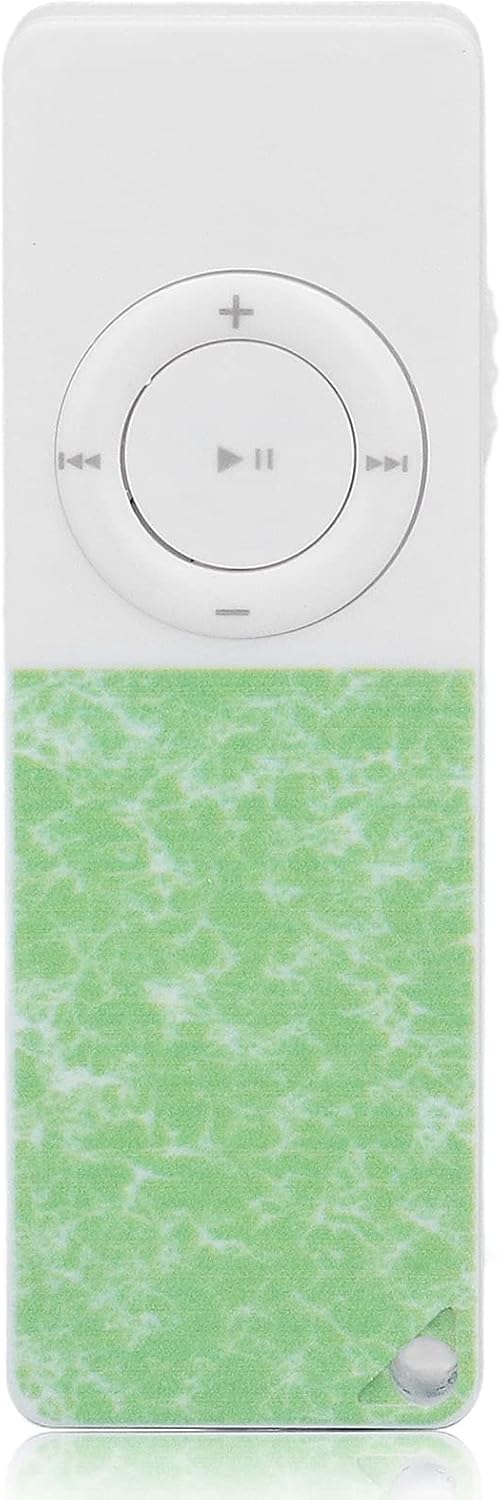
Nọmba 1: Iwaju view of the MP3 Player, showing the control buttons and screen.

Nọmba 2: Apa view of the MP3 Player, highlighting the USB-C charging port and MicroSD card slot.

Nọmba 3: Pada view of the MP3 Player, showing the built-in speaker and clip.
Awọn iṣakoso ati awọn ibudo:
- Iboju ifihan: Shows menus, track information, and settings.
- Awọn bọtini lilọ kiri: Up, Down, Left (Previous), Right (Next), Center (Play/Pause/Confirm).
- Bọtini Akojọ: Accesses options within current mode.
- Bọtini Pada: Pada si iboju iṣaaju tabi akojọ aṣayan.
- Awọn bọtini iwọn didun: Ṣe atunṣe ipele iṣelọpọ ohun.
- Bọtini Agbara Tan/Paa: Tan ẹrọ naa si tan tabi pa.
- Jack agbekọri 3.5mm: For wired earphones.
- Ibudo USB-C: Fun gbigba agbara ati gbigbe data.
- Iho kaadi MicroSD: For expandable storage (up to 64GB).
- Agbọrọsọ ti a ṣe sinu: For external audio playback.
- Agekuru: For attaching the player to clothing or accessories.
5. Bibẹrẹ
5.1 Ngba agbara si Ẹrọ
Before first use, fully charge the MP3 player. Connect the provided USB-C cable to the device's USB-C port and the other end to a USB power adapter (not included) or a computer's USB port. The battery indicator on the screen will show charging status.
5.2 Fi kaadi MicroSD sii
The device supports MicroSD cards up to 64GB for storing your music. A 64GB card is typically included.
- Locate the MicroSD card slot on the side of the player.
- Gently insert the MicroSD card into the slot with the gold contacts facing down until it clicks into place.
- To remove, push the card inward until it springs out.

Nọmba 4: Correct insertion of a MicroSD card.
5.3 Gbigbe Orin Files
Connect the MP3 player to your computer using the USB-C cable. The device will appear as a removable disk. Drag and drop your MP3 files into the appropriate folders on the MicroSD card. Ensure your music files wa ni ọna kika ibaramu (fun apẹẹrẹ, MP3).
6. Awọn ilana Iṣiṣẹ
6.1 Agbara Tan / Pa
- Lati Fi agbara: Press and hold the Power button for approximately 3 seconds until the screen lights up.
- Lati Paarẹ: Press and hold the Power button for approximately 3 seconds until the screen turns off.
6.2 Sisisẹsẹhin Orin
From the main menu, select 'Music'. You can browse by 'Now playing', 'All songs', 'Artists', 'Albums', or 'Genres'.
- Ṣiṣẹ/Daduro: Tẹ bọtini aarin.
- Orin t’okan: Press the Right navigation button.
- Tẹlẹ Orin: Press the Left navigation button.
- Iwọn didun Soke/Isalẹ: Use the dedicated Volume buttons on the side.
- Daapọ Sisisẹsẹhin: While in music playback, press the Menu button (top-left) and select 'Repeat' then 'Shuffle'.
Fidio 1: How to Enable Shuffle Play (demonstrated on a similar MP3 player).
6.3 Bluetooth Asopọ
You can connect your MP3 player to Bluetooth headphones or speakers.
- Láti inú àkójọpọ̀ àkọ́kọ́, yan 'Bluetooth'.
- Rii daju pe ẹrọ Bluetooth rẹ wa ni ipo sisopọ.
- The MP3 player will scan for available devices. Select your device from the list to pair.
Fidio 2: How to pair Bluetooth (demonstrated on a similar MP3 player).
6.4 Redio FM
To use the FM radio function, ensure wired earphones are plugged into the 3.5mm jack, as they act as the antenna.
- Láti inú àkójọ àkójọ àkọ́kọ́, yan 'Rédíò FM'.
- The player will automatically scan for available stations.
- Use the Left/Right navigation buttons to fine-tune the frequency or press and hold to jump to the previous/next available station.
Fidio 3: How to use FM mode (demonstrated on a similar MP3 player).
6.5 Agbohunsile
Ẹ̀rọ náà ní iṣẹ́ ohun tí a fi ń gba ohùn sílẹ̀.
- From the main menu, select 'Recorder'.
- Follow the on-screen prompts to start, pause, save, or playback recordings.
6.6 Pedomita
Track your steps and activity with the built-in pedometer.
- From the main menu, select 'Pedometer'.
- Start the pedometer function and carry the device with you.
- View your step count and other activity data.
6.7 Aago iṣẹju-aaya
Use the stopwatch for timing various activities.
- From the main menu, select 'Stopwatch'.
- Use the control buttons to start, pause, and reset the timer.
6.8 Lilọ kiri ayelujara Files ati Eto
The 'Folder' option allows you to browse files directly on the MicroSD card. The 'Settings' menu provides options to customize the device:
- Èdè: Yi ede ifihan pada.
- Awọn Eto Ifihan: Adjust brightness, backlight time.
- Akoko oorun: Ṣeto aago kan fun tiipa laifọwọyi.
- Tiipa Aifọwọyi: Configure automatic power off when idle.
- Ọjọ ati Aago: Ṣeto ọjọ ati akoko lọwọlọwọ.
- Kaadi TF kika: Pa gbogbo data rẹ lori kaadi MicroSD.
- Eto ile-iṣẹ: Reset the device to its original factory settings.
7. Itọju ati Itọju
- Fi aṣọ rírọrùn tó gbẹ nu ẹ̀rọ náà. Má ṣe lo àwọn ohun èlò ìfọmọ́ omi.
- Store the MP3 player in a cool, dry place when not in use.
- Yago fun ṣiṣafihan ẹrọ naa si awọn aaye oofa to lagbara.
8. Laasigbotitusita
- Ẹrọ ko ni agbara lori: Rii daju pe batiri ti gba agbara. Sopọ si orisun agbara ati gbiyanju lẹẹkansi.
- No music playback: Verify that a MicroSD card is correctly inserted and contains compatible music files (e.g., MP3 format). Ensure the volume is not muted or too low.
- Ko le sopọ nipasẹ Bluetooth: Ensure the MP3 player and the target Bluetooth device are both in pairing mode and within range. Try restarting both devices.
- FM Radio not working: Confirm that wired earphones are securely plugged into the 3.5mm jack, as they serve as the antenna.
- SD card not recognized or fileko dun: Ensure the MicroSD card is formatted correctly (FAT32 is commonly supported). Some devices may have specific file formatting requirements; try reformatting the card on a computer if issues persist.
9. Awọn pato
| Ẹya ara ẹrọ | Ẹ̀kúnrẹ́rẹ́ |
|---|---|
| Brand | PUSOKEI |
| Nọmba awoṣe | PUSOKEIn*8tdco61615-13 |
| Agbara Ibi ipamọ Iranti | 64 GB (ti o gbooro nipasẹ MicroSD) |
| Asopọmọra Technology | USB, Bluetooth |
| Pataki Ẹya | Portable, Hi-Res Audio |
| Iwon iboju | 1.44 inches |
| Ifihan ọna ẹrọ | LCD |
| Awọn Ilana atilẹyin | MP3 |
| Iwọn Nkan | 1.44 iwon |
| Package Mefa | 5 x 3 x 0.09 inches |
10. Atilẹyin ọja ati Support
For warranty information and customer support, please refer to the documentation included with your purchase or contact PUSOKEI customer service directly. Keep your purchase receipt for warranty claims.


